How to run Absinthe 2.0 jailbreak
Posted By admin On May 25, 2012 @ 5:09 pm In All,Cydia,Firmware,Software,Tutorial,Unlock & Jailbreak | Comments Disabled
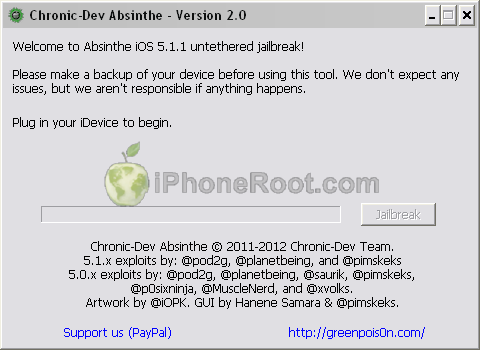
Here are recommendations from Chronic Dev Team:
- Make a backup of your device in iTunes by right clicking on your device name under the ‘Devices’ menu and click ‘Back Up’.
- Once your backup is complete return to your device and go to Settings – General – Reset – Erase all Content and Settings. This will make the jailbreak process much faster.
- Open Absinthe and be sure you are still connected via USB cable to your computer.
- Click ‘Jailbreak’ and wait…. just be patient and do not disconnect your device.
- Once jailbroken return to iTunes and restore your backup from earlier. Right click on your device name under the ‘Devices’ menu in the left panel of iTunes and click ‘Restore from Back Up…’ then select the latest backup you created before. (restoring this backup will return all the content previously on your device ie, apps, photos, etc.)
Step-by-step tutorials are available here [1].
Comments Disabled (Open | Close)
Article printed from iPhoneRoot.com: https://iphoneroot.com
URL to article: https://iphoneroot.com/how-to-run-absinthe-2-0-jailbreak/
URLs in this post:
[1] here: https://iphoneroot.com/howto-untehter-jailbreak-absinthe20-windows-ios511/
[2] : http://iphoneroot.com/RU/howto-untehter-jailbreak-absinthe20-windows-ios511/
Click here to print.
Comments Disabled To "How to run Absinthe 2.0 jailbreak"
#1 Comment By Magic_rabbit On May 25, 2012 @ 5:17 pm
Страно. Вылезает диалоговое окно чёрное и всё. windows 7 iphone3G[s]
Magic_rabbit Reply:
May 25th, 2012 at 5:25 pm
Разобрался. Кривые руки:) Как всегда спасибо за оперативность.
art10 Reply:
May 25th, 2012 at 5:26 pm
Извини, не можешь подсказать, что делал? Просто я открываю absinthe и вылезает черное окно!
art10 Reply:
May 25th, 2012 at 5:25 pm
То же самое!
Magic_rabbit Reply:
May 25th, 2012 at 5:41 pm
Чуть раскрою комментарий администратора. Там двойная разпаковка. Тобишь сначала архив пакуешь а потом ещё раз идёт распаковка. Открой папку и найди приложение. Запускай от имени администратора. Джейл встал быстро (около двух-трёх минут) всё работает. Удачи:)
art Reply:
May 25th, 2012 at 5:42 pm
Спасибо большое!
admin Reply:
May 25th, 2012 at 7:36 pm
тут поподробнее
admin Reply:
May 25th, 2012 at 5:25 pm
это архив распаковывается..
#2 Comment By Monstradamuzz On May 25, 2012 @ 5:43 pm
Все получилось! Подождал, пока распакуется архив (черный экран с командной строкой) и джейлбрейкнул ( появилась папка с названием absinthe-win-2.0, там файл absinthe.exe, его активировал, все пошло). Кстати, 3G оно распознало как GSM...
Serega Reply:
May 25th, 2012 at 5:57 pm
Так 3G - это и есть GSM...
CDMA в России не работает.
#3 Comment By vadim On May 25, 2012 @ 5:46 pm
Пишет Recovery completed. If you want to retry jailbreak, unplug your device and plug it back in
Что делать?
admin Reply:
May 25th, 2012 at 7:37 pm
рекомендую делать заново
#4 Comment By Даня On May 25, 2012 @ 5:53 pm
Сделал все как написано, написано "Recovery completed", но сидии нет, что за дела?) ipod4
#5 Comment By iBooks On May 25, 2012 @ 6:08 pm
Посонята, а iBooks будет запускаться?
pokrovsky Reply:
May 25th, 2012 at 7:36 pm
Будет
#6 Comment By Mac_Gruber On May 25, 2012 @ 6:08 pm
не появилась cydia? чтобы это могла значить?
admin Reply:
May 25th, 2012 at 7:39 pm
значит не прошло все как надо. стоит попробовать заново с нуля.
#7 Comment By Михаил On May 25, 2012 @ 8:39 pm
Теперь проблемы с джейлом,в конце пишет не Done,
А Recovery completed.Il you want to retry jailbreak,unplug your device and plug it back in
(Восстановление завершено. Если вы хотите повторить побег из тюрьмы, отключите устройство и подключить его обратно.)