Step-by-step Tutorial: How to UnTether Jailbreak iPod Touch 4G Using Sn0wBreeze 2.9.1 (Windows) [iOS 5.0.1]
Posted By admin On February 16, 2012 @ 12:34 am In All,Cydia,Firmware,Software,Tutorial,Unlock & Jailbreak | Comments Disabled
 [1]
[1]
UPDATE: Apple released iOS 5.1 that is only tethered jailbreakable with redsn0w. Apple has stopped signing iOS 5.0.1, so you can NOT restore to 5.0.1 any more (both original and custom), unless you have saved your SHSH keys for 5.0.1. If you are on 5.0.1 you can jailbreak with redsn0w.
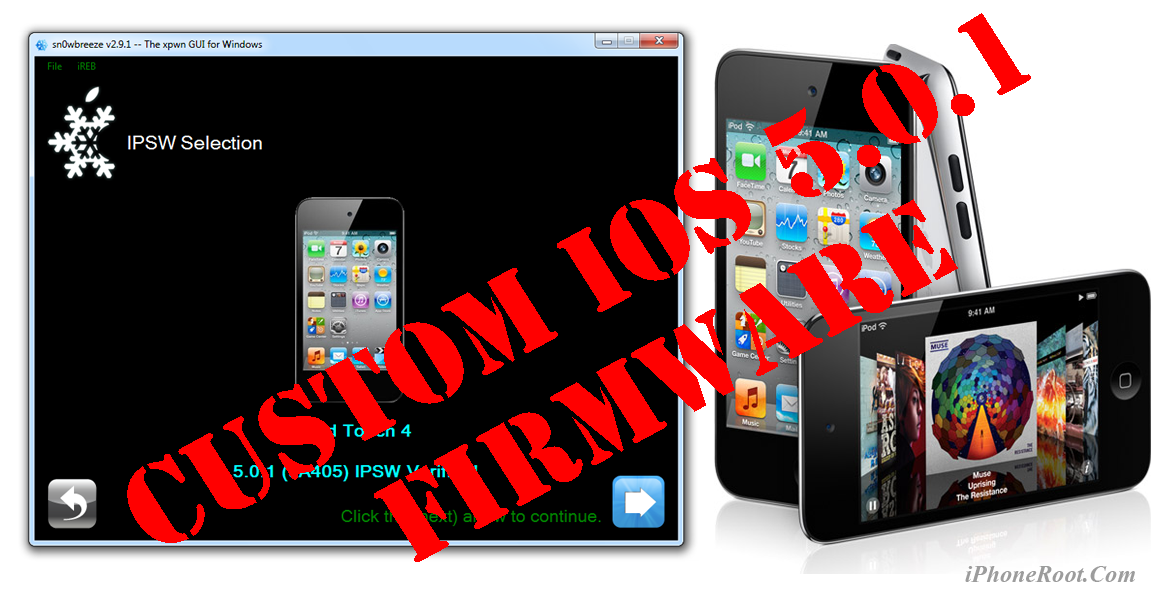
Using this tutorial you will be able to create a custom firmware, jailbreak iOS 5.0.1 running on iPod Touch 4G. This tutorial uses Sn0wBreeze 2.9.1 for Windows.
Jailbreak is untethered. Untethered jailbreak means that each time you restart your device you will NOT need to connect it to a computer and run utilities.
We are not developers of jailbreak utilities, so we cannot assure that everything will work just fine. However we tried this tutorial on several devices and succeeded.
UPDATE: Please, consider reading our Jailbreak & Unlock FAQ [2], especially if you have questions or troubles.
Step One
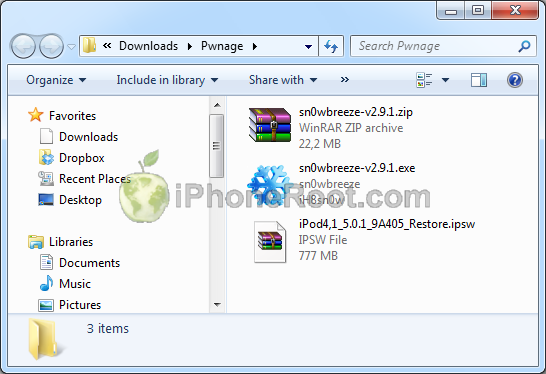
Make a folder called "Pwnage". Download a couple of things:
- Download Sn0wBreeze 2.9.1 or higher here [3].
- Download iOS 5.0.1 for iPod Touch 4G: .
Extract the Sn0wBreeze executable from zip archive.
 [5]
[5]
Connect your iPod to the computer and launch iTunes.

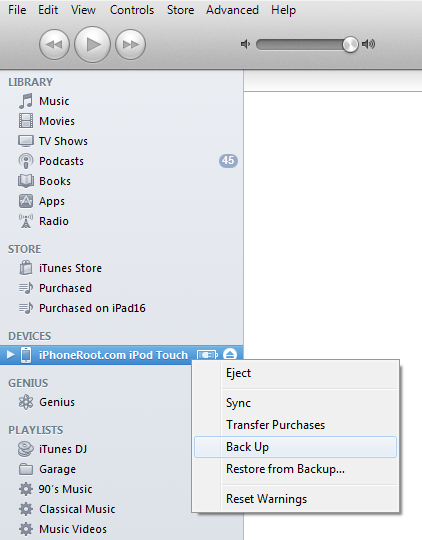
Select your iPod from the list of devices on the left. Create a backup by right-clicking on iPod name in Devices (iTunes left pane) and choosing Back Up.
 [6]
[6]
If you are already have iOS 5.0.1 installed go to Step Two.
Open iTunes. Now hold down Option (Mac) or Shift (Windows) key and click the Restore button.
 [7]
[7]
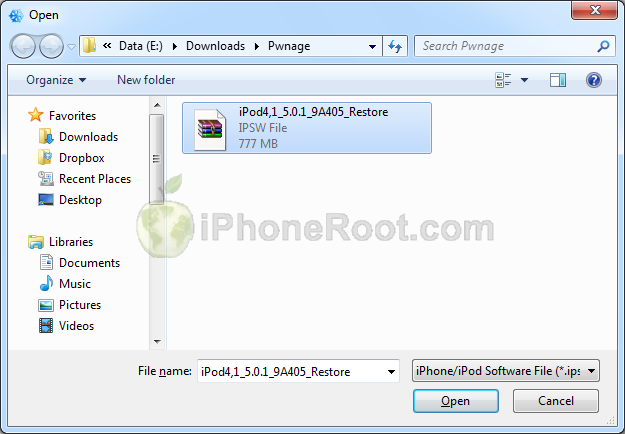
Navigate to the Pwnage folder on your desktop and select the iOS 5.0.1 firmware ipsw. Click the Open button to continue.
 [8]
[8]
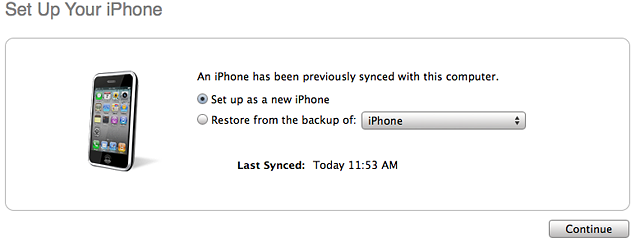
After iOS update iTunes might ask if you want to setup your iPod as a new device or restore from the backup. Ignore this or choose anything. It doesn't matter, since you will restore once again to a custom firmware.
 [9]
[9]
Step Two
Double click on Sn0wbreeze exe icon to launch the application.
The application will launch. Click Ok button.
 [10]
[10]
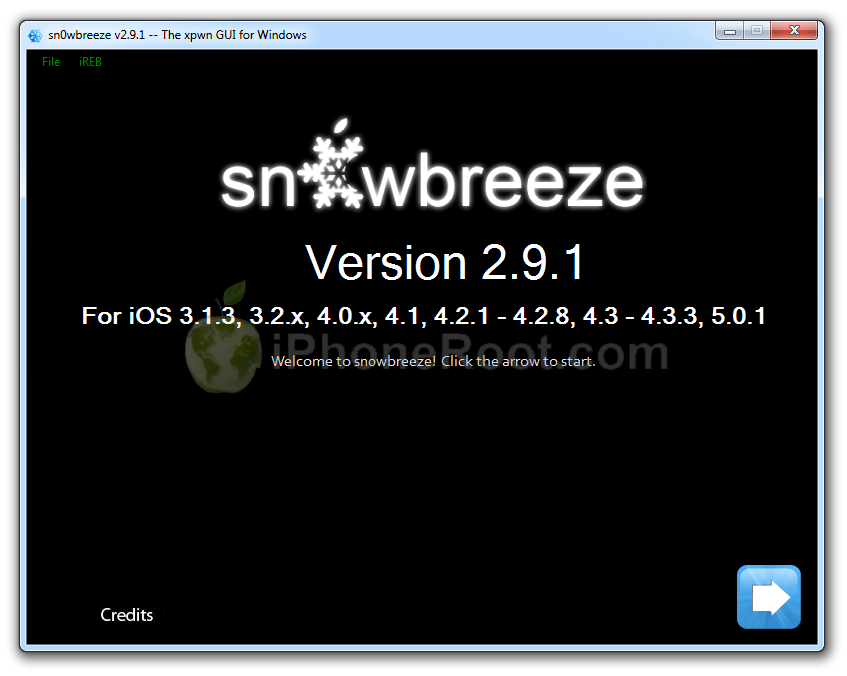
You will see the main window. Press blue-arrow button.
 [11]
[11]
You will see IPSW selection menu. Click Browse button.
 [12]
[12]
Navigate to folder with downloaded firmware, select it and click Open button.
[8]
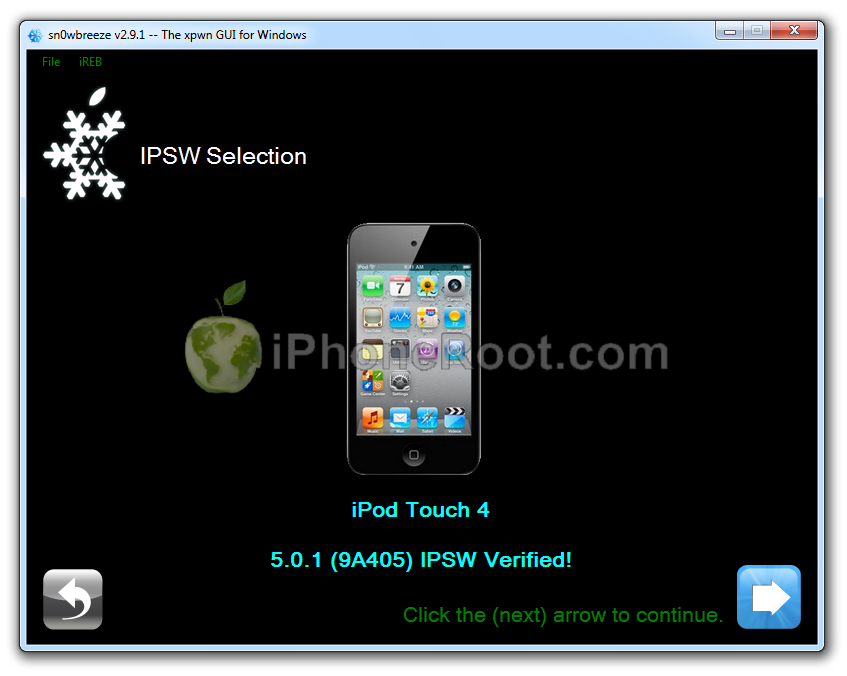
Sn0wBreeze will start identifying the firmware.
Sn0wbreeze will report the device information and firmware version. Check that this corresponds to your device. The screenshot below shows how this looks like for iPod.
 [13]
[13]
Press blue-arrow next button.
Step Three
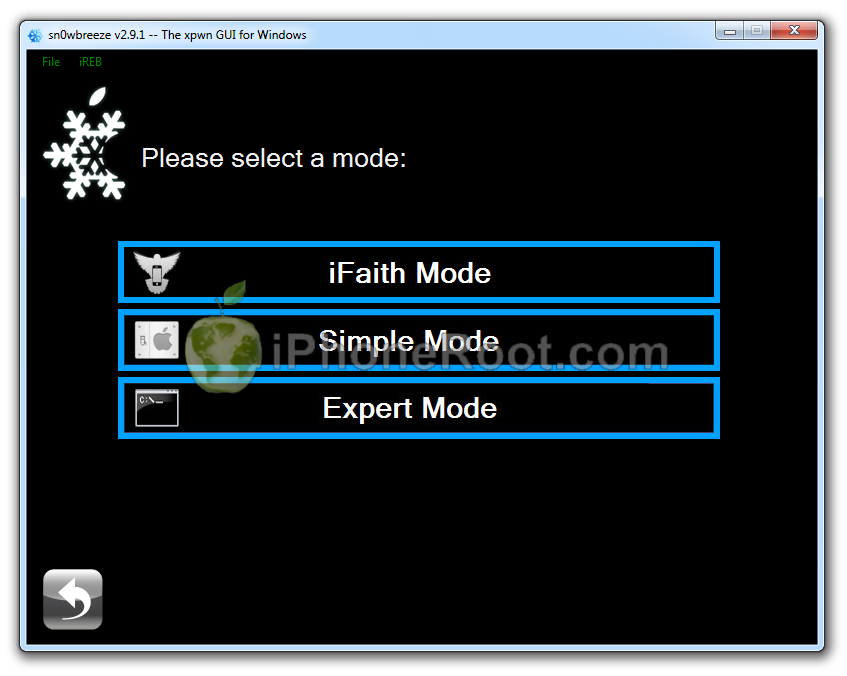
You will see the choice of 4 options.
 [14]
[14]
Click on Expert Mode.
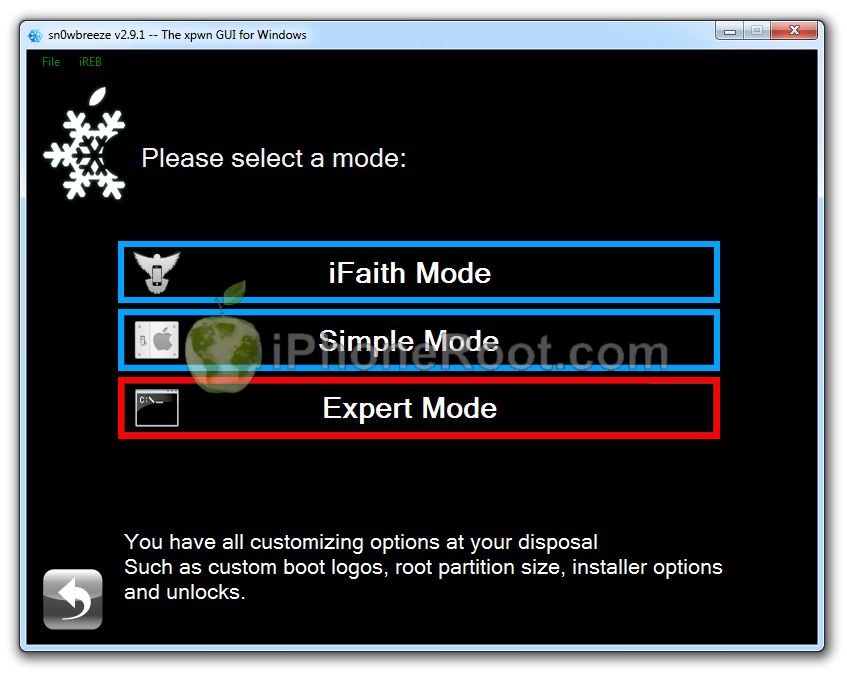 [15]
[15]
You will see the menu with General, Custom boot logos, Custom packages, Build IPSW. Some options might be disabled, if not supported with you device or firmware.
Click on General and then next blue arrow.
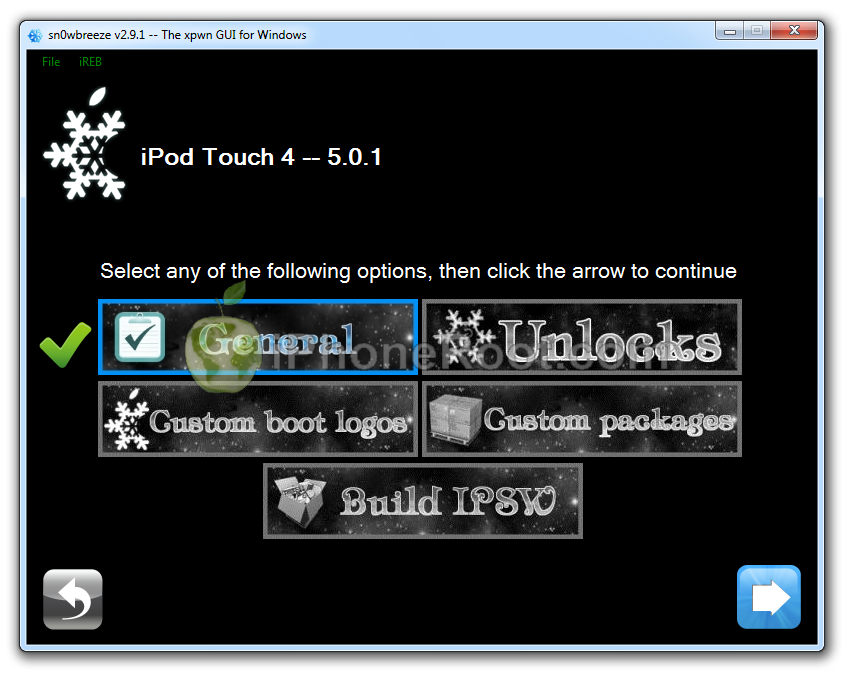 [16]
[16]
Step Four
Here you can enable or disable several options.
 [17]
[17]
Click next blue arrow button.
Step Five
You will see a windows where you can install custom packages, that will be embedded to your custom firmware.
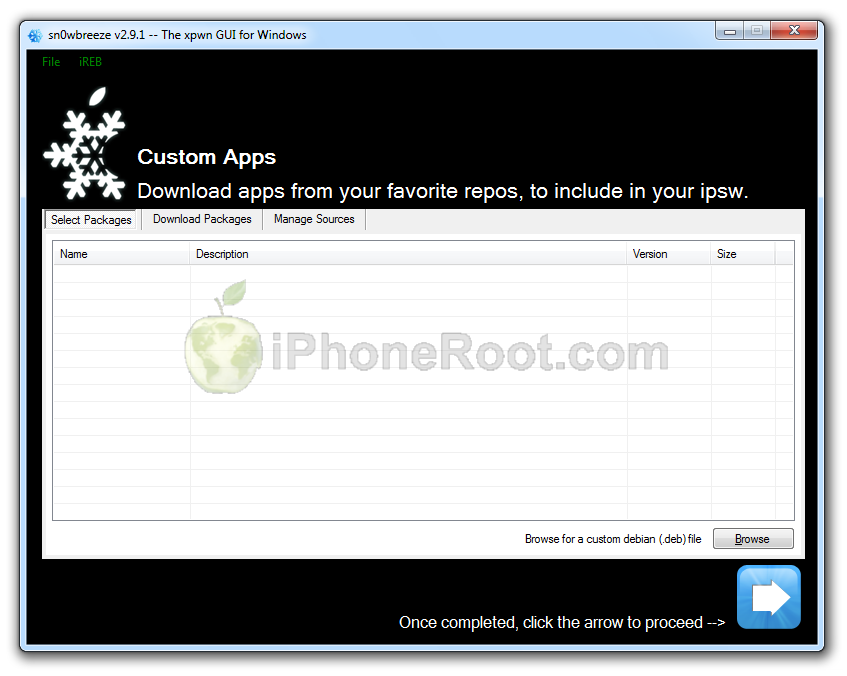 [18]
[18]
Click next. You are ready to create custom IPSW. Click Build IPSW and next button.
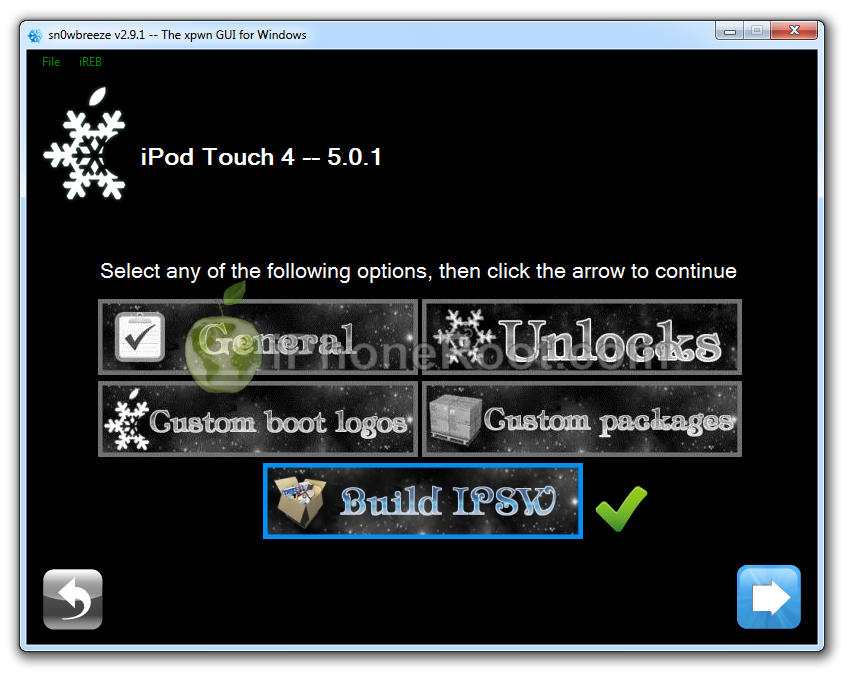 [19]
[19]
Wait while IPSW is being built.You can play PamMan game while you're waiting.
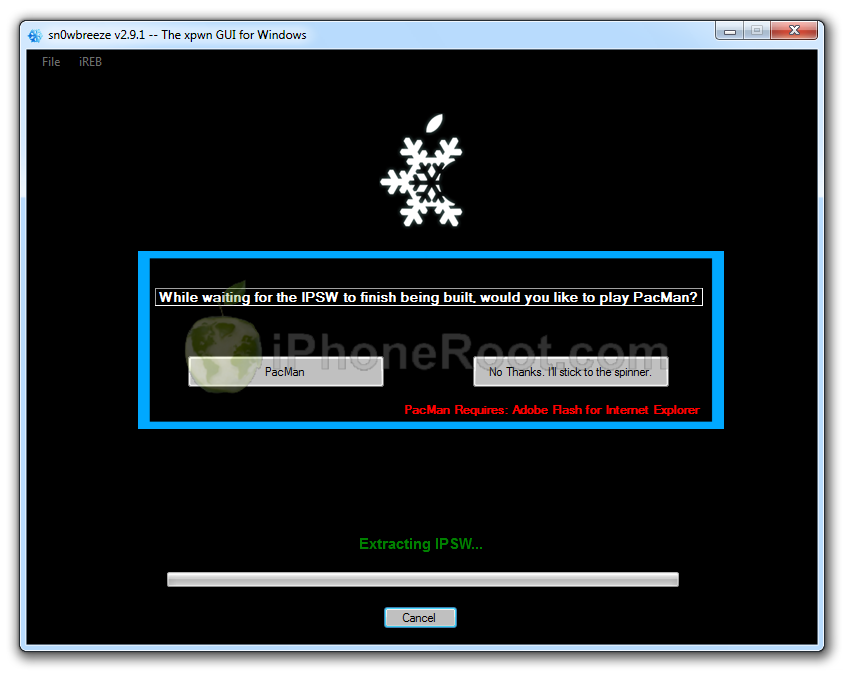 [20]
[20]
Once the custom firmware is ready SnowBreeze will show donation screen. Click Yes or No.
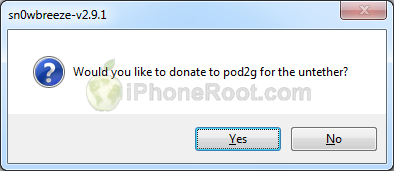 [21]
[21]
Then you will see Done screen:
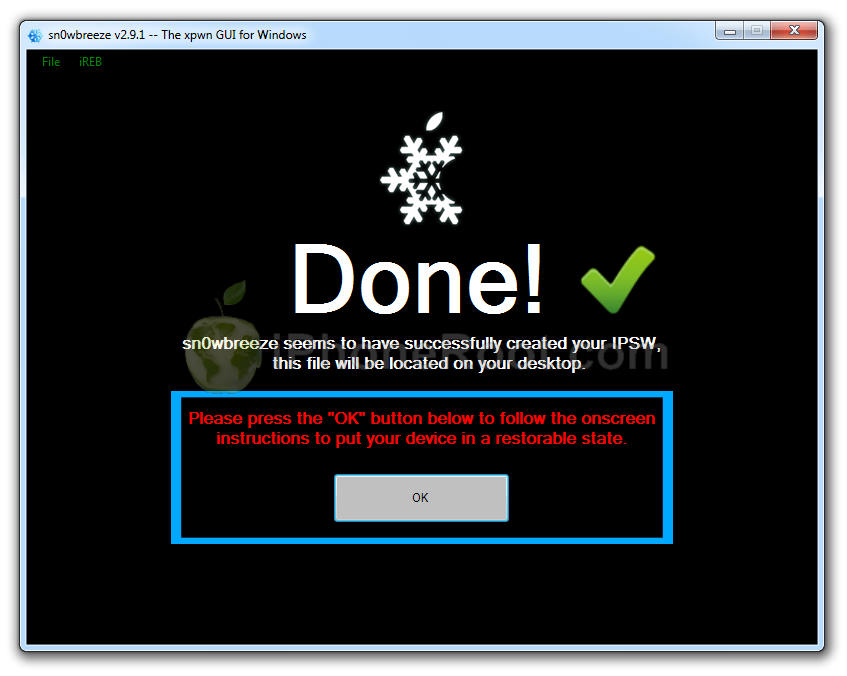 [22]
[22]
Press Ok button.
Step Six
Now you have to follow instructions to put your device into DFU mode.
Please plug your iPod into the computer and make sure its OFF then click the Start button.
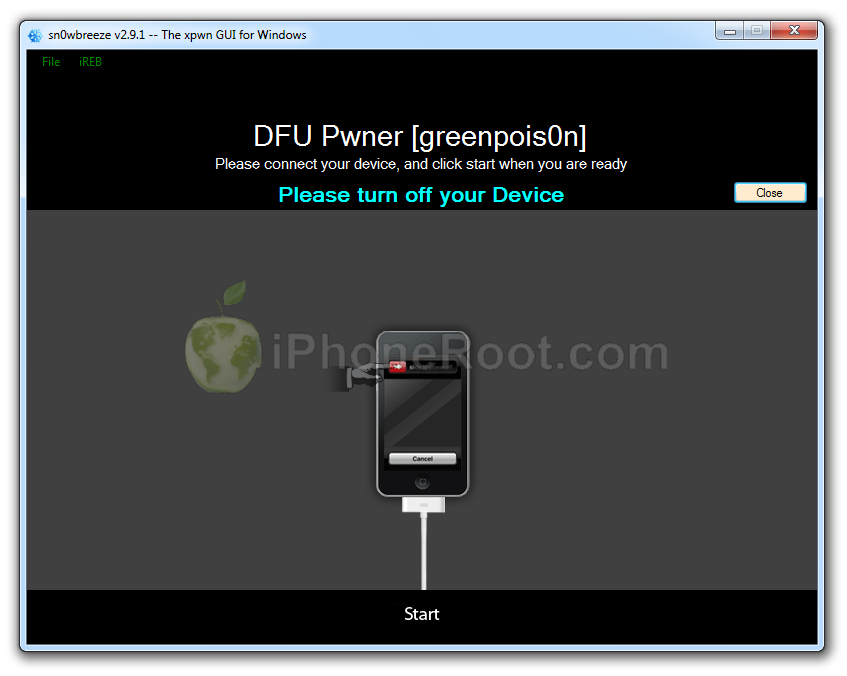 [23]
[23]
1. Hold down both the Home button and the Power button for 10 seconds.
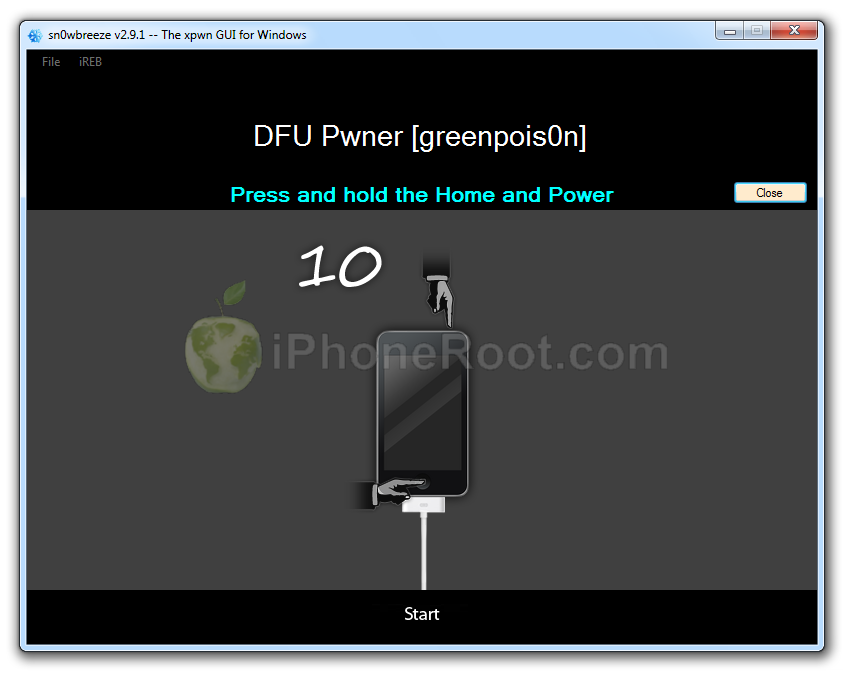 [24]
[24]
2. Release the Power button and continue holding the Home button until Sn0wbreeze detects the device.
 [25]
[25]
If you fail to put the device into DFU mode you can start again.
Step Seven
If you have followed the steps correctly, you will get the following message from Snw0breeze:
 [26]
[26]
Close all opened windows of Sn0wbreeze and launch iTunes.
Select your device from the list of devices on the left. Now hold down Shift and click the Restore button.
[7]
Navigate to the Desktop folder and select the newly created custom firmware ipsw. The name will be sn0wbreeze_iPod_Touch_4-5.0.1-9A405.ipsw. Click the Open button to continue.
iTunes will now restore the firmware on your iPod. This can also take up to 10 minutes. Once done you will be rebooted into jailbroken iOS 5.0.1!
After the restore you're done! Your device is jailbroken.
iTunes will ask if you want to setup your iPod as a new device or restore from the backup. Choose Restore from Backup if you want to preserve your contacts and other information.
[9]
Step Eight
When your iPod has restarted you can run Cydia. Let it do all the necessary updates.
Step Nine
To have access to the root file system of your iPod (via file managers like iFunBox or iPhone Explorer) install application called afc2add in Cydia.
Step Ten
Do not forget to change your default password [27] if you've installed openssh.
Comments Disabled (Open | Close)
Article printed from iPhoneRoot.com: https://iphoneroot.com
URL to article: https://iphoneroot.com/howto-jailbreak-unlock-ipod-touch-4g-sn0wbreeze-291-windows-ios501/
URLs in this post:
[1] Image: https://iphoneroot.com/wp-content/uploads/2012/02/ipod-4g-windows-custom-sn0wbreeze.png
[2] Jailbreak & Unlock FAQ: https://iphoneroot.com/jailbreak-unlock-tutorials-and-faq/
[3] here: https://iphoneroot.com/utilities/#Sn0wBreeze
[4] iPod4,1_5.0.1_9A405_Restore.ipsw: http://appldnld.apple.com/iPhone4/041-3313.20111109.Azxe3/iPod4,1_5.0.1_9A405_Restore.ipsw
[5] Image: https://iphoneroot.com/wp-content/uploads/2012/02/sn0wbreeze-291-download-ipod4g.png
[6] Image: https://iphoneroot.com/wp-content/uploads/2011/07/ipod-itunes.png
[7] Image: https://iphoneroot.com/wp-content/uploads/2011/07/itunes-ipod-touch.png
[8] Image: https://iphoneroot.com/wp-content/uploads/2011/11/ipod4g-select501.png
[9] Image: https://iphoneroot.com/wp-content/uploads/2011/10/itunes-new-or-backup.png
[10] Image: https://iphoneroot.com/wp-content/uploads/2012/02/sn0wbreeze-291-1.png
[11] Image: https://iphoneroot.com/wp-content/uploads/2012/02/sn0wbreeze-291-2.png
[12] Image: https://iphoneroot.com/wp-content/uploads/2012/02/sn0wbreeze-291-3.png
[13] Image: https://iphoneroot.com/wp-content/uploads/2012/02/sn0wbreeze-291-ipod4g-1.png
[14] Image: https://iphoneroot.com/wp-content/uploads/2012/02/sn0wbreeze-291-opt1.png
[15] Image: https://iphoneroot.com/wp-content/uploads/2012/02/sn0wbreeze-291-opt2.png
[16] Image: https://iphoneroot.com/wp-content/uploads/2012/02/sn0wbreeze-291-ipod4g-2.png
[17] Image: https://iphoneroot.com/wp-content/uploads/2012/02/sn0wbreeze-291-opt3.png
[18] Image: https://iphoneroot.com/wp-content/uploads/2012/02/sn0wbreeze-291-6.png
[19] Image: https://iphoneroot.com/wp-content/uploads/2012/02/sn0wbreeze-291-ipod4g-3.png
[20] Image: https://iphoneroot.com/wp-content/uploads/2012/02/sn0wbreeze-291-7.png
[21] Image: https://iphoneroot.com/wp-content/uploads/2012/02/sn0wbreeze-291-8.png
[22] Image: https://iphoneroot.com/wp-content/uploads/2012/02/sn0wbreeze-291-9.png
[23] Image: https://iphoneroot.com/wp-content/uploads/2012/02/sn0wbreeze-291-dfu-1.png
[24] Image: https://iphoneroot.com/wp-content/uploads/2012/02/sn0wbreeze-291-dfu-3.png
[25] Image: https://iphoneroot.com/wp-content/uploads/2012/02/sn0wbreeze-291-dfu-31.png
[26] Image: https://iphoneroot.com/wp-content/uploads/2011/05/sn0wbreeze-273-21.png
[27] change your default password: https://iphoneroot.com/secure-your-jailbroken-iphone/
Click here to print.
Comments Disabled To "Step-by-step Tutorial: How to UnTether Jailbreak iPod Touch 4G Using Sn0wBreeze 2.9.1 (Windows) [iOS 5.0.1]"
#1 Comment By Danil On February 16, 2012 @ 11:27 pm
шняга какая-то, написано в статье - "отвязанный" джейлбрейк, а на деле - ничерта, сноубриз создал на раб.столе папку ibooty, и после установки cydia не запускается и safari вылетает - классический набор привязанных джейлбрекнутых прошивок.
или я что-то не так сделал просто?
кто прошивался описанным методом? какой результат?
admin Reply:
February 17th, 2012 at 12:47 am
мы этот метод проверили. iBooty не создавался. джейл работает без проблем.
вы точно 2.9.1 скачали и использовали? точно на прошивке 5.0.1?
#2 Comment By Danil On February 17, 2012 @ 8:31 am
Да я понимаю, что вы проверенный метод выложили

Но факт остается фактом. Джейлбрейк "не отвязался".
Апод тач 4 свежекупленный, ios 5.0.1 стоит, делал всё по инструкции.
Может просто так совпало, пёс его знает
Сейчас попробую через redsnow прошиться.
Danil Reply:
February 17th, 2012 at 8:53 am
Так, тупо джейлбрейкнулся redsnow-ом и всё "отвязалось".
Спасибо вам за сайт и за подробные руководства!
admin Reply:
February 18th, 2012 at 12:31 am
о, очень рад за вас.
admin Reply:
February 18th, 2012 at 12:30 am
ну мы, к сожалению, утилиты не писали. все может быть, могла что-то не отработать и тп.
#3 Comment By Dron On February 20, 2012 @ 11:10 pm
скажите пожалуйста как установить cidia на ipod touch 4g заранее спасибо
admin Reply:
February 21st, 2012 at 1:04 am
в данном руководстве сидия ставится автоматом вместе с кастом прошивкой.
#4 Comment By Мага On February 22, 2012 @ 12:12 pm
А отвязка от оператора нету? Iphon4 пр 4.3.5 можем 04.10.01 нов б. И что мне луч сделать. Хоелось бы без гев и без привязонного джейла
admin Reply:
February 22nd, 2012 at 12:53 pm
ставьте кастом 5.0.1 - тогда будет отвязанный джейл.
а без гевей никак.
#5 Comment By Pawel On February 28, 2012 @ 6:42 am
Все получилось спасибо ребята))
#6 Comment By Иван On March 1, 2012 @ 4:00 pm
Ребят, сделал все по инструкции, только на последнем этапе когда надо восстановить ipodtouch4g прошивкой Sn0wBreeze, он очень долгое время мне показывает "подключите к itunes" что делать? уже минут 20 так сижу.
admin Reply:
March 2nd, 2012 at 12:12 am
так подключите.
#7 Comment By Иван On March 1, 2012 @ 4:04 pm
На нормальную прошиву (оригинал) спокойно востанавливает, а на ту что сделана через Sn0wBreeze тупо виснит и все. Мне кажется что прошивка не корректная. в чем проблема может быть?
admin Reply:
March 2nd, 2012 at 12:12 am
создайте ее заново. не забудьте запустить iReb перед этим
#8 Comment By Артём On March 3, 2012 @ 12:28 am
Что делать ? Когда я на 7 этапе (восстанавливаю ipod) у меня сначала долго идёт подготовка к восстановлению а потом вылетает "не удалось восстановить ipod.Произошла неизвестная ошибка[1604] "./
admin Reply:
March 3rd, 2012 at 1:39 pm
запустить iReb
#9 Comment By юра On March 3, 2012 @ 12:58 am
такой вопрос, при создании с резервного копирования на одном из этапов выкинул ошибку,но копию создал, затем после прошивки и взлома, при запуске айтюнса он начинает автоматически создавать резервную копию,при этом опять выдавая ошибку и занимая примерно 500мб места на плеере называя это "Другое", так как же мне уже с плеера удалить это "другое",ибо место оно занимает немало?
admin Reply:
March 3rd, 2012 at 1:42 pm
попробуйте джейл через redsn0w сделать
Юра Reply:
March 5th, 2012 at 12:12 am
Через него и делал.джейл встал,все норм,интересует именно как удалить непонятные файлы появившееся после автоматического запуска айтюнсом резервного копирования
admin Reply:
March 5th, 2012 at 12:36 am
странно, что делали с помощью редсноу, а пишите в теме про сноубриз. что за файлы насоздовались и как их удалить я не в курсе, к сожадению. с таким не сталкивался. возможно, это какие-нить документы, сохзраненные игры, может.. не знаю.
#10 Comment By arts1998 On March 4, 2012 @ 12:58 am
А как и где запустить iRed?
admin Reply:
March 5th, 2012 at 12:21 am
либо скачать отдельно, либо запустить sn0wbreeze и слева сверху запустить iReb
#11 Comment By Anton On March 10, 2012 @ 4:55 pm
На последнем этапе восстановления через iTunes пишет ошибку 3194. Что делать?
admin Reply:
March 10th, 2012 at 8:36 pm
увы, без SHSH прошить 5.0.1 больше нельзя. тк вышла 5.1
#12 Comment By игорь On March 13, 2012 @ 12:44 pm
Не появилось диалоговое окно
admin Reply:
March 13th, 2012 at 10:21 pm
какое и где?
#13 Comment By Georgiy On March 14, 2012 @ 3:35 pm
Здраствуйте возникла такая же проблема на этапе восстановления пишет ошибку 3194, то есть значит что теперь можно только обновится до 5.1 и сделать на неё привязаный джейлбрейк? айпод свежий 5.0.1
admin Reply:
March 14th, 2012 at 7:37 pm
можно сделать джейлбрейк с помощью редсноу не обновляя прошивку.
либо обновить на 5.1 и сделать привязанный.
#14 Comment By Dima On March 14, 2012 @ 6:51 pm
проблема таже 3194остаёца тока ждать когда умные головы сломают 5.1??
admin Reply:
March 14th, 2012 at 7:45 pm
либо с ключами shsh прошивать
либо делать джейл через редсноу текущей прошивки
Dima Reply:
March 16th, 2012 at 7:57 pm
я извеняюсь,а пошаговой инструкции нет))?для 5.1 я первый раз этим занимаюсь и неособо всё ещё догоняю))хотябы привязанный сделать
admin Reply:
March 16th, 2012 at 11:38 pm
cкоро будет. пишем, проверяем.
Dima Reply:
March 17th, 2012 at 3:39 pm
спасибо,отличный сайт
#15 Comment By m1c On March 20, 2012 @ 11:15 pm
При Reset'e выдает ошибку (Не удалось восстановить ipod. Произошла неизвестная ошибка (3194)).
admin Reply:
March 21st, 2012 at 5:02 am
читайте первый абзац в руководстве
#16 Comment By vlad On April 11, 2012 @ 6:51 pm
"Данная опция будет полезна тем, у кого нет WiFi. Например, можно в прошивку можно включить appsync 5.0+ для запуска пиратских приложений."
Подскажите, как включить это в прошивке? Что и где нужно выбрать\добавить?
admin Reply:
April 12th, 2012 at 2:40 pm
по менюшкам побегайте. в manage sources добавить репозиторий, в котором требуемый пакет, а потом его скачать в downloaded. либо просто в инете скачать Deb и через browse его подключить.
#17 Comment By artem On April 26, 2012 @ 1:15 pm
подскажите интерфейс будет на руссок после прошивки?
admin Reply:
April 26th, 2012 at 5:37 pm
какой поставите в настройках - такой и будет. в частности русский возможен.
учтите, что на 5.0.1 просто так уже не прошиться (см 1 абзац)
#18 Comment By Данил On May 8, 2012 @ 11:26 am
У меня дошло до PACHING FSTAB И больше не грузится,что делать???
admin Reply:
May 16th, 2012 at 4:04 pm
может, место закончилось..