Step-by-step Tutorial: How to Tether Jailbreak iPod Touch 4G Using RedSn0w 0.9.15 (Windows) [iOS 6.0]
Posted By admin On October 19, 2012 @ 1:11 am In All,Cydia,Firmware,Software,Tutorial,Unlock & Jailbreak | Comments Disabled
 [1]
[1]
UPDATE: Apple released iOS 6.0.1, so you can NOT restore to earlier firmware (both original and custom), unless you have saved your SHSH keys. If you are on iOS 6.0 right now you can use this tutorial.
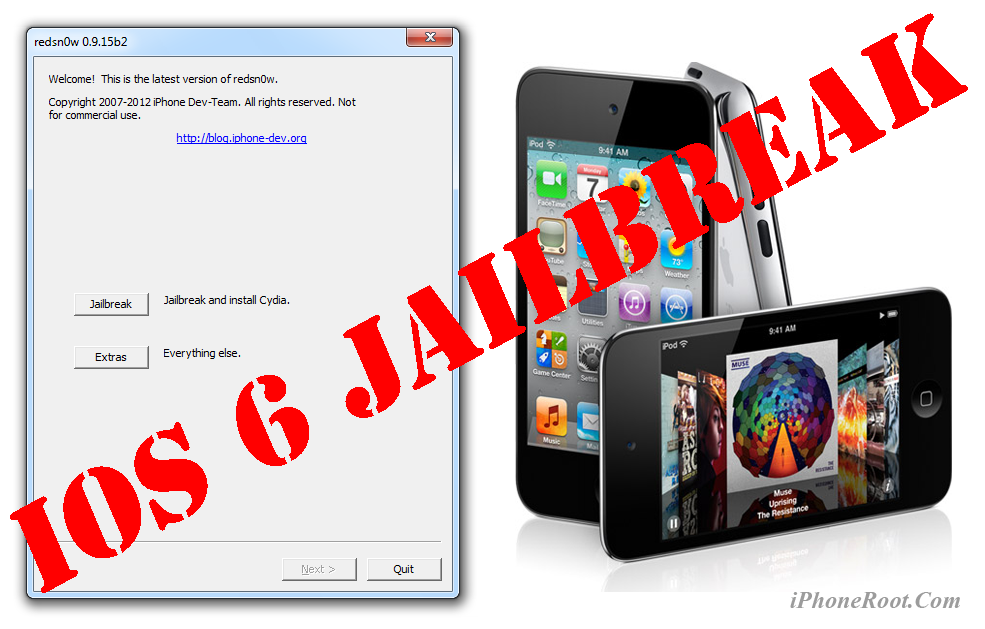
This is step-by-step instructions on how to perform tethered jailbreak of your iPod Touch 4G on iOS 6 firmware using RedSn0w 0.9.15 for Windows.
Tethered jailbreak means that each time you restart your device you will need to connect it to a computer and run redsn0w.
Important: Please, consider reading our Jailbreak & Unlock FAQ [2], if you have other device or firmware and especially if you have questions or troubles.
Important information.
Please think first, before you do something.
If you have iOS 5.1.1 firmware - you can do an untethered jailbreak using one of our tutorials [2].
Step One
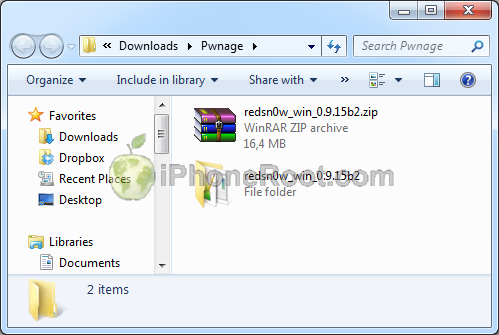
Create a folder on your desktop (or any other folder on your computer) called Pwnage
Download the latest version RedSn0w 0.9.15 from here [3]. Save it in the Pwnage folder.
Extract the redsn0w executable from the RedSn0w zip file into the same folder.
 [4]
[4]
Step Two
Connect your iPod Touch to the computer and launch iTunes.

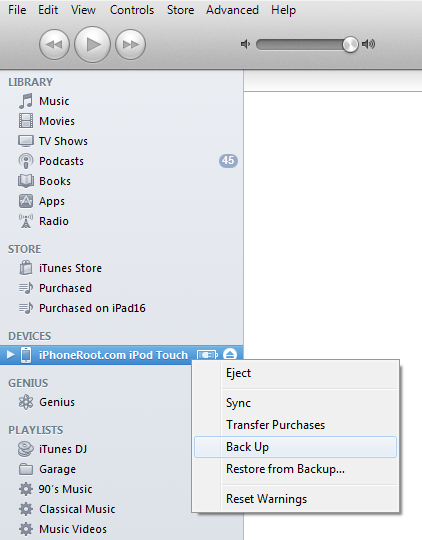
Select your iPod Touch from the list of devices on the left. Create a backup by right-clicking on iPod Touch name in Devices (iTunes left pane) and choosing Back Up.
 [5]
[5]
If you are already on iOS 6 you can now skip to step three.
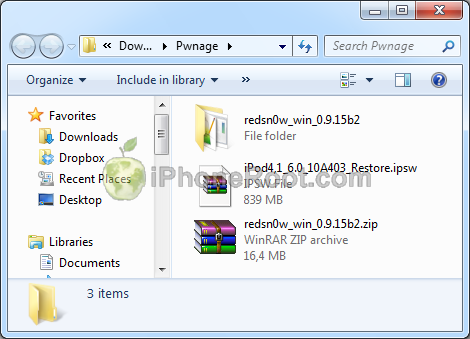
Download iPod Touch 4G firmware iOS 6 to Pwnage folder. It is better to use Firefox, because some browsers (f.e., Safari) extract ipsw:
- iPod Touch 4G iOS 6:
 [7]
[7]
Open iTunes. Now hold down Option (Mac) or Shift (Windows) key and click the Restore button.
 [8]
[8]
Navigate to the Pwnage folder on your desktop and select the iOS 6 firmware ipsw. Click the Open button to continue.
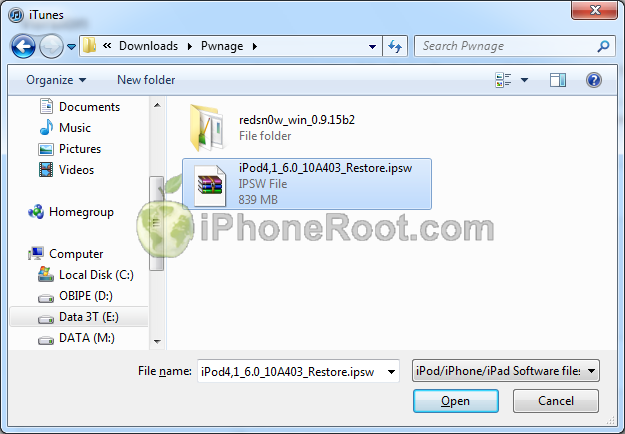 [9]
[9]
iTunes will ask if you want to setup your iPod Touch as a new device or restore from the backup. Choose Restore from Backup if you want to preserve your contacts and other information.
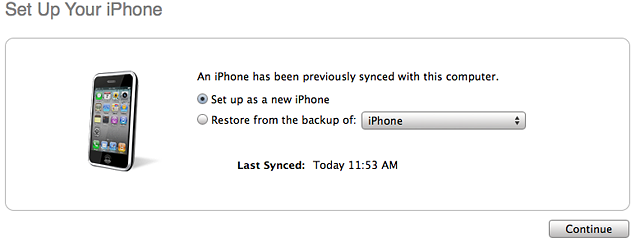 [10]
[10]
Step Three
Once iTunes has finished updating your iPod Touch to the desired firmware open the Pwnage folder on your desktop and launch the redsn0w application from the redsn0w folder we extracted earlier.
Right click the executable and set it to run as administrator.
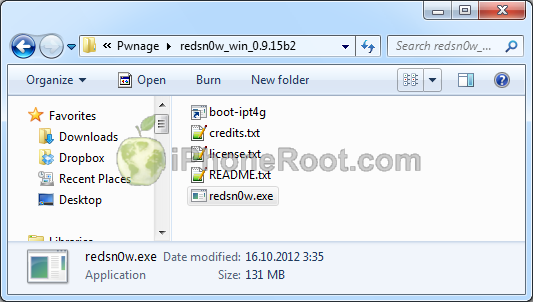 [11]
[11]
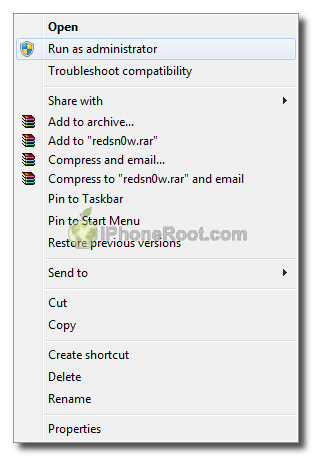 [12]
[12]
Step Four
Once RedSn0w opens click the Jailbreak button
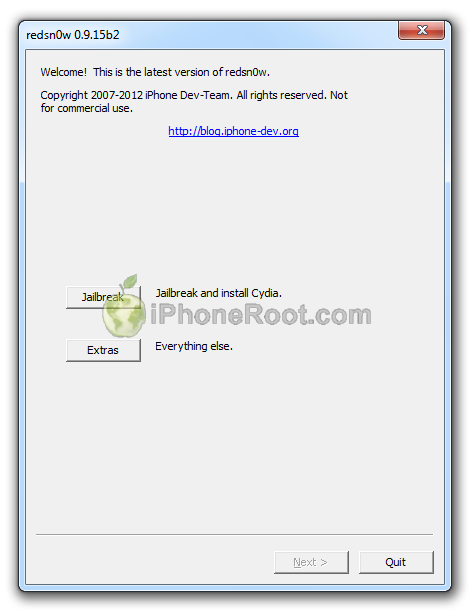 [13]
[13]
Step Five
Please plug your iPod Touch into the computer and make sure its OFF then click the Next button
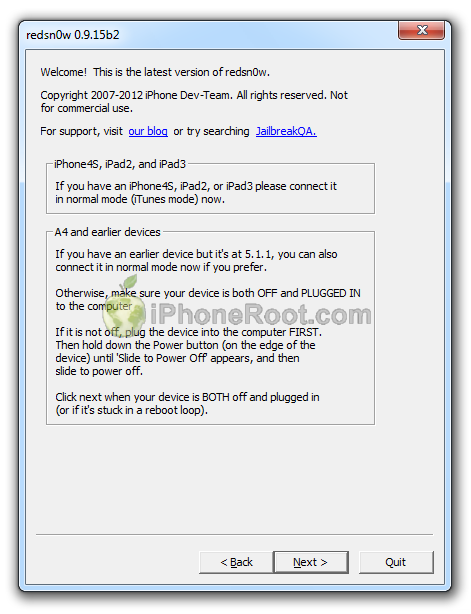 [14]
[14]
Step Six
RedSn0w will now guide you through the steps to get into DFU mode.
1. Hold down Power button for 3 seconds.
2. Without releasing Power button, hold down both the Home button and the Power button for 10 seconds.
3. Release the Power button and continue holding the Home button until RedSn0w detects the device (~15 seconds).
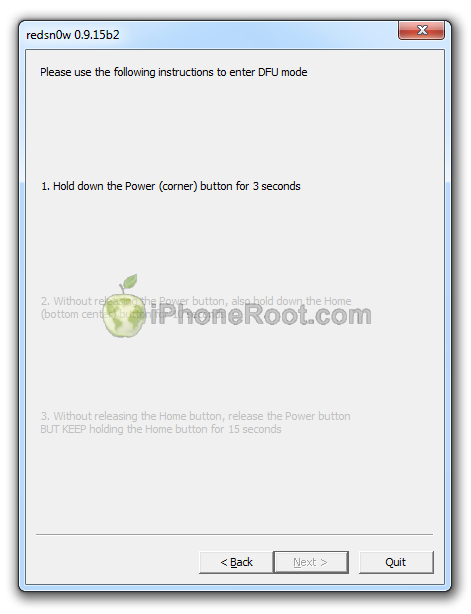 [15]
[15] 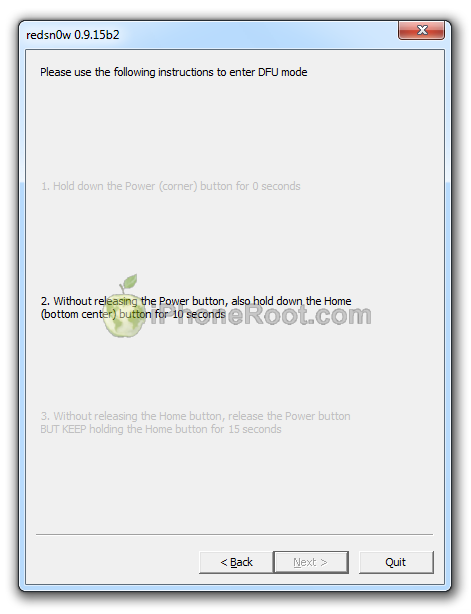 [16]
[16] 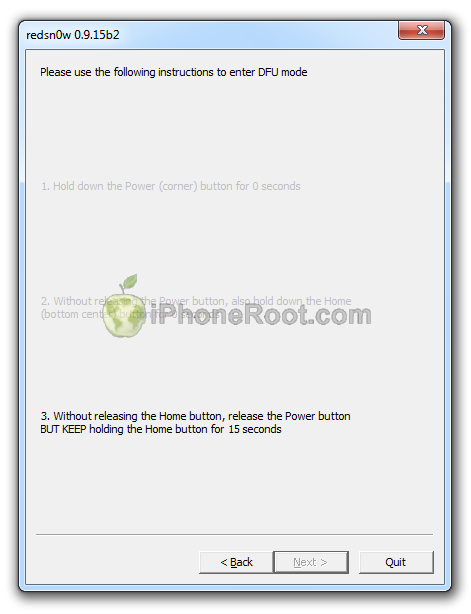 [17]
[17]
If you have problems try again.
Step Seven
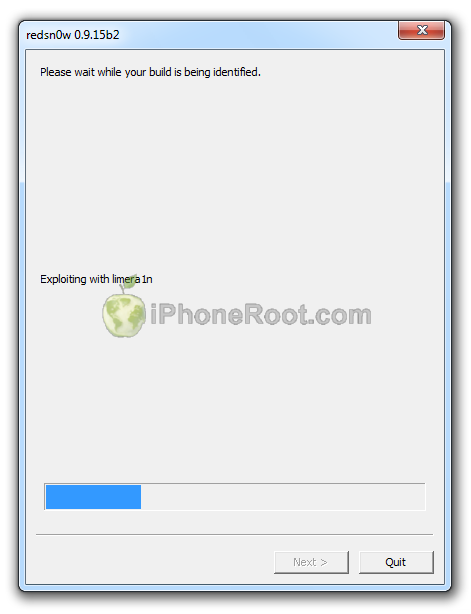
iPod Touch will reboot and redsn0w will identify the firmware version.
 [18]
[18]
Step Eight
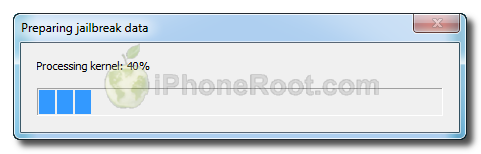
RedSn0w will now prepare the jailbreak data.
Step Nine
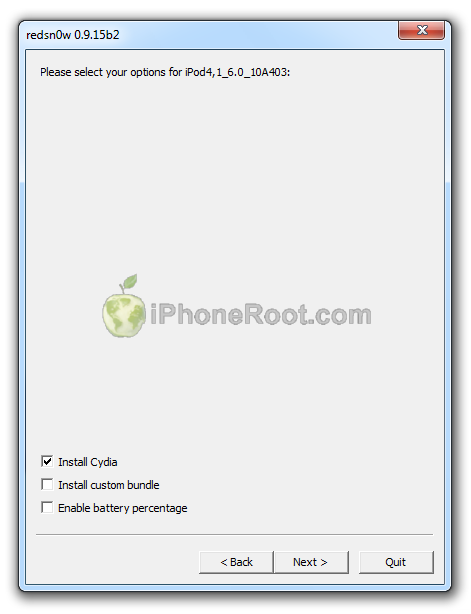
From this window you can select the jailbreak options you would like.
 [19]
[19]
Make sure Cydia is selected.
Click the Next button to continue
Step Ten
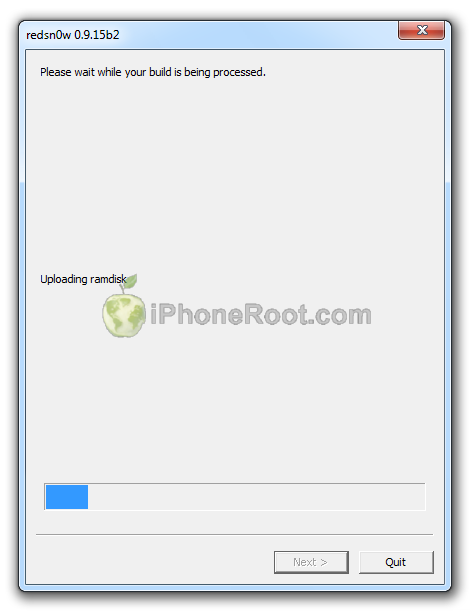
RedSn0w will then begin uploading the new RAM Disk and Kernel.
 [20]
[20]
Step Eleven
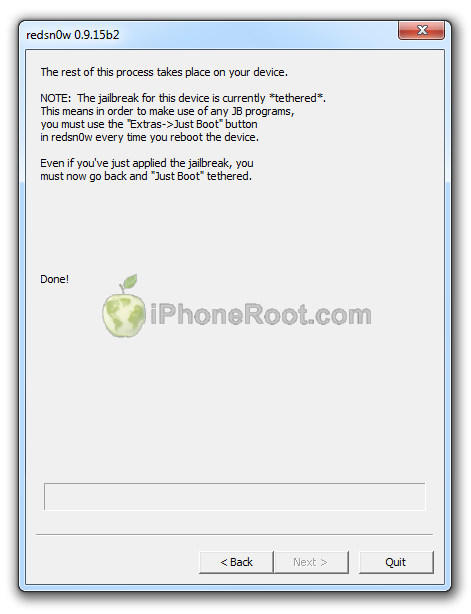
Once this is complete you will be notified that RedSn0w is done.
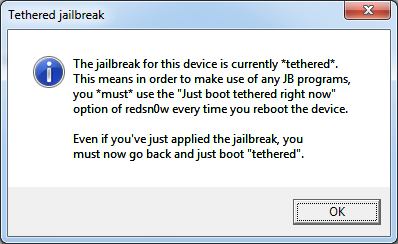
You will see the window with message that your jailbreak is tethered. Click OK.
 [21]
[21]
Redsn0w is done!
 [22]
[22]
Step Twelve: BOOT TETHERED
Once RedSn0w has finished you will need to boot tethered your iPod Touch. You will need to do it everytime you restart.
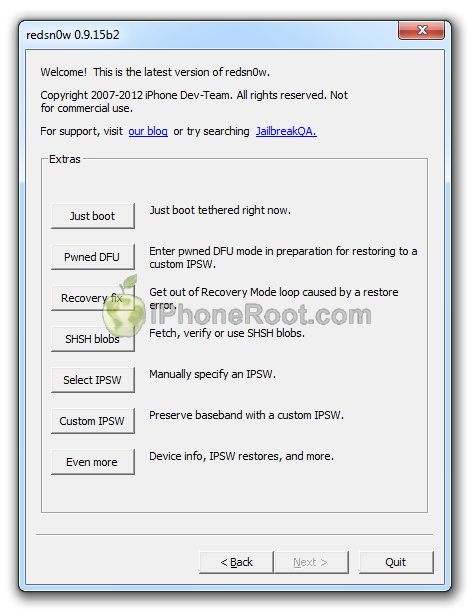
Rerun RedSn0w and this time select Extras button.
[13]
Click Just boot button (the first one).
 [23]
[23]
You will have to put your iPod Touch into DFU mode (just like on step 5-6):
Please plug your iPod Touch into the computer and make sure its OFF then click the Next button
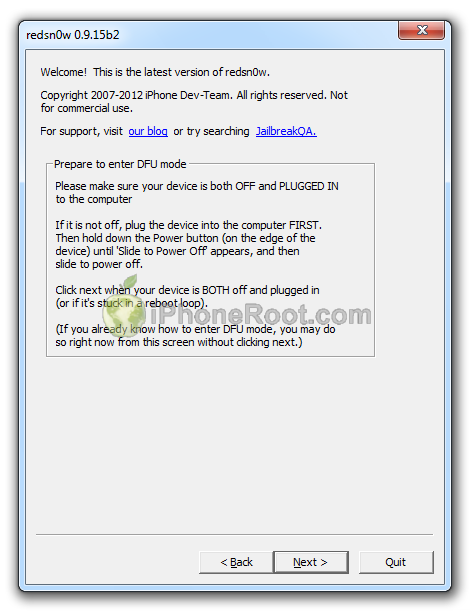 [24]
[24]
1. Hold down Power button for 3 seconds.
2. Without releasing Power button, hold down both the Home button and the Power button for 10 seconds.
3. Release the Power button and continue holding the Home button until RedSn0w detects the device (~15 seconds).
[15] [16] [17]
If you have problems try again. If you experience problems select iOS in Extras-Select IPSW menu before Booting Tethered.
Now your iPod Touch 4G is jailbroken and working.
Step Thirteen
Run Cydia. Let it do all the necessary updates.
To have access to the root file system of your iPod Touch (via file managers like iFunBox or iPhone Explorer) install application called afc2add in Cydia.
Comments Disabled (Open | Close)
Article printed from iPhoneRoot.com: https://iphoneroot.com
URL to article: https://iphoneroot.com/howto-tether-jailbreak-ipod-touch-4g-redsn0w-0915-windows-ios6/
URLs in this post:
[1] Image: https://iphoneroot.com/wp-content/uploads/2012/10/ipod-4g-windows-ios6.png
[2] Jailbreak & Unlock FAQ: https://iphoneroot.com/jailbreak-unlock-tutorials-and-faq/
[3] here: https://iphoneroot.com/utilities/#RedSn0w
[4] Image: https://iphoneroot.com/wp-content/uploads/2012/10/redsn0w-0915-download.png
[5] Image: https://iphoneroot.com/wp-content/uploads/2011/07/ipod-itunes.png
[6] iPod4,1_6.0_10A403_Restore.ipsw: http://appldnld.apple.com/iOS6/Restore/041-0807.20120919.soT6X/iPod4,1_6.0_10A403_Restore.ipsw
[7] Image: https://iphoneroot.com/wp-content/uploads/2012/10/ipod4g-download.png
[8] Image: https://iphoneroot.com/wp-content/uploads/2011/07/itunes-ipod-touch.png
[9] Image: https://iphoneroot.com/wp-content/uploads/2012/10/ipod4g-select.png
[10] Image: https://iphoneroot.com/wp-content/uploads/2011/10/itunes-new-or-backup.png
[11] Image: https://iphoneroot.com/wp-content/uploads/2012/10/redsn0w-run.png
[12] Image: https://iphoneroot.com/wp-content/uploads/2012/03/redsn0w-admin.png
[13] Image: https://iphoneroot.com/wp-content/uploads/2012/10/redsn0w-1.png
[14] Image: https://iphoneroot.com/wp-content/uploads/2012/10/redsn0w-2.png
[15] Image: https://iphoneroot.com/wp-content/uploads/2012/10/redsn0w-dfu-1.png
[16] Image: https://iphoneroot.com/wp-content/uploads/2012/10/redsn0w-dfu-21.png
[17] Image: https://iphoneroot.com/wp-content/uploads/2012/10/redsn0w-dfu-3.png
[18] Image: https://iphoneroot.com/wp-content/uploads/2012/10/redsn0w-3.png
[19] Image: https://iphoneroot.com/wp-content/uploads/2012/10/redsn0w-ipod4g.png
[20] Image: https://iphoneroot.com/wp-content/uploads/2012/10/redsn0w-4.png
[21] Image: https://iphoneroot.com/wp-content/uploads/2011/11/tethered.png
[22] Image: https://iphoneroot.com/wp-content/uploads/2012/10/redsn0w-5.png
[23] Image: https://iphoneroot.com/wp-content/uploads/2012/10/redsn0w-6.png
[24] Image: https://iphoneroot.com/wp-content/uploads/2012/10/redsn0w-7.png
Click here to print.
Comments Disabled To "Step-by-step Tutorial: How to Tether Jailbreak iPod Touch 4G Using RedSn0w 0.9.15 (Windows) [iOS 6.0]"
#1 Comment By алмаз On October 19, 2012 @ 2:41 pm
ураа спасибо а если когда игры через инстулус устонавил то он вылетает что делать
admin Reply:
October 20th, 2012 at 2:34 am
вылетает инсталус или игры?
#2 Comment By alex On October 21, 2012 @ 5:12 pm
слушая первый раз поставил все ок было а ка айфон перезапустился и больше не запускал пиратские приложения подскажи в чем секрет
admin Reply:
October 21st, 2012 at 9:06 pm
при каждом перезапуске нужно делать 12 шаг
#3 Comment By alex On October 21, 2012 @ 5:15 pm
ой сори слушай
#4 Comment By Egorius On October 22, 2012 @ 10:57 am
помогите народ после прошивки повысился модем последней версии, что решил откатиться до IOS 5.1.1 а модем тот же остался((( как разлочить ответьте срочно надо,заранее спасибо
admin Reply:
October 22nd, 2012 at 1:13 pm
раз вы пишете в теме про ipod touch 4g, то предположу, что у вас ipod. не очень понятно, в чем проблема, модема то у него нет.
Egorius Reply:
October 23rd, 2012 at 5:24 am
у меня iphone просто не туда написал извините
admin Reply:
October 23rd, 2012 at 4:09 pm
какая модель?
Egorius Reply:
October 28th, 2012 at 1:30 pm
iPhone 4 стоял ios 6 понизил до 5.1.1 а модем остался 4.12.02 мне надо сделать анлок, помогите решить проблему
admin Reply:
October 28th, 2012 at 3:29 pm
во-первых, модем понизить невозможно, во-вторых, модем от 5.1.1 все равно не разлачивается.
Egorius Reply:
October 28th, 2012 at 5:24 pm
а если постенно понизить еще ниже, говорят если ios понизить то и модем можно)))
admin Reply:
October 29th, 2012 at 12:35 am
модем можно понизить только для iPhone 3GS и iPhone 3G и только с помощью спец утилиты
#5 Comment By Meridian On October 22, 2012 @ 4:09 pm
спасибо) как делать знаю давно, просто увидел Пишем спасибо в комментах.)) ждёмс отвязанный. А когда? слухов нету???
admin Reply:
October 22nd, 2012 at 6:43 pm
отвязанный еще не скоро, думаю, через несколько месяцев в лучшем случае
#6 Comment By mralikin On October 24, 2012 @ 10:00 pm
Ребят,а почему у меня не появляется cydia,все проходит четко как положено но среди приложений её нет!
Meridian Reply:
November 27th, 2012 at 8:06 am
перезагрузи и шаг 12
#7 Comment By mralikin On October 24, 2012 @ 10:14 pm
сбросил настройки и все все удалил...появилась!только не включается(ДА Я ПОВТОРИЛ 12 шаг) она...почему?
mralikin Reply:
October 24th, 2012 at 10:26 pm
ещё заного установил сидию и 12 шаг сделал..сидия вылетает:(
Meridian Reply:
November 27th, 2012 at 8:08 am
с чистого листа(перед этим резервку) востанови ipod как новый и делай джейл
#8 Comment By Ivano On October 26, 2012 @ 8:16 pm
Кто знает подскажите пожалуйста, почему приложения из Installous не устанавливаются (после завершения загрузки любого приложения пишет "Installation failed: Invalid IPA")
Но все пиратские приложения, которые синхронизировал через iTunes работают.
#9 Comment By Николай On October 31, 2012 @ 11:12 am
Не могу понять, шаг 5 , а когда надо было отключать Ipod от компьютера
admin Reply:
October 31st, 2012 at 4:25 pm
Возможно немного запутано написал.
"Подключите iPod Touch к компьютеру и выключите его. Затем жмите Next."
Имелось в виду, что если iPod не подключен к компу, то надо это сделать. Затем надо выключить iPod.
#10 Comment By Серёга On November 4, 2012 @ 5:59 pm
Подскажите на тач 4 с осью 6.0.1 можно эту прошивку ставить?
admin Reply:
November 5th, 2012 at 3:31 am
нет
Серёга Reply:
November 6th, 2012 at 10:21 pm
а когда примерно ждать на 6.0.1?)
admin Reply:
November 7th, 2012 at 7:36 pm
привязаный будет довольно скоро
Серёга Reply:
November 12th, 2012 at 10:11 pm
Есть какая-нибудь информация о появлении прошивки? ежедневно мониторю ваш сайт, хочется уже прошить свой аппарат) Извините за флуд. Заранее благодарю.)
admin Reply:
November 13th, 2012 at 12:38 am
прошивка 6.0.1 вышла. привязанный джейлбрейк 6.0.1 можно сделать с помощью последнего sn0wbreeze или redsn0w. инструкции будут со дня на день.
Серёга Reply:
November 14th, 2012 at 10:39 pm
это ведь и есть RedSn0w последней версии? или я что то не так понимаю? новее этого я не нашёл у Вас на сайте.
admin Reply:
November 15th, 2012 at 12:40 am
да. джейл 6.0.1 можно сделать, подсунув прошивку 6.0 в Extras-select ipsw
admin Reply:
November 15th, 2012 at 12:41 am
на даннй момент последний редсноу 0.9.15b3, сноубриз - 2.9.7
Серёга Reply:
November 15th, 2012 at 6:28 pm
всё сделал) спасибо большое за отзывчивость и за материал)
#11 Comment By Лухвичок On November 5, 2012 @ 3:35 pm
А у меня пишет Error with SHSH blobs что делать???
Сначала идет индефикация какая-то а потом пишет это!!!
#12 Comment By AndryTenov On November 7, 2012 @ 9:35 pm
у меня не появляется cydia установка проходит как по маслу но ярлыка нету(
admin Reply:
November 8th, 2012 at 3:52 am
just boot делаете?
AndryTenov Reply:
November 8th, 2012 at 3:13 pm
соответственно
AndryTenov Reply:
November 8th, 2012 at 3:14 pm
уже раз 15 сделал всё заново с самого начала всё прочер и сделал но не как не появляется
AndryTenov Reply:
November 10th, 2012 at 11:37 pm
ну так что делать??? ребят!!!
admin Reply:
November 11th, 2012 at 3:25 pm
не понятно, если в dfu входит, но дальше джейл не идет, то я макс бы попробовал на другом порту или вообще компе..
Meridian Reply:
November 27th, 2012 at 8:11 am
с чистого листа на другом компе. должно помочь
#13 Comment By Шишка On December 20, 2012 @ 7:32 pm
Спасибо
#14 Comment By ParaDocXXX On January 21, 2013 @ 7:09 pm
Тоже Cydia нету, всё сделал, как положено...
#15 Comment By BOSS On January 31, 2013 @ 11:00 pm
А мне пишет "itunes не удалось создать резервную копию ipod(ipod Ноут)так как произошёл сбой сеанса резервного копирования" что делать???
admin Reply:
January 31st, 2013 at 11:17 pm
ну плохо. бэкап не создается. поменяйте usb, попробуйте еще. на другом компе.
#16 Comment By sava On February 4, 2013 @ 9:19 am
у меня прошивка 6.0.1 нажимаю select ipsw вставляю прошивку 6.0 и Прога пишет: That IPSW is not supported by this version of redsn0w! Redsnow версии 0.9.15b3 подскажите в чём проблема?
admin Reply:
February 4th, 2013 at 1:24 pm
точно 6.0 ей подсовываете в select ipsw?
sava Reply:
February 4th, 2013 at 2:18 pm
да, точно
admin Reply:
February 4th, 2013 at 3:43 pm
странно. может битая скачалась...
я бы в любом случае делал отвязанный с помощью envasi0n, который выйдет сегодня
sava Reply:
February 4th, 2013 at 4:35 pm
ну и ладно, а гайд по установке будет у вс
admin Reply:
February 4th, 2013 at 7:31 pm
да, конечно