Step-by-step Tutorial: How to Tether Jailbreak iPod Touch 4G Using RedSn0w 0.9.15 (Windows) [iOS 6.0.1]
Posted By admin On November 15, 2012 @ 2:43 am In All,Cydia,Firmware,Software,Tutorial,Unlock & Jailbreak | Comments Disabled
 [1]
[1]
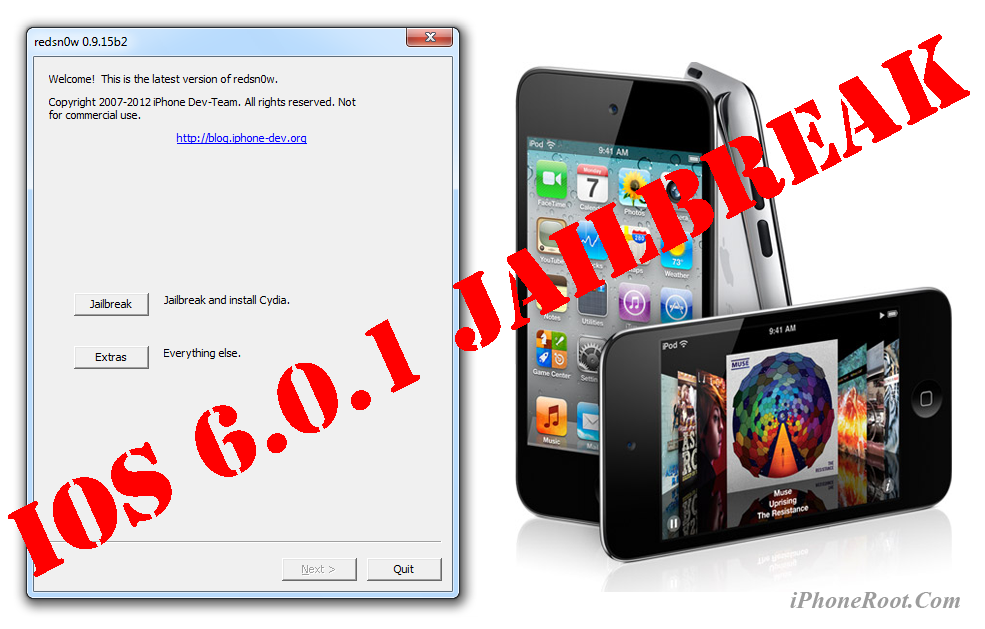
This is step-by-step instructions on how to perform tethered jailbreak of your iPod Touch 4G on iOS 6.0.1 firmware using RedSn0w 0.9.15 for Windows.
Tethered jailbreak means that each time you restart your device you will need to connect it to a computer and run redsn0w.
Important: Please, consider reading our Jailbreak & Unlock FAQ [2], if you have other device or firmware and especially if you have questions or troubles.
Important information.
Please think first, before you do something.
If you have iOS 5.1.1 firmware - you can do an untethered jailbreak using one of our tutorials [2].If you need carrier unlock - do not update to iOS 6 firmware, use RedSn0w or Sn0wBreeze to create a custom firmware to preserve modem version!
Step One
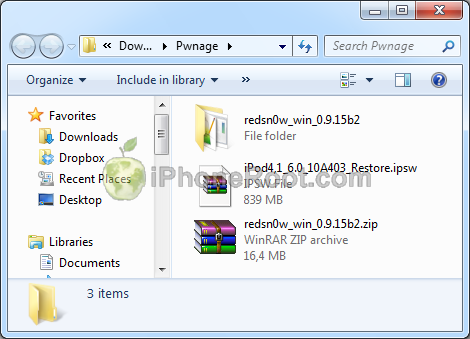
Create a folder on your desktop (or any other folder on your computer) called Pwnage
1. Download the latest version RedSn0w 0.9.15 from here [3]. Save it in the Pwnage folder.
Extract the redsn0w executable from the RedSn0w zip file into the same folder.
2. Download iPod Touch 4G firmware iOS 6 to Pwnage folder. It is better to use Firefox, because some browsers (f.e., Safari) extract ipsw:
- iPod Touch 4G iOS 6:
 [5]
[5]
Step Two
Connect your iPod Touch to the computer and launch iTunes.

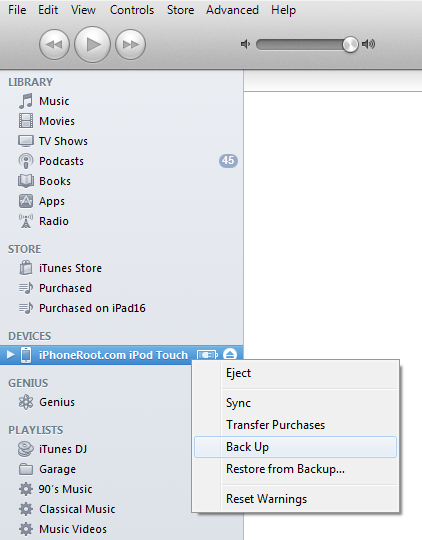
Select your iPod Touch from the list of devices on the left. Create a backup by right-clicking on iPod Touch name in Devices (iTunes left pane) and choosing Back Up.
 [6]
[6]
If you are already on iOS 6.0.1 you can now skip to step three.
Download iPod Touch 4G firmware iOS 6.0.1 to Pwnage folder. It is better to use Firefox, because some browsers (f.e., Safari) extract ipsw:
- iPod Touch 4G iOS 6.0.1:
 [8]
[8]
Open iTunes. Now hold down Option (Mac) or Shift (Windows) key and click the Restore button.
 [9]
[9]
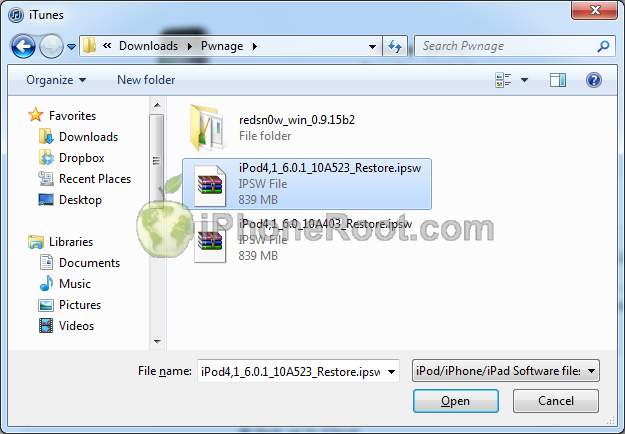
Navigate to the Pwnage folder on your desktop and select the iOS 6 firmware ipsw. Click the Open button to continue.
 [10]
[10]
iTunes will ask if you want to setup your iPod Touch as a new device or restore from the backup. Choose Restore from Backup if you want to preserve your contacts and other information.
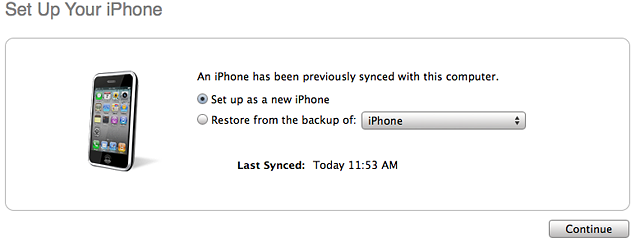 [11]
[11]
Step Three
Once iTunes has finished updating your iPod Touch to the desired firmware open the Pwnage folder on your desktop and launch the redsn0w application from the redsn0w folder we extracted earlier.
Right click the executable and set it to run as administrator.
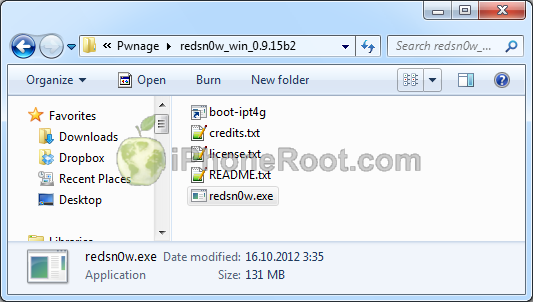 [12]
[12]
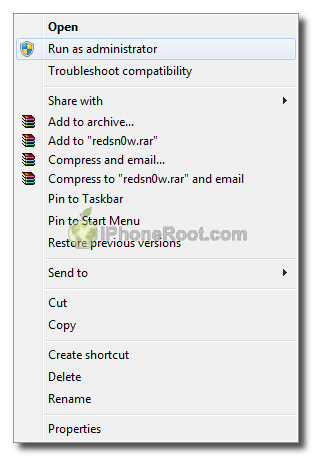 [13]
[13]
Step Four
Once RedSn0w opens click the Extras button
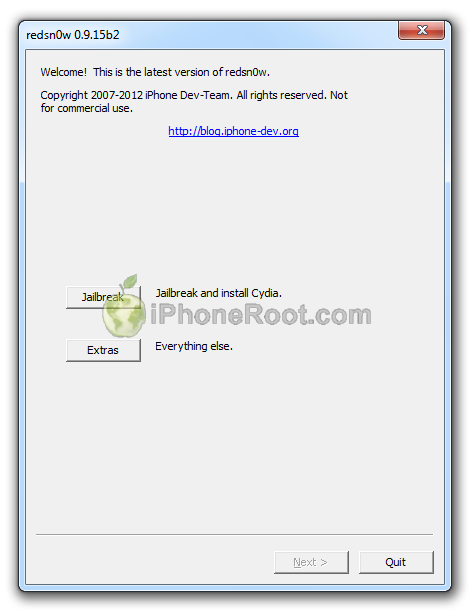 [14]
[14]
Now click Select IPSW button.
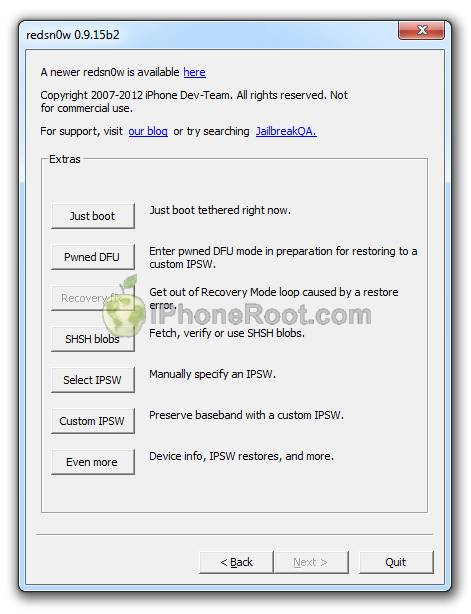 [15]
[15]
Navigate to the Pwnage folder on your desktop and select the iOS 6 firmware ipsw. Click the Open button to continue.
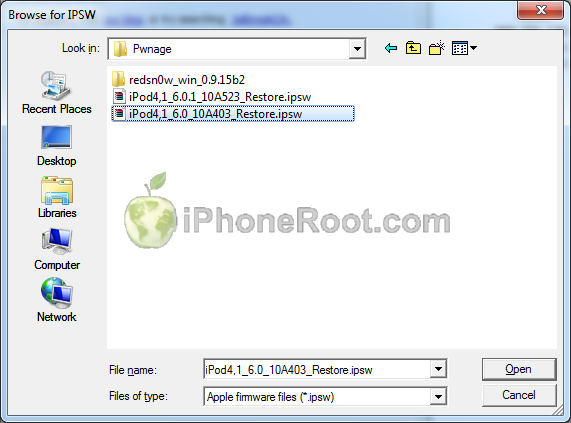 [16]
[16]
Windows with a message that selected firmware is identified will appear. If you see an error - either ipsw was corrupted and you need to download it again, or you have chosen 6.0.1 instead of 6.0.
Click OK.
 [17]
[17]
Now click Back, to get to the main menu.
[15]
In the main menu click the Jailbreak button.
[14]
Step Five
RedSn0w will now prepare the jailbreak data.
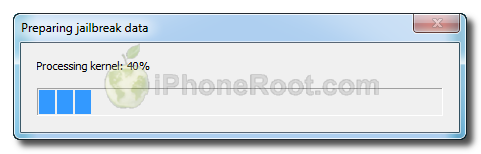
Step Six
From this window you can select the jailbreak options you would like.
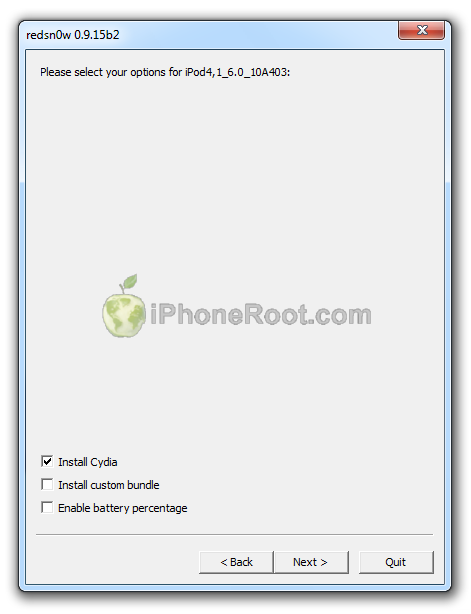 [18]
[18]
Make sure Cydia is selected.
Click the Next button to continue
Step Seven
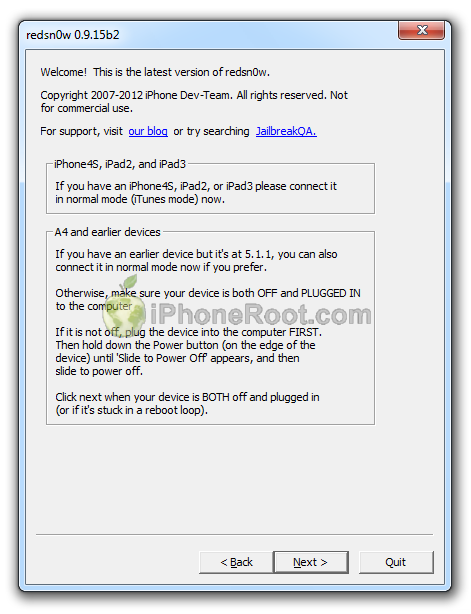
Please plug your iPod Touch into the computer and make sure its OFF then click the Next button
 [19]
[19]
Step Eight
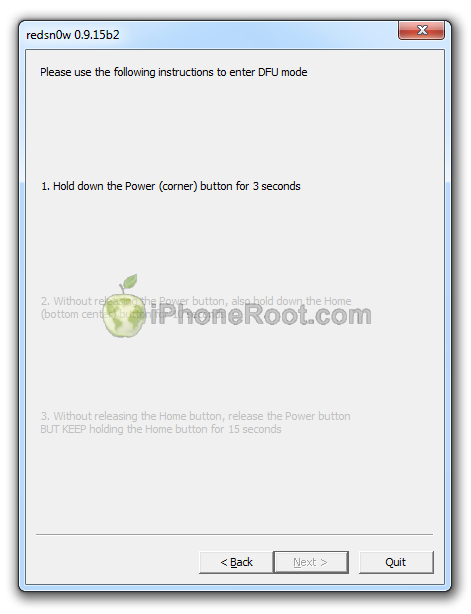
RedSn0w will now guide you through the steps to get into DFU mode.
1. Hold down Power button for 3 seconds.
2. Without releasing Power button, hold down both the Home button and the Power button for 10 seconds.
3. Release the Power button and continue holding the Home button until RedSn0w detects the device (~15 seconds).
 [20]
[20] 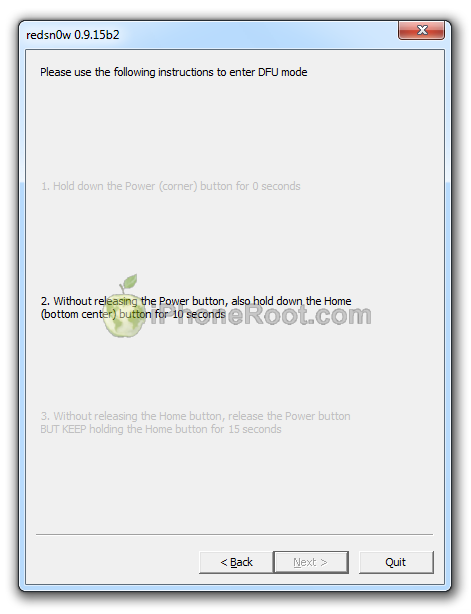 [21]
[21] 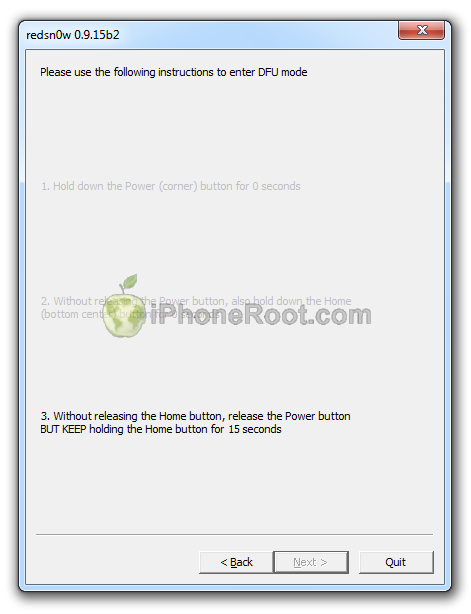 [22]
[22]
If you have problems try again.
Step Nine
iPod Touch will reboot and redsn0w will identify the firmware version.
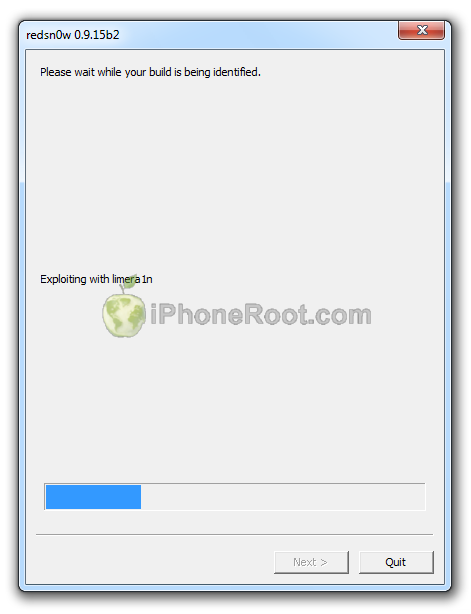 [23]
[23]
Step Ten
RedSn0w will then begin uploading the new RAM Disk and Kernel.
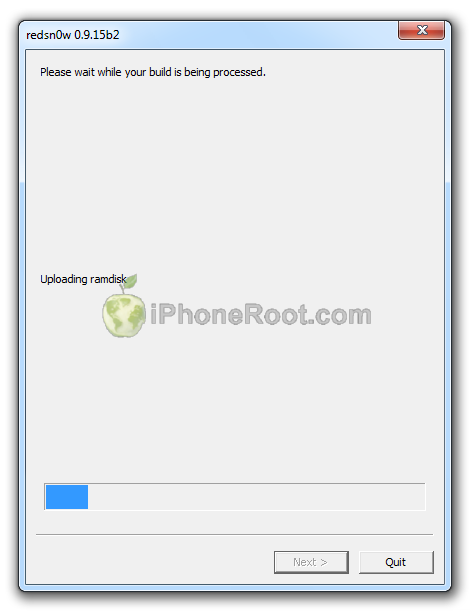 [24]
[24]
Step Eleven
Once this is complete you will be notified that RedSn0w is done.
You will see the window with message that your jailbreak is tethered. Click OK.
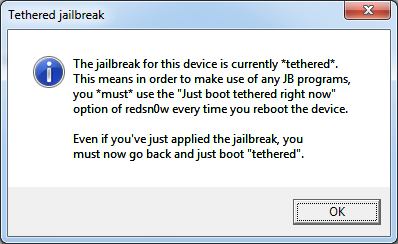 [25]
[25]
Redsn0w is done!
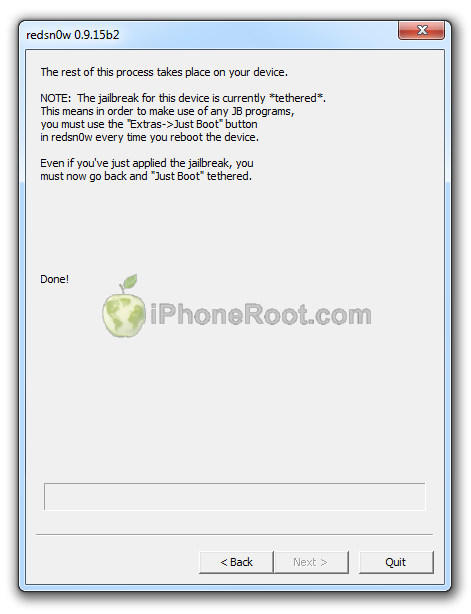 [26]
[26]
Step Twelve: BOOT TETHERED
Once RedSn0w has finished you will need to boot tethered your iPod Touch. You will need to do it everytime you restart.
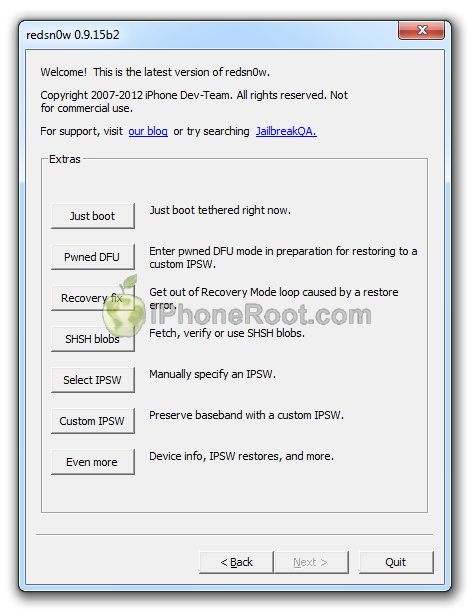
Rerun RedSn0w and this time select Extras button.
[14]
Click Just boot button (the first one).
 [27]
[27]
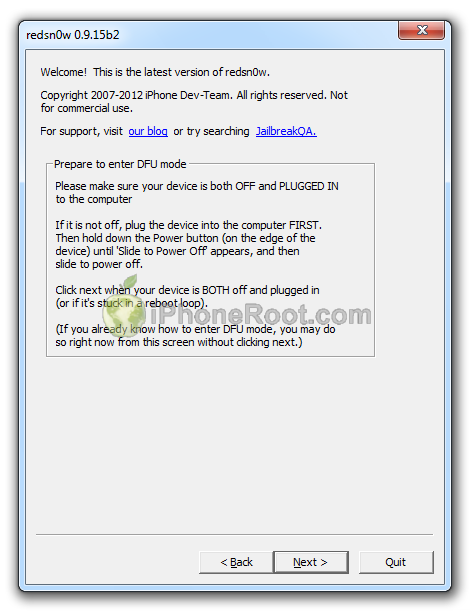
You will have to put your iPod Touch into DFU mode (just like on step 5-6):
Please plug your iPod Touch into the computer and make sure its OFF then click the Next button
 [28]
[28]
1. Hold down Power button for 3 seconds.
2. Without releasing Power button, hold down both the Home button and the Power button for 10 seconds.
3. Release the Power button and continue holding the Home button until RedSn0w detects the device (~15 seconds).
[20] [21] [22]
If you have problems try again. If you experience problems select iOS in Extras-Select IPSW menu before Booting Tethered.
Now your iPod Touch is jailbroken and working.
Step Thirteen
Run Cydia. Let it do all the necessary updates.
To have access to the root file system of your iPod Touch (via file managers like iFunBox or iPhone Explorer) install application called afc2add in Cydia.
Comments Disabled (Open | Close)
Article printed from iPhoneRoot.com: https://iphoneroot.com
URL to article: https://iphoneroot.com/howto-tether-jailbreak-ipod-touch-4g-redsn0w-0915-windows-ios601/
URLs in this post:
[1] Image: https://iphoneroot.com/wp-content/uploads/2012/11/ipod-4g-windows-ios601.png
[2] Jailbreak & Unlock FAQ: https://iphoneroot.com/jailbreak-unlock-tutorials-and-faq/
[3] here: https://iphoneroot.com/utilities/#RedSn0w
[4] iPod4,1_6.0_10A403_Restore.ipsw: http://appldnld.apple.com/iOS6/Restore/041-0807.20120919.soT6X/iPod4,1_6.0_10A403_Restore.ipsw
[5] Image: https://iphoneroot.com/wp-content/uploads/2012/10/ipod4g-download.png
[6] Image: https://iphoneroot.com/wp-content/uploads/2011/07/ipod-itunes.png
[7] iPod4,1_6.0.1_10A523_Restore.ipsw: http://appldnld.apple.com/iOS6/041-7439.20121101.rgt54/iPod4,1_6.0.1_10A523_Restore.ipsw
[8] Image: https://iphoneroot.com/wp-content/uploads/2012/11/redsn0w-ipod4-601.png
[9] Image: https://iphoneroot.com/wp-content/uploads/2011/07/itunes-ipod-touch.png
[10] Image: https://iphoneroot.com/wp-content/uploads/2012/11/itunes-601-ipod4.png
[11] Image: https://iphoneroot.com/wp-content/uploads/2011/10/itunes-new-or-backup.png
[12] Image: https://iphoneroot.com/wp-content/uploads/2012/10/redsn0w-run.png
[13] Image: https://iphoneroot.com/wp-content/uploads/2012/03/redsn0w-admin.png
[14] Image: https://iphoneroot.com/wp-content/uploads/2012/10/redsn0w-1.png
[15] Image: https://iphoneroot.com/wp-content/uploads/2012/11/redsn0w-select-ipsw.png
[16] Image: https://iphoneroot.com/wp-content/uploads/2012/11/redsn0w-select-6-ipod4.png
[17] Image: https://iphoneroot.com/wp-content/uploads/2012/11/redsn0w-identified-6-ipod4.png
[18] Image: https://iphoneroot.com/wp-content/uploads/2012/10/redsn0w-ipod4g.png
[19] Image: https://iphoneroot.com/wp-content/uploads/2012/10/redsn0w-2.png
[20] Image: https://iphoneroot.com/wp-content/uploads/2012/10/redsn0w-dfu-1.png
[21] Image: https://iphoneroot.com/wp-content/uploads/2012/10/redsn0w-dfu-21.png
[22] Image: https://iphoneroot.com/wp-content/uploads/2012/10/redsn0w-dfu-3.png
[23] Image: https://iphoneroot.com/wp-content/uploads/2012/10/redsn0w-3.png
[24] Image: https://iphoneroot.com/wp-content/uploads/2012/10/redsn0w-4.png
[25] Image: https://iphoneroot.com/wp-content/uploads/2011/11/tethered.png
[26] Image: https://iphoneroot.com/wp-content/uploads/2012/10/redsn0w-5.png
[27] Image: https://iphoneroot.com/wp-content/uploads/2012/10/redsn0w-6.png
[28] Image: https://iphoneroot.com/wp-content/uploads/2012/10/redsn0w-7.png
[29] : http://cydia.hackulo.us
[30] : http://cydia.hackulo.us/
[31] : http://s48.radikal.ru/i121/1301/6b/0cbafbde79dc.jpg
[32] : mailto:i7up@yandex.ru
Click here to print.
Comments Disabled To "Step-by-step Tutorial: How to Tether Jailbreak iPod Touch 4G Using RedSn0w 0.9.15 (Windows) [iOS 6.0.1]"
#1 Comment By Vlad On November 15, 2012 @ 1:48 pm
Госпади, когда же будет отвязный....
admin Reply:
November 15th, 2012 at 7:30 pm
да уж, было бы неплохо...
#2 Comment By Захир Мамедов On November 15, 2012 @ 6:16 pm
Здарвствуйте, может вы знаете твик для айфона, чтобы мож
но было приближать при съемке видео
#3 Comment By Jack On November 17, 2012 @ 8:29 pm
А не известно ли, когда будет отвязнный и на 4S?
admin Reply:
November 18th, 2012 at 4:30 pm
известно, что довольно вяло работы в данном направлении ведутся. будет, думаю, но не оч скоро
#4 Comment By Ilya Snopikov On November 18, 2012 @ 3:54 pm
а потом если будет отвязанный можно будет перейти с привязанного на отвязанный?
admin Reply:
November 18th, 2012 at 4:34 pm
да, можно будет.
Ilya Snopikov Reply:
November 18th, 2012 at 5:02 pm
Большое спасибо!!!
#5 Comment By Dim On November 20, 2012 @ 10:57 pm
вроде джейл делает свое дело все устанавливает все по инструкции но ни иконки сидии ничего не меняется.
что делать?
admin Reply:
November 21st, 2012 at 1:23 pm
попробовать sn0wbreeze
#6 Comment By Dim On November 20, 2012 @ 11:21 pm
когда примерно выйдет отвязанный на 6.0.1 тач 4?
admin Reply:
November 21st, 2012 at 1:23 pm
примерно не скоро, но работы ведутся
#7 Comment By Lowenhart On November 21, 2012 @ 3:22 pm
missing keys.plist data for this build

ошибку при джеиле выдаёт.
Никита Reply:
December 8th, 2012 at 11:12 pm
Пож-та помогите,такая же проблема,что делать-то ?! Ничего не появилось после,как быть ?!
admin Reply:
December 10th, 2012 at 8:30 pm
extras-select ipsw - там выбрать прошивку 6.0
Lowenhart Reply:
December 11th, 2012 at 4:02 pm
не помогает...Ошибку эту выдаёт при джаст бусте...
#8 Comment By Stefannn On November 30, 2012 @ 12:55 pm
я непонял 13 шаг, где запускать Cydia?
admin Reply:
November 30th, 2012 at 6:26 pm
на устройстве. больше ее нигде и не найти
#9 Comment By Sergei Kozyrev On December 10, 2012 @ 10:36 pm
Сколько не пробовал, Сydia так и не появилась. Джейлбрейк вроде встал, проги старые работают взломанные, а Cydia все нет. В чем может быть проблема?
admin Reply:
December 11th, 2012 at 1:17 am
just boot сделали?
Sergei Kozyrev Reply:
December 13th, 2012 at 10:47 pm
конечно. правда зачастую он пишет что-то вроде key. missed, поэтому повторяю шаг select IPSW и дальше just boos норм идет. но без сидии
admin Reply:
December 13th, 2012 at 11:18 pm
хм. странно. тогда посоветую сделать джейл через sn0wbreeze
Sergei Kozyrev Reply:
December 15th, 2012 at 10:22 pm
спасибо, попробую)
#10 Comment By Илюха On December 18, 2012 @ 12:00 am
Спасибо большое )
#11 Comment By Nikita On December 30, 2012 @ 4:49 pm
почему когда я ввожу вылетает ошибка?
admin Reply:
January 11th, 2013 at 4:44 pm
сайт закрыли. апсинк можно поставить с репозитория irooter.ru
#12 Comment By falas On December 30, 2012 @ 5:33 pm
the following build was identified it will be used for the rest of this redsn0w session
что делать почему так
admin Reply:
January 11th, 2013 at 4:46 pm
это нормально, нажать ок
#13 Comment By falas On December 30, 2012 @ 6:40 pm
hackulo больше не работает на офф сайте написано что делать то
admin Reply:
January 11th, 2013 at 4:47 pm
закрылся сайт хакуло. выход - использовать репозиторий irooter.ru или друие
#14 Comment By Илья On January 1, 2013 @ 8:54 pm
Здравствуйте .У меня такая проблема взломал тачик 4 и запустил сидию ,но дальше дела не идет (По шагу 14 у меня сидиа не может найти пишет, что сервера такого нет или что та в этом роде =( что делать ?
admin Reply:
January 11th, 2013 at 4:49 pm
закрылся сайт хакуло. выход - использовать репозиторий irooter.ru или другие
#15 Comment By chelist On January 3, 2013 @ 10:57 pm
пробуйте вместо cydia.hackulo.us ----
cydia.iphonecake.com
admin Reply:
January 14th, 2013 at 3:39 pm
совершенно верно. или irooter.ru
#16 Comment By Богдан On January 12, 2013 @ 1:15 pm
В чем проблема?
При 12 шаге - iPod перешел в режим восстановления.
admin Reply:
January 14th, 2013 at 3:41 pm
передержали кнопки, видимо
#17 Comment By Богдан On January 12, 2013 @ 2:34 pm
Теперь не переходит, но при 12 шаге iPod после джейла просто не включается. Горит экран как при включении, только без яблока. Приходится включать самому, Cydia нету.
admin Reply:
January 14th, 2013 at 3:42 pm
шаг boot tethered необходим для cydia.
admin Reply:
January 14th, 2013 at 3:42 pm
возможно, джейл не так встал. попробуйте заново или утилитой sn0wbreeze
#18 Comment By 7up On January 15, 2013 @ 6:09 pm
что мне делать? помогите, пишите на почту [32]
admin Reply:
January 15th, 2013 at 6:19 pm
а что сделать пытались? прошивка то уже 6.0.1.
#19 Comment By Султан On January 16, 2013 @ 11:40 am
Kogda otvyazannii viydet???
#20 Comment By Александр On January 19, 2013 @ 2:19 am
Уважаемая администрация! У меня проблемы дальше 9 шага продвинутся не могу пишет missing keys.plist data for this build или на айподе появляется ананас надкушеный и дальше Moovie не идет(( Помогите пожалуйста !! За ранее спасибо.
admin Reply:
January 19th, 2013 at 1:12 pm
необходимо выбрать прошивку 6.0 в extras-select ipsw
#21 Comment By Александр On January 19, 2013 @ 3:26 am
Еще раз здрастье на этот раз ананас появился запустился айпод ток Сидии нету(( запустил с помощью Just boot там все виснет на Moving подскажите как быть???
#22 Comment By Александр On January 19, 2013 @ 5:13 pm
выбираю прошивку все норм айпод запускаю джаст бустом но Сидии нет((
#23 Comment By Александр On January 19, 2013 @ 5:31 pm
Если у кого получилось добавте в скайп(tehnick5) плз и раскажите как у вас это вышло за ранее спасибо.
#24 Comment By Arina On January 30, 2013 @ 4:01 pm
Когда выйдет Cydia на Ipod touch 5 ???
admin Reply:
January 30th, 2013 at 5:04 pm
очень скоро, возможно, в ближайшее воскресенье. следите за новостями, мы об этом писали и еще будем