Step-by-step Tutorial: How to Untether Jailbreak iPhone 4 Using RedSn0w 0.9.6rc9 (Windows) [iOS 4.3.1]
Posted By admin On April 6, 2011 @ 1:54 pm In All,Cydia,Software,Tutorial,Unlock & Jailbreak | Comments Disabled
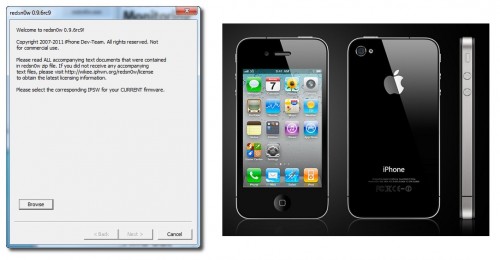
This is step-by-step instructions on how to perform untethered jailbreak of your iPhone 4 on iOS 4.3.1 firmware using RedSn0w 0.9.6rc9 for Windows.
UPDATE: Please, consider reading our Jailbreak & Unlock FAQ [1], especially if you have questions or troubles.
Important information.
Please think first, before you do something.
If you need unlock - do not update to 4.3.1, use PwnageTool 4.3 or Sn0wBreeze 2.5 to create custom firmware!
Step One
Create a folder on your desktop called Pwnage
Download RedSn0w from here [2]. Save it in the Pwnage folder. Likewise, download the latest 4.3.1 firmware from below and place it in the same folder:
iPhone 4 iOS 4.3.1:
Extract the redsn0w executable from the RedSn0w zip file into the same folder.
 [4]
[4]
Step Two
***If you are already on iOS 4.3.1 you can skip this step.
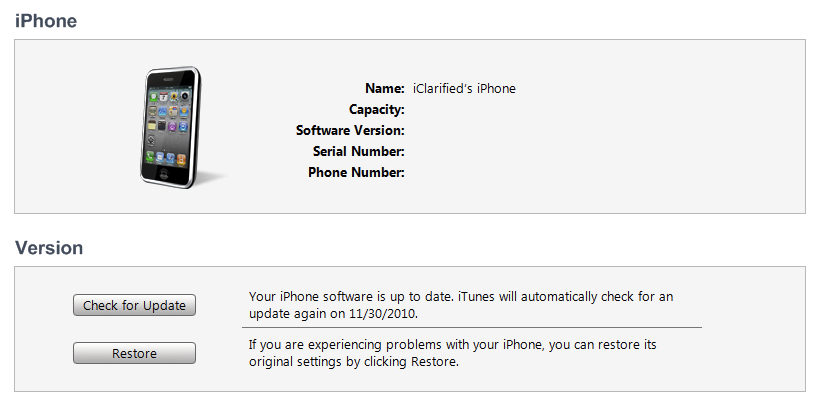
Connect your iPhone to the computer and launch iTunes. Create a backup, since all your data on iPhone will be erased.

Select your iPhone from the list of devices on the left. Now hold down Shift and click the Restore button. Restore is preferred as it won't create any wasted space on your iPhone.
 [5]
[5]
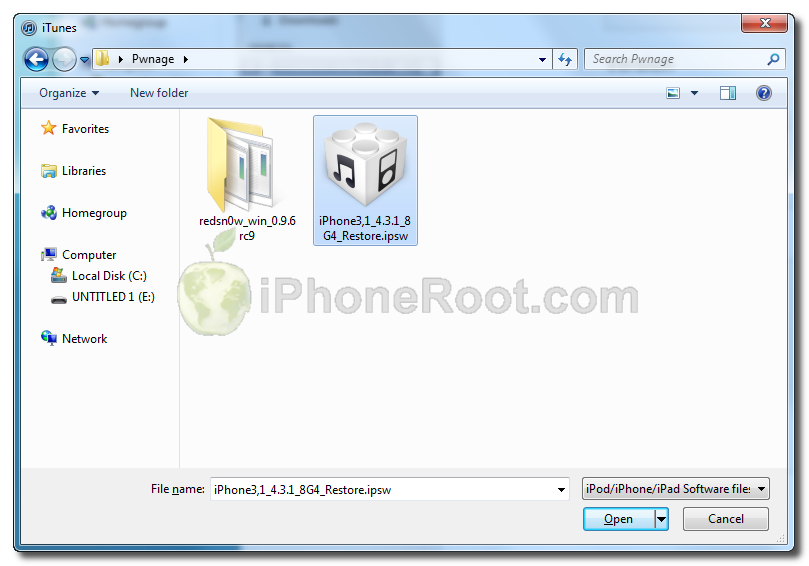
Navigate to the Pwnage folder on your desktop and select the 4.3.1 firmware ipsw. Click the Open button to continue.
 [6]
[6]
Step Three
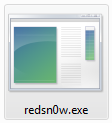
Once iTunes has finished updating your iPhone to the desired firmware open the Pwnage folder on your desktop and launch the redsn0w application from the redsn0w folder we extracted earlier.
On Windows Vista or Windows 7 right click the executable and set it to run as administrator in Windows XP compatibility mode.
Step Four
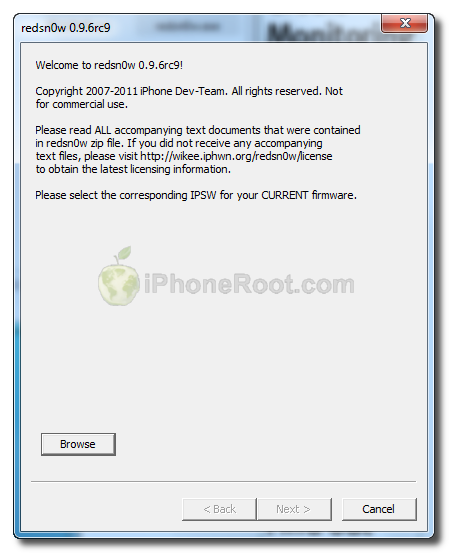
Once RedSn0w opens click the Browse button
Step Five
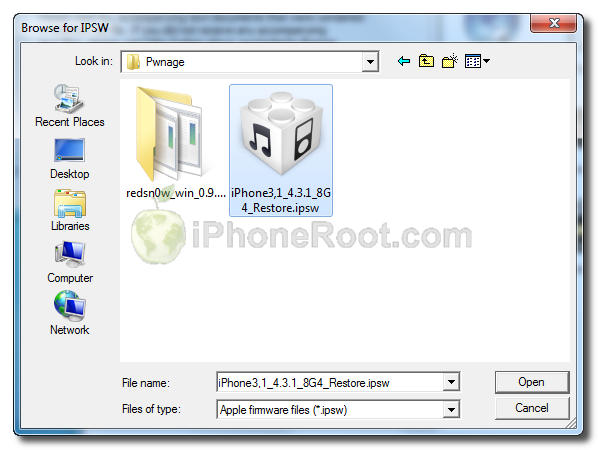
Select the 4.3.1 firmware ipsw we placed in the Pwnage folder on our desktop then click Open.
 [7]
[7]
Step Six
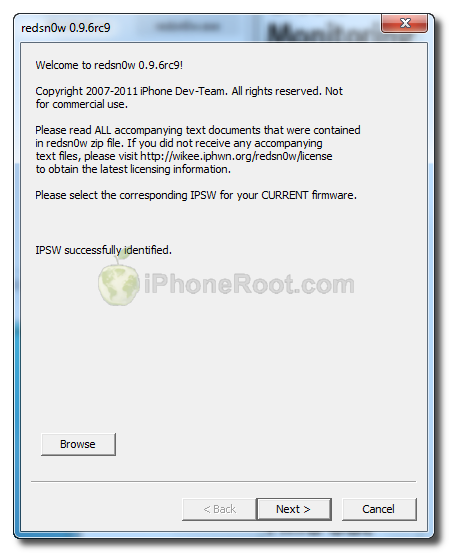
Once the firmware has been verified click the Next button to continue.
 [8]
[8]
Step Seven
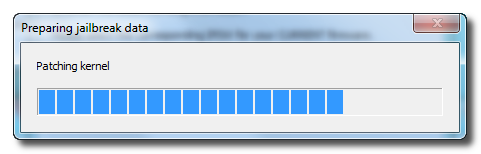
RedSn0w will now prepare the jailbreak data
Step Eight
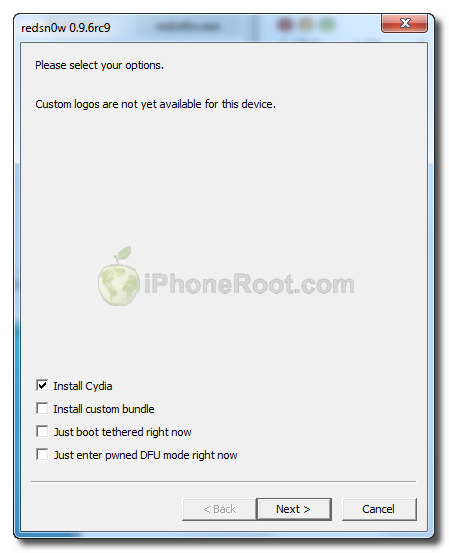
From this window you can select the jailbreak options you would like.
 [9]
[9]
Make sure Cydia is selected.
Click the Next button to continue
Step Nine
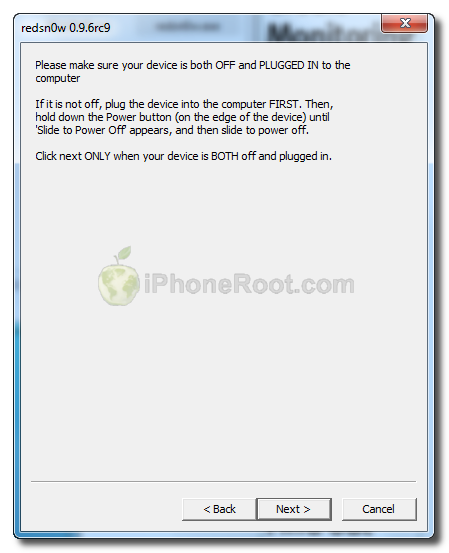
Please plug your iPhone into the computer and make sure its OFF then click the Next button
 [10]
[10]
Step Ten
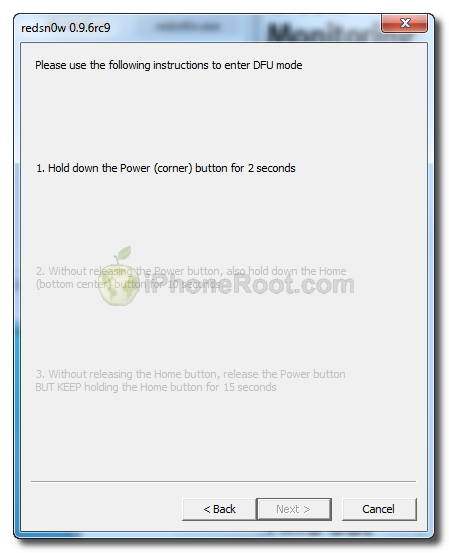
RedSn0w will now guide you through the steps to get into DFU mode.
1. Hold down Power button for 2 seconds.
2. Without releasing Power button, hold down both the Home button and the Power button for 10 seconds.
3. Release the Power button and continue holding the Home button until RedSn0w detects the device.
 [11]
[11] 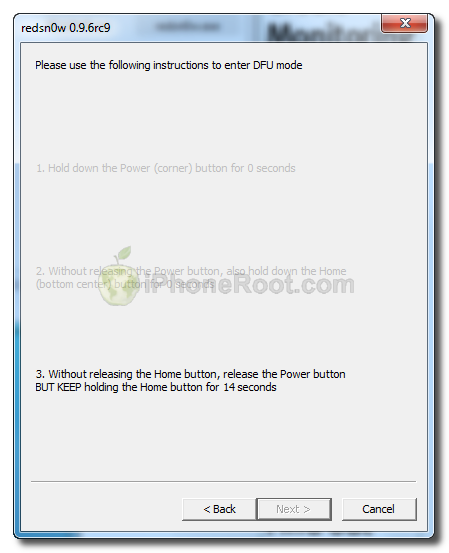 [12]
[12]
If you have problems try again. Here is a video showing this Step 10:
Step Eleven
iPhone will reboot
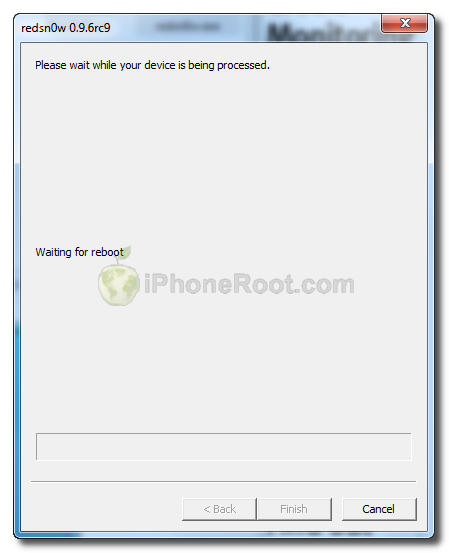 [13]
[13]
Step Twelve
RedSn0w will then begin uploading the new RAM Disk and Kernel.
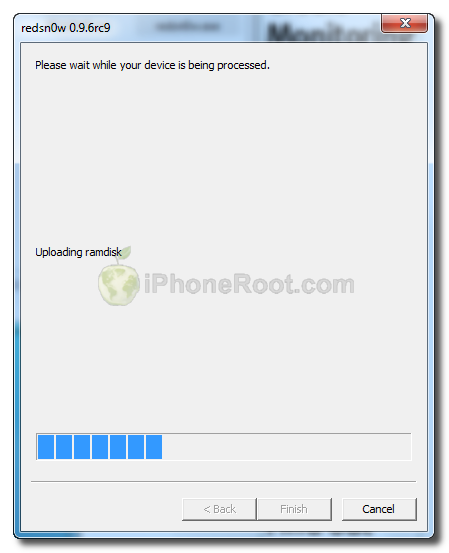 [14]
[14]
Step Thirteen
Once this is complete you will be notified that RedSn0w is done. Click the Finish button. When your iPhone finishes rebooting (5 minutes or so) it will be jailbroken with Cydia on the SpringBoard.
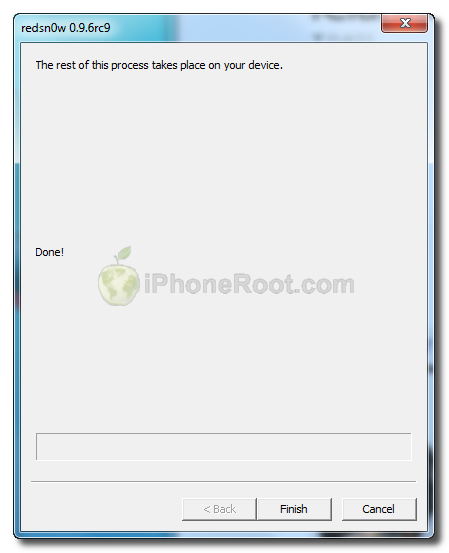 [15]
[15]
Step Fourteen
When your iPhone has restarted you can run Cydia. Let it do all the necessary updates.
To have access to the root file system of your iPhone (via file managers like iFunBox or iPhone Explorer) install application called afc2add in Cydia.
Step Fifteen
Do not forget to change your default password [16] if you've installed openssh.
[via iclarified]
Comments Disabled (Open | Close)
Article printed from iPhoneRoot.com: https://iphoneroot.com
URL to article: https://iphoneroot.com/howto-untether-jailbreak-iphone-4-redsn0w-096rc9-windows-ios431/
URLs in this post:
[1] Jailbreak & Unlock FAQ: https://iphoneroot.com/jailbreak-unlock-tutorials-and-faq/
[2] here: https://iphoneroot.com/utilities/#RedSn0w
[3] iPhone3,1_4.3.1_8G4_Restore.ipsw: http://appldnld.apple.com/iPhone4/041-0551.20110325.Aw2Dr/iPhone3,1_4.3.1_8G4_Restore.ipsw
[4] Image: https://iphoneroot.com/wp-content/uploads/2011/04/redsn0w096-iph4-1.png
[5] Image: https://iphoneroot.com/wp-content/uploads/2010/11/redsn0w-096b5-3.png
[6] Image: https://iphoneroot.com/wp-content/uploads/2011/04/redsn0w096-iph4-2.png
[7] Image: https://iphoneroot.com/wp-content/uploads/2011/04/redsn0w096-iph4-3.png
[8] Image: https://iphoneroot.com/wp-content/uploads/2011/04/redsn0w096-3gs-4.png
[9] Image: https://iphoneroot.com/wp-content/uploads/2011/04/redsn0w096-iph4-4.png
[10] Image: https://iphoneroot.com/wp-content/uploads/2011/04/redsn0w096-3gs-7.png
[11] Image: https://iphoneroot.com/wp-content/uploads/2011/04/redsn0w096-3gs-8.png
[12] Image: https://iphoneroot.com/wp-content/uploads/2011/04/redsn0w096-3gs-10.png
[13] Image: https://iphoneroot.com/wp-content/uploads/2011/04/redsn0w096-3gs-11.png
[14] Image: https://iphoneroot.com/wp-content/uploads/2011/04/redsn0w096-3gs-12.png
[15] Image: https://iphoneroot.com/wp-content/uploads/2011/04/redsn0w096-3gs-13.png
[16] change your default password: https://iphoneroot.com/secure-your-jailbroken-iphone/
Click here to print.
Comments Disabled To "Step-by-step Tutorial: How to Untether Jailbreak iPhone 4 Using RedSn0w 0.9.6rc9 (Windows) [iOS 4.3.1]"
#1 Comment By I On April 13, 2011 @ 5:15 pm
Доброго дня.
Столкнулся с тем, что при джеилбрейке iphone4 с iOS 4.3.1 программа выдает ошибку на шаге 12. Подскажите с чем это может быть связанно. Заранее спасибо
I Reply:
April 13th, 2011 at 5:27 pm
спасибо, не надо. разобрался.
#2 Comment By kent On April 22, 2011 @ 12:20 pm
У меня тож на 12 шаге останавливается на загрузке рамдиска, на телефоне висит надпись загрузка данных джейла минут 10 и потом перегружается((( В чем проблема???
#3 Comment By Оник On May 1, 2011 @ 8:08 pm
Можно ли делать эти действия на iPhone IOS 4.2.1?
admin Reply:
May 4th, 2011 at 2:23 am
да.
#4 Comment By Vlad1222 On May 12, 2011 @ 10:43 pm
У меня после джеилбрейка иконка Cydia белого цвета, когда жму на неё ничего не происходит, что делать?
admin Reply:
May 16th, 2011 at 1:54 pm
скачать последнюю версию r16 и еще раз начиная с чистого рестора.
если не получится - попробовать еще раз.
если не получится - попробовать друой способ - pwnagetool или sn0wbreeze.
#5 Comment By syren On May 15, 2011 @ 1:05 pm
проблема в том что загрузка остановилась на «Exploiting with limera1n» после того как я ввел устройство в ДФУ и нажал «Next >»
раз 30 уже пробовал и все время на этом моменте зависате и все..
на 4.3.2 делал все отлично было с первого раза получалось а тут не хочет..
тел Iphone 4 вер 4.3.3
admin Reply:
May 16th, 2011 at 1:53 pm
рекомендую попробовать используя последнюю версию r16 начиная с чистого рестора.
если не получится - попробовать еще раз.
если не получится - попробовать друой способ - pwnagetool или sn0wbreeze.
#6 Comment By Петр On May 16, 2011 @ 6:15 pm
Здравствуйте! Упорно выдает ошибку на шаге 10...(( Все делаю правильно Помогите пожаалуйста!
admin Reply:
May 17th, 2011 at 5:51 pm
попробуйте с рестора на 4.3.3. для джейла используйте Redsn0w 0.9.6 rc16
#7 Comment By Петр On May 16, 2011 @ 6:44 pm
Помогиите прошу:(
#8 Comment By Петр On May 16, 2011 @ 9:36 pm
Я получается когда первый раз делал шаг 10. Случайно на третьем пункте раньше кнопку отпустил...может из-за этого у меня теперь не джеилбрейкаться???
admin Reply:
May 17th, 2011 at 5:51 pm
а что пишет то? что не может войти в dfu?
#9 Comment By pashka On May 18, 2011 @ 1:20 pm
блин у меня на 11 шагу не чего не загружает, что делать?
admin Reply:
June 6th, 2011 at 12:07 am
кто и где и что пишет?
#10 Comment By Bukin On June 5, 2011 @ 11:55 pm
При шаге 12 останавливается и ничего не происходит.Ждал пол часа - ничего не происходит. Что делать ?
Bukin Reply:
June 5th, 2011 at 11:58 pm
нет, на 11 шаге
admin Reply:
June 6th, 2011 at 12:06 am
заново на другом порту или еще лучше компе.
либо через sn0wbreeze.
admin Reply:
June 6th, 2011 at 12:07 am
а че пишет то?
Bukin Reply:
June 6th, 2011 at 7:19 am
ничего не пишет, загрузка останавливается на пяти делениях и все
#11 Comment By Bukin On June 6, 2011 @ 7:31 am
я попробовал снова с r16 и у меня все получилось
ОГРОМНОЕ ВАМ СПАСИБО !
admin Reply:
June 6th, 2011 at 4:42 pm
отлично!
#12 Comment By los On September 14, 2011 @ 8:10 pm
Все сделал правильно, почему то сидия не обновляется, либо перезагружает телефон
что делать?
спасибо заранее
admin Reply:
September 15th, 2011 at 4:17 pm
Не понял, опишите проблему подробнее.