Step-by-step Tutorial: How to Untether Jailbreak iPod Touch 4G Using RedSn0w 0.9.6rc9 (Windows) [iOS 4.3.1]
Posted By admin On April 8, 2011 @ 5:33 pm In All,Cydia,Firmware,Software,Tutorial,Unlock & Jailbreak | Comments Disabled
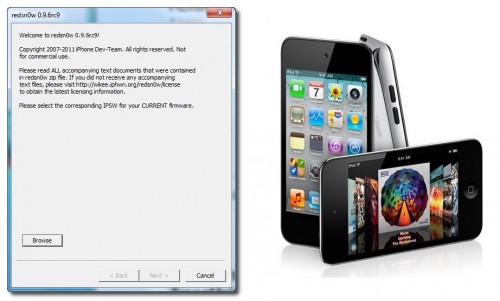
This is step-by-step instructions on how to perform untethered jailbreak of your iPod Touch 4G on iOS 4.3.1 firmware using RedSn0w 0.9.6rc9 for Windows.
UPDATE: Please, consider reading our Jailbreak & Unlock FAQ [1], especially if you have questions or troubles.
Important information. Please think first, before you do something.
Step One
Create a folder on your desktop called Pwnage
Download RedSn0w from here [2]. Save it in the Pwnage folder. Likewise, download the latest 4.3.1 firmware from below and place it in the same folder:
iPod Touch 4G iOS 4.3.1:
Extract the redsn0w executable from the RedSn0w zip file into the same folder.
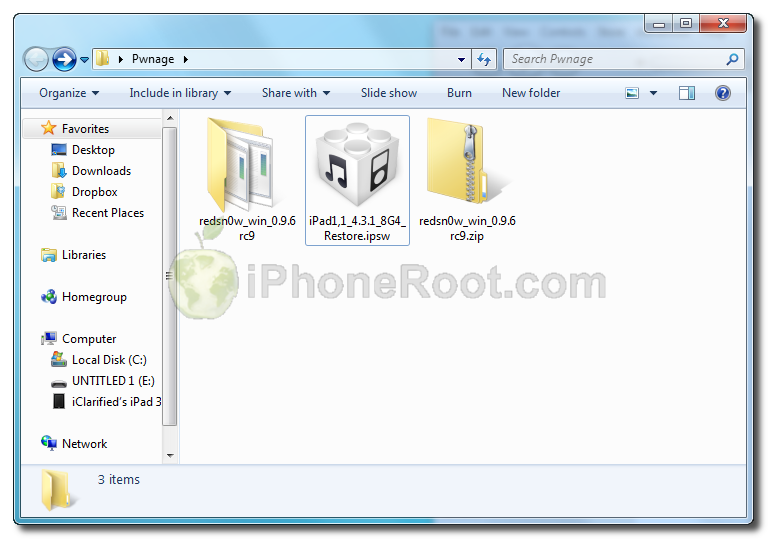 [4]
[4]
Step Two
***If you are already on iOS 4.3.1 you can skip this step.
Connect your iPod Touch to the computer and launch iTunes. Create a backup, since all your data on iPod Touch will be erased.

Select your iPod Touch from the list of devices on the left. Now hold down Shift and click the Restore button. Restore is preferred as it won't create any wasted space on your iPod Touch.
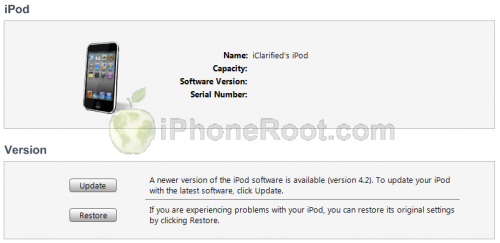 [5]
[5]
Navigate to the Pwnage folder on your desktop and select the 4.3.1 firmware ipsw. Click the Open button to continue.
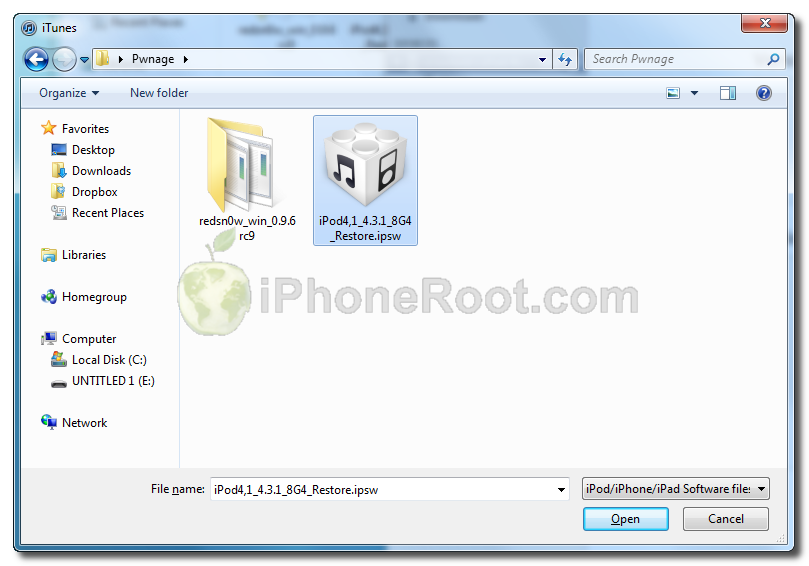 [6]
[6]
Step Three
Once iTunes has finished updating your iPod Touch to the desired firmware open the Pwnage folder on your desktop and launch the redsn0w application from the redsn0w folder we extracted earlier.
On Windows Vista or Windows 7 right click the executable and set it to run as administrator in Windows XP compatibility mode.
Step Four
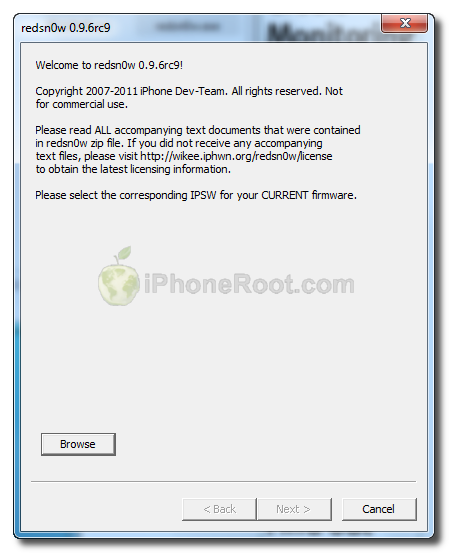
Once RedSn0w opens click the Browse button
Step Five
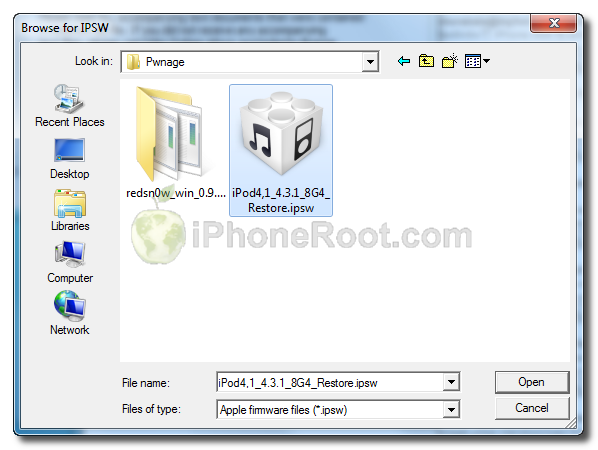
Select the 4.3.1 firmware ipsw we placed in the Pwnage folder on our desktop then click Open.
 [7]
[7]
Step Six
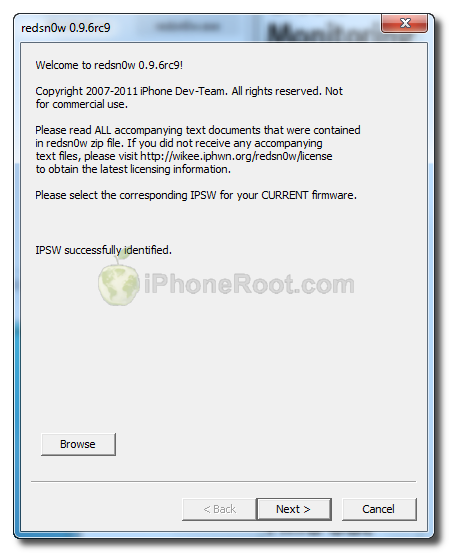
Once the firmware has been verified click the Next button to continue.
 [8]
[8]
Step Seven
RedSn0w will now prepare the jailbreak data
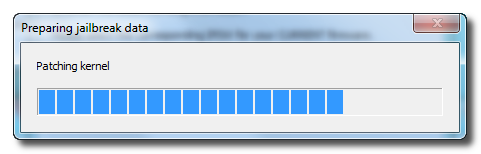
Step Eight
From this window you can select the jailbreak options you would like.
 [9]
[9]
Make sure Cydia is selected.
Click the Next button to continue
Step Nine
Please plug your iPod Touch into the computer and make sure its OFF then click the Next button
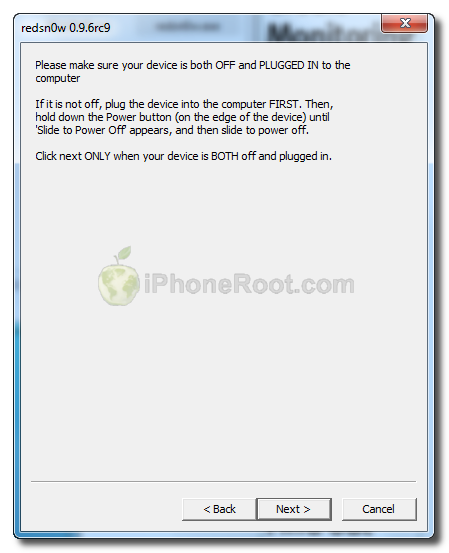 [10]
[10]
Step Ten
RedSn0w will now guide you through the steps to get into DFU mode.
1. Hold down Power button for 2 seconds.
2. Without releasing Power button, hold down both the Home button and the Power button for 10 seconds.
3. Release the Power button and continue holding the Home button until RedSn0w detects the device.
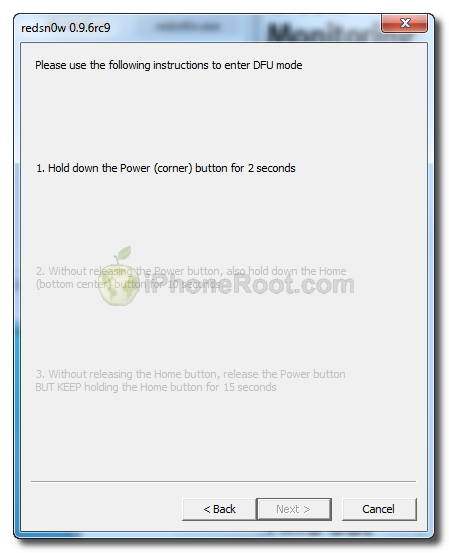 [11]
[11] 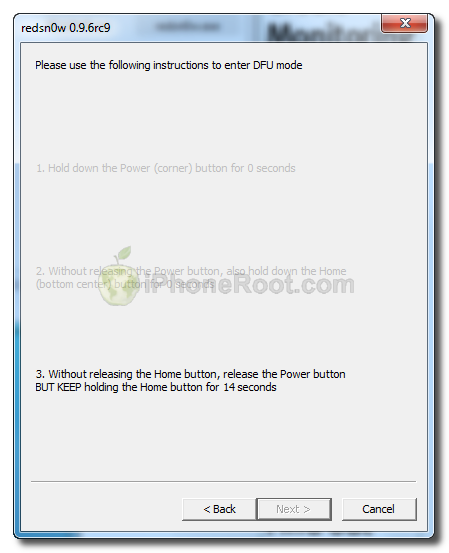 [12]
[12]
If you have problems try again. Here is a video showing this Step 10:
Step Eleven
iPod Touch will reboot
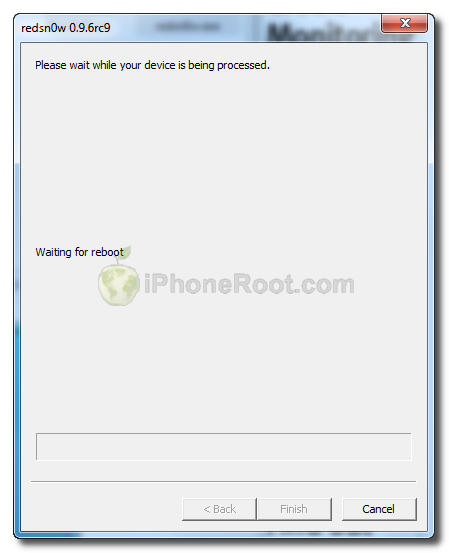 [13]
[13]
Step Twelve
RedSn0w will then begin uploading the new RAM Disk and Kernel.
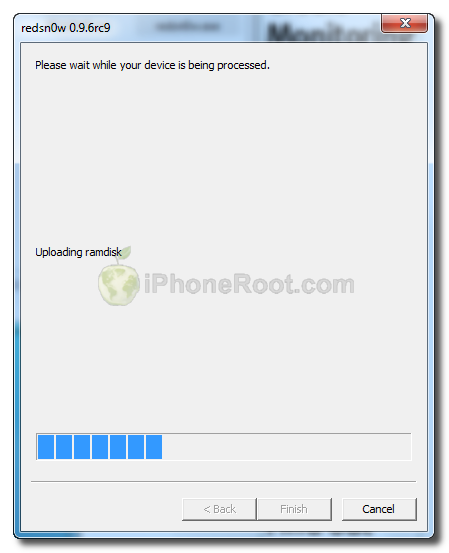 [14]
[14]
Step Thirteen
Once this is complete you will be notified that RedSn0w is done. Click the Finish button. When your iPod Touch finishes rebooting (5 minutes or so) it will be jailbroken with Cydia on the SpringBoard.
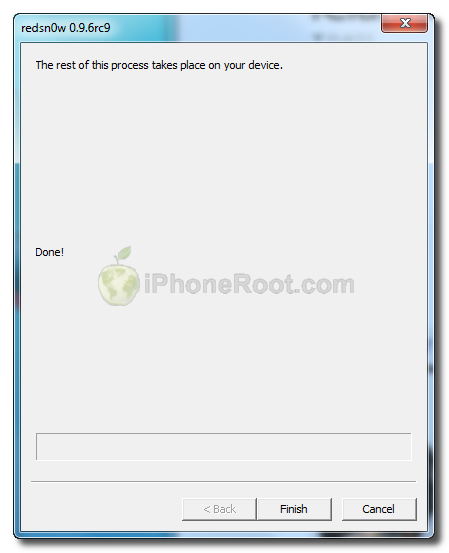 [15]
[15]
Step Fourteen
When your iPod Touch has restarted you can run Cydia. Let it do all the necessary updates.
To have access to the root file system of your iPod Touch (via file managers like iFunBox or iPhone Explorer) install application called afc2add in Cydia.
Step Fifteen
Do not forget to change your default password [16] if you've installed openssh.
[via iclarified]
Comments Disabled (Open | Close)
Article printed from iPhoneRoot.com: https://iphoneroot.com
URL to article: https://iphoneroot.com/howto-untether-jailbreak-ipod-touch-4g-redsn0w-096rc9-windows-ios431/
URLs in this post:
[1] Jailbreak & Unlock FAQ: https://iphoneroot.com/jailbreak-unlock-tutorials-and-faq/
[2] here: https://iphoneroot.com/utilities/#RedSn0w
[3] iPod4,1_4.3.1_8G4_Restore.ipsw: http://appldnld.apple.com/iPhone4/041-0545.20110325.We3Rt/iPod4,1_4.3.1_8G4_Restore.ipsw
[4] Image: https://iphoneroot.com/wp-content/uploads/2011/04/redsn0w-ipad.png
[5] Image: https://iphoneroot.com/wp-content/uploads/2011/04/redsn0w-ipod-4g-2.png
[6] Image: https://iphoneroot.com/wp-content/uploads/2011/04/redsn0w-ipod-4g-3.png
[7] Image: https://iphoneroot.com/wp-content/uploads/2011/04/redsn0w-ipod-4g-4.png
[8] Image: https://iphoneroot.com/wp-content/uploads/2011/04/redsn0w096-3gs-4.png
[9] Image: https://iphoneroot.com/wp-content/uploads/2011/04/redsn0w-ipod-4g-5.png
[10] Image: https://iphoneroot.com/wp-content/uploads/2011/04/redsn0w096-3gs-7.png
[11] Image: https://iphoneroot.com/wp-content/uploads/2011/04/redsn0w096-3gs-8.png
[12] Image: https://iphoneroot.com/wp-content/uploads/2011/04/redsn0w096-3gs-10.png
[13] Image: https://iphoneroot.com/wp-content/uploads/2011/04/redsn0w096-3gs-11.png
[14] Image: https://iphoneroot.com/wp-content/uploads/2011/04/redsn0w096-3gs-12.png
[15] Image: https://iphoneroot.com/wp-content/uploads/2011/04/redsn0w096-3gs-13.png
[16] change your default password: https://iphoneroot.com/secure-your-jailbroken-iphone/
[17] : http://iphoneroot.com/jailbreak-unlock-tutorials-and-faq/
[18] : http://iphoneroot.com/RU/jailbreak-unlock-tutorials-and-faq/
Click here to print.
Comments Disabled To "Step-by-step Tutorial: How to Untether Jailbreak iPod Touch 4G Using RedSn0w 0.9.6rc9 (Windows) [iOS 4.3.1]"
#1 Comment By Dima On April 8, 2011 @ 7:30 pm
скажите, а этот способ джеилбрейка подходит для ipod 4 32gb?
Вопрос возник поскольку в версии прошивки, через которую указано делать джаилбрейк (iPod4,1_4.3.1_8G4_Restore.ipsw) написано 8G4!
Имеет ли это значение?
-заранее благодарен
admin Reply:
April 8th, 2011 at 8:33 pm
да, подходит.
8G4 - это номер сборки прошивки.
#2 Comment By emmental On April 8, 2011 @ 9:10 pm
что значит добавьте пакет afc2add?? я пытаюсь так написать но он пишет что невозможно создать такой пакет
#3 Comment By emmental On April 8, 2011 @ 9:20 pm
ой нет спасибо, я разобралась
#4 Comment By Diaga On April 10, 2011 @ 1:34 pm
Как запустить redsn0w.exe режиме совместимости с Windows XP (Windows XP compatibility mode) Жму правой кнопкой и говорю запустить от админа, а в процессе действия №12 программа выдает ошибку Помогите В чем может быть проблема.
#5 Comment By Diaga On April 10, 2011 @ 1:51 pm
Все разобрался
#6 Comment By Splinter On April 11, 2011 @ 12:36 pm
Поскажите что надо установить в сидии чтобы устанавливать крякнутые игры на iPod Touch 4G (джейлбрейк 4.3.1). Заранее благодарен.
#7 Comment By Petr On April 11, 2011 @ 8:17 pm
Подскажите пожалуйста.Вчера через тунец обновился до 4.3.1 Айпод 3. Теперь не могу войти в ДФУ режим.До этого получалось без проблем.При нажатии комбинации кнопок по мануалу он тупо включается через некоторое время и все.При отключенном кабеле экран гаснет (пробывао от безвыходности. Пробывал входить в ДФУ на айподе девушки,все получается без проблем (прошивка 4.0.1).В чем может быть проблема,реально ли откатить прошивку назад??
admin Reply:
April 12th, 2011 at 1:34 pm
назад можно откатить если были сохранены ключи shsh.
в dfu должен входить по идее без проблем.
можно попробовать ireb воспользоваться.
#8 Comment By Dmitriy On April 11, 2011 @ 8:19 pm
У меня зависает на пункте 12!
На Ipod висит надпись Downloading Jailbreak Data, и через минут 15 Ipod просто сам загружается!
А окошко из пункта 12 так и висит.
Eric Reply:
May 5th, 2011 at 2:43 pm
На 12 пункте выдает ошибку и закрывается redsnow, ipod зависает с экраном загрузки джайлбрейка.
админ помоги плз что делать? почему так ?
#9 Comment By vegas On April 13, 2011 @ 8:49 pm
У меня зависает на пункте 12!
На Ipod висит надпись Downloading Jailbreak Data, и через минут 15 Ipod просто сам загружается!
А окошко из пункта 12 так и висит.
[Reply]
та же роюлема
подскажите что можно сделать
заранее спасибо!
#10 Comment By Anton On April 17, 2011 @ 9:12 pm
Программа перестает работать на пункте 12, на айподе так и остается надпись Downloading jailbreak data. Что делать?
#11 Comment By Alexey On April 22, 2011 @ 4:27 pm
У мен завис айпод 4 на шаге 13. Горит логотип (яблочко) и не загружается дальше. Что делать???
admin Reply:
April 26th, 2011 at 12:47 am
попробовать заново.
#12 Comment By max On April 25, 2011 @ 7:05 pm
надо его обратно на 4.3.1 обновить
#13 Comment By Егор On April 30, 2011 @ 12:08 am
Ребят помогите все поставил
последний пунк не могу запустить Cydia
включаю сразу вылетаю
что делать?
#14 Comment By G@V On April 30, 2011 @ 4:35 pm
у меня ipod 4g 8гиг версия 4.2.1(8с148) могу ли я сразу прошиваться так как здесь указано?
#15 Comment By nub On May 3, 2011 @ 5:52 pm
что значит "неудалось востановить ipod, неизвестная ошибка (3194)" при обнавлении на 4.3.1
admin Reply:
July 9th, 2011 at 11:25 pm
прошивайтесь на 4.3.3 и там делайте джейл:
#16 Comment By riha On July 9, 2011 @ 10:04 pm
привет всем!помогите пожалуйста ipod 3g обновился через i tunes до прошивки 4.3.3 и теперь не могу сделать джейлбрейк т.к. не входит в режим dfu.читал на форумах говорят что в последней прошивке вшит какойто код который не позволяет войти в режим dfu подскажите что делать.уже все перепробывал.спасибо!
admin Reply:
July 9th, 2011 at 11:25 pm