iTunes 8: If Windows Vista displays a blue screen error message when connecting iPhone or iPod
Posted By admin On September 13, 2008 @ 1:39 am In All,Official,Other | Comments Disabled
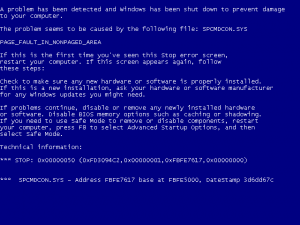
Apple published a kb for this case. Here it is:
Symptoms
After installing iTunes 8 for Windows, some users may see a blue screen error message when connecting iPhone or iPod to a Windows Vista computer. In some cases, the computer may immediately restart when connecting iPhone or iPod to the computer.
Products Affected
iPod, iPhone, iPod touch, Windows Vista, iPod touch (2nd generation), iTunes 8 for Windows, iPhone 3G
Resolution
Solution 1
1. Disconnect your iPhone or iPod from Windows Vista.
2. Uninstall iTunes and Apple Mobile Device Support
- For Classic View
- Choose Start > Control Panel > Programs and Features.
- Select iTunes, click Uninstall.
- First select Apple Mobile Device Support, click Uninstall.
- For Control Panel Home View
- Choose Start > Control Panel > Programs > Uninstall a Program.
- Select iTunes and click Uninstall.
- First select Apple Mobile Device Support, click Uninstall.
3. Restart the computer.
4. Re-download and install the updated iTunes 8 installer from www.apple.com/itunes/download.Important: Do not use the iTunes8Setup or iTunes864Setup file you previously downloaded.
Solution 2
Refer to article TS1502 for additional troubleshooting steps if Windows XP or Vista computer displays a blue screen error message.
Additional Information
Important: Information about products not manufactured by Apple is provided for information purposes only, and does not constitute Apple's recommendation or endorsement. Please contact the vendor for additional information.
via
Article printed from iPhoneRoot.com: https://iphoneroot.com
URL to article: https://iphoneroot.com/itunes-8-if-windows-vista-displays-a-blue-screen-error-message-when-connecting-iphone-or-ipod/
URLs in this post:
[1] Apple: http://support.apple.com/kb/TS2280
Click here to print.