Java GUI on IPhone (example)
Posted By admin On June 17, 2008 @ 3:32 pm In All,Java,Java applications,Software | Comments Disabled
During there was sample programm installed. It is called HelloJava. It is a bit more complicated than basic console HelloWorld-type application, that we tried to compile and run during . HelloJava uses gui and SQLite. It uses several classes, that are bridges to IPhone's functionality (GUI, sound, SQL, etc). But all that it does is it reads contacts' first and last names from IPhone's database (throught SQL select statement) and shows them on the screen in GUI mode. It also produses simple sound in the end.
Here is a screenshot of the icon and application itself:
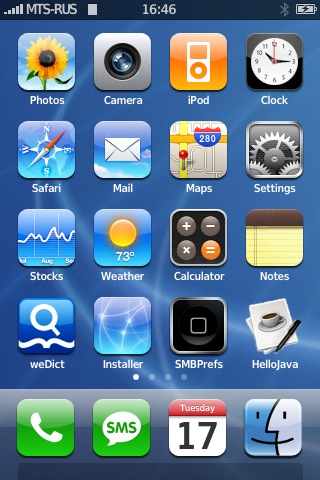
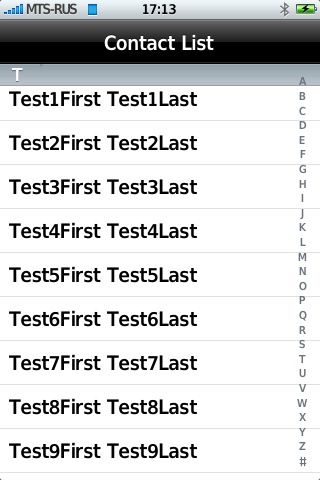
The application consists of several files:
- HelloJava
This file that actually runs the application. It is simple bash script:
#!/bin/bash
# XXX: Java is symlink'd to here so the home button works
exec "$(dirname "$0")"/Java -Xmx8M -Xss256K -cp /usr/share/java/sqlite.jar:/usr/share/java/jocstrap.jar:/usr/share/java/uicaboodle.jar:"$(dirname "$0")" com.saurik.uicaboodle.Main HelloJava "$@"
- HelloJava$Contact.class
- HelloJava$Section.class
- HelloJava.class
These are compiled java class files.
- HelloJava.java
This is a source file. It is not needed to run the application. Just for developers to take a look. By the way here it is with syntacs highlighted:
- Info.plist
This is a xml description file, contains info about executable and etc.
That's it. Quite simple.
Using this example it is easy to create your own GUI Java application
Comments Disabled (Open | Close)
Article printed from iPhoneRoot.com: https://iphoneroot.com
URL to article: https://iphoneroot.com/java-gui-on-iphone-example/
URLs in this post:
[1] Java instalation: http://iPhoneRoot.com/tutorial-install-java-on-the-iphone/
[2] this tutorial: http://iPhoneRoot.com/tutorial-compile-and-run-java-application-on-the-iphone/
[3] HelloJava.java: http://iPhoneRoot.com/wp-content/uploads/2008/06/hellojava.html
Click here to print.
Comments Disabled To "Java GUI on IPhone (example)"
#1 Comment By nicotejera On May 6, 2009 @ 10:15 pm
I'm trying to tweak the HelloJava.java app but have little success. What I first tried was modifying the .JAVA file, changed the string "Contact List" to "My String". Pretty straightforward. I compiled the project on eclipse and copied the .CLASS files on to my phone, it runs ok. However, I tried copying the entire HelloJava.app folder, creating a new MyApp.app with the same exact files in it, copied it over to my phone and it doesn't work. It just starts the app and immediately closes. Any ideas?