New version of Cydia 1.0.3366-1 is ready
Posted By admin On November 30, 2010 @ 9:08 pm In All,Cydia,Software | Comments Disabled
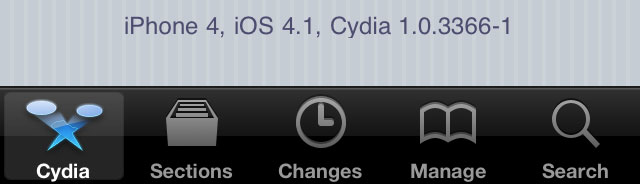
The new version 1.0.3366-1 of Cydia is ready.
Commenting on the release Saurik said:
some of my long term performance plans are 'hitting pay dirt', and Cydia is much faster than it was before; that said, it isn't done yet: there's one more thing that I think is going to make a huge difference that isn't even in there yet but should be for the final release.
This version of Cydia is included in the latest release of RedSn0w, and can also be downloaded as deb file from . But if you're on an iPhone 4 or other already jailbroken device, you can still install it. There are 4 different ways to do that:
Option 1. This is the easiest way.
Add repository https://iphoneroot.com/repo/ to Cydia and install Cydia update package.
To add repository run Cydia. Go to Manage -> Sources. Click Edit (top right corner), after that click Add (top left corner), type https://iphoneroot.com/repo/ and click Add Source button. Then click Return to Cydia and Done button. After that click on iphoneroot.com and you will see available packages, select Cydia and install.
Tutorial how to add iphoneroot repo with screenshots is available here [2].
Option2. Install MobileTerminal (our howto guide [2]) and wget in Cydia. Run mobile terminal and type:
> su root
you will be asked for password, type 'apline' or your password if you've changed the default one.
> wget http://apt.saurik.com/cydia/debs/cydia_1.0.3366-1_iphoneos-arm.deb
> dpkg -i cydia_1.0.3366-1_iphoneos-arm.deb
That's it you're done.
Option 3. Install OpenSSH and wget via Cydia and connect to your iPhone from your computer via WiFi using putty or other terminal client. Then use the same commands as in (Option 2).
Option 4. Install and in Cydia, then visit http://apt.saurik.com/cydia/debs/cydia_1.0.3366-1_iphoneos-arm.deb from your device. Remember where you download it to, and navigate there with iFile afterwards. Tap the deb it and choose install - done!
ModMyi put together a list of improvements:
What's New:
- reduced loading changes time
- section remapping optimizations
- faster reloading data
- faster, native search
- uses public SDK classes whenever possible
- rewritten, faster web views with zooming support
- changes badge works again
- more stable webviews (no crashes when queueing)
- redesigned settings page
- redesigned stashing page
- faster scrolling of table views
- bug fixes
- ads no longer break the package views until restart
- much better queueing UI
- stabler refreshing bar
iPad improvements:
- landscape
- popovesr
- modal views that cover only a portion of the screen
- less annoying errors with bad internet connections downloading packages
- updated section mappings, less typo'd sections
Comments Disabled (Open | Close)
Article printed from iPhoneRoot.com: https://iphoneroot.com
URL to article: https://iphoneroot.com/new-version-of-cydia-1-0-3366-1-is-ready/
URLs in this post:
[1] here: http://apt.saurik.com/cydia/debs/cydia_1.0.3366-1_iphoneos-arm.deb
[2] here: https://iphoneroot.com/install-mobileterminal-iphone-ios4/
[3] iFile: http://modmyi.com/cydia/eu.heinelt.ifile
[4] Safari Download Manager: http://modmyi.com/cydia/net.howett.safaridownloader
[5] : http://www.d0tk0m.com/iphone/iphone-mobileterminal-quitting-while-opening/
Click here to print.
Comments Disabled To "New version of Cydia 1.0.3366-1 is ready"
#1 Comment By Raoul Teeuwen On November 30, 2010 @ 11:27 pm
Tried the 1st method: installed Mobile Terminal. But when i issue the wget-command, i get an error saying wget can't be found. Searched and found , but am unable to apt-get ... Too bad Cydia doesn't have an update button itself?!
admin Reply:
December 1st, 2010 at 12:39 am
To use wget you need to install it too via Cydia (you can find it in Search)
But we came up with easiest way to update Cydia - we have added new Cydia deb file to our repo several minutes ago. So you can update it. This would be the easiest way.
admin Reply:
December 1st, 2010 at 1:00 am
we had to restart our server, it is available now.
#2 Comment By ken patel On December 10, 2010 @ 11:36 pm
hi i need help ,
i have add source your source in cydia and installed cydia update v1.03366-1 but its crashing when i go to cydia-packeges and when i scroll down its crashing , and also will i get future update of cydia by this souce automatically or not
please reply mr as soon as possible
admin Reply:
December 11th, 2010 at 1:19 am
I don't know why it crashes. do you have ios 4 installed?
Many users reported it is working perfectly.
I just put official deb archive to our repo, so users can install it without any pain. I will certainly do the same in future.