iPhoneRoot.com

News tagged ‘lockscreen’
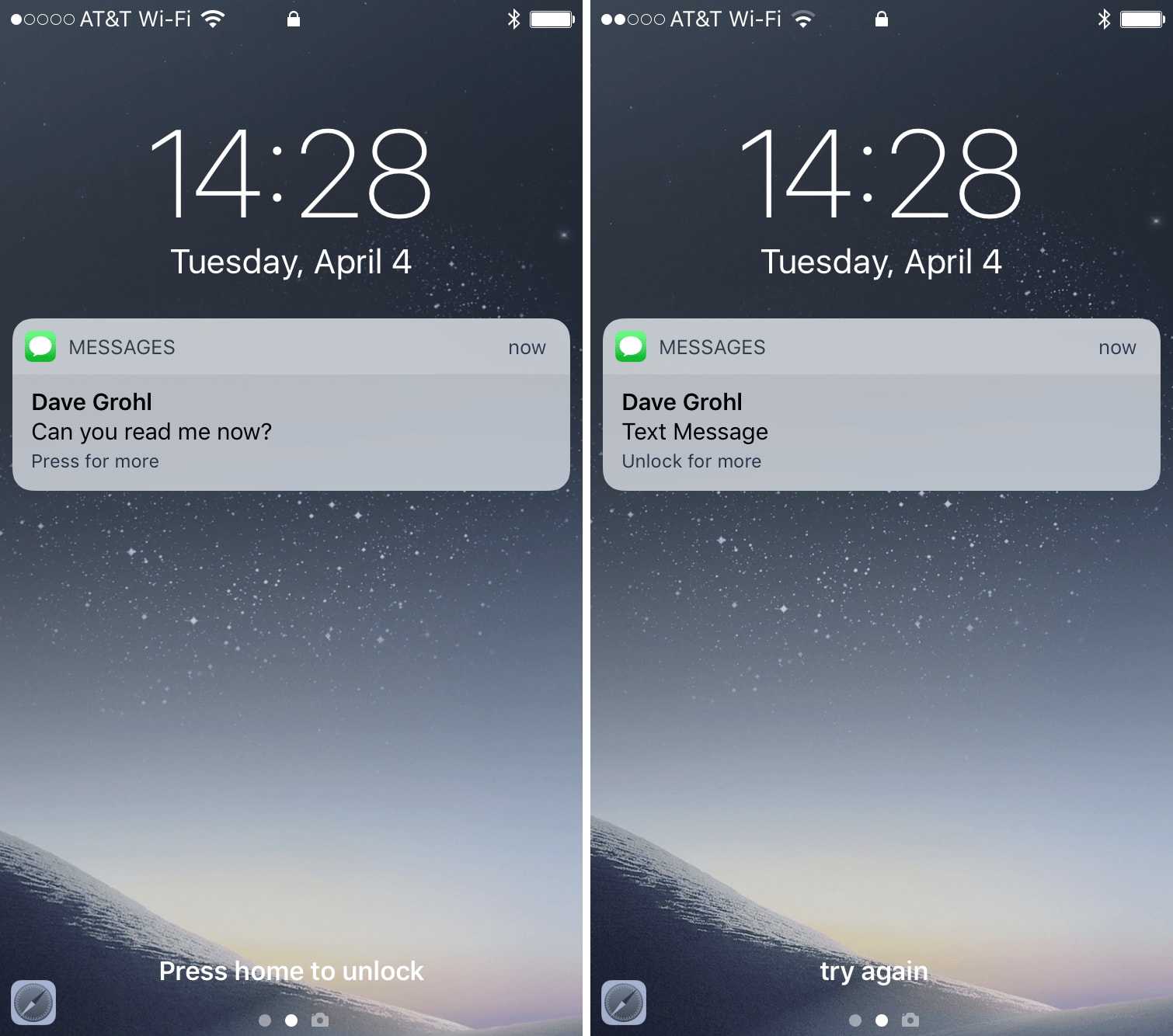
iPhone X and iOS 11 Can Finally Hide Lock Screen Notification Content
iPhone X will show the content of lock screen notifications exclusively to the device owner. This is possible due to TrueDepth camera and iOS 11 features.
New iOS Vulnerability Has Been Discovered [Video]
Anyone can access your passcode-locked iPhone contacts list and photos using Siri. A new vulnerability has been recently discovered by a number of YouTubers and immediately shared online.
One of the first to notice the problem with iOS security was a guy nicknamed EverythingApplePro. He used a number of phones, including older iPhone 4S running iOS 8, to demonstrate that the issue has been present for quite a long period of time. All iOS devices that support Siri and have iOS 8-iOS 10.2 on board are vulnerable, so be careful.
LockBar Pro Tweak Brings Some iOS 7 Style to Your iOS 6 Device
LockBar Pro is a new tweak for your iPhone that brings iOS 7 Control Center style toggles to iOS 6. If you like the iOS 7 design, this tweak is surely for you. Now some words about what it actually does.
Jony Ive’s Design Overhaul Could Lead To Delays For iOS 7
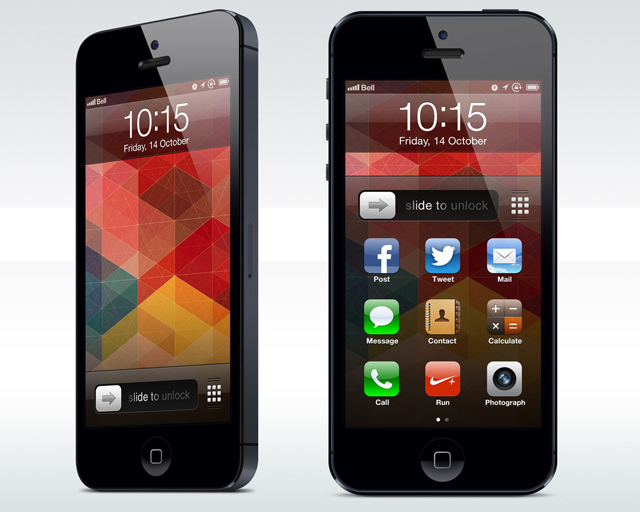
Today Bloomberg that Jony Ive’s efforts to redesign iOS as part of his new software design role puts Apple at risk of delaying the release of iOS 7. While a public release is said to currently stay on schedule for "as soon as September", internal deadlines in the company has been pushed back as software teams race to finish iOS 7 and prepare a preview for Worldwide Developers Conference in June.
iOS 5.1.1: what's new and download links
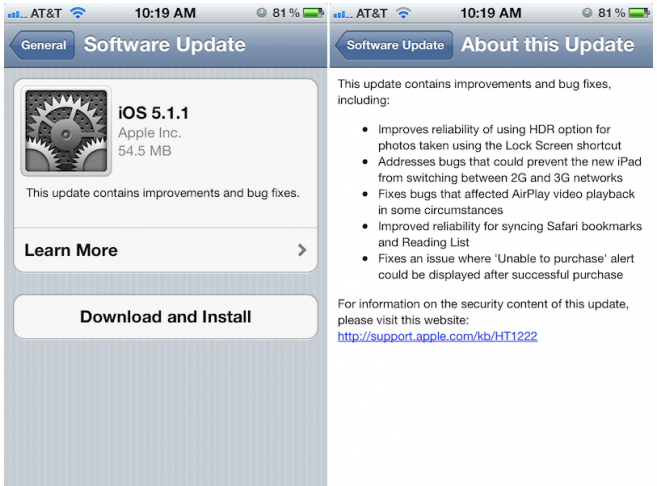
Apple released iOS 5.1.1 (build number 9B206) for iPad, iPod touch, and iPhone. This is a small update with several bugfixes and small improvements. Here is the official list of changes:
- Improves reliability of using HDR option for photos taken using the Lock Screen shortcut.
- Addresses bugs that could prevent the new iPad from switching between 2G and 3G networks.
- Fixes bugs that affected AirPlay video playback in some circumstances.
- Improved reliability for syncing Safari bookmarks and Reading List.
- Fixes an issue where ‘Unable to purchase’ alert could be displayed after successful purchase.
And download links:
 Leave a comment, read comments [2]
iOS 4.1 security flaw allows calls to be made on passcode locked iPhone
The hole found in iOS 4.1 allows someone to make calls, gain access to the owner’s contact list, and send emails to anyone in said contact list via a passcode locked iPhone.
Using the combination of sleep button and a fake emergency call, it is possible to access the phone’s contact list and regular keypad even if the device is locked:
iPhone OS 4.0 has a built in Flashlight
MacStories reader Nik Treiber has found out an interesting feature in the latest iPhone OS 4.0 beta 4. When you push the on/off button three times in a row while in the lockscreen, the iPhone goes in Flashlight mode. We aren't sure if this is a feature or bug, but it certainly would be quite useful.
Check out the video:
What's new in iPhone OS 3.2 Beta 4
Apple recently released iPad/iPhone OS 3.2 Beta 4 to developers. Let's see what's new:
1. Application "Photos" has been improved. Here is text from official changelog:
"Launching the Photos application under the iPad Simulator will initially show three tabs: Photos, Albums, and Camera. The Camera tab represents photos available via the Camera Connection Kit for iPad, and is not relevant for the Simulator. The Camera tab will disappear after a few seconds. "
Apple actually specified what we had seen in 3.2 beta 3. The tab Camera is for the Camera Connection Kit, and does not indicate any front camera on the iPad.
The fonts have been also improved and there are some new Gestures added for images.
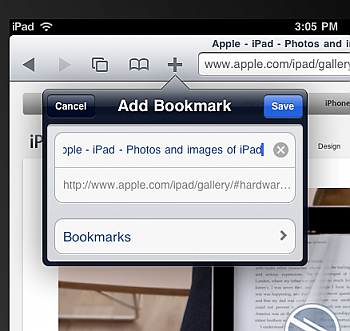
2. The function Add Bookmark in Safari browser works now (previously only allowed to link to home).
3. When you press the button twice on the lockscreen the iPod controls appear, just like on the iPhone:

4. With the iPad simulator is open, pressing "cmd + shift + space bar" will appear a list of languages. By pressing the space bar you can change language:
New iPhone lockscreen video concept
User Spippo created a new video concept showing his new idea of the iPhone lockscreen:
HTC Cydget: The HTC clock now on iPhone
HTC Cydget is a nice theme for the lockscreen that can be set by Cydget, the new application from Saurik.
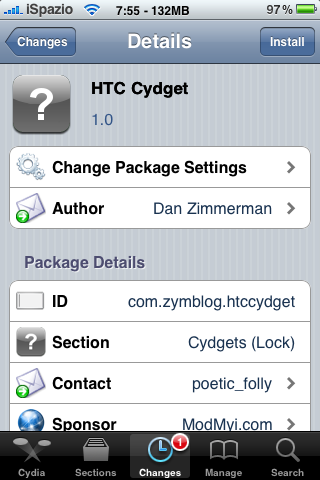
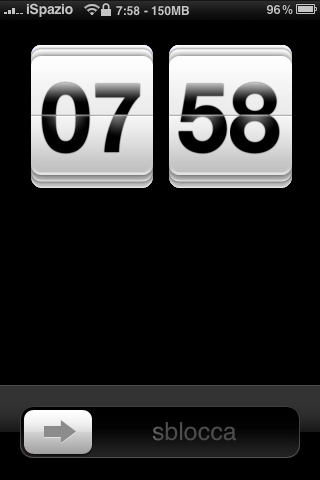
As you can see from the images, this tweak transforms the classic lockscreen to an HTC clock. The app is avaliable via Cydia.
via ispazio
Leave a comment, read comments [2]
SmartScreen: Lockscreen Widgets on the iPhone [Cydia, Video]
Today MediaPhone announced ‘SmartScreen’ an application for the iPhone and iPod touch that will allow informational widgets to be placed and used on the lock screen. The widgets can be rearranged on the lock screen by using a ‘tap and hold to move’ action that is often used by to iPhone users (when moving icons around the home screen).
It will be avaliable soon in Cydia Store (for money).
via devteam
113 new features of firmware 3.0
Here is a list of 113 new features in 3.0 firmware. The information is from hackint0sh site forum:
1. Cut/Paste
2. Copy/Paste
3. Shake to undo/redo typing
4. Text selection for easy mass deletion
5. MMS
6. Landscape keyboard in Notes
7. Landscape keyboard in Mail
8. Landscape keyboard in Messages
9. Forward texts or picture messages
10. Delete individual texts or picture messages
Backgrounder updated to version svn.187 [Cydia]
Backgrounder is an app that allows a user to run apps in a background. Since the last update the application makes available a process manager to monitor and manage the open applications.
In the new version svn.187 introduced the following changes:
- Added the possibility to close / to force the closure / make a respring through a swipe on the applications;
- It is no longer possible to initiate the process by the operator lockscreen;
- Multiple instances of the processes are prevented
- General improvement of the Code.