 iPhoneRoot.com

News tagged ‘Tutorial’
Step-by-step Tutorial: How to Untether Jailbreak iPod Touch 4G Using RedSn0w 0.9.6 rc16 (Windows) [iOS 4.3.3]
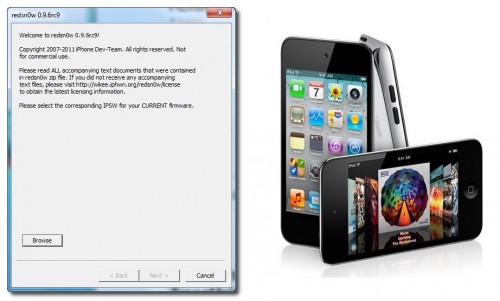
This is step-by-step instructions on how to perform untethered jailbreak of your iPod Touch 4G on iOS 4.3.3 firmware using RedSn0w 0.9.6 rc16 for Windows.
 Leave a comment, read comments [41]
Step-by-step Tutorial: How to Untether Jailbreak iPod Touch 3G Using RedSn0w 0.9.6 rc16 (Windows) [iOS 4.3.3]
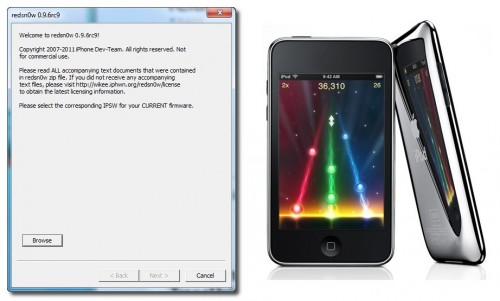
This is step-by-step instructions on how to perform untethered jailbreak of your iPod Touch 3G on iOS 4.3.3 firmware using RedSn0w 0.9.6 rc16 for Windows.
Step-by-step Tutorial: How to Untether Jailbreak iPad 1 Using RedSn0w 0.9.6 rc16 (Windows) [iOS 4.3.3]
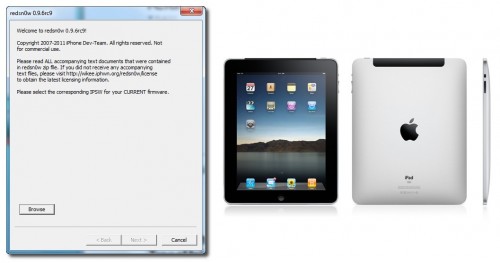
This is step-by-step instructions on how to perform untethered jailbreak of your iPad first generation on iOS 4.3.3 firmware using RedSn0w 0.9.6 rc16 for Windows.
Step-by-step Tutorial: How to Untether Jailbreak iPhone 4 Using RedSn0w 0.9.6 rc16 (Windows) [iOS 4.3.3]
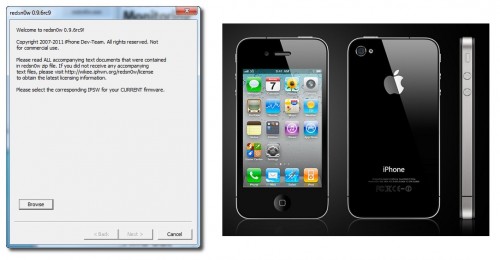
This is step-by-step instructions on how to perform untethered jailbreak of your iPhone 4 on iOS 4.3.3 firmware using RedSn0w 0.9.6 rc16 for Windows.
Leave a comment, read comments [94]
Step-by-step Tutorial: How to Untether Jailbreak and Unlock Your iPhone 3GS Using RedSn0w 0.9.6rc16 (Windows) [iOS 4.3.3]
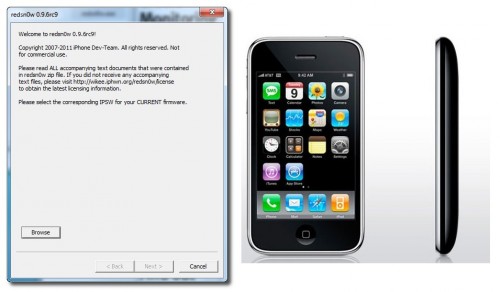
This is step-by-step instructions on how to perform untethered jailbreak and unlock for your iPhone 3GS on iOS 4.3.3 firmware using RedSn0w 0.9.6 rc16 for Windows.
If you need unlock Redsn0w will provide you with choice of updating your baseband to 06.15.
Leave a comment, read comments [160]
Untethered jailbreak for iOS 4.3.3 released: RedSn0w 0.9.6 rc16 and PwnageTool 4.3.3.1
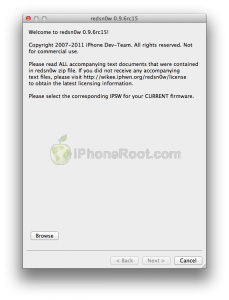
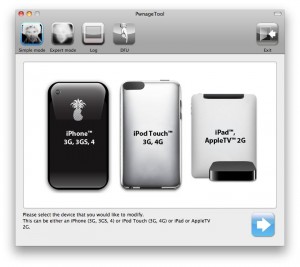
DevTeam released the untethered jailbreak for the latest iOS 4.3.3 - utilities RedSn0w 0.9.6 rc16 and PwnageTool 4.3.3.1.
The 4.3.3 untether works on all Apple devices that support 4.3.2 except for the iPad2:
- iPhone 3GS
- iPhone 4 (GSM)
- iPod Touch 3G
- iPod Touch 4G
- iPad 1
- AppleTV 2G (PwnageTool only for now)
Redsnow is easy to use, it is available for Windows and Mac OS. As usual for unlockers - do not update to 4.3.3, use PwnageTool (MAC) and Sn0wBreeze (Windows) to preserve the baseband.
You can download RedSn0w 0.9.6 rc16 here.
You can download PwnageTool 4.3.3.1 here.
Ultrasn0w was also updated to support old baseband on new iOS 4.3.3. Ultrasn0w 1.2.3 (for unlockers with old baseband) is available in Cydia.
UPDATE: Please, consider reading our Jailbreak & Unlock FAQ, especially if you have questions or troubles.
UPDATE: New tutorials for iOS 4.3.3 are ready:
RedSn0w 0.9.6 rc16 (Windows)
RedSn0w 0.9.6 rc16 (Mac OS)
PwnageTool 4.3.3.1 (Mac OS)
Sn0wBreeze 2.7.3 (Windows)
Leave a comment, read comments [11]
Untethered jailbreak for iOS 4.3.2 released - RedSn0w 0.9.6 rc14

DevTeam released the untethered jailbreak for the latest iOS 4.3.2 - RedSn0w 0.9.6 rc14.
The 4.3.2 untether works on all Apple devices that support 4.3.2 except for the iPad2:
- iPhone 3GS
- iPhone 4 (GSM)
- iPod Touch 3G
- iPod Touch 4G
- iPad 1
Redsnow is easy to use, it is available for Windows and Mac OS. As usual for unlockers - do not updaate to 4.3.1, wait for PwnageTool and Sn0wBreeze.
You can download RedSn0w 0.9.6 rc14 here.
New tutorials are on it's way. For now you can still use our tutorials for iOS 4.3.1. Just download iOS 4.3.2 here, update in iTunes, point redsn0w to it, everything else is the same:
- Jailbreak iPhone 3GS with RedSn0w (Windows)
- Jailbreak iPhone 4 with RedSn0w (Windows)
- Jailbreak iPad with RedSn0w (Windows)
- Jailbreak iPod Touch 4G with RedSn0w (Windows)
- Jailbreak iPod Touch 3G with RedSn0w (Windows)
Leave a comment, read comments [3]
Apple Relaunched Its Forums, Called Them Apple Support Communities
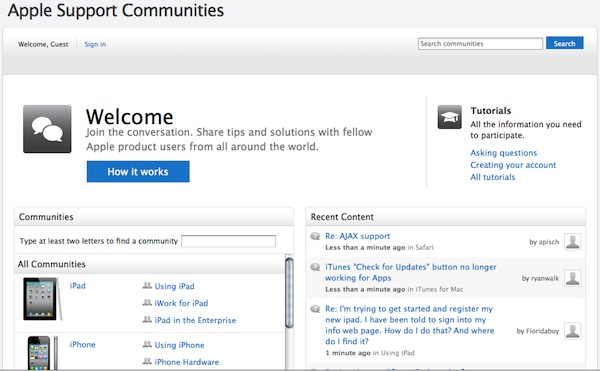
Last week Apple had officially upgraded its forums and renamed its Apple Discussion board to Apple Support Communities. The refresh reveals new design and social network features. Here what the official introduction reads:
Read the rest of this entry »
Leave a comment, read comments [1]
Step-by-step Tutorial: How to Untether Jailbreak iPod Touch 3G Using RedSn0w 0.9.6rc9 (Windows) [iOS 4.3.1]
This is step-by-step instructions on how to perform untethered jailbreak of your iPod Touch 3G on iOS 4.3.1 firmware using RedSn0w 0.9.6rc9 for Windows.
Leave a comment, read comments [5]
Step-by-step Tutorial: How to Untether Jailbreak iPod Touch 4G Using RedSn0w 0.9.6rc9 (Windows) [iOS 4.3.1]
This is step-by-step instructions on how to perform untethered jailbreak of your iPod Touch 4G on iOS 4.3.1 firmware using RedSn0w 0.9.6rc9 for Windows.
Leave a comment, read comments [22]
Step-by-step Tutorial: How to Untether Jailbreak iPad Using RedSn0w 0.9.6rc9 (Windows) [iOS 4.3.1]
This is step-by-step instructions on how to perform untethered jailbreak of your iPad on iOS 4.3.1 firmware using RedSn0w 0.9.6rc9 for Windows.
Leave a comment, read comments [12]
Step-by-step Tutorial: How to Untether Jailbreak iPhone 4 Using RedSn0w 0.9.6rc9 (Windows) [iOS 4.3.1]
This is step-by-step instructions on how to perform untethered jailbreak of your iPhone 4 on iOS 4.3.1 firmware using RedSn0w 0.9.6rc9 for Windows.
Leave a comment, read comments [25]
Step-by-step Tutorial: How to Untether Jailbreak and Unlock Your iPhone 3GS Using RedSn0w 0.9.6rc9 (Windows) [iOS 4.3.1]
This is step-by-step instructions on how to perform untethered jailbreak and unlock for your iPhone 3GS on iOS 4.3.1 firmware using RedSn0w 0.9.6rc9 for Windows.
If you need unlock Redsn0w will provide you with choice of updating your baseband to 06.15.
Read the rest of this entry »
Leave a comment, read comments [44]
Untethered jailbreak for iOS 4.3.1 released: RedSn0w 0.9.6rc9 and PwngeTool 4.3

DevTeam released much anticipated untethered jailbreak for the latest iOS 4.3.1 - RedSn0w 0.9.6 rc9 and PwngeTool 4.3.
The 4.3.1 untether works on all Apple devices that support 4.3.1 except for the iPad2:
- iPhone 3GS
- iPhone 4 (GSM)
- iPod Touch 3G
- iPod Touch 4G
- iPad 1
- AppleTV 2G (PwnageTool only for now)
Redsnow is easy to use, it is available for Windows and Mac OS. Pwnagetool can be used to create custom ipsw and preserve baseband, it supports Mac OS only.
You can download RedSn0w 0.9.6 rc9 here and PwnageTool 4.3 here.
Here are our tutorials:
- Jailbreak iPhone 3GS with RedSn0w (Windows)
- Jailbreak iPhone 4 with RedSn0w (Windows)
- Jailbreak iPad with RedSn0w (Windows)
- Jailbreak iPod Touch 4G with RedSn0w (Windows)
- Jailbreak iPod Touch 3G with RedSn0w (Windows)
Ultrasn0w doesn't work on iOS 4.3.1 yet (even with iOS 4.3.1 + old baseband). The fix will be available soon. Here's a warning from DevTeam for unlockers:
Leave a comment, read comments [16]
Step-by-step Tutorial: jailbreak iOS 4.2.1 on iPhone/iPod/iPad using PwnageTool 4.2 (Mac OS)
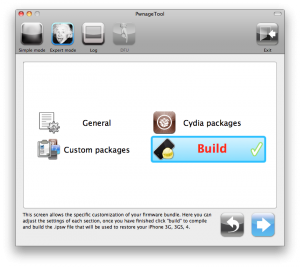
UPDate: Attention! We've received info, that Apple stopped signing iOS 4.2 for devices for which iOS 4.3 is available. This means you will not be able to restore to 4.2.1 without saved SHSH keys.
UPDATE: Please, consider reading our Jailbreak & Unlock FAQ, especially if you have questions or troubles.
Using this tutorial you will be able to jailbreak iOS 4.2.1 running on iPhone 3G, iPhone 3GS, iPhone 4, iPod Touch 3G, iPod Touch 4G and iPad. Pwnagetool will also preserve baseband version if you need carrier unlock. If you have updated the baseband to version 06.15, you can use this tutorial. This tutorial uses PwnageTool 4.2 for Mac OS X.
We are not developers of jailbreak utilities, so we cannot assure that everything will work just fine. However we tried this tutorial on several devices and succeeded.
We will use iPhone 4 in our jailbreak tutorial. The process is the same for all devices.
Step One
Make a folder called "Pwnage" on the desktop. Download a couple of things:
Leave a comment, read comments [33]