 iPhoneRoot.com

Пошаговая инструкция: как сделать анлок iPhone 4S, iPhone 4, iPhone 3GS с помощью SAM v0.1.16 [iOS 5.0, 5.0.1, 5.1]
UPDATE: Apple блокирует SAM анлок
Данные инструкции позволят вам сделать анлок (отвязку от сотового оператора) вашего iPhone с помощью упрощенной версии SAM v0.1.16. Данный способ работает с iPhone 4S, iPhone 4 и iPhone 3GS на любой прошивке iOS 5.x. Поддерживаются все версии модемов.
Шаг 1
Сделайте джейлбрейк вашего iPhone. Вы можете найти наши пошаговые инструкции здесь.
Шаг 2
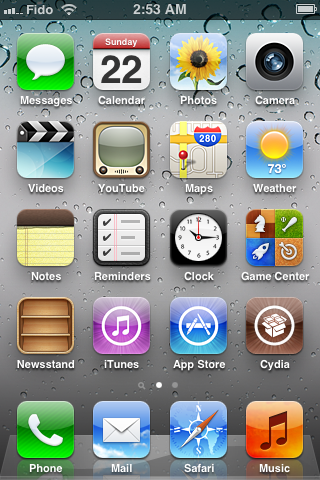
Запустите Cydia.
Шаг 3
Перейдите на закладку Manage.

Шаг 4
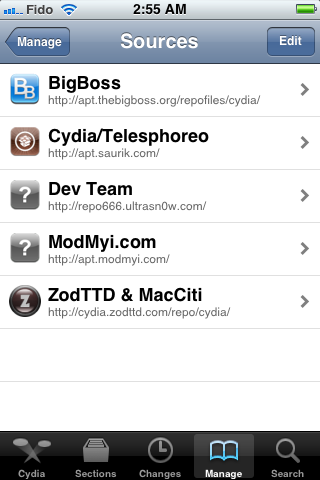
Нажмите большую кнопку Sources.

Шаг 5
Нажмите кнопку Edit (верхний правый угол).
Шаг 6
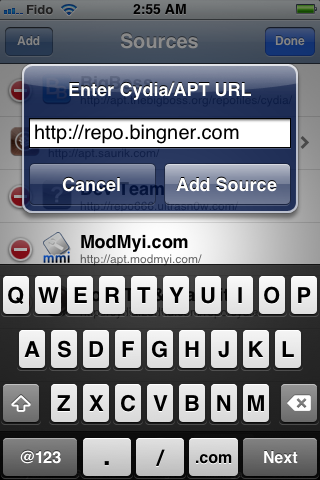
Нажмите Add (верхний левый угол).

Шаг 7
Введите http://repo.bingner.com и нажмите Add Source.
Шаг 8
Нажмите Return to Cydia.
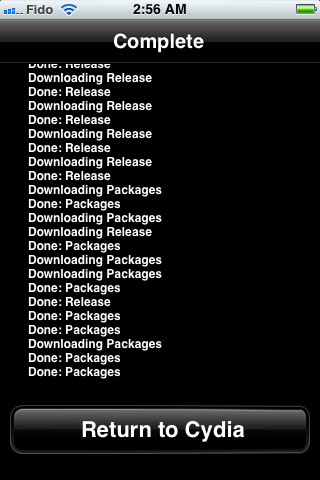
Шаг 9
Далее необходимо выбрать Bingner из списка.
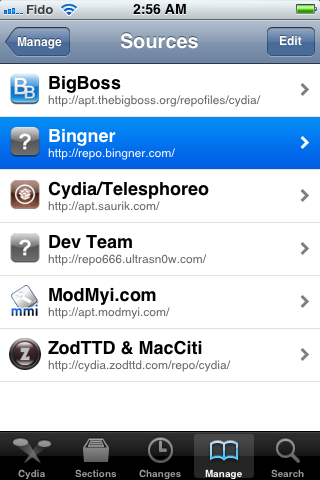
Шаг 10
Найдите SAM в списке пакетов.
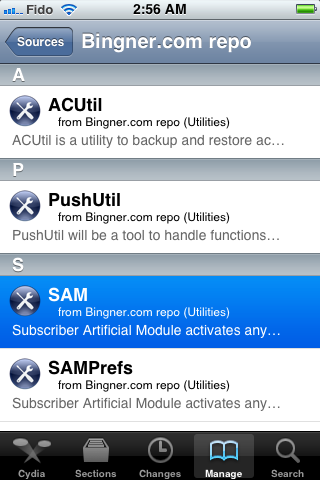
Шаг 11
Нажмите кнопку Install (справа сверху).
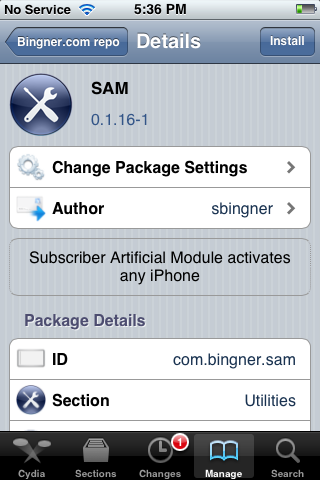
Шаг 12
Нажмите Confirm (сверху справа).
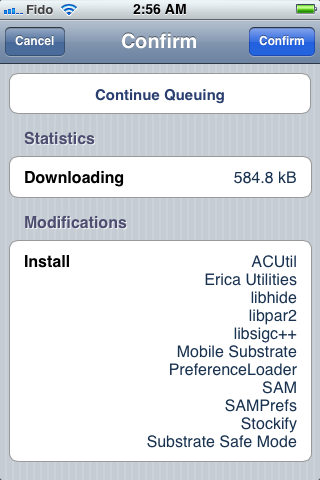
Шаг 13
После успешной установки нажмите большую кнопку Restart SpringBoard.
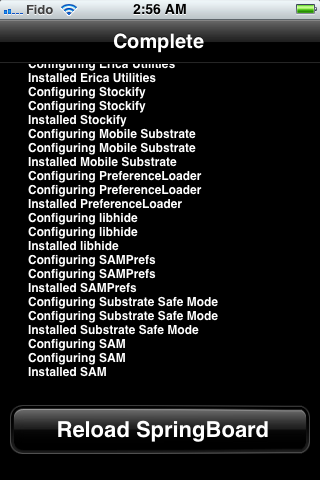
Шаг 14
Вставьте вашу SIM-карту и запустите SAMPrefs.
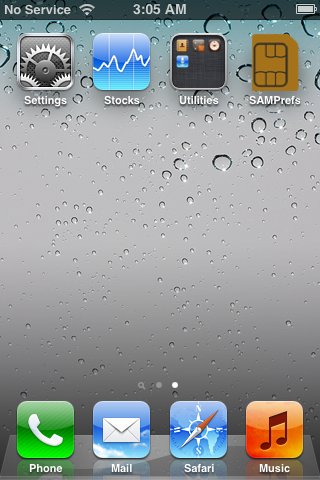
Шаг 15
Убедитесь, что Method установлен в Auto Detect и нажмите Utilities.
Note: Если автоматический метод не сработал - поменяйте Method на By Country and Carrier и укажите оператора, на которого залочен аппарат (как в старой версии SAM, инструкция здесь).
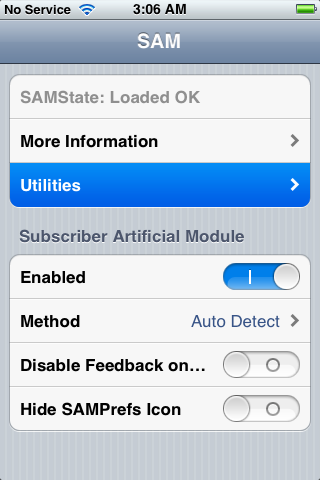
Шаг 16
Нажмите кнопку Attempt Activation button. Если вы не можете нажать кнопку Attempt Activation или ее нет, тогда нажмите De-Activate iPhone, а потом уже Attempt Activation.
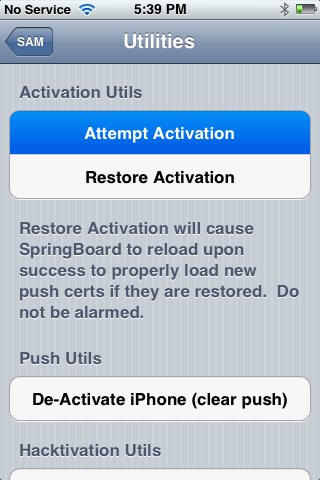
Шаг 17
Выскочит окно с сообщением "this may take a while".

Шаг 18
После того, как приложение отработает, ваш iPhone перезагрузится и через некоторе время вы увидите сеть!

Шаг 19
Говорим спасибо админам сайта iPhoneRoot.com ))
Шаг 20
Вам стоит сохранить ключи для анлока, так как Apple может закрыть уязвимость, а активация сбросится после обновления прошивки или перепрошивке.
Важно:
Если после этого перестали работать нотификации (push notification), вы можете попробовать функцию Clear Push в утилите SAM, после чего необходимо будет подключиться к iTunes.
Ваш телефон будет работать только с вашей SIM-картой. Для любой другой процесс необходимо будет сделать заново.
iPhone можно перегружать и синхронизировать с iTunes - анлок не должен пропасть.
Большое спасибо хакеру Loktar_Sun и Laforet за данный способ!
Читайте нас в :
Последние новости
 Оставить комментарий, читать комментарии [95]