 iPhoneRoot.com

Installing Flash on iPhone or iPad is now easy
Now adding Flash to your iPhone and iPad is very easy. Apple didn't want Flash to be on their devices. Several hackers created a project Frash - a Flash port for iPhone and iPad. Today it is available as a package in Cydia. To install follow these steps:
- Jailbreak your device using (4.0, 4.0.1) or limerain (up to and including 4.1).
- Open Cydia > Manage > Sources
- Tap Edit and then add http://repo.benm.at
- Search Frash and install it.

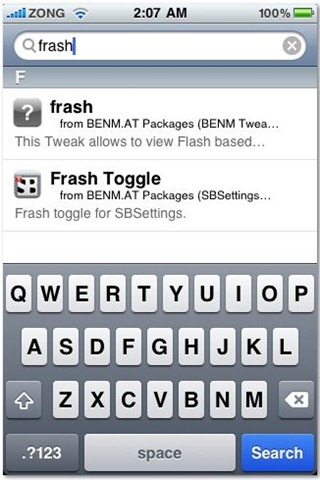
That’s it. Now you’ll be able to view flash content such as ads and games in Safari. Frash doesn't run on iPhone 3G and earlier devices.
Follow us on :
Latest posts
 Leave a comment, read comments [6]