iPhoneRoot.com

News tagged ‘iOS 5 Beta 5’
iOS 5 Beta 6 May Be Released Today
While many of the iOS developers are currently playing around with iOS 5 beta 5 it looks like we may expect 6th beta... today!
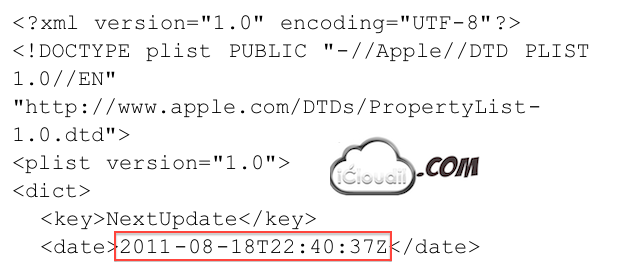
Last week iCloudil.com found that one of the files of iOS 5 beta 5 had been remotely updated by Apple. After the release of iOS 5 beta 5 the update file was created on “2011-08-17”, but now it shows the date of “2011-08-18” which means Apple has postponed the update date by a day.
Though it can be considered as an iTunes’ check for update date, there are many chances this is a date for a new iOS 5 update, since the iOS 5 updates come fortnightly.
DevTeam released tethered jailbreak for iOS 5 Beta 5

The iPhone Dev-Team released RedSn0w 0.9.8b5 that supports tethered jailbreak for the most recent iOS 5 beta 5:
redsn0w has been updated to 0.9.8b5, adding support for Apple's new iOS5 beta5 (point it directly at the beta5 IPSW). Please use this only if you're a jailbreak app developer with a legit Apple dev account, and remember it's a tethered jailbreak for now!
You can download RedSn0w 0.9.8b5 for Windows and Mac OS here.
 Leave a comment, read comments [2]
Download links for iOS 5 beta 5

iOS 5 beta 5 has been released recently. It is available only for Apple registered developers. But you can try it too. Remember that you do it at your own risk. Remember your UDID must be registered at Apple in order to activate your device after install.
You can download new iOS 5 beta 5 firmware and iTunes 10.5 beta 5 using the links below:
Apple Releases iOS 5 Beta 5 to Developers
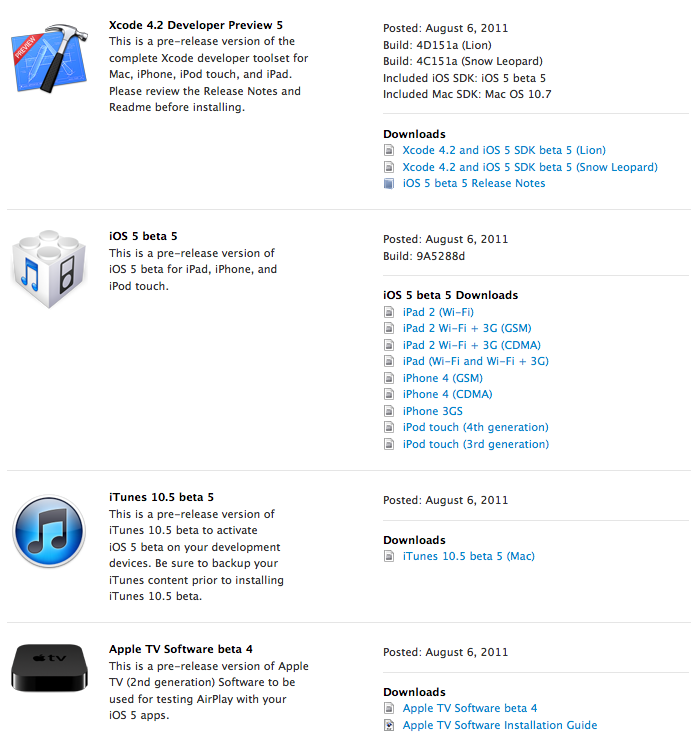
Apple has just released iOS 5 Beta 5 to developers. Alongside the new firmware comes Xcode 4.2 Developer Preview 5 and iTunes 10.5 beta 5.
Developers can download it or update via OTA (over the air). Prior OTA all content and settings on the device must be erased (Settings > General > Reset > Erase All Content and Settings). The delta update is just 128MB.