 iPhoneRoot.com

News tagged ‘Wi-Fi’
Free AT&T Wi-Fi for IPhone

"AT&T knows Wi-Fi is hot, and free Wi-Fi even hotter, which is why we are proud to offer iPhone customers free access to the nation's largest Wi-Fi hotspot network with more than 17,000 hotspots, including Starbucks. Now users can relax and access music, e-mail and web browsing services with their favorite blend in hand from the comfort of their favorite location."
AT&T provides an to find a Wi-Fi spot near you.
This is about Wi-Fi spots in the US. AT&T has access (company-owned, branded and roaming) to over 70,000 Wi-Fi hotsport in 89 countries and 389 airports.
Update:
Unfortunately, everyone got too excited over nothing - the Wi-Fi is still not available, and the “document” was a mistake. Here is an email from one of their spokespeople:
- We have not made any announcement regarding free Wi-Fi and iPhone. The webpage was posted in error and is being removed. Wi-Fi is a real differentiator for AT&T and it is our intention to make it available to as many customers as possible, but we have no announcement at this time.
More IPhone 3G internals photos
Portelligent and Semiconductor Insights published a document describing interals of IPhone 3G. described the details. (Previous IPhone 3G internals photos can be viewed )
Commuunications (3G/GSM) are on Infineon chips. One for GSM/GPRS/EDGE, another for WCDMA/HSDPA (3G). GPS module is not SiRF as we all thought. Apple uses . The Hammerhead II integrates an assisted-GPS (A-GPS) baseband processor with a low-noise GPS RF front end and multi-path mitigation to avoid large errors in urban environments.
 Leave a comment, read comments [2]
iPhone Configuration Utility
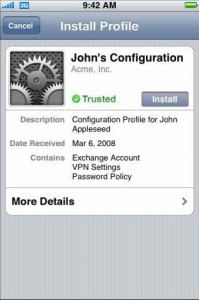
iPhone Configuration Utility lets you create configuration profiles for your devices. There are two versions of iPhone Configuration Utility—one is a Mac OS X application and the otheris a web-based version for Mac OS X or Windows. Application-based looks a bit different, has more functionality, but web-based could be used on windows platform.
After installation of Web utility open a web browser and go to: http://localhost:3000. Log in with the user name admin and the password admin. You're all set. Create profiles and distribute them by email or web.
There are several tabs here: