 iPhoneRoot.com

News from category ‘Java’
Mailbox App Allows HTML Emails to Execute Malicious Javascript Code
Michele Spagnuolo, a well-known security expert and blogger, has recently reported about a Mailbox vulnerability that allows any Javascript contained in the body of the email to be executed in the app.
Here’s what he writes (via ):
This is bad for security and privacy, because it allows advanced spam techniques, tracking of user actions, hijacking the user by just opening an email, and, using an exploitation framework, potentially much worse things. The app also loads external images without offering an option to disable this behavior.
Mailbox developers have reacted very fast - they promise this security breach will be patched within few hours.
And here’s what you can actually do using the malicious Javascript code:
iPhoneDevSDK informs what led to hacking Apple and Facebook
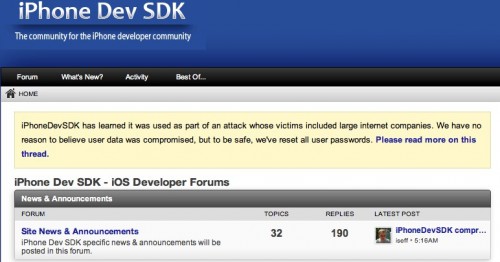
In January, a number of Apple employees’ Mac devices have been hacked after visiting a popular iPhoneDevSDK forum. The employees from Facebook and, probably, dozens of other companies have also been attacked by the hacker. The site's owner, Ian Sefferman, has provided some limited details about what happened in his blog.
Hackers Attacked And Infected A Number Of Apple Employees’ Macs

AllThingsD, Apple today confirmed that a number of Apple employees’ Macs were compromised by the same Chinese hackers, who recently targeted Facebook employees. The malware infected the computers through a vulnerability in a Java plug-in, which Apple has recently blocked due to security vulnerabilities. in statement to AllThingsD, Apple said:
Oracle Released Java 7 Update 11 To Fix Security Vulnerability

On Friday, we reported that Apple had used its anti-malware system in OS X in order to disable Java 7 browser plug-in over a security vulnerability that was widely exploited in the wild.
Apple's anti-malware tool is able to enforce minimum version numbers for such plug-ins as Flash and Java, and the company simply updated its blacklist to require that computers be running higher version of Java 7 than was publicly available.
Apple Disables Java 7 Plug-in On OS X To Address Security Threat
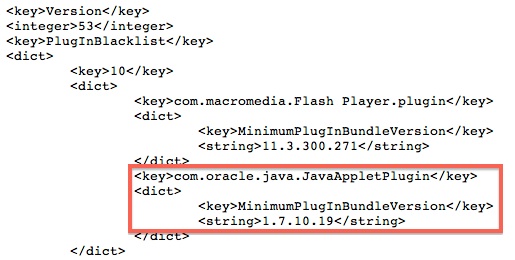
ZDNet, a in Java 7 has been discovered and is currently being exploited by malicious parties. The U.S. Department of Homeland Security recommended that users should disable the Java 7 browser plug-in until a patch is issued by Oracle. The report said:
Apple Releases Its Second Java Update For OS X
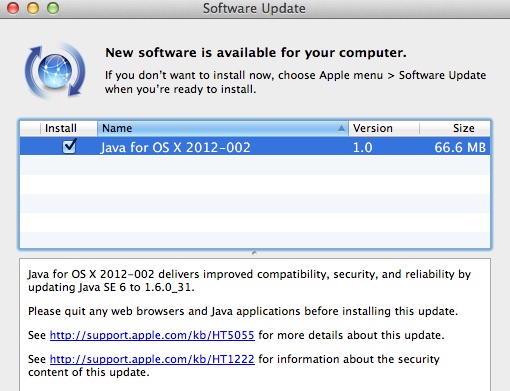
Apple has released its second Java security update for OS X in two days. The first update closed Flashbaсk vulnerability that has affected 600,000 Macs.
Developing iPhone Applications using Java [Video]
Here is a video from googletalks, where Arno Puder speaks about using Java for developing iPhone apps.
Jocstrap, bridge between Java and Objective-C, is updated
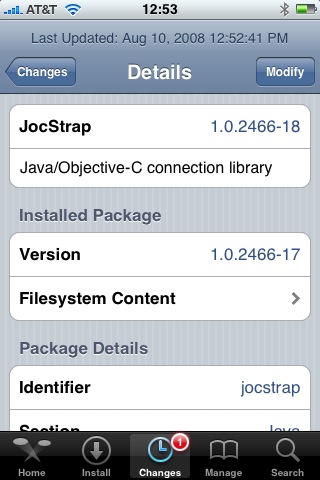
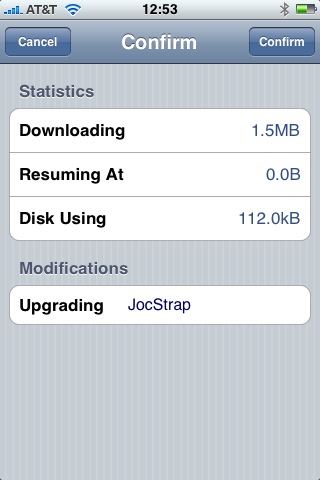
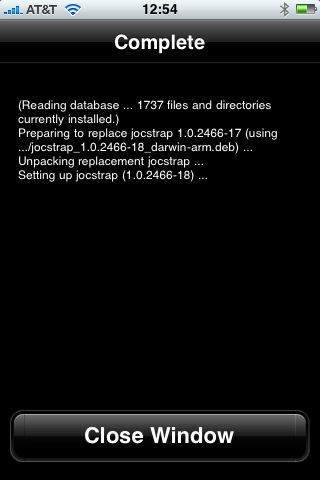
JocStrap - Java/Objective-C connection library, new version 1.0.2466-18 (was 1.0.2466-17).
Jocstrap is a bridge between Java and Objective-C. This is needed to write Java applications for IPhone. Just in case you don't have Cydia and Java installed on your IPhone, follow these instructions: Tutorial: install Java on the IPhone.
Java for IPhone / IPhone 3G firmware 2.0 exists
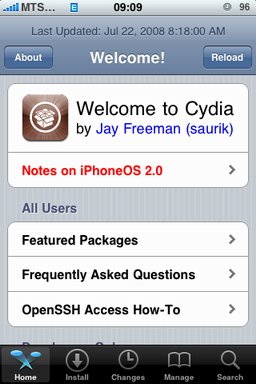
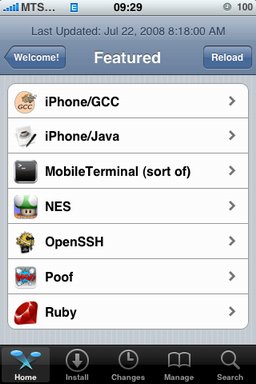
After successfull of the IPhone/IPhone 3G with firmware 2.0 it is possible to install . And what is more exciting, there are many applications there, including Java.
Related articles:
screenshots are from iphoneapps.ru
Cydia, IPhone/Java and JocStrap were updated
Here are the updates:
- JocStrap - Java/Objective-C connection library, version 1.0.2466-17 (was 1.0.2466-15),
- IPhone/Java - examples of Java applications, version 1.0.2474-15 (was 1.0.2357-14)
- Cydia Installer, version 1.0.2473-64 (was 1.0.2460-59)
Not a huge update, but still.
Just in case you don't have Cydia and Java installed on your IPhone, follow these instructions: .
New version of JocStrap and UICaboodle is avaliable

These two libraries that are needed for Java on IPhone were updated recently. Downloads are avaliable through Cydia Installer.
Jocstrap is a bridge between Java and Objective-C. UICaboodle is a JocStrap extenstion for the IPhone. Both are needed to write Java applications for IPhone.
JavaSysInfo - another sample GUI Java application

This is another simple Java GUI application for the IPhone/IPod from . It simply shows Java system information on iPhone/iPod touch. It uses Java, JocStrap and GNU Classpath.
This application can be installed through Installer. Just add the repository http://javaflavor.cocolog-nifty.com/apptapp/. The application can be found in Java section and is called JavaSysInfo. Or just download it here: . The package includes compiled class files, source java files and runnable script with an icon. Here are the sources: and .
Note that JocStrap applications, including JavaSysInfo, currently require JocStrap, UICaboodle, JamVM, GNU Classpath, GNU Classpath Tools, Apache APR, libffi and BSD Subsystem. In most cases all this was installed during .
New version of JamVM is avaliable

JamVM - Java Virtual Mashine for IPhone, has been updated. New version 1.5.1b2-17 is avaliable through Cydia Installer.
Java GUI on IPhone (example)
During there was sample programm installed. It is called HelloJava. It is a bit more complicated than basic console HelloWorld-type application, that we tried to compile and run during . HelloJava uses gui and SQLite. It uses several classes, that are bridges to IPhone's functionality (GUI, sound, SQL, etc). But all that it does is it reads contacts' first and last names from IPhone's database (throught SQL select statement) and shows them on the screen in GUI mode. It also produses simple sound in the end.
Here is a screenshot of the icon and application itself:
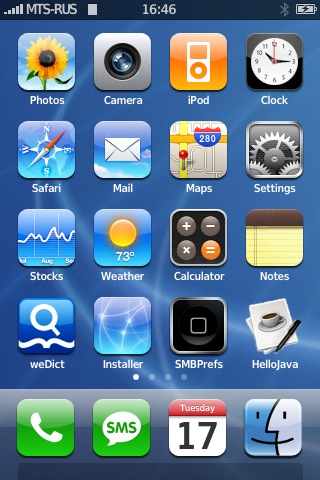
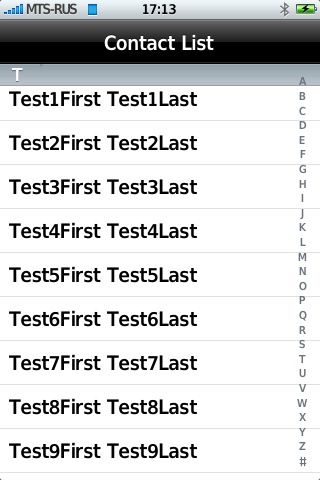
The application consists of several files:
 Leave a comment, read comments [1]
Tutorial: compile and run Java application on the IPhone
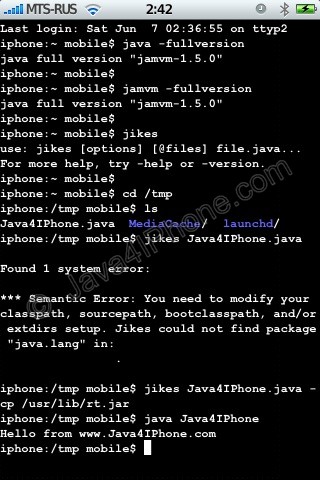
This is a tutorial, that shows step by step how to use installed Java on the IPhone. Just in case you do not have Java installed on your IPhone there is a how to do it.
What we need is a working IPhone with . I used latest firmware 1.1.4, unlocked, jailbreaked and customized by .
Step 1: Create simple Java application, compile and run.
Leave a comment, read comments [16]