 iPhoneRoot.com

News from category ‘Other’
Become an iPhone developer in 31 days

Take a look at . They create sample lessons for each of 31 days. Now 13 lessons are avaliable. Eant to make or get familiar with ? I recommend all potential iPhone developers to take a look.
The key here is simple: "Taking baby steps is better than taking no steps at all!" We plan on writing 31 iPhone applications in the next 31 days. We will publish both the executable and the source code for each application. Our goal is for each of these applications to be useful, interesting, and straight-forward. Someone considering writing their first iPhone application should be able to look at these applications and "get it".
Windows Mobile running on iPhone
This is a video from myPhoine 2008 conference. Young developer Erik created Boot Camp for iPhone.
 Leave a comment, read comments [1]
iPhone powered notebook
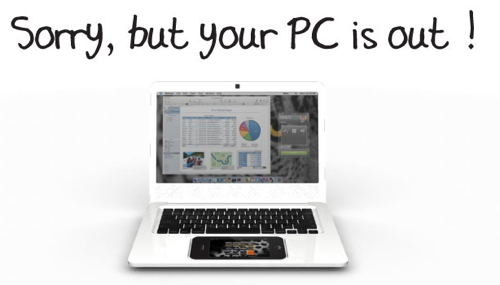
points us to this intriguing company: . It looks like they’re intending on developing a low-cost sort of Netbook, but with a difference — it will be powered by the iPhone. The idea is you plug your iPhone into the bottom and it not only becomes the touchpad for the Netbook, it also powers the thing entirely, the rest of the hardware is simply a keyboard, screen, and a few other bits to make it all run.
The idea is nice but very far from being implemented.
via theiphoneblog
Blackberry Storm
You can name it as one more iPhone clone or iPhone killer. Anyway, this is going to be a nice phone.
Related articles:
Nokia's 5800 XpressMusic - iPhone clone?
I think these videos will describe this new phone much better than the words:
One more self-made iPhone/iPod dock
Yesterday we wrote about .
This idea of self-made dock is quite popular. Now what you need are notebook clips 🙂
iPhone paper clip stand
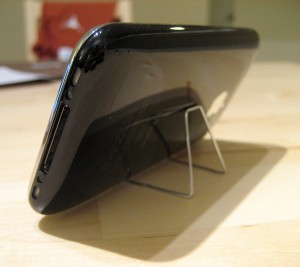
Here is a nice and cheap self-made stand for iPhone. Watch the video:
Want to create one? Here are the instructions:
Apple’s iPhone signal strength is fake?
Firmware version 2.1. It is supposed to display “more accurate” signal strength. Well... it appears that “more accurate” may mean “unreasonably generous.”
Users can actually see the results of iPhones dB meter. Dial *3001#12345#* then press “Call”. A dB reading below 50 generally indicates good strength.
Here's what I've got:
iPhone Atlas reader Michael did some testing, and found that widely varying dB readings resulted in the same five-bar signal indicator on his iPhone. He writes:
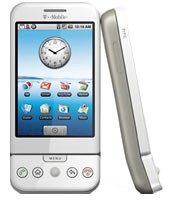
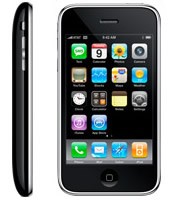
iPhone 3G and G1 specs
The specs are taken from and .
 |
 |
|
| CPU | Qualcomm® MSM7201A™, 528 MHz | Samsung ARM11 |
| Memory | ROM: 256 MB, RAM: 192 MB | 8-16 Gb |
| Dimentions | 117.7 mm x 55.7 mm x 17.1 mm | 115.5 mm x 62.1 mm x 12.3 mm |
| Weight | 158 grams | 133 grams |
| Display | 3.2-inch 320 x 480 | 3.5-inch 320 x 480 |
| Communications | HSDPA/WCDMA 1700, 2100 MHz (3G)
GSM/EDGE 850, 900, 1800, 1900 MHz Wi-Fi 802.11b/g Bluetooth 2.0 + EDR GPS |
UMTS/HSDPA 850, 1900, 2100 MHz (3G)
GSM/EDGE 850, 900, 1800, 1900 MHz Wi-Fi 802.11b/g Bluetooth 2.0 + EDR Assisted GPS |
| Control | Trackball with Enter button
QWERTY keyboard |
MultiTouch |
| Camera | 3.2 megapixel | 2.0 megapixel |
| Сonnectors | HTC ExtUSB™(mini-USB 2.0 and audio jack in one)
microSD™ |
3.5-mm stereo minijack |
| Battery | Talk time:
350 min (3G) 400 min (GSM) Standby time: up to 400 hours |
Talk time:
300 min (3G) 600 min (GSM) Standby time: up to 300 hours |
via habrahabr
iYo
Nice charger for an iPhone.
T-Mobile G1 vs AT&T Apple iPhone
iPhone’s security issue: fix it

You probably know about latest . The good news is that there is a solution to fix it.
Jonathan Zdziarski has deviced a way to disable this writing to disk, so that screenshots cannot be recovered. On a jailbroken iPhone, you can disable these screenshots with the following commands in MobileTerminal or through SSH connection to iPhone:
# rm -rf /var/mobile/Library/Caches/Snapshots
# ln -s /dev/null /var/mobile/Library/Caches/Snapshots
Screenshots themselves actually get written to /var/mobile/Library/Caches/Snapshots. So these commands delete this folder and symlink it to /dev/null, so the screenshots don’t get written to disk.
The side effect to this is that when resuming an application, you’ll get the default screen in the zoom-in effect. Once the application resumes, however, you’ll have your application screen back. For example, your mail application will always zoom to the front as if you had an empty inbox, but will quickly correct itself once the application resumes.
“To return to the default behavior, just delete the symlink and the directory will get recreated. Mind you, this has no effect on the many other pieces of data stored on the iPhone, and therefore your iPhone will always be at risk for leaking private data, especially to seasoned forensic examiners. Use at your own risk.”
via iphoneatlas
1 million NBC iTunes downloads
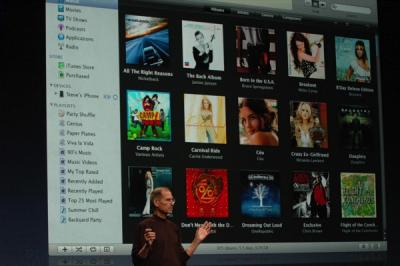
One of the major announcements during last week's media event was the return of NBC shows to the iTunes Store. NBC reportedly accounted for 40% of iTunes video sales prior to their removal late last year.
Hollywood Reporter reveals that over 1 million NBC iTunes downloads have been logged since the studio's return on September 9th. Some of those downloads may have been free HD episodes which are currently available from iTunes.
A list of all free HD iTunes episodes provided by TUAW include:
NBC's fall season will kick off next week for many of its popular shows including The Office and Heroes.
via macrumors
iPhone 3G in infrared
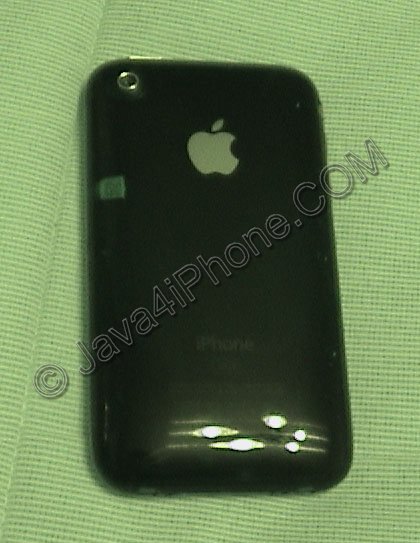
Got a camera with NightShot mode? Try to take a picture of your iPhone 3G. There is a on the left side of the phone. The quality is not very good, I used old camcoder in camera mode. Anyway here are couple more snapshots, you can actually see all the details of the code there:
Leave a comment, read comments [3]
Apple's App Store approval process
м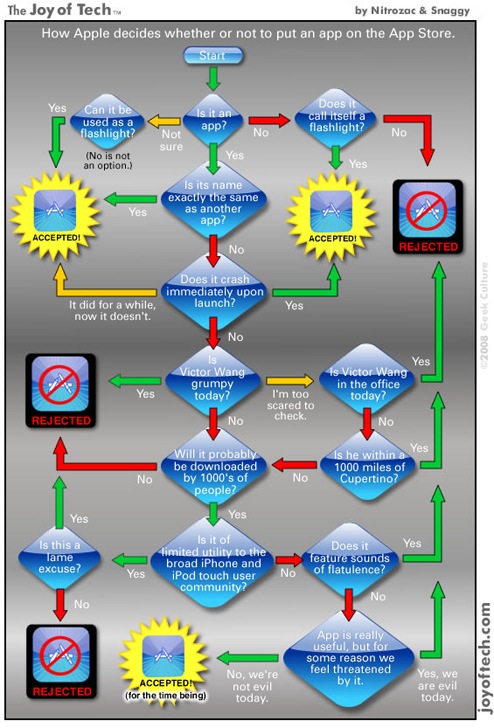
Nice joke 🙂
via gizmodo