 iPhoneRoot.com

News from category ‘Video’
Fring for iPhone Gets Updated With Video Calls
Fring has added video calling support to the iPhone and iPod touch via Skype. This is a huge step further. iPhone became a videophone!
It works on Fring to Fring, and Skype to Fring. Unfortunately, it's not bi-directional. You would be able to see whoever is calling you from a desktop, but you won't be able to transmit your image. The reason is because the iPhone doesn't have a front camera, so you can't do face to face. The application will support two-way video calling if the iPhone and iPod touch gain front-facing cameras in the future. The company already supports two-way video calling on several Nokia phones with such cameras.


A promotional video highlighting the new video functionality has also been released:
Read the rest of this entry »
Sn0wBreeze (PwnageTool for Windows) Teaser #3
iH8Sn0w has posted another teaser trailer for Sn0wBreeze, a windows utility to build custom iPhone ipsw files.
Another Teaser... I have no idea why Teaser 2 was removed. Anyway. Like always, its not done yet! GUI is subject to change. Like the window sizes 🙂
Take a look below...
iLingual Speaks Three Languages With Your Mouth
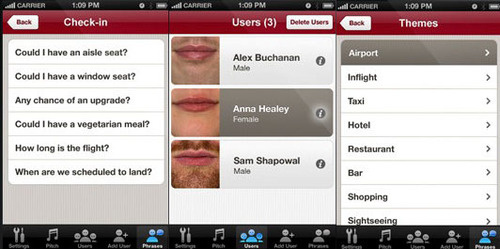
iLingual, an app that use your or anybody else's lips and uses them to speak.
Here's how it works: you snap a picture of a mouth, yours, your friend's or just a photo from a magazine. iLingual analyzes and converts it for animation. Then, you choose a phrase from the app's library, hold your iPhone over your mouth and there, you sort speak French, German or a little bit of Arabic.
iLingual is a sponsored app, so it's completely free. Here's an .
Watch the demonstration video:
Apple Releases Two New iPhone Ads: 'Song' and 'Gift'

Apple today posted two new iPhone commercials to its ad gallery and also began airing them on prime-time television. Here is a list of applications, that are used in these videos:
Song
- Jamie Oliver's 20 Minute Meals [, $7.99]
- Credit Card Terminal [, $0.99]
- Facebook [, Free]
- The Sims 3 [, $6.99]
- Redfin Real Estate [, Free]
- Shazam [, Free]
Gift
- Target [, Free]
- ColorChange [, $2.99]
- The Snow Report [, Free]
- Monopoly Here & Now: The World Edition [, $4.99]
- HotelPal [, Free]
- Zipcar [, Free]
Watch the videos:
New iPhone lockscreen video concept
User Spippo created a new video concept showing his new idea of the iPhone lockscreen:
Walky: robot controlled by the iPhone [Video]
Here's a cute little Walky robot controlled via iPhone. It is able to walk, run, jump and kick a ball.
This video demonstrates that with a proper implementation of controls we can obtain better results with the touchscreen of the iPhone than with a joystick from a PlayStation.
Car Controlling iPhone App: Fake, But Fun Anyway
This iPhone application is not real, but the video is really well done and it's fun to watch.
via gizmodo
iDoor – iPhone Controlled Hydraulic Door
MIT student Chris Varenhorst developed a hydraulic system connected to some electronic components that allow you to open a door with the ability to control it with the iPhone.

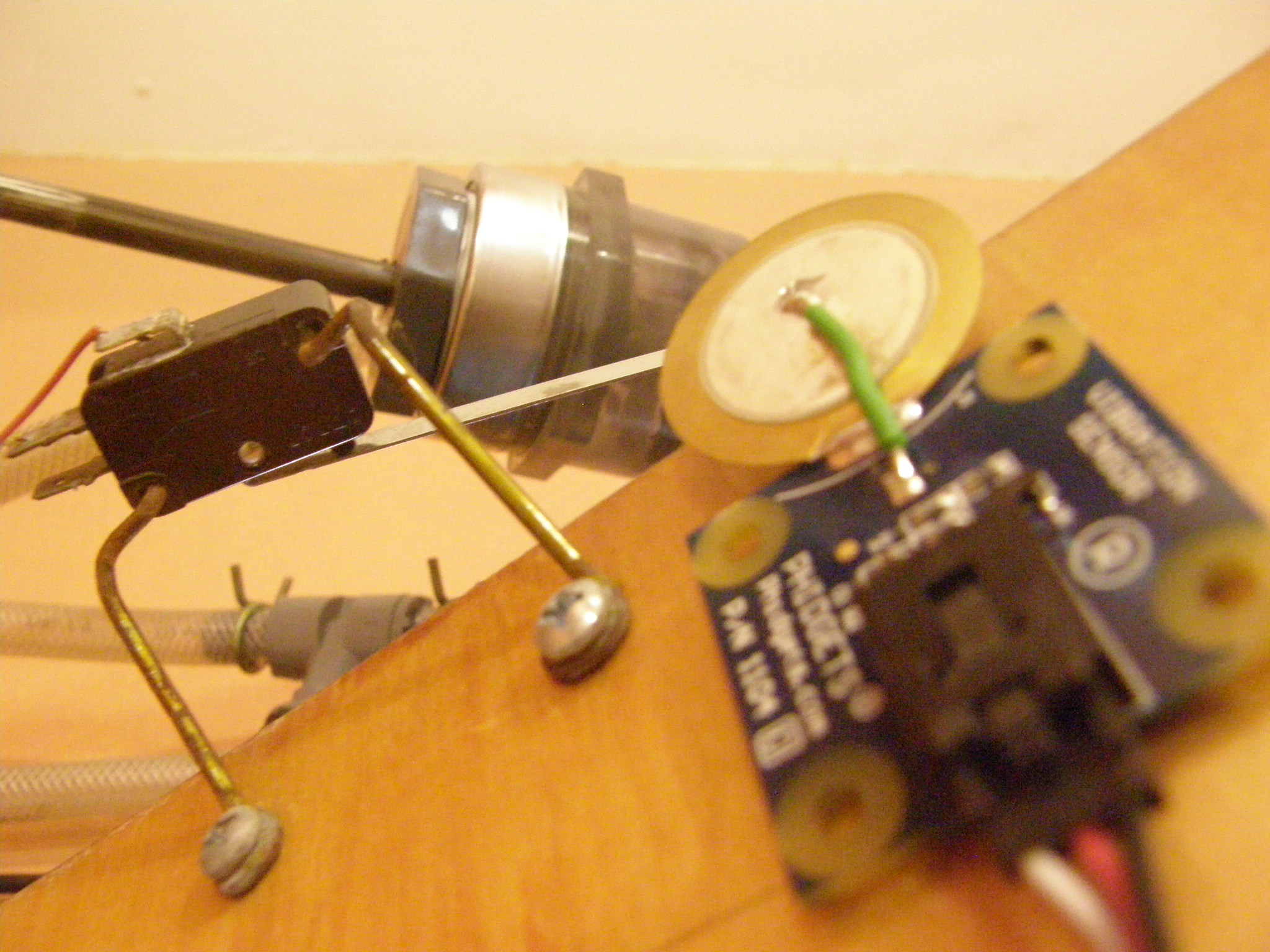
The system is very simple, the mechanical part to open the door is connected to a PC with an Ubuntu Linux system from which it receives the commands. Application iDoor connects to a PC via an internet connection and sends the instructions for opening or closing the door.


Here is a video:
New Apple Store Video Preview
Here is a video preview of the new Apple Store opened in New York:
iPhone running Google Android OS [Video]
Have you ever tried to imagine the iPhone with an operating system other than Apple's one? Here is an iPhone clone running Google Android OS (v.1.5).
This device is made in China. It has a 3.5" capacitive touchscreen screen, 130MB of RAM and 256MB of internal memory expandable with a memory card. There is also a 2 MP camera, Bluetooth and Wi-Fi.
VideoGuide: How to enable Emoji for free on your iPhone (without Jailbreak)

Here is a quick video tutorial, how to enable cool Emoji Icons for free and without the need to jailbreak the iPhone or iPod Touch.
Tuning iPhone's Autocorrect Feature [CNet Video]
Here is a quick video that shows how to deal with iPhone's autocorrect feature:
Sn0wbreeze: new video
Here's a new video preview of Sn0wbreeze, the iH8sn0w's Windows tool that will be able to create a custom firmware, just as PwnageTool Mac.
In the video we see a preview of the graphic interface and the first functions. At startup we choose the expert or the simple mode and the rest should be exactly as we know it already.
Phone Designer Jony Ive
Apple VP of Industrial Design, Jonathan Ive discusses the philosophy behind everything from the iPhone to the iMac for the documentary "Objectified":
[]
 Leave a comment, read comments [1]
New Apple Get a Mac Web Ad: Ultimate Upgrade
Apple is airing a new Get a Mac Web Ad entitled, Ultimate Upgrade, on websites (f.e., NYTimes and CNN).
You can watch the web ad below: