 iPhoneRoot.com

News from category ‘Software’
QuickPwn updated to 1.2.0
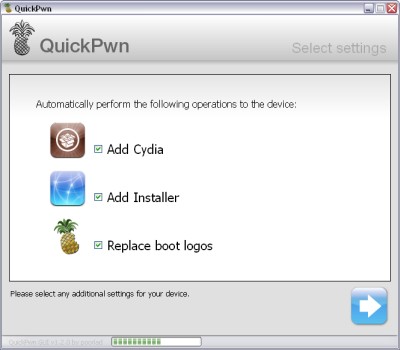
QuickPwn for Windows is updated. Support for all 2.x firmwares is added. So now you can QuickPwn and jailbreak the device if it is running 2.0, 2.0.1 or 2.0.2.
DevTeam reminds that it is still beta software, so usual rules apply, no complaints if anything goes wrong and use the tool at at your own risk!
Using QuickPwn does not update the firmware itself, this tool is designed to ‘Pwn’ (the ability to install future custom non-Apple firmwares) , ‘Jailbreak’ and install Installer and/or Cydia on a given device. If your device is running 2.0.1 and you QuickPwn it, it’ll still be running 2.0.1, although it will now be Pwned and Jailbroken. It will also activate (not unlock) devices that are being used outside of their intended territories and cannot be activated using iTunes.
If you want to update to 2.0.2 then use the normal iTunes update to get to 2.0.2 and then use QuickPwn to Pwn, Jailbreak and Activate, remember that the 2.0.2 update includes a baseband update for the 3G iPhone, so depending what your long term intentions are for the phone, update wisely, of course in the upcoming PwnageTool application you’ll be able to create a custom ipsw without the baseband update enabled.
PS: Mac OS version is on it's way.
 Leave a comment
Exit's Neutron multiplayer gaming for iPhone
Exit Games has a multiplayer gaming platform, called Neutron, on PCs, mobile devices, game consoles, and BREW phones. It works across devices and hardware, so you can play someone on their PC via your handset. And now it's ready for the iPhone. Today it was announced that the Neutron system of social network-like gaming now has iPhone support, or will as soon as developers code for it.
via gizmodo
OpenClip - Copy/Paste for iPhone

One of the common complaints about Apple’s iPhone–and one that did not get solved with the launch of the iPhone 3G–is the lack of a copy-paste function. An independent developer Zac White has taken matters in his own hands and founded a non-profit, open source, community project called which is offering iPhone developers a free Copy and Paste framework that will add this functionality to their applications.
Real Racing - игра для iPhone
Developers from Firemint published a video about thier new project GCDC 2008 - 3D racing game for iPhone. Game will support multiplayer mode via Wi-Fi and 3G. The release is scheduled for the end of this year.
Metronome for firmware 2.0 and above
Couple weeks ago I bought a brand new metronome for $30. I wish I knew about this application for my iPhone:
Fully functional metronome. Include tap tempo feature, ranges from 30 to 250 BPM, 0 to 19 beats per bar, and has 9 selectable rhythms.
Avaliable for free via Cydia Installer. For 2.0 firmware and above.
LockDown - protect your apps with a password

LockDown v3.0 is out with a lot of improvements. If you need to be able to lock certain apps with a password so you can hand your phone off to someone else for a bit, this is the app for you. There is also a lost password protection.
Avaliable in Cydia installer for iPhone with firmware 2.0 and above.
AppBackup - save/restore App Store apps settings and data

AppBackup is a program for the iPhone/iPod touch that lets you back up and restore the saved data and settings for your App Store apps.
To back up one app, open AppBackup, select the app, and then select Backup. To restore an app, select it and then select Restore. (If there is no restore option, then it hasn't been backed up yet.) To back up all apps at once, tap All at the top-left of the screen, and select Backup. To restore all apps that have been backed up at once, tap All and select Restore. (You must have at least one app backed up in order to see this option).
Avaliable for free via Cydia Istaller.
A jailbroken iPhone or iPod touch running iPhoneOS 2.0 or later, with Cydia and at least one App Store app.
QuickPwn GUI Version
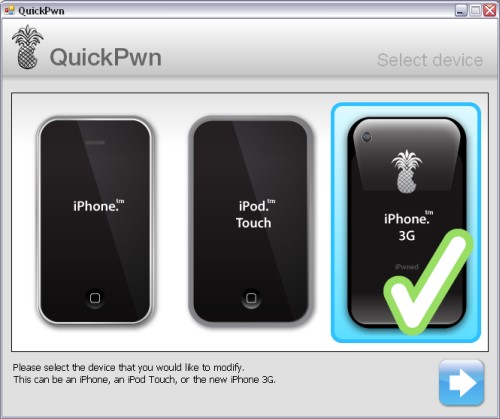
This is a GUI version of for Windows.
It is available for download , but beware this is still beta software. It is fairly self explanatory and easy to use. You’ll still see a command-line window popping up when the actual QuickPwn process takes place, but the device and ipsw selection is handled by the GUI.
iPhone's firmware 2.0.2 is out
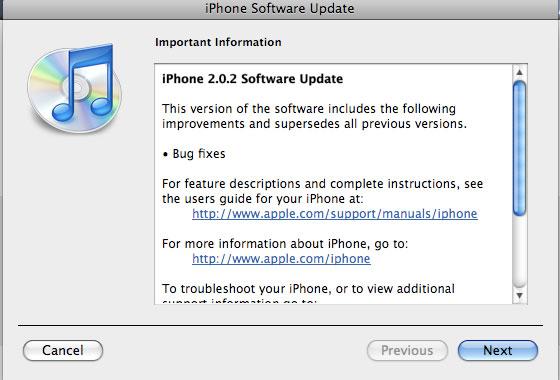
Apple just released new firmware for iPhone - version 2.0.2. As usual, all the company mentioned was that the update includes "Bug fixes."
Notes on the release follow:
- No new settings appear to have been included.
- Some users report faster browsing, though this may be due to cleared cache.
- Typing lag may be reduced.
- No consensus on improved 3G connectivity.
- iPod Touch firmware 2.0.2 also released.
But as always, do not update until we get word on a jailbreak.
Links for firmware downloads: , .
Aquarium for iPhone
Very nice application. It is called Koi Pond 2.0, avaliable via App Store. Costs just: 0.99$
QuickPwn Beta
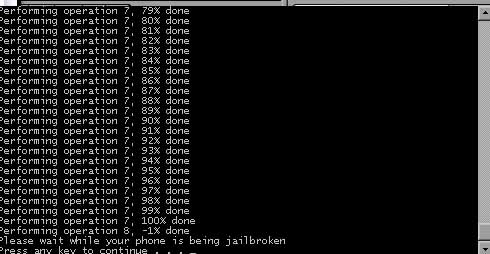
DevTeam created a quick solution for jailbreaking an iPhone. It is called QuickPwn. It is in beta, so be careful. It will allow you to pwn (jailbreak) your device very quickly without restoring!
Who should use this tool? This is for those that are not planning to restore. It’s not clear what the activation state is after the process therefore, I only recommend this for those that have a contract carrier or an unlocked phone already.
If you are on a stock device and using AT&T or a contract carrier, this is the perfect jailbreak for you. You will not lose your contacts or have to do any backups. Finally, if you are going to restore anyway, especially if you need to unlock a 2g, you may as well use winpwn or such.
Currently QuickPwn requires your device to be running version 2.0.1 of the iPhone/iPod firmware. And it runs only on Windows. This requirement will change in a subsequent release.
You can download it .
Installer 4.0b5 is out

Installer 4.0 beta 5 is avaliable now.
What's new:
- Many visual enhancements and fixes in regards to source and packages display.
- Fixed an issue with failing installs with dependencies under some circumstances.
- Fixed a bug causing package information to be displayed incorrectly (size 0 bytes) on the first access, or when the custom information HTML page (such as packages from Big Boss' repository) was not displayed.
- When updating a package, and one of its dependencies also has an update available, the dependency will be updated as well.
- The package icons will only be downloaded when on the Wi-Fi to help you save on bandwidth.
- The repositories are being refreshed upon Installer.app launch so you always stay on the bleeding edge with the updates. This is exeperimental behavior and we're not yet sure it will make it to the final release.
- Fixed a script command Confirm that was returning invalid button index for the "OK" button.
- Lots and lots of both cosmetic and internal application core fixes that improve the overall performance, presentation and stability of the application.
Community Sources package is updated. It now includes a repository for modmyifone.com (lot's of stuff there) and iphone-notes.de (BSD Subsystem and OpenSSH), as well as numerous carrier bundles and other useful stuff.
via RipDev
New version of ZiPhone unlock is on it's way?

ZiPhone just posted some news on his blog:
"Next generation of ZiPhone is in the works.
It will be as simple as Apple would have done it.
A simple one click program.
A 5 seconds run.
Stay tuned."
Well, hopefully we'll see something soon.
Disable Apple's kill switch
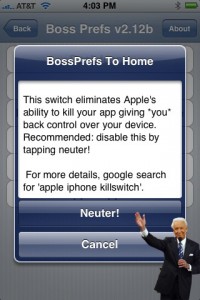
You probable know, that some time ago software developers have found a line of code buried in the iPhone's operating system that could enable Apple to remotely delete applications stored on the device that it no longer approves of. This is known as "Apple's kill switch".
Now you can turn this OFF using BossPrefs 2.12b. This is a major feature in 2.12b version. Avaliable for download from Cydia Installer.
Safari Download Plugin 2.0
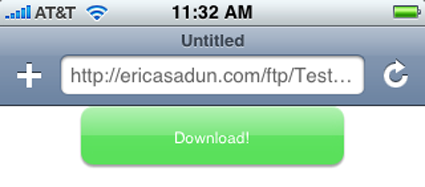
Once installed and customized, it allows you to download data off the Internet and store it on your iPhone or iPod touch local disk. You can download mp3 files, zip archives and much more. It was avaliable for old firmwares (1.1.4 and below). Now 2.0 users can use it too. Avaliable through Cydia Installer.