 iPhoneRoot.com

News from category ‘Software’
Copy/Paste might appear in firmware 2.1
There is a chance that copy/paste feature will be implemented in . Apple that copy/paste will be, the question was when.
Some curious developer found the following within the English-language 'Localizable.strings' file located in 'System/Library/PrivateFrameworks/WebKit.framework':
Therefore, it's unclear whether those references represent the groundwork for upcoming iPhone features or simply exists as carryovers from the WebKit frameworks used to develop applications for the Mac and Windows PCs.
Installer for 2.0 firmware soon
It will be called Installer 4, completely redesigned and with a new nice looking interface. When it's done, it will be multi-threaded (meaning everything doesn't come to a halt while your sources are being updated) and support package dependencies as well. It will also have a new model for storing the info about applications, better and faster one.
Firmware 2.1
Apple is already providing developers with a new iPhone firmware beta with enhanced location-finding that could lead to true navigation as well as the roots for background push services.
The one of new features is update to core Location - it can now recognize the cardinal direction of an iPhone with GPS as well as its velocity, both of which are ingredients necessary to providing turn-by-turn directions. The additions confirm statements recently by Apple's Greg Joswiak, who rejected earlier claims that iPhone 3G's GPS antenna wasn't powerful enough to handle navigation and in turn explained that "complicated issues" are holding the device back from serving as a true navigation unit.
Apple is also implementing a rough version of its background push notification service in the 2.1 firmware. Announced at the Worldwide Developers Conference, the feature lets third-party native programs receive data such as alerts or new messages without actively running. The measure saves processing power without interrupting some apps that depend on constant access to the Internet.
The inclusion of this early version of the code alludes to the 2.1 update becoming public at the same time as the push notification service itself, which is tentatively due for September. In the meantime, Apple and its US partner AT&T are known to be testing iPhone 2.0.1, a maintenance release that likely fixes some of the outstanding bugs with the initial 2.0 release.
via appleinsider
WinPwn 2.0 released
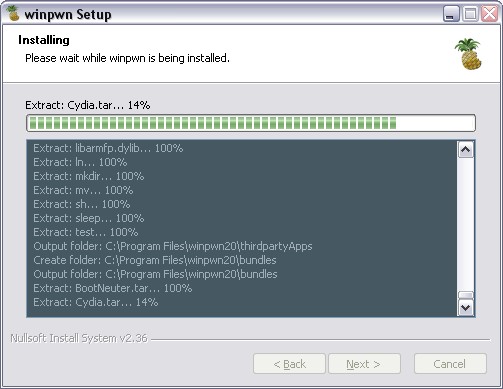
You can download it from or .
Featues:
- Support for both 1.1.4 and 2.0
- Custom Image Support
- Custom Payload Support
- 3g iPhone support
How to:
- First create a custom IPSW using the IPSW Builder (original is ).
- Click "Ipwner" and browse for the custom IPSW that you just created. This will pwn itunes and allow you to flash
- Custom IPSW files via DFU mode
- Once you have pwned Itunes, put your phone into DFU mode. If you don't know how to do this click .
- Once you are in DFU mode Itunes will pop up and then you can hold shift and click restore and browse to your custom IPSW file.
Important Notes
Remove Winpwn 1.0 completely if you have it installed. Installing over the top of WinPwn 1.0 will cause problems.
Make sure you have the latest version of iTunes ( Currently 7.7)
If you already have service with AT&T do not activate or install Youtube Fix
UPDATE: there is a new version avaliable:
 Leave a comment, read comments [1]
BossPrefs for 2.0 firmware

BossPrefs is a very popular allpication. Now there is BossPrefs v2.0.2a that works with 2.0 fimware. It can be installed via Cydia Installer.
This is the first working version for 2.0 devices. There will be some issues but the major stuff should work. The airplane / phone toggles are not implemented, the add plugin GUI is not implemented, and there may be some other minor issues. The bulk of it works. Update will be very soon, but we can use this version right now.
Couple words and screenshots for those, who are not familiar what this application is for:
IPhone web-based voice control from AT&T
AT&T has developed a software trick that will recognize voice commands without the need for specialized voice recognition software. It is based on a new version of AT&T's WATSON speech recognition engine.
As long as the software used to access Speech Mashups obeys certain web standards, particularly an AJAX framework and JavaScript, the technology can capture voice commands, interpret them at a remote server, and send them back to the device in a language a website or program can understand -- all without installing a dedicated app or plugin.
In a prototype mobile version of the YellowPages website, AT&T in a research video shows an iPhone user entering the business name and location into text fields on the page just by speaking them at the appropriate times. While typing would work in such a case, the company claims that voicing the information is faster and more convenient.
via appleinsider
Get internet on a desktop or notebook through IPhone 3G
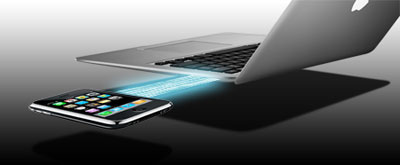
Thanks to and the porting work of as well as the authors of , it is now possible to "tether" your iPhone 3G and use its Internet connection on your laptop.
Warning - Tethering your iPhone is against the iPhone data plan terms. AT&T could slap you with huge fees if you overuse this. I recommend only using it during emergencies.
Here is a basic plan (by the way, this should work for old IPhone also):
- Jailbreak your iPhone 3G
- Install 3Proxy and Terminal
- Create an ad-hoc Wi-fi network using your laptop
- Join the network with your iPhone
- Find the iPhone's IP address
- Open Terminal and run the proxy program
- Open Safari on your iPhone and open a web page
- Configure your browser to use the proxy
Later we'll discuss it with more details.
Step 1: Jailbreak your iPhone
Leave a comment, read comments [3]
Winpwn 2.0 is coming soon

News from winpwn.com:
"So planet and i have been working on updating winpwn to allow for 2.0 pwning. Expect a release within the next few days! Again thanks for all the support. Everyone has been very supportive and i can't thank everyone enough"
Well, we're looking forward to see winpwn soon.
Leave a comment, read comments [1]
Java for IPhone / IPhone 3G firmware 2.0 exists
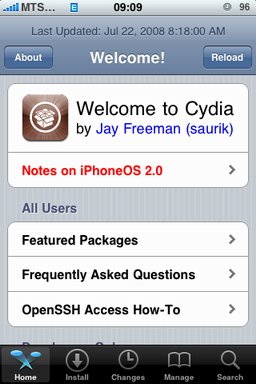
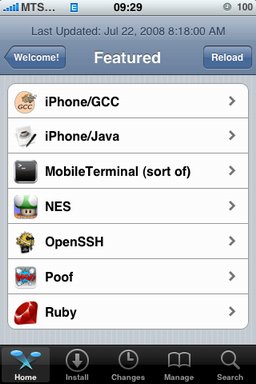
After successfull of the IPhone/IPhone 3G with firmware 2.0 it is possible to install . And what is more exciting, there are many applications there, including Java.
Related articles:
screenshots are from iphoneapps.ru
xpwn 0.3 sources are now up
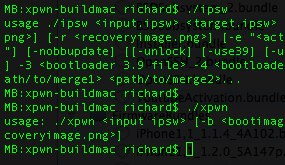
The for xpwn 0.3, the firmware 2.0 version of our cross-platform jailbreaking library/command-line utility have been pushed onto . DevTeam tested it on Linux, Windows XP, and Windows Vista for both the iPhone 2G and iPhone 3G thus far, but since it uses the same FirmwareBundles files as PwnageTool, and we know those work for the iPod touch, there ought not be any problems.
Being a suite of command-line utilities, this release is meant primarily for developers. While you can certainly jailbreak (both 3G and first-gen) and unlock (first-gen) with it, it's not really something you want to try without reading the lengthy, detailed README. If you don't have the patience to do that, this release is not for you.
For users this news mean that quite soon there will be a new version of winpwn, supporting 2.0.
Safari benchmark - 2.0 is faster than 1.1.4
There is not much defference between Safari 1.1.4 and 2.0. But Under the hood, MobileSafari 2.0's performance is hugely improved over 1.1.4. Everything related to web surfing feels faster, web pages consistently load faster on 2.0, both via Wi-Fi and EDGE. This has nothing to do with the new iPhone 3G hardware — this is about dramatic performance improvements on original iPhones upgraded to the 2.0 OS.
Using MobileSafari simply feels faster, especially with web applications. Feel is by nature subjective, but JavaScript benchmarks back this up.
In August last year, to compare the iPhone's processing power and JavaScript interpreter against Safari 3 running on a Mac with a 1.83 GHz Core Duo. At that time, the current version of the iPhone OS was 1.0.1. Here are the results of those same benchmarks on original iPhones running the 1.1.4 and new 2.0 OS versions, with Hockenberry’s 1.0.1 results included for comparison:
| Test | 1.0.1 | 1.1.4 | 2.0 | Vs. 1.0.1 / 1.1.4 |
|---|---|---|---|---|
| 100,000 iterations | 3.209 | 1.096 | 0.145 | 22× / 8× |
| 10,000 divisions | 0.413 | 0.181 | 0.029 | 14× / 6× |
| 10,000 sin(x) calls | 0.709 | 0.373 | 0.140 | 5× / 3× |
| 10,000 string allocations | 0.777 | 0.434 | 0.133 | 6× / 3× |
| 10,000 function calls | 0.904 | 0.595 | 0.115 | 8× / 5× |
The last column shows how many times faster the 2.0 version of MobileSafari was versus 1.0.1 and 1.1.4. The same results, charted (smaller bars are faster) can be viewed above.
The results are obvious. WebKit JavaScript performance has improved steadily and significantly in just one year, with a huge jump between 1.1.4 and the new 2.0.0. In side-by-side page loading tests between two original iPhones running 1.1.4 and 2.0.0, the new version consistently finished at least a few seconds faster.
For all the hubbub regarding the new App Store, most “iPhone software” runs in the web browser. But improvements in WebKit performance often help native iPhone app performance, too — a slew of my favorite native iPhone apps have built-in WebKit browsers (e.g., NetNewsWire, Twitterrific, Instapaper, and Cocktails). When WebKit performance improves, any app that uses WebKit improves, and WebKit improved a lot between iPhone 1.1.4 and 2.0.0.
via daringfireball.net
iRinger - create your own ringtone (free)
iRinger creates free ringtones for your iPhone from virtually any music or video file you own. Even YouTube videos! iRinger exports ringtones to iTunes, so there is no need to "jailbreak" your iPhone. You will be creating ringtones in seconds. It's that simple. Here is a video tutorial:
Feature:
- FREE
- Three Steps: Import, Preview then Export. Done.
- Convert virtually any audio format into an iPhone ringtone
- Extracts audio out of video
- Choose which section of the audio you want to hear
- Adjust ringtone length, volume, fade in, fade out and loop gap
- Export to iPhone ringtone format and import right into iTunes
- Export to iPhone using SCP/SFTP and skip using iTunes
- Use audio effects: Delay, Flanger, Boost, Reverse, etc.
- Runs on all versions of Microsoft Windows including Windows Vista
- Requires iPhone firmware 1.1.2 or newer, iTunes software 7.5 or newer
- Works with the new iPhone 3G!
Download here: . Developer's site:
Here is an advanced video tutorial, it shows how to use some advanced features:
Cydia, IPhone/Java and JocStrap were updated
Here are the updates:
- JocStrap - Java/Objective-C connection library, version 1.0.2466-17 (was 1.0.2466-15),
- IPhone/Java - examples of Java applications, version 1.0.2474-15 (was 1.0.2357-14)
- Cydia Installer, version 1.0.2473-64 (was 1.0.2460-59)
Not a huge update, but still.
Just in case you don't have Cydia and Java installed on your IPhone, follow these instructions: .
PwnageTool 2.0.1 released

Yesterday there was a . Now version 2.0.1 is avaliable.
Here is the list of bugfixes:
- It auto-finds the bl39 and bl46 files better, if they’re on your computer
- It creates the ~/Library/iTunes/Device Support/ folder if not present, which should help with some 1600 errors people have been having.
- Many people have reported the PwnageTool not starting up at all (the icon never stops bouncing). This issue should be resolved now.
- The Sparkle AppCast URL is fixed in this version, so automatic updates should work for future releases.
Because of the AppCast URL fix, we recommend that everyone who downloaded PwnageTool 2.0 get this version, if they want to stay up to date automatically.
If PwnageTool 2.0 pwned your phone correctly the first time, you do not need to pwn again with 2.0.1.
The file can be found on , or at .
If you choose to download it from other mirrors, you may want to verify that the SHA1 of the file is 10b6c7dc22286e7b70c3d5a92cda7d117426fda9.
Leave a comment, read comments [1]
PwnageTool 2.0 released - jailbreak and unlock for 2.0 firmware
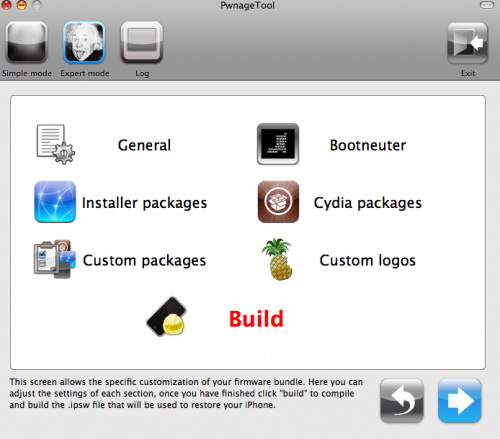
Now older IPhone users users can upgrade to firmware 2.0 and IPhone 3G users have a possibility to have jailbreaked IPhones. That is because PwnageTool 2.0 is released today. Download links are: , , .
Just a reminder: this tool jailbreaks and unlocks older iPhones, and jailbreaks iPhone 3Gs and iPod Touches. No unlock for Iphone 3G yet. The supported firmware is 2.0 only. Platform is Mac OS.
If you get Error 1600 from iTunes (or if you see in your log a failure to repare x12220000_4_Recovery.ipsw), try: mkdir “~/Library/iTunes/Device Support” ; if that directory already exists, remove any files in it. Then re-run PwnageTool.
Reminder: as of right now, there are no apps out for 2.0. Over the next few days some will come out. So do not update yet if you have some favorite 1.1.x apps you are using! 2.0 will not run 1.1.4 apps
UPDATE: