iPhoneRoot.com

News tagged ‘2.1’
Mobile World Congress: SonyEricsson Idou
The latest news акщь Mobile World Congress. A new smartphone called the SonyEricsson Idou, equipped with display 3.5 "touchscreen with 640 × 320 pixels with 16:9 ratio, a 12.1 MP camera with xenon flash and the operating system Symbian Open Source! One more iPhone killer? We'll see.
 Leave a comment
yellowsn0w updated to 0.98
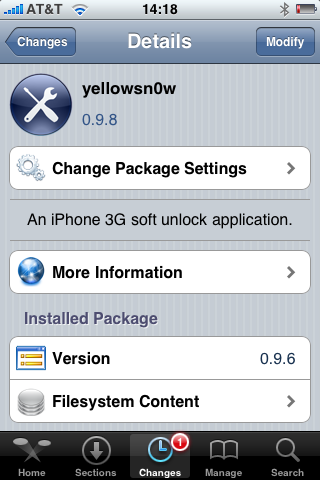
DevTeam updated to version 0.9.8. It will not work with regular 2.2.1 firmware. If you want 2.2.1, you need modified (!!!) firmware 2.2.1, in which old baseband from firmware 2.2 is preserved.
Version 0.9.8 adds strability and fixes some bugs. So If everything works fine, I reccomend just leave it like it is. For example, I use 0.9.6 and feel happy with 2.2 firmware.
Related posts:
Firmware 2.2.1 is officially hacked

Yes, DevTeam released new version of their software. First of all, please, do NOT use unofficial software from unknows sites (f.e. quickpwm.com). We recommend to download from torrent or official mirors.
We regulary publish latets and links. Use them or the same ones from DevTeam .
So:
- iPhone 2G and iPod Touch: update to 2.2.1 with iTunes and run to .
- iPod Touch 2G: sorry, you need to wait a bit more
- iPhone 3G + NO UNLOCK: If you do not need unlock, you are using your iPhone with one carrier or you hae factory unlcoked iPhone, just restore or upgrade to 2.2.1 using iTunes and use to and add Cydia and Installer.
- iPhone 3G + UNLOCK: you need to preserve current baseband software. Preserving the baseband will ensure that you can still use “” the iPhone 3G . To upgrade your phone to 2.2.1 and preserve the state of the baseband you need to create a custom .ipsw with . This custom .ipsw will not contain the baseband update but of course will still allow all the cool new stuff from 2.2.1. is only available for Mac OS X.
DevTeam updated to version 0.9.7 to work with modified (!!!) firmware 2.2.1, in which you preserve old baseband from firmware 2.2.
More Details about iPhone 2,1

Yesterday we first info about iPhone 2,1. PinchMedia follows up with what few details they have about the usage of the device.
- 1st spotting of the "iPhone 2,1" device occured in early October 2008
- Usage picked up in mid-December 2008
- A few dozen distinct "iPhone 2,1" devices have been detected
- Almost exclusively located in south San Francisco Bay Area
- Both AT&T and Wi-Fi connections
PinchMedia provides iPhone developers with ad serving and analytic tracking software to embed within iPhone applications. This is how the the iPhone 2,1 devices have been detected.
via macrumors
Next generation iPhone proof in firmware 2.2.1
MacRumors has discovered that iPhone's firmware has evidence of the next generation iPhone which has been designated "iPhone2,1". This new model number can be found in the USBDeviceConfiguration.plist in an unencrypted firmware.

Apple uses these models numbers to distinguish between different hardware models. The original iPhone carries the model number of "iPhone 1,1" while the 3G iPhone is labeled "iPhone 1,2". These numbers do not change for simple storage increases and instead represent functionally different devices. Similarly, the iPod Touch was originally introduced as the "iPod 1,1" and the most recent hardware revision was labeled "iPod2,1".
Meanwhile, at least one developer has noticed actual "iPhone2,1" models in use based on PinchMedia ad serving reports.

via macrumors
iPhone 2.2.1 SDK

Apple has release an update to their SDK (software developer kit). This was done hours after apple releases their update to their iPhone iTouch firmware. To download the sdk you just need to log in to the .
DevTeam says do not update to 2.2.1
Here is an anouncement from DevTeam. They suggest to not update to the new yet. You can loose the ability to jailbreak and unlock. Just wait for them to check everything and release new .
New firmware 2.2.1

Apple has just pushed out Firmware 2.2.1 for iPhone and iPhone 3G, iPod touch, iPod touch 2G. You can download them . Firmware 2.2.1 cannot be jailbroken at this time, so unofficial application users should wait for new version of QuickPwn from DevTeam. Unlock (yellowsn0w) also doesn't work for 2.2.1.
This update contains bug fixes and improvements:
- Version 2.2.1 (Build 5H11)
- Modem Firmware 02.30.03
- Improved general stability of Safari
- Fixed issue where some images saved from Mail do not display correctly in the Camera Roll
- Fixed issue that caused some Apple Lossless (ALAC) to skip during playback
- Unofficially Apple fixed SMS bug: users suddenly experience inability to send SMS text messages on the iPhone 3G, receiving the message "error sending" upon attempting to send.
iPhone 3G unlock on Dec 31
Good news! DevTeam anounced release date for iPhone 3G unlock. It is December 31, 2008. Supported firmware is 2.1, modem baseband 2.11.07 and earlier.
QuickPwn & PwnageTool for 2.2 firmware

The new tools are out, thanks to DevTeam. Here are couple notes:
If you have a 3G iPhone and want potential soft unlock in the near future do NOT use QuickPwn, and do not use the official ipsw or the iTunes update process without using PwnageTool.
Preserving the baseband will give you the maximum chance for any upcoming software unlock. To upgrade your phone to 2.2 and preserve the state of the baseband you need to create a custom .ipsw with PwnageTool. This custom .ipsw will not contain the baseband update but of course will still allow all the cool new stuff from 2.2.
The ‘late 2008’ MacBook/air/pro line of computers have an issue with DFU mode. While it’s possible to go from Pwned 2.1 -> Pwned 2.2 (using PwnageTool), you can’t yet go from stock to pwned. If in any doubt use a different machine.
Here are download links:
Bittorrent Releases
- PwnageTool 2.2.1 for Mac OSX is SHA1 Sum - 3a91f2bf4f342baaa700ae7d35959d7ade186134
- QuickPwn 2.2 for Mac OSX is SHA1 Sum - 254b8af0e19870a4660b7b11e3b6f6ae1d6bc66f
- QuickPwn 2.2 for Windows is SHA1 Sum - ffdbc561224c61ffc2713cb6a6e696b6d429c4ca
Mac PwnageTool 2.2.1
Mac QuickPwn 2.2
Windows QuickPwn 2.2
Tutorial: How to perform Jailbreak, Activation and Unlock (Windows)
UPDATE: Please, consider reading our Jailbreak & Unlock FAQ, especially if you have questions or troubles.
This is a step-by-step tutorial. If you have iPhone 3G this guide will help you jailbreak and activate the device. For iPhone 2G it will also perform the unlock.
I recommend using 2.2 firmware, because iPhone 3G . But you can use it with old v2.1, v2.0.1 and v2.0.2.
Cydia updated to 1.0.2595-36

The popular application Cydia Installer is updated. Minor bugs fixed. Cydia is now a bit more stable (especially on 2.1 firmware) and users will get lewss "Bad URL" errors.
Apple’s iPhone signal strength is fake?
Firmware version 2.1. It is supposed to display “more accurate” signal strength. Well... it appears that “more accurate” may mean “unreasonably generous.”
Users can actually see the results of iPhones dB meter. Dial *3001#12345#* then press “Call”. A dB reading below 50 generally indicates good strength.
Here's what I've got:
iPhone Atlas reader Michael did some testing, and found that widely varying dB readings resulted in the same five-bar signal indicator on his iPhone. He writes:
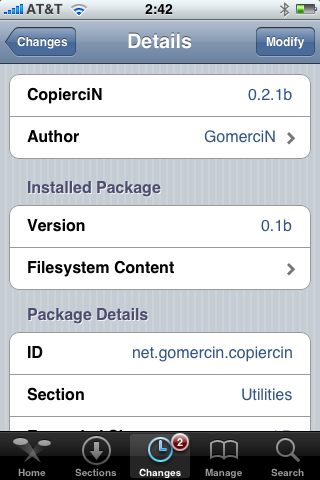
CopierciN updated to 0.2.1b

, copy/paste utility for iPhone, is updated. This application is avaliable in Cydia.
Minor changes:
Fixed:
- com.apple.MobileSMS.plist file is not overwritten now, it is modified instead.
Added:
- BiteSMS support
- Very basic “import from contacts” interface
Compatibility:
- Works with 2.1 firmware
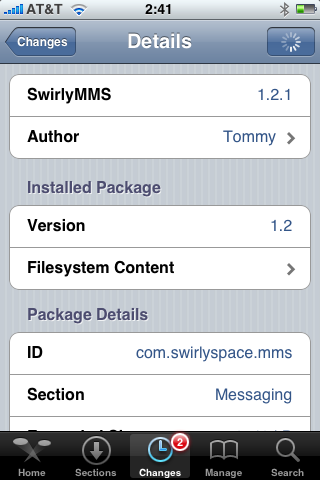
SwirlyMMS 1.2.1

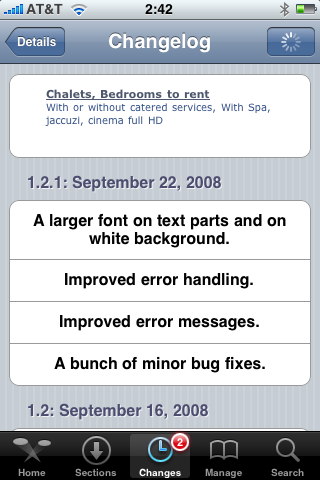
is updated to v1.2.1. Minor bugfixes. Avaliable in Cydia.