News tagged ‘Absinthe’
Quick info about iOS 5.1.1 Untethered Jailbreak

MuscleNerd from the iPhone Dev-Team has posted some details on the upcoming untethered jailbreak from pod2g.
- All info below is tentative and subject to last minute refinements
- @pod2g's 5.1.1 jailbreak+untether is working out great. All devices are covered except for AppleTV3,1, which currently has no path for jailbreaking.
- the initial 5.1.1 plan used a kernel exploit from @westbaer which unfortunately precluded use in iPod3,1 and iPhone2,1
- @planetbeing stepped up and provided a kernel exploit that covers both of those. Those two JBers are the bomb! - The 5.1.1 A5 JB is very similar to the A5 5.0.1 JB. @pimskeks has done a tremendous job supporting both 5.0.1 and 5.1.1 in absinthe
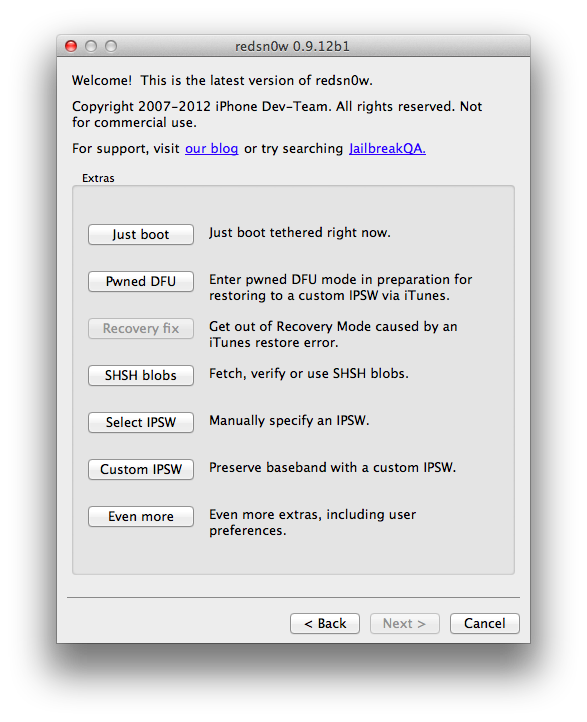
- Similar to 5.0.1, there will also be a 5.1.1 CLI "cinject" binary and redsn0w version of the 5.1.1 JB+untether. Absinthe, cinject, and redsn0w will all provide the same JB in different fashions.
- timing is indeterminate. Plans are for this week, but a number of factors can influence that. - For those wishing to donate, we've set up a new 5.1.1 paypal URL: https://www.paypal.com/cgi-bin/webscr?cmd=_s-xclick&hosted_button_id=4U6DQGJ2NRVUN
- Please don't pirate AppStore apps (seriously, please do not).
Leave a comment, read comments [1]
Absinthe 2.0 Untethered Jailbreak of iOS 5.1.1 Gets Demonstrated [Video]
![Absinthe 2.0 Untethered Jailbreak of iOS 5.1.1 Gets Demonstrated [Video] Absinthe 2.0 Untethered Jailbreak of iOS 5.1.1 Gets Demonstrated [Video] (absinthe2)](http://iphoneroot.com/wp-content/uploads/2012/05/absinthe2.jpg)
Xvolks has posted a video demonstrating the iOS 5.1.1 untethered jailbreak using the new yet unreleased utility Absinthe 2.0.
I've tested Absinthe v2 on my iPhone 4 GSM, iOS 5.1.1. It jailbroke it flawlessly. I've took a (bad) video of it
The video was later removed from the public, but you know there is nothing that can be hidden ![]()
Leave a comment, read comments [5]
RedSn0w updated to support iPhone 4S and iPad 2 on iOS 5.0.1
The iPhone Dev-Team has updated RedSn0w to jailbreak the iPhone 4S and iPad 2 on iOS 5.0.1.
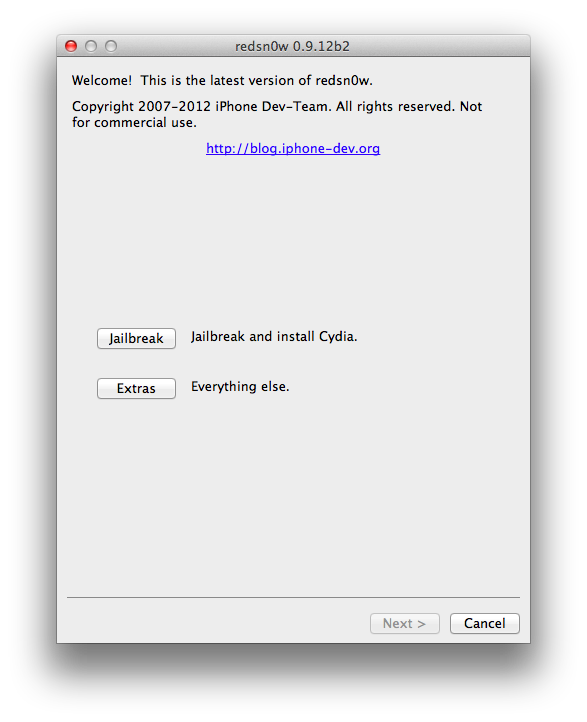
Version 0.9.10b7 of redsn0w adds a collection of useful features: It finally implements the corona-A5 jailbreak for iPhone4S and iPad2 devices still at 5.0.1. It can also re-install that jailbreak for those who accidentally uninstalled the untether. When stitching an IPSW, it can now grab your blobs directly from Cydia. It now shows a lot more info about your device (for instance, whether your iPhone3G has the vulnerable baseband boot loader, or whether your iPhone3GS has the old exploitable bootrom. (And the next new feature to be added will be built-in restore support, to provide an alternative to iTunes restores.)
Previously you needed to use Absinthe to jailbreak the iPhone 4S and iPad 2.
You can download the new version of RedSn0w from here.
We will update our tutorials soon.
Tutorials for iOS 5.0.1 jailbreak
UPDATE: Tutorials for iOS 5.1 are availbale here.
UPDATE: Tutorials for iOS 5.1.1 can be found here.
Here are our step-by-step tutorials that will guide you through all the process of jailbreaking iOS 5.0.1 with sn0wbreeze, redsn0w, pwnagetool and absenthe:
UnTethered jailbreak iOS 5.0 / iOS 5.0.1:
iPhone 4
UnTethered jailbreak iOS 5.0.1:
- RedSn0w (Windows)
- Custom firmware using RedSn0w
- Custom firmware using Sn0wBreeze (Windows)
- Custom firmware using PwnageTool (Mac)
Leave a comment, read comments [67]
Absinthe v0.4: jailbreak utility for iPad 2 and iPhone 4S is updated
The Chronic Dev-Team has released an update to its Absinthe jailbreak utility that brings support for Mac OS X 10.5 (Intel + PPC) and fixes several bugs.
@pimskeks announced the update:
#Absinthe 0.4 released greenpois0n.com/?p=173 - OSX 10.5 support (PPC+Intel). Re-jailbreaking not required. Changelog: pastebin.com/DdwGKstR
What's New in Absinthe v0.4:
- Mac: added support for OSX 10.5, PPC and Intel CPU
- added consistency check on startup to make sure required files are in place
- Windows: fixed bug in payload generator that might cause a crash
You can download Absinthe for Windows, Mac OS X and Linux from here.
Here are our step-by-step tutorials:
- HowTo untether jailbreak iPad 2 with iOS 5.0.1 (Mac OS X)
- HowTo untether jailbreak iPhone 4S with iOS 5.0/5.0.1 (Mac OS X)
- HowTo untether jailbreak iPad 2 with iOS 5.0.1 (Windows)
- HowTo untether jailbreak iPhone 4S with iOS 5.0/5.0.1 (Windows)
Leave a comment, read comments [2]
Absinthe Jailbreak Utility Updated to v0.3, Released for Linux

The Chronic Dev-Team has released an update to their Absinthe jailbreak utility for iPhone 4S and iPad 2. So users who failed to jailbreak can try with new version Absinthe 0.3. Chronic Dev-Team also released a version for Linux users.
@pimskeks announced the release over Twitter:
Linux version (x86/x86_64) of #Absinthe #A5 #jailbreak is done!
Also version 0.3 of #Absinthe #A5 #jailbreak is available for OSX and Windows. Nothing really new, so no need to re-apply
#Absinthe 0.3 only has some cosmetic changes, and a potential bug fix for win32 (only really few people seem affected)
You can download Absinthe for Windows, Mac OS X and Linux from here.
Here are our step-by-step tutorials:
- HowTo untether jailbreak iPad 2 with iOS 5.0.1 (Mac OS X)
- HowTo untether jailbreak iPhone 4S with iOS 5.0/5.0.1 (Mac OS X)
- HowTo untether jailbreak iPad 2 with iOS 5.0.1 (Windows)
- HowTo untether jailbreak iPhone 4S with iOS 5.0/5.0.1 (Windows)
Step-by-step Tutorial: How to Untether Jailbreak iPhone 4S Using Absinthe (Windows) [iOS 5.0, iOS 5.0.1]
UPDATE: Apple released iOS 5.1 firmware. Apple has stopped signing iOS 5.0.1, so you can NOT restore to 5.0.1 any more. If you are on 5.0.1 you can jailbreak with Absinthe.
This is step-by-step instructions on how to perform untethered jailbreak of your iPhone 4S on iOS 5.0 or iOS 5.0.1 firmware using Absinthe for Windows.
Tutorial for Mac OS version is here.
Untethered jailbreak means that each time you restart your device you will NOT need to connect it to a computer and run utilities.
Leave a comment, read comments [309]
Step-by-step Tutorial: How to Untether Jailbreak iPad 2 Using Absinthe (Windows) [iOS 5.0.1]
UPDATE: Apple released iOS 5.1 firmware. Apple has stopped signing iOS 5.0.1, so you can NOT restore to 5.0.1 any more. If you are on 5.0.1 you can jailbreak with Absinthe.
This is step-by-step instructions on how to perform untethered jailbreak of your iPad 2 on iOS 5.0.1 firmware using Absinthe for Windows.
Tutorial for Mac OS version is here.
Untethered jailbreak means that each time you restart your device you will NOT need to connect it to a computer and run utilities.
Leave a comment, read comments [434]
iPhone 4S and iPad 2 Absinthe Jailbreak is Officially Released for Windows

The Chronic Dev-Team has released the Windows version of its Absinthe utility to perform an untethered jailbreak of the iPhone 4S and iPad 2.
You can download Absinthe for Windows and Mac OS X from here.
Here are our step-by-step tutorials:
- HowTo untether jailbreak iPad 2 with iOS 5.0.1 (Mac OS X)
- HowTo untether jailbreak iPhone 4S with iOS 5.0/5.0.1 (Mac OS X)
- HowTo untether jailbreak iPad 2 with iOS 5.0.1 (Windows)
- HowTo untether jailbreak iPhone 4S with iOS 5.0/5.0.1 (Windows)
Leave a comment, read comments [1]
Step-by-step Tutorial: How to Untether Jailbreak iPhone 4S Using Absinthe (Mac OS X) [iOS 5.0, iOS 5.0.1]
UPDATE: Apple released iOS 5.1 firmware. Apple has stopped signing iOS 5.0.1, so you can NOT restore to 5.0.1 any more. If you are on 5.0.1 you can jailbreak with Absinthe.
This is step-by-step instructions on how to perform untethered jailbreak of your iPhone 4S on iOS 5.0 or iOS 5.0.1 firmware using Absinthe for Mac OS X.
Tutorial for Windows version is here.
Untethered jailbreak means that each time you restart your device you will NOT need to connect it to a computer and run utilities.
Leave a comment, read comments [48]
Step-by-step Tutorial: How to Untether Jailbreak iPad 2 Using Absinthe (Mac OS X) [iOS 5.0.1]
UPDATE: Apple released iOS 5.1 firmware. Apple has stopped signing iOS 5.0.1, so you can NOT restore to 5.0.1 any more. If you are on 5.0.1 you can jailbreak with Absinthe.
This is step-by-step instructions on how to perform untethered jailbreak of your iPad 2 on iOS 5.0.1 firmware using Absinthe for Mac OS X.
Tutorial for Windows version is here.
Untethered jailbreak means that each time you restart your device you will NOT need to connect it to a computer and run utilities.
Leave a comment, read comments [52]
Jailbreak for iPhone 4S and iPad 2 Has Been Released
The 'Dream Team' of hackers have just released their untethered jailbreak for the iPhone 4S and the iPad 2. The utility is called Absinthe.
The initial release is currently for Mac OS X only but Windows is coming soon!
You can download Absinthe here.
Here are our step-by-step tutorials:
- HowTo untether jailbreak iPad 2 with iOS 5.0.1 (Mac OS X)
- HowTo untether jailbreak iPhone 4S with iOS 5.0/5.0.1 (Mac OS X)
- HowTo untether jailbreak iPad 2 with iOS 5.0.1 (Windows)
- HowTo untether jailbreak iPhone 4S with iOS 5.0/5.0.1 (Windows)
UPDATE: Absinthe for Windows is ready - read here!
Usage tips:
Leave a comment, read comments [10]
New iPad 2 and iPhone 4S Jailbreak Tool is Called Absinthe

Pod2g has revealed that the new iPhone 4S and iPad 2 jailbreak tool developed by the Chronic Dev Team is called Absinthe.
A tool named Absinthe and developed by the Chronic Dev Team will install the untether on your device. Also the iPhone Dev Team will release a CLI (command line) tool to help diagnose issues and repair things if it goes wrong.
This is a little scary I know, but the chance you break something is really small, since we made lots of tests to verify the process on different devices. But it is the first time we use the backup / restore functions of iTunes to install software, and there are maybe things we are not aware of.
For more detailed information ahead of the jailbreak please read the information from iPhone Dev-Team.
Leave a comment, read comments [6]
Jailbreak & Unlock tutorials and FAQ

UPDATE: Apple latest firmware is iOS 5.1.1. Apple has stopped signing all other firmwares, including iOS 5.0.1, iOS 4.3.3 and iOS 4.3.5. This means you can NOT restore to 5.0.1/4.3.3/4.3.5 any more (both original and custom), unless you have saved your SHSH keys for it.
If you have decided to perform an untethered jailbreak and unlock, you need to get the following information:
- What type of device do you have (iPhone 3G/3GS/4, iPod Touch 3G/4G, iPad 1/2, Apple TV)?
- Do you need unlock (if your iPhone locked to one carrier and you want to use it with another)?
The answer is NO, if the device is not iPhone, if it was purchased as factory unlocked and can be used with any cellular carrier (f.e. in Canada, France, etc).
If the answer is YES, you need to find out your modem version (Setting-General-About-Modem). - What firmware version do you have? Take a look at Setting-General-About-Version. For example it could be iOS 4.3.3.
- What operating system do you use on your desktop (Windows, Mac OS)?
How to perform jailbreak, when you do NOT need an unlock
For iPhone 3G the latest is iOS 4.2.1. You can perform jailbreak with any utility. For iOS 4.2.1 you can also use them or GreenPois0n (Windows, Mac OS).
iPad 2 jailbreak is available only for iOS 4.3.3 via JailbreakMe and and iOS 5.0.1 via Absenthe.
iPhone 4S jailbreak is available for iOS 5.0 / iOS 5.0.1 via Absenthe.
iOS 4.3.3
Apple stopped signing iOS 4.3.3, so you cannot update to iOS 4.3.3 without SHSH keys saved (in advance some time ago). If you have iPhone 4, iPhone 3GS, iPad 1, iPod Touch 3G or iPod Touch 4G that run iOS 4.3.3 - use JailbreakMe or RedSn0w to untether jailbreak your device.
If you have saved SHSH keys for iOS 4.3.3 you can use PwnageTool (Mac OS) or Sn0wBreeze (Windows).
iOS 4.3.4/4.3.5
For iOS 4.3.4/4.3.5 only tethered jailbreak is possible with redsn0w. Tethered means that each time you restart your device you will have to connect it to a computer and run redsn0w. The untethered iOS 4.3.5 jailbreak is possible only for iPhone 3GS with old bootrom. You can detect your bootrom version using this tutorial.
iOS 5
To jailbreak and unlock iOS 5 use latest version of redsn0w 0.9.9 or sn0wbreeze 2.8. You can jailbreak tethered or semi-tethered.
The untethered iOS 5 jailbreak is possible only for iPhone 3GS with old bootrom. You can detect your bootrom version using this tutorial.
iOS 5.0.1
For iPhone 4/3GS, iPad 1, iPod Touch 3G/4G an untethered jailbreak is available for iOS 5.0.1. For untethered jailbreak use the latest redsn0w 0.9.10 or Corona - package from Cydia to untether currently installed tethered jailbreak.
Tutorial how to untether installed tethered jailbreak is available here.
For iPhone 4S and iPad 2 use Absenthe.
For tethered iOS 5.0.1 jailbreak you an use redsn0w 0.9.9 and sn0wbreeze 2.8.
iOS 5.1 / iOS 5.1.1
For now only tethered jailbreak is available for iPhone 4/3GS, iPad 1 and iPod Touch 3G/4G for iOS 5.1 and iOS 5.1.1.
You can download all firmwares here.
Tutorials
Here are our step-by-step tutorials that will guide you through the jailbreak process:
iPhone 4S
UnTethered jailbreak iOS 5.0 / iOS 5.0.1:
iPhone 4
Tethered jailbreak iOS 5.1.1:
Tethered jailbreak iOS 5.1:
UnTethered jailbreak iOS 5.0.1:
- RedSn0w (Windows)
- Custom firmware using RedSn0w
- Custom firmware using Sn0wBreeze (Windows)
- Custom firmware using PwnageTool (Mac)
Semi-Tethered jailbreak iOS 5:
Tethered jailbreak iOS 4.3.5:
UnTethered jailbreak iOS 4.3.3:
- RedSn0w (Windows)
- RedSn0w (Mac OS)
- PwnageTool (Mac OS)
- Sn0wBreeze (Windows)
- JailbreakMe (works without a computer)
Leave a comment, read comments [397]
Utilities downloads

Here are download links for the latest versions of software for iPhone, iPod Touch and iPad jailbreaking, activating and unlocking:
RedSn0w | Sn0wBreeze | PwnageTool | Absinthe |GreenPois0n | iReb | iBooty | iFaith | UltraSn0w | LimeRa1n | Spirit | BlackRa1n | BlackSn0w | PurpleRa1n
For iOS 4.0, iOS 4.0.1 and iOS 4.3-4.3.3 you can use
RedSn0w
redsn0w 0.9.11b4 (tethered iOS 5.1.1, iOS 5.1 jailbreak for iPhone 3GS, iPhone 4, iPad 1, iPod Touch 3G, iPod Touch 4G; untethered iOS 5.0.1 jailbreak for all devices, including iPhone 4S, iPad 2; save unlock tickets)
- Download version 0.9.11b4 for Mac OS X:
- Download version 0.9.11b4 for Windows:
redsn0w 0.9.10b8 (tethered iOS 5.1 jailbreak for iPhone 3GS, iPhone 4, iPad 1, iPod Touch 3G, iPod Touch 4G; untethered iOS 5.0.1 jailbreak for all devices, including iPhone 4S, iPad 2; save unlock tickets)
- Download version 0.9.10b8 for Mac OS X:
- Download version 0.9.10b8 for Windows:
redsn0w 0.9.10b7 (tethered iOS 5.1 jailbreak for iPhone 3GS, iPhone 4, iPad 1, iPod Touch 3G, iPod Touch 4G; untethered iOS 5.0.1 jailbreak for all devices, including iPhone 4S, iPad 2)
- Download version 0.9.10b7 for Mac OS X:
- Download version 0.9.10b7 for Windows:
redsn0w 0.9.10b6 (tethered iOS 5.1 jailbreak for iPhone 3GS, iPhone 4, iPad 1, iPod Touch 3G, iPod Touch 4G)
- Download version 0.9.10b6b for Mac OS X:
- Download version 0.9.10b6 for Windows:
redsn0w 0.9.10b5c (untethered iOS 5.0.1 jailbreak for iPhone 3GS, iPhone 4, iPad 1, iPod Touch 3G, iPod Touch 4G)
- Download version 0.9.10b5c for Mac OS X:
- Download version 0.9.10b5c for Windows:
redsn0w 0.9.9b9d (tethered iOS 5.0.1, iOS 5 and iOS 4.3.5 jailbreak for iPhone 3GS, iPhone 4, iPad, iPod Touch 3G, iPod Touch 4G; untethered for iPhone 3GS with old bootrom; supports untethered iOS 4.3.3 jailbreak)
- Download version 0.9.9b9d for Mac OS X:
- Download version 0.9.9b9d for Windows:
redsn0w 0.9.9b8 (tethered iOS 5.0.1, iOS 5 and iOS 4.3.5 jailbreak for iPhone 3GS, iPhone 4, iPad, iPod Touch 3G, iPod Touch 4G; untethered for iPhone 3GS with old bootrom; supports untethered iOS 4.3.3 jailbreak)
- Download version 0.9.9b8 for Mac OS X:
- Download version 0.9.9b8 for Windows:
redsn0w 0.9.9b7 (tethered iOS 5, iOS 4.3.5 jailbreak for iPhone 3GS, iPhone 4, iPad, iPod Touch 3G, iPod Touch 4G; untethered for iPhone 3GS with old bootrom; supports untethered iOS 4.3.3 jailbreak)
- Download version 0.9.9b7 for Mac OS X:
- Download version 0.9.9b7 for Windows:
redsn0w 0.9.6 rc16 (supports untethered iOS 4.3.3 jailbreak for iPhone 3GS, iPhone 4, iPad, iPod Touch 3G, iPod Touch 4G)
- Download version for Mac OS X:
- Download version for Windows:
redsn0w 0.9.8b7b (supports untethered iOS 4.3.3, tethered iOS 4.3.5, iOS 5 jailbreak for iPhone 3GS, iPhone 4, iPad, iPod Touch 3G, iPod Touch 4G; untethered for iPhone 3GS with old bootrom)
- Download version for Mac OS X:
- Download version for Windows:
PwnageTool
PwnageTool 5.0.1 (supports untethered iOS 5.0.1 jailbreak for iPhone 3GS, iPhone 4, Apple TV 2G, iPad, iPod Touch 3G, iPod Touch 4G)
PwnageTool 4.3.3.1 (supports untethered iOS 4.3.3 jailbreak for iPhone 3GS, iPhone 4, Apple TV 2G, iPad, iPod Touch 3G, iPod Touch 4G)
Sn0wBreeze
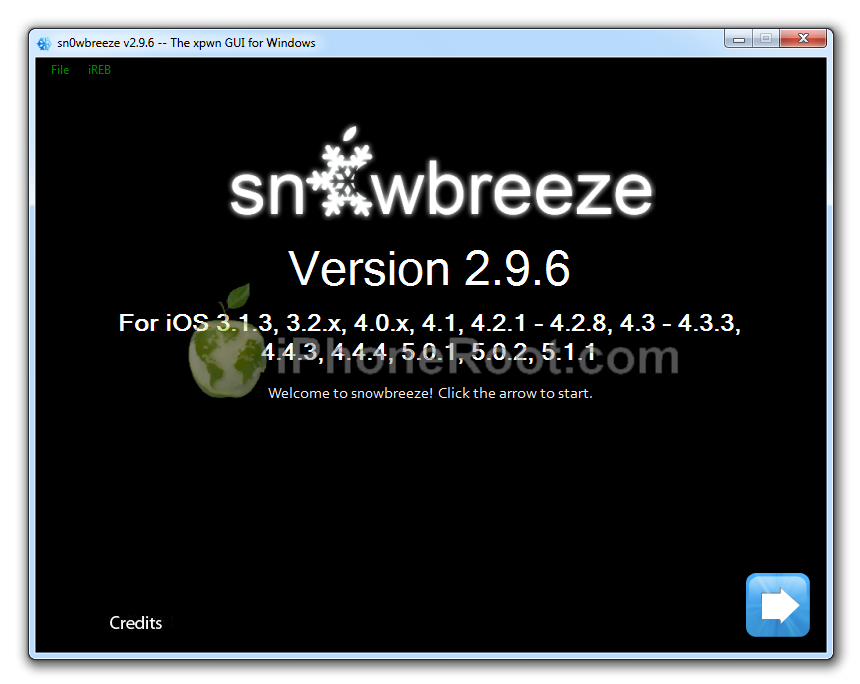
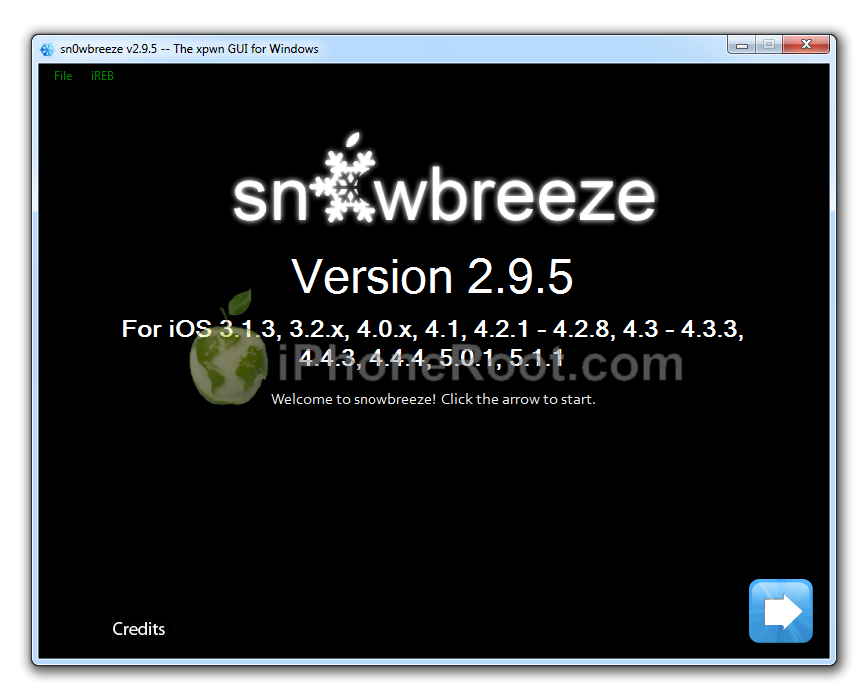
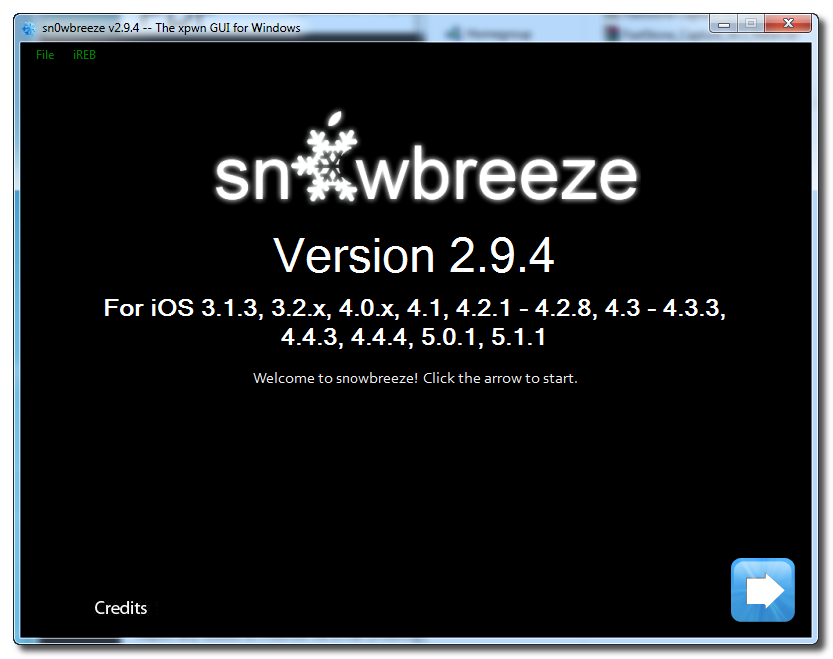
Sn0wBreeze 2.9.3 (pwnagetool for windows, supports tethered jailbreak of iOS 5.1 for iPhone 4, iPhone 3GS, iPod Touch 3G, iPod Touch 4G, iPad; untethered for iPhone 3GS with old bootrom; untethered for iOS 5.0.1, iOS 4, iOS 3 supports Apple TV 2G)
Sn0wBreeze 2.9.1 (pwnagetool for windows, supports untethered jailbreak iOS 5.0.1, iOS 4, iOS 3 for iPhone 4, iPhone 3GS, iPod Touch 3G, iPod Touch 4G, iPad)
Sn0wBreeze 2.8b11 (pwnagetool for windows, supports iOS 5, iOS 5.0.1, tethered jailbreak for iPhone 4, iPhone 3GS, iPod Touch 3G, iPod Touch 4G, iPad, Apple TV 2G; untethered for iPhone 3GS with old bootrom)
Sn0wBreeze 2.7.3 (pwnagetool for windows, supports iOS 4.3.3, untethered jailbreak for iPhone 4, iPhone 3GS, iPod Touch 3G, iPod Touch 4G, iPad, Apple TV 2G)
Sn0wBreeze 2.2.1 (pwnagetool for windows, supports iOS 4.2.1, jailbreak for iPhone 4, iPhone 3GS, iPhone 3G, iPod Touch 2G, iPod Touch 3G, iPod Touch 4G, iPad)
iReb
iReb (Windows tool that will put your device into a pwned state so that you can upload custom firmware to it)
iBooty
iBooty (Utility to Boot Tethered iPhone 4, iPhone 3GS, iPad, iPod Touch 3G, iPod Touch 4G after Sn0wBreeze jailbreak)
- iBooty iOS 5.0: iBooty-for-5.0.zip
- iBooty iOS 5.0.1: iBooty-for-5.0.1.zip
- iBooty iOS 5.1: iBooty-for-5.1.zip
iFaith
iFaith 1.4.2 (Windows tool that will save SHSH keys for your current installed iOS)
Absinthe
Absinthe (supports untethered iOS 5.0.1 jailbreak for iPad 2 and iOS 5/5.0.1 jailbreak for iPhone 4S)
- Download version for Windows:
- Download version for Mac OS X:
- Download version for Linux:
GreenPois0n
GreenPois0n RC5 (supports firmware 4.1 and 4.2.1 jailbreak for iPhone 4, iPhone 3GS, iPod Touch 2G, iPod Touch 3G, iPod Touch 4G, iPad)
- Download version for Mac OS X:
- Download version for Windows:
UltraSn0w
Current version is ultrasn0w 1.2.3, download in Cydia (unlock for iPhone 4, iPhone 3GS, iPhone 3G, firmwares 3.0-4.3.3; it supports basebands 01.59.00, 04.26.08, 05.11.07, 05.12.01, 05.13.04, 06.15.00)
LimeRa1n
LimeRa1n (supports firmware 4.0-4.1, jailbreak for iPhone 4, iPhone 3GS, iPod Touch 3G, iPod Touch 4G, iPad)
Spirit
Spirit for Windows and MAC OS (jailbreak for all devices - iPad, iPhone, iPod Touch, firmware 3.1.2, 3.1.3, or 3.2)
BlackRa1n
blackra1n for Windows and MAC OS (jailbreak for all devices, firmware 3.1.2)
BlackSn0w
BlackSn0w for Windows and MAC OS (unlock for iPhone 3G and iPhone 3GS, firmware 3.1, 3.1.2)
- Avaliable in Cydia (repository ) and via BlackRa1n utility
PurpleRa1n
Purplera1n for MAC (Beta jailbreak for iPhone 3GS, firmware 3.0)
Purplera1n for Windows (Beta jailbreak for iPhone 3GS, firmware 3.0)
Older software versions:
You can download older software versions here.absinthe-mac-0.1.2-2.zip


![Step by step Tutorial: How to Untether Jailbreak iPhone 4S Using Absinthe (Windows) [iOS 5.0, iOS 5.0.1] Step by step Tutorial: How to Untether Jailbreak iPhone 4S Using Absinthe (Windows) [iOS 5.0, iOS 5.0.1] (absinthe win iphone4s 500x246)](http://iphoneroot.com/wp-content/uploads/2012/01/absinthe-win-iphone4s-500x246.png)
![Step by step Tutorial: How to Untether Jailbreak iPad 2 Using Absinthe (Windows) [iOS 5.0.1] Step by step Tutorial: How to Untether Jailbreak iPad 2 Using Absinthe (Windows) [iOS 5.0.1] (absinthe ipad2 windows 500x220)](http://iphoneroot.com/wp-content/uploads/2012/01/absinthe-ipad2-windows-500x220.png)
![Step by step Tutorial: How to Untether Jailbreak iPhone 4S Using Absinthe (Mac OS X) [iOS 5.0, iOS 5.0.1] Step by step Tutorial: How to Untether Jailbreak iPhone 4S Using Absinthe (Mac OS X) [iOS 5.0, iOS 5.0.1] (iphone 4s mac 500x234)](http://iphoneroot.com/wp-content/uploads/2012/01/iphone-4s-mac-500x234.png)
![Step by step Tutorial: How to Untether Jailbreak iPad 2 Using Absinthe (Mac OS X) [iOS 5.0.1] Step by step Tutorial: How to Untether Jailbreak iPad 2 Using Absinthe (Mac OS X) [iOS 5.0.1] (ipad2 mac 500x218)](http://iphoneroot.com/wp-content/uploads/2012/01/ipad2-mac-500x218.png)