 iPhoneRoot.com

News tagged ‘Time’
SayNDial [AppStore, Free]

This is a voice dial application. SayNDial automatically dials one of your contacts just by saying a name or company. It recognizes your speech making it faster than thumbing through your contacts and safer when calling while you drive. SayNDial is powered by Metaphor Solutions.
The application is free for a limited time. The price dropped from $2.99 to 0. AppStore .
Asterope game is free [AppStore, Free]

This is a nice game. It is now free, the price dropped from $2.99 to $0. But this is a limited time offer until sometime between Nov 3 - 7.

Here is an AppStore . Watch the video below.
Opera Mini for iPhone

In an interview to Mr. von Tetzchner said that Opera’s engineers have developed a version of Opera Mini that can run on an Apple iPhone, but Apple won’t let the company release it because it competes with Apple’s own Safari browser.
We hope that some day Opera will be avaliable as iPhone unofficail software via .
SBSettings [Cydia]
We had a post about SBSettings - the future of BossPrefs (). Couple days ago this application became avaliable in Cydia.
SBSettings doenst have an icon so after you install to access it you must slide across the statusbar (aka the top bar that displays service, time, battery, etc.)
Current version is 0.92. But the application is updated almost every day.
This application is avaliable for iPhones via .
MID device: another iPhone killer?

Intel showed off a prototype handheld based on Moorestown, its upcoming Mobile Internet Device (MID) platform designed to enable a new generation of ultra-thin, touchscreen devices with extensive battery life.
Moorestown will consist of a system-on-a-chip (SOC), codenamed "Lincroft," which integrates a 45nm processor, graphics, memory controller and video encode/decode onto a single part. The platform will support a range of wireless technologies including 3G, WiMAX, WiFi, GPS, Bluetooth and mobile TV.
The divice will be avaliable sometime in the 2009-2010 time. Here is a video with presentation from IDF:
Jelly Car: cool game for free [AppStore, Free]

JellyCar is a driving/platforming game for both iPhone and iPod touch. The game is about driving a squishy car through squishy worlds, trying to reach the exit. JellyCar features soft body physics for all of the objects in the world. Also your car can transform for a limited time to aid progression through the level.
Features:
- Soft-body physics!
- Simple touch and tilt controls
- 12 levels to play
- original music by Matt McCarthy
- full sound effects
- option to listen ti iPod music while playing the game.
Really cool game for free in AppStore ().
Free Clock for iPhone [AppStore, Free]
Do you want clock with seconds or just full screen clock in both landscape and portrait modes? If yes these two free apps are for you.
The first one is called ClockFS. AppStore . Nice changable interface. Right in application user can choose text and background color, and one of 11 different fonts.
The second app is called digiClock24. AppStore . Settings are external, you need to go to Settings and scroll down to digiClock24. They are limited to time format and showing seconds. No changeable backgrounds and fonts.
PocketDyno Free [AppStore]
While browsing cool applications I've found PocketDyno (). This application measures the performance of the vehicle. It uses internal accelerometer, not GPS. So iPod and old iPhone users can try this application.
With PocketDyno you can measure:
- Estimated horsepower
- 0 to 60 mph and/or 0 to 100 kmh time
- Max G's, velocity, distance, etc
- Imperial or metric results based on locale
I'll definitely try this app today.
Related posts:
iDicto - limited time price drop [AppStore, Free]
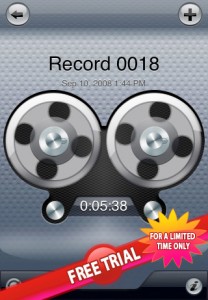
iDicto (AppSore ) is a the most simple and easy-to-use powerful sound and voice recorder. Now you can enjoy this application free for limited time.
Other features supported by iDicto are:
- Record, replay your ideas, notes, reminders on-the-go
- Adjustable recording quality: Best (44.1kHz), Good (22.05kHz) and Low (8kHz).
- Unlimited record time
- Wi-Fi sync
- Rewind during playback
- Pause and continue during playback or recording
- Rename recordings at any time
- Group and sort your recordings
- Show the date, time, recording length directly in the recordings list
- Volume control
- Auto saving
- While transferring files you can select the time period during which auto-lock will be disabled.
Categories 2.20 - rapid folder opening

updated to 2.20. Here is a changelog:
Launcher: Folders instant loading! Integrated with backgrounder for folders. There is now an option in the settings to "keep resident". When set, the folder only loads once per respring. After that, it stays running in the background (uses no CPU but uses some RAM) to provide instant loading (no load times). Note that this does use more memory so use it sparingly. I suggest that it is ok for 1 - 4 folders but I would not background 20 folders. If you do and have problems, just go back to settings and disable this option on some of the folders you don't use as often.
Sounds like we should use + . In this case folders will open very very quickly.
Avaliable in .
Backgrounder
iPhone-Backgrounder (available for jailbroken iPhones via ) brings another much-desired functionality that Apple's not allowing for legit apps—the ability to run in the background.
This is very usefull for iPhone applications like (Fring), , , and many others.
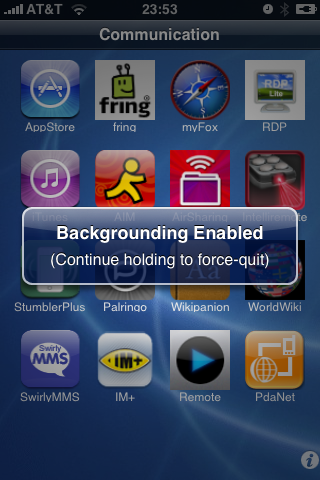
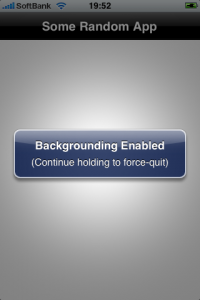
To enable backgrounding for the currently-running instance of an application, press and hold the menu/home button until a message pops-up stating "Backgrounding Enabled". Note that only the current instance will be affected; if the application is terminated and relaunched, the new instance will not have backgrounding enabled.
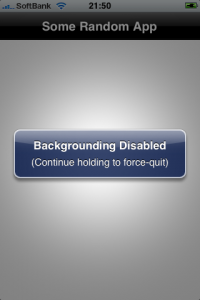
To properly terminate an application instance that has backgrounding enabled, press and hold the menu/home button until a message pops-up stating "Backgrounding Disabled".
Issues:
- Application immediately quits when holding menu/home button:
One possible cause is having the Intelliscreen application installed with the "App Launch Boost" option enabled. This option can be disabled in Intelliscreen settings on the "Performance" page.
- Application "XXX" runs fine in the background for a while, then suddenly quits:
This is most likely due to the device being low on available application memory (RAM, not disk space). This can be caused by either having too many applications running at the same time, or by using applications that require a lot of resources. Unfortunately there is no fix for this issue, other than to avoid having too many backgrounded applications.
Skype for iPhone - now avaliable and is FREE [AppStore, Free]
Fring allows you to chat and interact with others on a variety of networks including Skype, MSN, GoogleTalk, AIM, Yahoo, Twitter, ICQ.
In addition, Fring offers voice over ip (VoIP) using the iPhone's WiFi connection. Features listed include:
- VoIP Calls over WiFi
- Instant Messaging
- Integrated dynamic contact list with real-time contact availability
- SIP integration
- Multiple Connection types
Fring supports SkypeOut and SIP which allows you to make calls to landline and mobile phones. Available for free via App Store. ()
via macrumors
 Leave a comment, read comments [1]
an unknown error 13014

Several users have problems syncing their iPhones after updating to . The most common error message is “an unknown error 13014.”
As one reader writes:
“I just downloaded and installed iTunes 8.0.1 on my iMac running 10.5.5, and synced my non-3G iPhone. I immediately received an error message stating that “The phone ‘[my iPhone's name]‘ cannot be synced. An unknown error occurred (13014). Thinking I’d probably be able to fix it by resetting the phone, I did so.
Now, 15 minutes into the reset, the phone is syncing nicely with no major issues, except that I’m still getting prompted that it can’t be synced about every 15 seconds or so. It’s even kind enough to queue up the errors so that if I ignore them for a few minutes I can go back and just click ‘OK’ half a dozen times and then go back to whatever I was working on. No idea of the cause, outside of the iTunes upgrade.”
Users are reporting similar issues with the iPod touch.
In some cases, simply restarting the host computer and restarting the iPhone can resolve this issue. In other cases, this procedure is unsuccessful.
The other workaround is to reinstall iTunes. If this doesn't help, uninstall it and install iTunes version 8.0.
via iphoneatlas
Connect desktop or notebook to internet through iPhone 3G
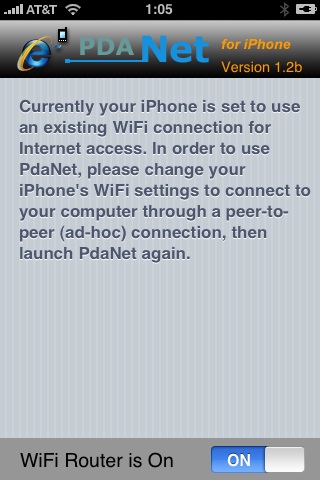
Many iPhone 3G users would like to use internet on a desktop or notebook through their phone. There were several solutions: iPhoneModem, NetShare, 3Proxy.. they all used SSH and SOCKS proxy. One of the working ones was described here .
Couple days ago PdaNet (fullname is PdaNet WiFi Router) was ported to iPhone. Now our life is much much easier.
iPhone 3G unlocked in Hong Kong
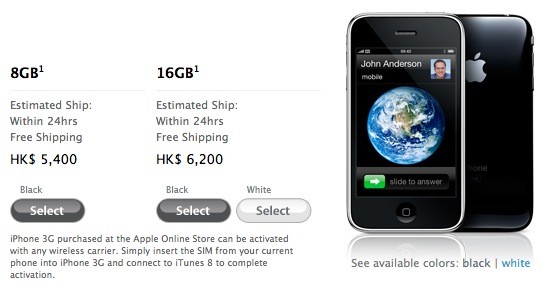
Apple is now selling its iPhone 3G unlocked via its on-line Apple Store in Hong Kong. The 8GB model is HK$5,500 (about US$694) and 16GB is HK$6,200 (about $797). It is available since July 11th with a local Hutchison Telecommunications contract, but this is the first time that Apple has sold its device unlocked in Hong Kong.
"iPhone 3G purchased at the Apple Online Store can be activated with any wireless carrier. Simply insert the SIM from your current phone into iPhone 3G and connect to iTunes 8 to complete activation."
Unfortunately for the 1 billion mainland Chinese, the terms and conditions limit sales to those in Hong Kong only.. But the gray market usually doesn't care about t&c's.