 iPhoneRoot.com

News tagged ‘zip’
BackToUp: Mac OX utility for iPhone/iPod back up

iBlogeek has released a Mac OX utility called BackToUp that will help everyone back up their device. The program is pretty good and make the backup of:
- Contacts
- Text Messages (SMS)
- Bookmarks and History of Safari
- Call History
- Calendar
- Notes
- Bookmarks and History of Maps
- General Preferences (ringtone, etc)
Also, BackToUp can:
- Create a backup
- Restore a device using a backup
- Erase backups
- Update a backup
You can download BackToUp .
iUSB Tunnel: SSH, VNC and Tethering
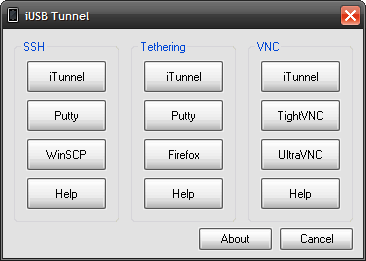
iUSB Tunnel is a simple gui that brings together ssh, tethering and vnc applications in one application. with iUSB Tunnel you can access your iPhone over usb on a Windows machine using ssh, tethering and vnc. Best of all its a lightweight program and portable so you can run it from a usb stick if you want. It comes loaded with WinSCP, Putty, Firefox Portable, iTunnel, TightVNC and UltraVNC so you don’t have to download those programs.
Download:
OpeniBoot: Linux console on iPhone

This tool allows you to install the OpeniBoot on iPhone and iPod Touch. This offers the possibility of using the Linux console on our Apple devices. Once the code is installed we will be able to choose whether to enter iPhone OS or start the Linux console. The file to install the OpeniBoot can only be run on Linux or Mac. But there will be a package for Windows users soon.
You can see the video-demonstration here:
Where to download QuickOiB:
Polar coordinates clock for the iPhone [AppStore, Free]
PolarClock is the official polar coordinates clock for the iPhone/iPod Touch. It has arcs which extend from 0 degrees to 360 degrees as the interval (i.e. hour, min, sec) extends. The arcs reset once they reach the end of the arctic interval. It's an interesting and unique way to visualize the time and the moon!
This app is avaliable via AppStore (). The price is $0.99. There is also a free app called Arctic Clock (), which provides similar functionality.
You can download PolarClock as a desktop screensaver: 4.4Mb, 2.0Mb.
via pixelbreaker
QuickPwn & PwnageTool for 2.2 firmware

The new tools are out, thanks to DevTeam. Here are couple notes:
If you have a 3G iPhone and want potential soft unlock in the near future do NOT use QuickPwn, and do not use the official ipsw or the iTunes update process without using PwnageTool.
Preserving the baseband will give you the maximum chance for any upcoming software unlock. To upgrade your phone to 2.2 and preserve the state of the baseband you need to create a custom .ipsw with PwnageTool. This custom .ipsw will not contain the baseband update but of course will still allow all the cool new stuff from 2.2.
The ‘late 2008’ MacBook/air/pro line of computers have an issue with DFU mode. While it’s possible to go from Pwned 2.1 -> Pwned 2.2 (using PwnageTool), you can’t yet go from stock to pwned. If in any doubt use a different machine.
Here are download links:
Bittorrent Releases
- PwnageTool 2.2.1 for Mac OSX is SHA1 Sum - 3a91f2bf4f342baaa700ae7d35959d7ade186134
- QuickPwn 2.2 for Mac OSX is SHA1 Sum - 254b8af0e19870a4660b7b11e3b6f6ae1d6bc66f
- QuickPwn 2.2 for Windows is SHA1 Sum - ffdbc561224c61ffc2713cb6a6e696b6d429c4ca
Mac PwnageTool 2.2.1
Mac QuickPwn 2.2
Windows QuickPwn 2.2
iFunBox updated to v0.7.224.86
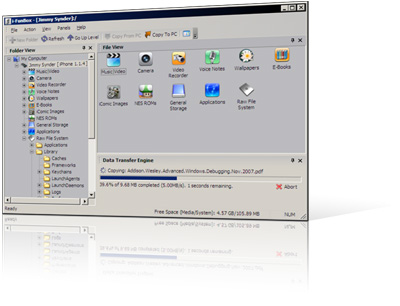
1. Thumbnail view supported for wallpapers, camera and all other folders.
2. Support Symlink for the filesystem of firmware 2.0. All .app can be listed in Application folder.
3. Downloading music and movie from iPhone with filename encoded with album name and artist name.
4. Support E-Books, converting plain text to UTF-16 automatically.
Limitations:
Uploading music and movie to iPhone is now disabled on devices with firmware 2.x.
QuickPwn 2.1 for Windows is ready
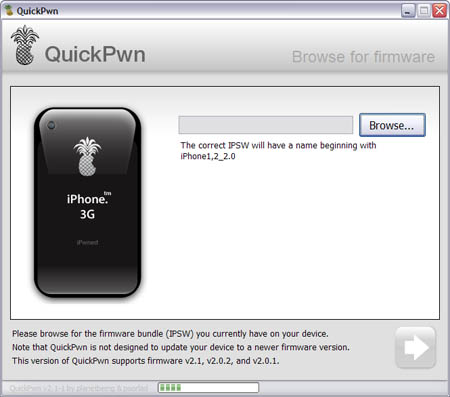
Congratulations, Windows users. The support for new firmware 2.1 is added. So here is what you can do:
- Support for FW v2.0.1, v2.0.2, v2.1.0
- Jailbreaking and Pwning iPhone 2G, iPhone 3G and iPod Touch
- Adding Cydia and Installer
- Replacing boot logos
- Unlocking iPhone 2G
Changes from QuickPwn RC3
- Support for firmware 2.1
- Auto-detection of firmware version, insistence on correct firmware bundle to prevent user epic fail.
- Use of iASign to activate to prevent bspatch epic fail.
- Removed buggy and never really tested 2.0 support
Sorry, no jailbreak for new iPod Touch and no unlock for iPhone 3G.
Here are download links:
Firmwares v2.1: ,
Related posts:
iFunBox - iPhone file browser
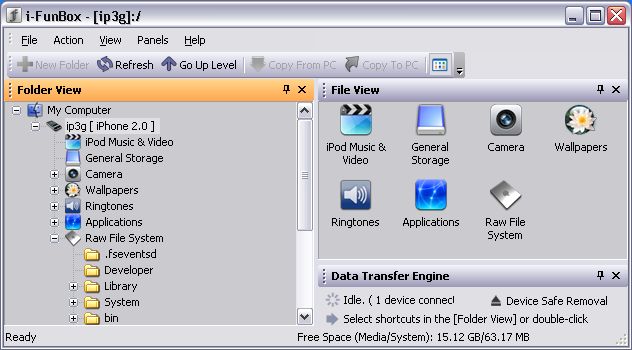
iFunBox is an iPhone file browser for MS Windows. It is quite useful. I use iPhoneBrowser tool, and this one I like very much. It is free, download .
| iPhone File Manager > Navigation, Upload and Download > Quick Preview, Drag&Drop > Delete, Rename and Move > Asian / Long Filename Support |
iPhone Portable Disk > Realtime Progress Indicator > High Speed Data Transmission > Scheduled Data Transferring > Recursive Copy Subfolders |
Managing iPod Music & Movie > iTunes© Managed Media Files > Upload Songs and Movie > Sort and Selection > Copy to PC with Friendly Title |
Upload Wallpaper in Batch > Wallpapers in iPhone > Batch Uploading and Conversion > Change Image Resolution > High Quality Image Resizing |
 Leave a comment, read comments [2]
What apps do not work with OS 2.1 yet?
According to reports in the toucharcade.com and macrumors.com comments
List of Apps affected by the 2.1 software update beside number of forum reports: (in order of reports)
> 20 reports
Last.fm: (no audio) Developer aware, v2.0 update in transit
Zen Pinball: (no graphics white screen) Developer aware, v2.1 update in transit with improved frame rate, responsiveness, and graphics
Toybot Diaries: (corrupted sound effects) Developer aware, v1.2 update in transit
10 or more reports
Alli's Jigsaw:(cannot select new image) Developer aware, update in transit
QuickPwn, PwnageTool and WinPwn

There are so many tools, some for Mac OS, others for Windows, different versions... Complicated. So let's summerize a little bit.
If you have iPhone 3G, you'll be able to install 3-rd party non AppStore applications (through separate applications called Cydia and Installer) and run these applications. If you have old iPhone, in addition to that you'll be able to unlock the device (use with any carrier).
There are two methods: quickpwn and custom firmware method. First one is for quikly pwning and jailbreaking the device without restore. You should use it if you have unlocked device or an AT&T contract.
If you are Windows user:
- Go for . The current version is 2.5.0.2 (also called 2.5 beta-2). Download . It supports both iPhone and iPhone 3G, firmwares 2.0, 2.0.1, 2.0.2. You can use either quickpwn or custom firmware method.
- There is a separate tool for Windows. The current version is RC3. Download . Do you need it? Yes, if you want to quick pwn and you do not like WinPwn (or you had problems with it).
If you're using Mac OS:
- Go for PwnageTool. The current version is 2.0.3.1. Download . Works with 2.0, 2.0.1, 2.0.2 firmwares using custom-firmware method.
- There is a version of QuickPwn tool for MAC OS. The current version is 1.0.0. Download . It works only with firmware 2.0.2. Do you need it? Yes, if you want to quick pwn.
QuickPwn is not a replacement for PwnageTool, they are different tools and provide different features, QuickPwn is for quickly pwning a device, whereas PwnageTool is designed to custom build and tailor the ipsw production process, both tools will be actively developed in the future.
WinPwn 2.5.0.2
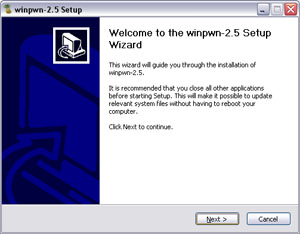
This is the most famous Windows-based utility to jailbreak and unlock Apple's iPhone and iTouch.
Release notes:
- The new nice interface
- Very very very easy to use
- Support for firmwares 2.0/2.0.1/2.0.2
- Root partition resize support
- Installer support
- Basic / Expert modes
- Wizard style interface
- Automatic updater
- Support for WinXP and Vista 32/64bit.
Notes:
- Why is it beta? It's just the saying.. Use at your own risk
- You MUST do a full uninstall of winpwn before installing the new version
- Make sure you have the latest version of iTunes (7.7 and above)
Bug fixes
- Crash when building ipsw
- Quickpwn crash bug fix
Download WinPwn 2.5.0.2:
QuickPwn updated to 1.2.0
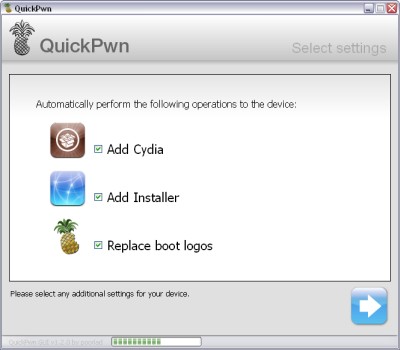
QuickPwn for Windows is updated. Support for all 2.x firmwares is added. So now you can QuickPwn and jailbreak the device if it is running 2.0, 2.0.1 or 2.0.2.
DevTeam reminds that it is still beta software, so usual rules apply, no complaints if anything goes wrong and use the tool at at your own risk!
Using QuickPwn does not update the firmware itself, this tool is designed to ‘Pwn’ (the ability to install future custom non-Apple firmwares) , ‘Jailbreak’ and install Installer and/or Cydia on a given device. If your device is running 2.0.1 and you QuickPwn it, it’ll still be running 2.0.1, although it will now be Pwned and Jailbroken. It will also activate (not unlock) devices that are being used outside of their intended territories and cannot be activated using iTunes.
If you want to update to 2.0.2 then use the normal iTunes update to get to 2.0.2 and then use QuickPwn to Pwn, Jailbreak and Activate, remember that the 2.0.2 update includes a baseband update for the 3G iPhone, so depending what your long term intentions are for the phone, update wisely, of course in the upcoming PwnageTool application you’ll be able to create a custom ipsw without the baseband update enabled.
PS: Mac OS version is on it's way.
QuickPwn GUI Version
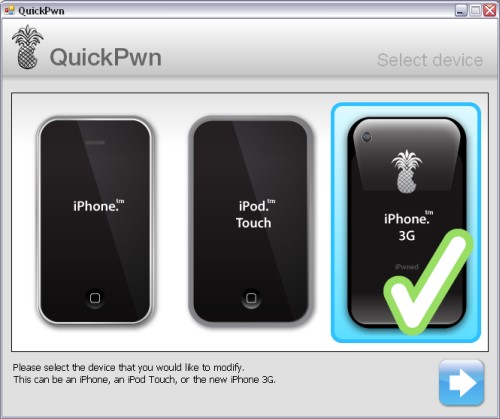
This is a GUI version of for Windows.
It is available for download , but beware this is still beta software. It is fairly self explanatory and easy to use. You’ll still see a command-line window popping up when the actual QuickPwn process takes place, but the device and ipsw selection is handled by the GUI.
QuickPwn Beta
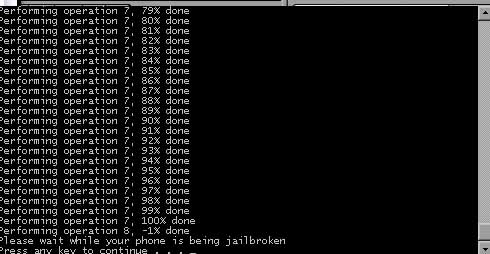
DevTeam created a quick solution for jailbreaking an iPhone. It is called QuickPwn. It is in beta, so be careful. It will allow you to pwn (jailbreak) your device very quickly without restoring!
Who should use this tool? This is for those that are not planning to restore. It’s not clear what the activation state is after the process therefore, I only recommend this for those that have a contract carrier or an unlocked phone already.
If you are on a stock device and using AT&T or a contract carrier, this is the perfect jailbreak for you. You will not lose your contacts or have to do any backups. Finally, if you are going to restore anyway, especially if you need to unlock a 2g, you may as well use winpwn or such.
Currently QuickPwn requires your device to be running version 2.0.1 of the iPhone/iPod firmware. And it runs only on Windows. This requirement will change in a subsequent release.
You can download it .
New version of ZiPhone unlock is on it's way?
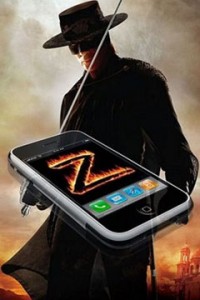
ZiPhone just posted some news on his blog:
"Next generation of ZiPhone is in the works.
It will be as simple as Apple would have done it.
A simple one click program.
A 5 seconds run.
Stay tuned."
Well, hopefully we'll see something soon.