 iPhoneRoot.com

News from category ‘Software’
Apple Stores to use new Concierge app for customer check-ins
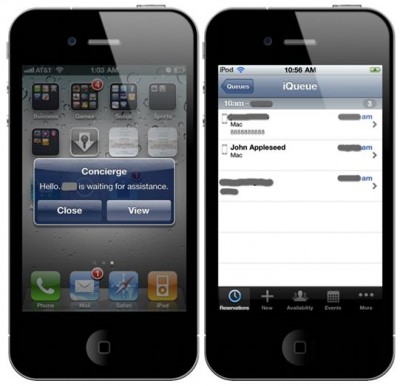
Soon every Apple retail stores will have its own Concierge. That means that every Apple store will launch a new wireless check-in service. Such service will allow employees to manage a queue of customers via a custom iOS app called Concierge.
iPhoto '11 Upgrade Causing Headaches for Some Users
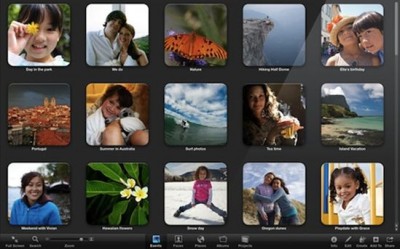
9 to 5 Mac reports that more and more number of users claims that they are experiencing some problems with the newest version of iPhoto’11. Users find some or all their photos disappearing after software upgrade. Somebody looses all or some photo libraries, data while upgrade process. iPhoto '11 also drops support for older AppleTVs and photo calendars. The only and best solution for these problems is backing up the existing iPhoto libraries and data before starting upgrade.
“Special Education” Section Appears In App Store

Recently a new custom section titled “Special Education: Learning for Everyone.” has appeared in the App Store. Apple includes ten following subsections in this new section: Sign Language, Communication, Accessible Readers, Diagnostics & Reference, Emotional Development, Seeing & Hearing, Language Development, Literacy & Learning, Organization, and Life Skills. Go and check it in the App Store!
iPad OS 4.2 'Orientation Lock' to 'Mute Switch' Change Permanent
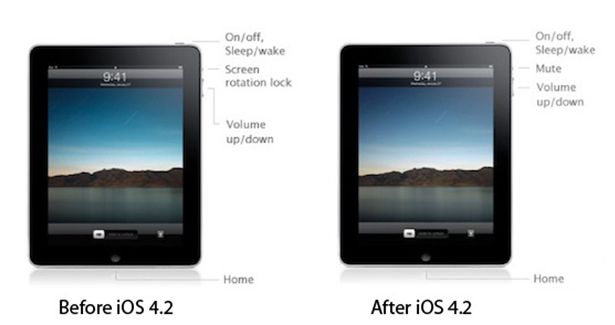
Before iPad was released, Apple had announced that the hardware switch on the side of the iPad would be a mute switch, just like on the iPhone. But in March the company changed its plans. The mute-switched button was transformed into an orientation-lock. And now, it seems that Apple decided again to change the switch’s purpose via a software update. In new iOS 4.2, expected to be released in November, the orientation-lock button will be transformed again into a mute-switch. You’ll be able to lock screen orientation via a menu to the left of the multitasking dock.
The first Presidential iPad autograph?
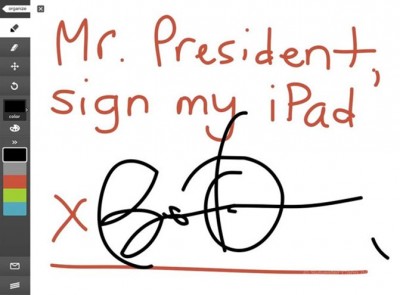
Sylvester Cann become a lucky owner of a unique autograph of the US President Barack Obama. While recent rally at the University of Washington in Seattle, the President signed his iPad. We believe that this is the first presidential iPad autograph!
Apple responds on missing Flash in new MacBook Airs

We know that the newly released MacBook Airs are shipping without a preinstalled version of Flash. It seems that Apple put more and more distance between itself and Adobe. But the company ensures us that this change was done to keep their user always up to date. Apple even issued an official comment:
PwnageTool 4.1.2 is now available
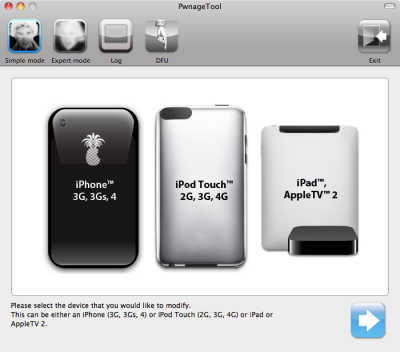
Just a day after PwnageTool 4.1.1 release, DevTeam created one more update for popular jailbreak utility - PwnageTool 4.1.2 for Mac OS X. This release should solve some problems that users had. However there are still users reporting iTunes errors when restoring custom firmware. Anyway PwnageTool 4.1.2 is worth trying.
You can download PwnageTool 4.1.2 here.
Here is a step-by-step Tutorial: how to jailbreak and unlock your iPhone using PwnageTool.
UPDATE: Please, consider reading our Jailbreak & Unlock FAQ, especially if you have questions or troubles.
Mac OS X 10.7 Lion: noticing the scroll bar
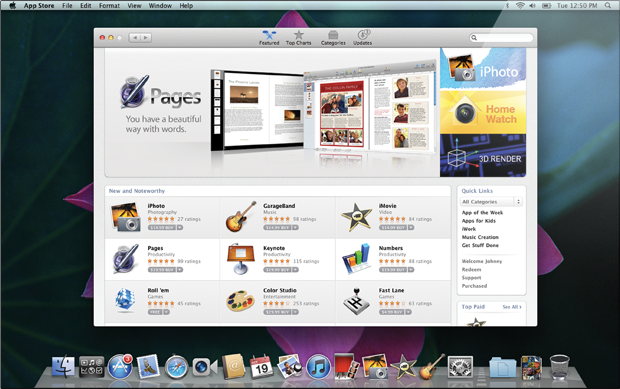
Recently we posted some new information on the next Mac release, but the presentation of Steve Jobs also revealed some changes in the way how the scroll bars work.
With implementing of full screen view for apps it was noticed that in most cases the scroll bar vanishes every time it is not being used.
Read the rest of this entry »
Apple loses interest in Java for Mac OS X
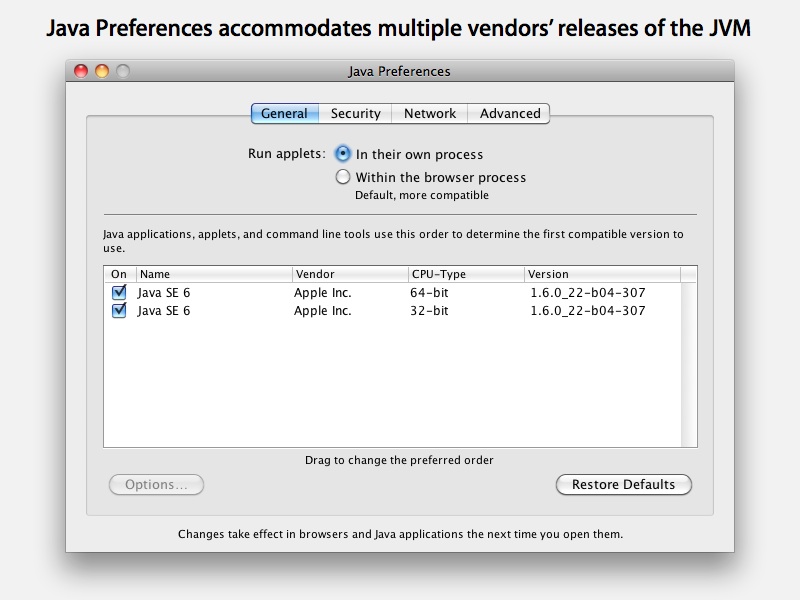
This week Apple released "Java for Mac OS X 10.6 update 3" and "Java for Mac OS X 10.5 Update 8", which brought bundled support for Java SE 6 up to version 1.6.0_22 in Snow Leopard and Leopard respectively. Along with that company noted that the version of Java that initially ships with Mac OS X is now deprecated.
"This means that the Apple-produced runtime will not be maintained at the same level, and may be removed from future versions of Mac OS X. The Java runtime shipping in Mac OS X 10.6 Snow Leopard, and Mac OS X 10.5 Leopard, will continue to be supported and maintained through the standard support cycles of those products."
PwnageTool 4.1.1 is now available
Today DevTeam released new version of jailbreak utility PwnageTool 4.1.1 for Mac OS X. This release solves some of the problems with the previous version 4.1. Many users had errors with restore process, some had Cydia crashes. If you had any problems with PwnageTool 4.1 - we recommend you try to use the new version PwnageTool 4.1.1.
You can download PwnageTool 4.1.1 here.
Here is a step-by-step Tutorial: how to jailbreak and unlock your iPhone using PwnageTool 4.1.1.
UPDATE: Please, consider reading our Jailbreak & Unlock FAQ, especially if you have questions or troubles.
Mac OS X 10.7 Lion Will Have Some of the iOS features

As it was announced by Steve Jobs on the "Back to Mac"event, the next version of Mac OS X is dubbed as "Lion" and will come next summer, bringing some of iOS features to the platfrorm. According to Apple, Lion is being developed with taking into account the innovations that iPad brought with its software:
"Lion brings many of the best ideas from iPad back to the Mac, plus some fresh new ones like Mission Control that Mac users will really like. Lion has a ton of new features, and we hope the few we had time to preview today will give users a good idea of where we are headed."
New MacBook Air features USB software reinstall drive
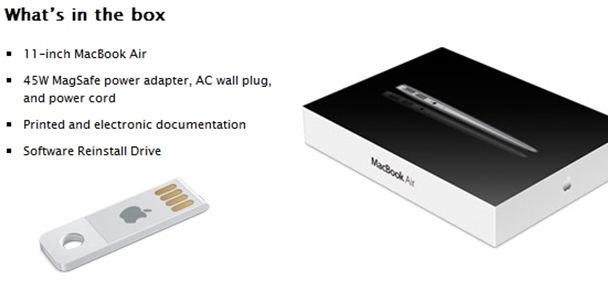
Now Apple decided to supply with the just launched new MacBook Air a solid state reinstallation drive that plugs into the USB port. It looks like a mini USB dongle only without storage space and shielding. So, Apple is the first company, decided not to use ordinary CDs or DVDs as reinstall drives. And now the Internet is full of titles, which call Apple the “CDs killer”.
First Look: Apple's new Mac OS X 10.7 Lion

As already known, the new Apple’s Mac OS X 10.7 Lion is planed to be released next summer. New operating system will adopt some iOS features. Now Apple works to bring many of its mobile innovations into the next version of Mac OS X 10.7. So, Apple will add the following the mobile-optimized features to the Mac from iOS:
Step-by-step Tutorial: how to jailbreak and unlock your iPhone using PwnageTool 4.1.2 (Mac)
These are instructions on how to jailbreak your iPhone using PwnageTool 4.1.2 for Mac OS X. If you need unlock and you have not updated to iOS 4 you will be able to preserve baseband and unlock iPhone using ultrasn0w.
This guide will work for iPhone 4, iPhone 3GS, iPhone 3G, iPod Touch 3G, iPod Touch 4G, iPad and AppleTV. Just use the right firmware and select the right device (step four).
UPDATE: Please, consider reading our Jailbreak & Unlock FAQ, especially if you have questions or troubles.
Step One
Make a folder called "Pwnage" on the desktop. Now you need to download there PwnageTool 4.1.2 from here and iOS 4.1 firmware from here.
When downloading the IPSW file, it is best to download it with Firefox since Safari often auto extracts it!
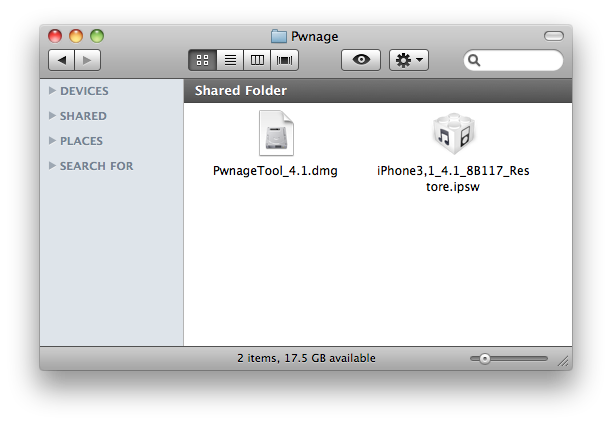
Step Two
Double click to mount PwnageTool then drag the PwnageTool icon into the Pwnage folder.
 Leave a comment, read comments [33]
PwnageTool 4.1 released
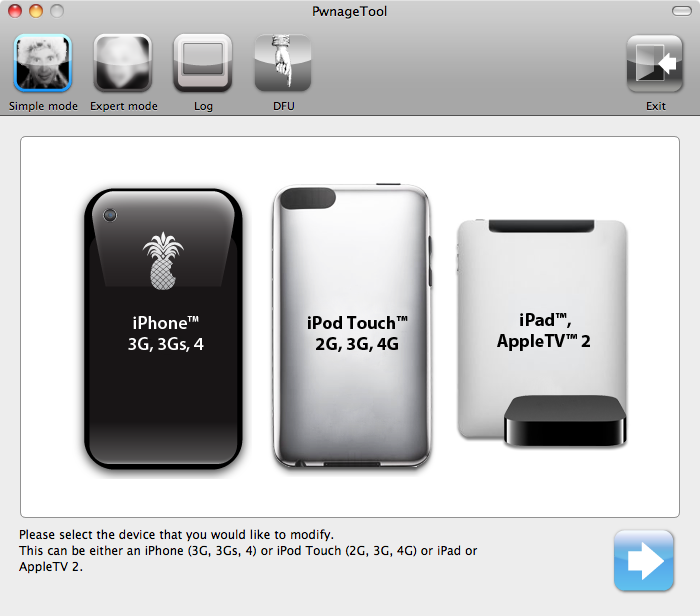
The iPhone DevTeam has just released jailbreak utility PwnageTool 4.1 for Mac OS X.
PwnageTool allows you to restore to a custom IPSW file. The main advantage of PwnageTool is for unlockers. It gives the ability to keep current baseband and preserve ultrasn0w unlock. This is only for those, who have not updated to iOS 4.1 by themseleves.
You can also add whatever packages you want in the “Expert” mode of PwnageTool, if you wish to pre-install something from Cydia.
Here is a list of supported devices:
- iPhone4
- iPhone 3GS
- iPhone 3G
- iPad (firmware 3.2.2)
- AppleTV 2G
- iPod touch 4G
- iPod touch 3G
You can download PwnageTool 4.1 here.
UPDATE: PwnageTool 4.1.1 is now available
Here is a step-by-step Tutorial: how to jailbreak and unlock your iPhone using PwnageTool 4.1.1.