 iPhoneRoot.com

News tagged ‘beta’
What's new in iPhone OS 3.0 beta 2?
Here is an unofficial changelog of iPhone 3.0 beta2 firmware:
- Better Spotlight feature
- Better Copy-Cut-Paste
- Greater speed and overall stability
- MMS natively supported (without any hack) for a lot of new countries
- In-App Purchase first APIs released
- Push notifications first APIs released
- New APIs available to developers
- Bugs afflicting Beta 1 fixed
- Safari’s lower bar is no more transparent
- New “Store” entry in Settings App: it links to a blank page
- Contacts now divided in “All contacts”, “All contacts on My iPhone” and “All contacts (Mobile Me)”
- New Safari’s landscape mode when clicking on a image or a link
- Anti-phishing mode in Safari. Activate it in Settings App > Safari, switching Fraud alert ON. The green title bar on 3.0 firmware means a security certified and reliable website. The “htpps” protocol icon instead has been moved on the left of the title.
- SpringBoard has now up to 11 pages and 180 applications.
via ispazio
iPhone 3.0 Beta 2: 11 Home Pages, 180 Apps
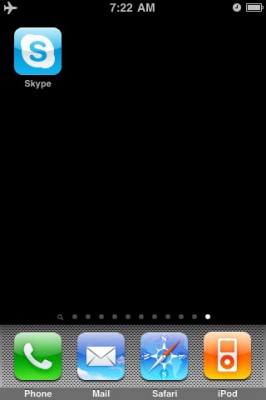
In yesterday’s iPhone 3.0 Beta 2 firmware Apple has enabled 11 Home Screen pages for app storage, up from the previous 9. This raises the total number of apps available on the iPhone at once to 180 (up from 148).
via theiphoneblog
Firmware 3.0 Beta 2 is released
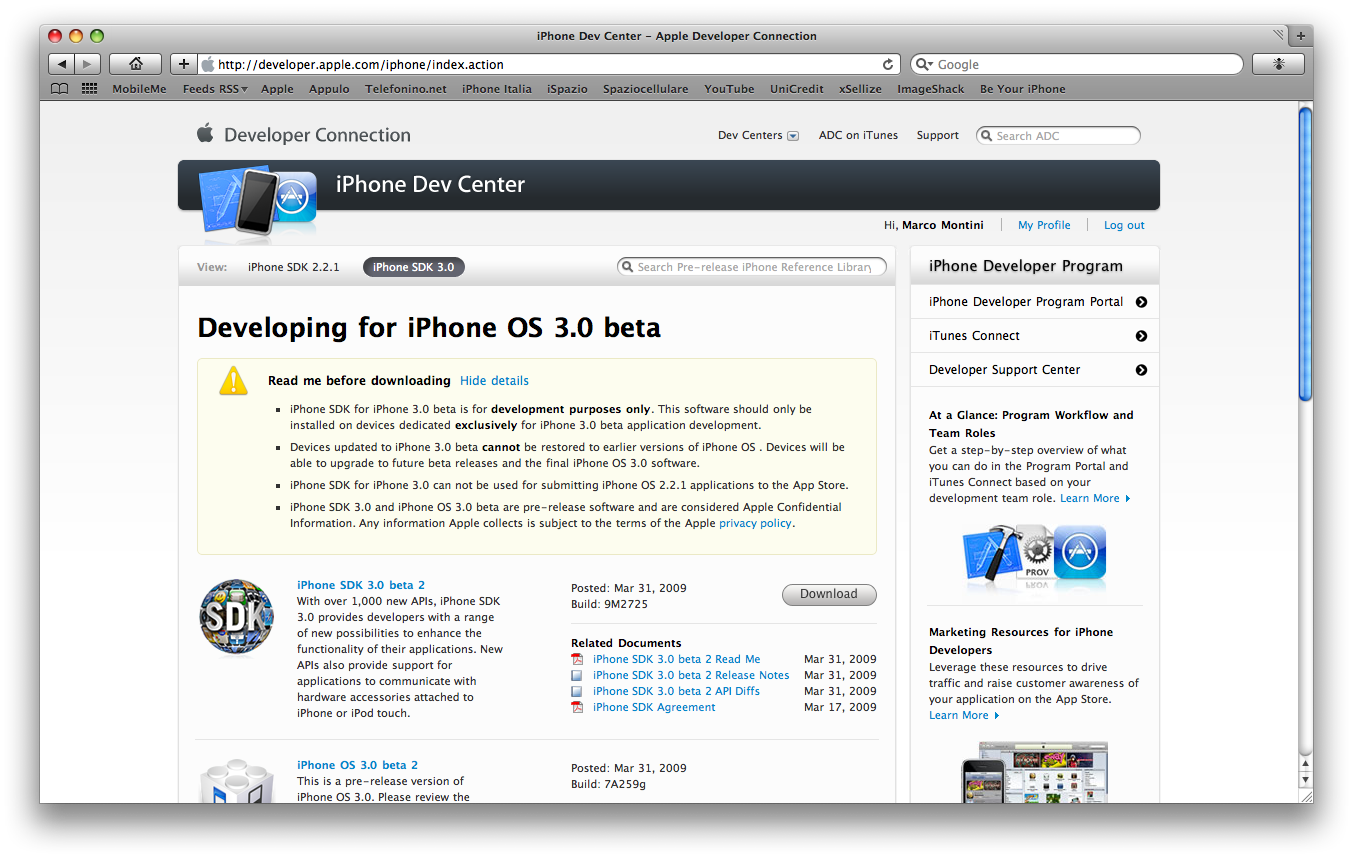
The new firmware 3.0 Beta 2 is released. The code of the new build is "7A259g". No info about new added features is avaliable yet.
 Leave a comment, read comments [1]
Firmware 3.0 Safari benchmarks
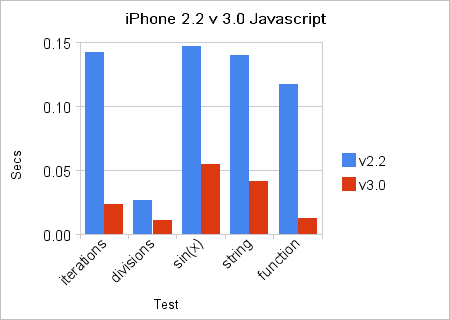
While still in beta, the Firmware 3.0 includes a new version of Safari that integrates the latest WebKit. It uses SquirrelFish Extreme ("Nitro") as an engine for JavaScript. The benchmarkes shows that the new firmware is 3 to 10 times faster, depending on the type of action.
Google Sync for iPhone
Google has released Sync support to instantly coordinate your Google Calendar and Contacts. Avaliable in Beta for iPhone (), but works already. Do not forget to backup everythong before using 🙂
Reminder: Google Sync uses the Microsoft Exchange ActiveSync protocol, all existing Contacts and Calendar events will be removed from your phone.
Flash for iPhone is now avaliable
It is called . This Safari plugin is avaliable in for iPhones. Just add Cydia repository d.imobilecinema.com. Still in beta, but works! Watch the video:
Jailbreak for iPhone firmware 2.2 beta 2
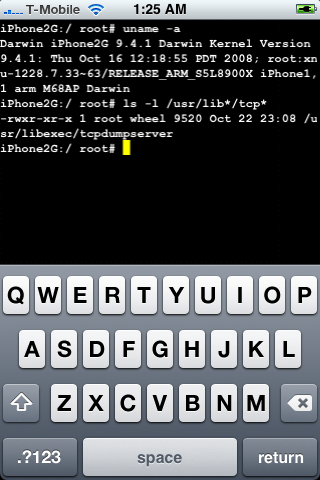
DevTeam posted a screenshot of jailbreaked and unlocked iPhone 2G with new firmware . This is cool that Apple still doesn't have anything to prevent this.
Related post:
iPhone firmware 2.2 beta 2
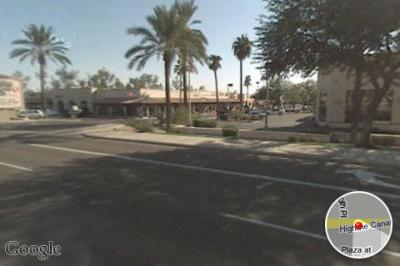
Apple has seeded iPhone 2.2 Firmware Beta 2 and has fully enabled Google Street View. Beta 1 of iPhone 2.2 had hidden APIs related to the Street View for Google Maps, but was not enabled.
The seed notes also indicated that Line-in audio accessories are now supported in the SDK.
via theiphoneblog and macrumors
Tutorial: How to perform Jailbreak, Activation and Unlock (Windows)
UPDATE: Please, consider reading our Jailbreak & Unlock FAQ, especially if you have questions or troubles.
This is a step-by-step tutorial. If you have iPhone 3G this guide will help you jailbreak and activate the device. For iPhone 2G it will also perform the unlock.
I recommend using 2.2 firmware, because iPhone 3G . But you can use it with old v2.1, v2.0.1 and v2.0.2.
iPhone 2.2: Google Street View, Emoji, Auto-Correction Off
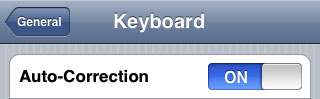
Apple a bit more than a week ago. Couple more features were hiden there.
First of all Apple has addressed one common request within the iPhone's Keyboard settings, allowing users to disable the iPhone's auto-correction.
The other feature is for Japanese market - Japanese emoji icons. The lack of emoji support has been blamed as part of the reason for slow iPhone adoption in Japan.
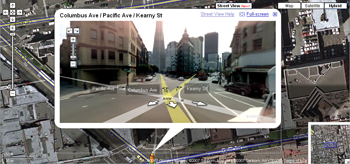
The third new feature is Street View. It allows users to view panoramic street level photographs in select cities within the Google Maps application.
Hopefully we will see more new features in this and next beta's of 2.2 firmware.
via macrumors
Related articles:
Jailbreak on firmware 2.2 beta 1
appeared just a day ago. It seems that DevTeam never sleeps 🙂 They published a screenshot of jailbreaked iPhone 2G with this new firmware:
It runs Terminal.app (non-apple application) running on 2.2b1 firmware. Thay say that version 2.2 is still vulnerable to pwnage and quickpwn on everything but iPod Touch 2G.
No news about software unlock for iPhone 3G or jailbreak for iPod Touch 2G.
Firmware 2.2 - new Safari interface
Apple just published firmware 2.2 beta 1 for developers. It is accompanied by a new beta of the iPhone SDK (build 9M2611). There are not much news about new features and improvements... but iphoneatlas already published a screenshot of new Safari interface, that is in firmware 2.2:
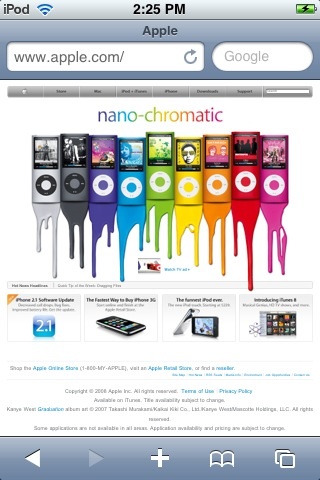
The new MobileSafari doesn't have the magnifying glass and refresh buttons at the top of the screen. There are the URL bar and search fields side-by-side instead. It looks much like the desktop version. Page refreshes are now accomplished via a tiny icon located inside the URL bar.
via iphoneatlas
CopierciN - copy/paste for iPhone
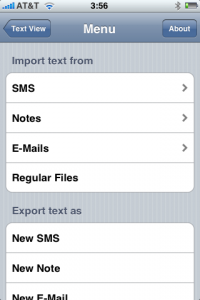
CopierciN is a cool app that implements some copy / paste functionality. It’s in the beta stages but has potential. It lets you import and export between apps like notes, sms, email. Avaliable via Cydia Installer for 2.x firmares.
CopieriN is a basic text editor which, hopefully, bring some kind of copy/paste mechanism to iPhone (to jailbroken ones only, unfortunately). It does not add copy/paste functionality directly to other applications but it provides a mechanism to import text from and export text to SMS, Notes, Mail applications (more to come in the future) and files in the filesystem.
Usage: It basically has two parts: Text Editor and Importer/Exporter. Within the text editor, you can select a piece of text using your finger, cut or copy it, and paste it to a selected location.
QuickPwn, PwnageTool and WinPwn

There are so many tools, some for Mac OS, others for Windows, different versions... Complicated. So let's summerize a little bit.
If you have iPhone 3G, you'll be able to install 3-rd party non AppStore applications (through separate applications called Cydia and Installer) and run these applications. If you have old iPhone, in addition to that you'll be able to unlock the device (use with any carrier).
There are two methods: quickpwn and custom firmware method. First one is for quikly pwning and jailbreaking the device without restore. You should use it if you have unlocked device or an AT&T contract.
If you are Windows user:
- Go for . The current version is 2.5.0.2 (also called 2.5 beta-2). Download . It supports both iPhone and iPhone 3G, firmwares 2.0, 2.0.1, 2.0.2. You can use either quickpwn or custom firmware method.
- There is a separate tool for Windows. The current version is RC3. Download . Do you need it? Yes, if you want to quick pwn and you do not like WinPwn (or you had problems with it).
If you're using Mac OS:
- Go for PwnageTool. The current version is 2.0.3.1. Download . Works with 2.0, 2.0.1, 2.0.2 firmwares using custom-firmware method.
- There is a version of QuickPwn tool for MAC OS. The current version is 1.0.0. Download . It works only with firmware 2.0.2. Do you need it? Yes, if you want to quick pwn.
QuickPwn is not a replacement for PwnageTool, they are different tools and provide different features, QuickPwn is for quickly pwning a device, whereas PwnageTool is designed to custom build and tailor the ipsw production process, both tools will be actively developed in the future.
WinPwn 2.5.0.2
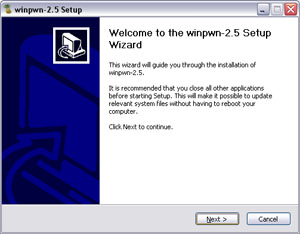
This is the most famous Windows-based utility to jailbreak and unlock Apple's iPhone and iTouch.
Release notes:
- The new nice interface
- Very very very easy to use
- Support for firmwares 2.0/2.0.1/2.0.2
- Root partition resize support
- Installer support
- Basic / Expert modes
- Wizard style interface
- Automatic updater
- Support for WinXP and Vista 32/64bit.
Notes:
- Why is it beta? It's just the saying.. Use at your own risk
- You MUST do a full uninstall of winpwn before installing the new version
- Make sure you have the latest version of iTunes (7.7 and above)
Bug fixes
- Crash when building ipsw
- Quickpwn crash bug fix
Download WinPwn 2.5.0.2: