 iPhoneRoot.com

News tagged ‘hack’
iPhone 3G Baseband Downgrade GUI [Cydia]
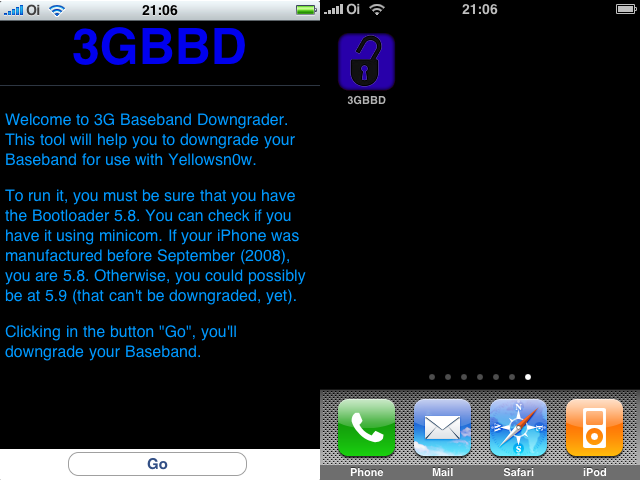
WARNING: This tool is NOT a toy. Just use it if you can’t use yellowsn0w on your 2.2.1 iPhone 3G. Otherwise, DO NOT INSTALL IT JUST TO TEST! YOU HAVE BEEN WARNED!
This software is for iPhone 3G users who upgraged to 2.2.1 firmware, but still need yellowsnow unlock. Yellowsnow doesn't work with 2.2.1 firmware's 02.30.03 baseband. So we need to downgrade it to version 02.28.00, that was used in 2.2 firmware. To downgrade it you need this software, that you can install via Cydia. It is very easy to use. Just download it from Cydia (called 3G BaseBand Downgrage), open the app and click Go.
The 3G Baseband Downgrade just works on iPhones 3G with Bootloader 5.8, that can be detected using minicom. If you don’t know how to use minicom, there’s a “simple” way to know if you are 5.8 or 5.9 (but this is not 100% sure). If your iPhone was manufactured before September (2008), you are 5.8. Otherwise, you are 5.9 (that can’t be downgraded).
 Leave a comment, read comments [1]
What's new in iPhone OS 3.0 beta 2?
Here is an unofficial changelog of iPhone 3.0 beta2 firmware:
- Better Spotlight feature
- Better Copy-Cut-Paste
- Greater speed and overall stability
- MMS natively supported (without any hack) for a lot of new countries
- In-App Purchase first APIs released
- Push notifications first APIs released
- New APIs available to developers
- Bugs afflicting Beta 1 fixed
- Safari’s lower bar is no more transparent
- New “Store” entry in Settings App: it links to a blank page
- Contacts now divided in “All contacts”, “All contacts on My iPhone” and “All contacts (Mobile Me)”
- New Safari’s landscape mode when clicking on a image or a link
- Anti-phishing mode in Safari. Activate it in Settings App > Safari, switching Fraud alert ON. The green title bar on 3.0 firmware means a security certified and reliable website. The “htpps” protocol icon instead has been moved on the left of the title.
- SpringBoard has now up to 11 pages and 180 applications.
via ispazio
iPhone's Wallpaper with notes and calendar events [AppStore, Free]
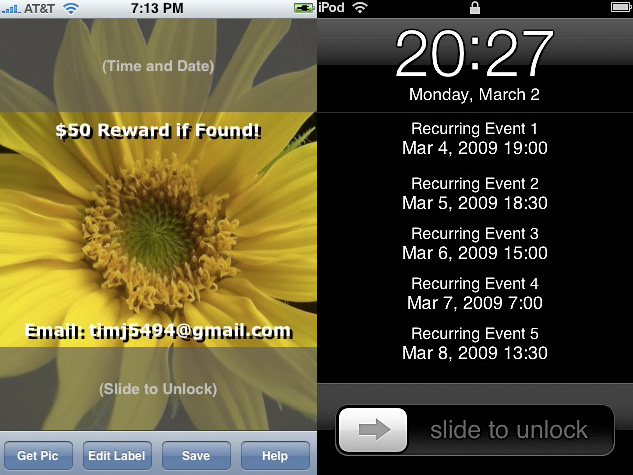
Wallpaper Labeler (AppStore ) and gCalWall Lite (AppStore ) let you add appointments and notes to the home screen. With Wallpaper Labeler, you can enter any text you want to your wallpaper, so you can leave yourself (or whoever finds your phone) notes. The other app, gCalWall, pulls down upcoming appointments from your default Google Calendar and splays them all over your home screen. You have to update it manually, which is kind of a drag, but the dev says that iPhone API won't allow for automatic updating. Both apps are free 🙂
In the past you could only use Intelliscreen paid app on a jailbreaked iPhone.
via gizmodo, lifehacker
Sync Your iPhone in Linux
Apple's 2.0 firmware update generally killed wireless syncing with Linux. Ubuntu users have posted a detailed walkthrough, that describes the new precess that works with 2.x firmwares.
via lifehacker
No Stack app soon [Cydia]

Remember Stack version 2.2 video posted recently? There will be no 2.2. version and current version (2.1) will be removed from the repository quite soon. Why? The developer is angry at hackers, who cracked his apps avaliable in AppStore:
“I have to work extra hard as it is on creating things for the App Store, but when people like paniK go ahead and make my software available to pirates and I watch sales vanish overnight, it means I have to spend much more time on marketing and development for my App Store apps to try and offset my losses, leaving no time for projects like Stack that earn me nothing.”
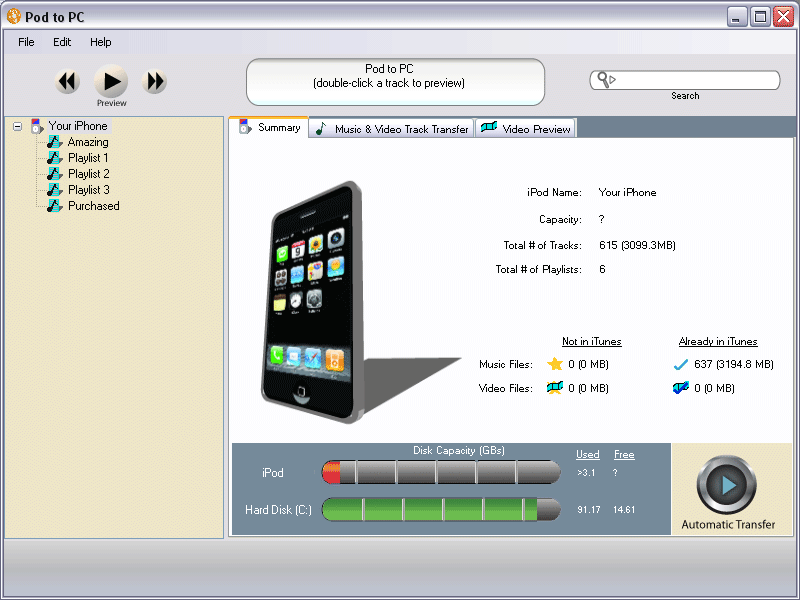
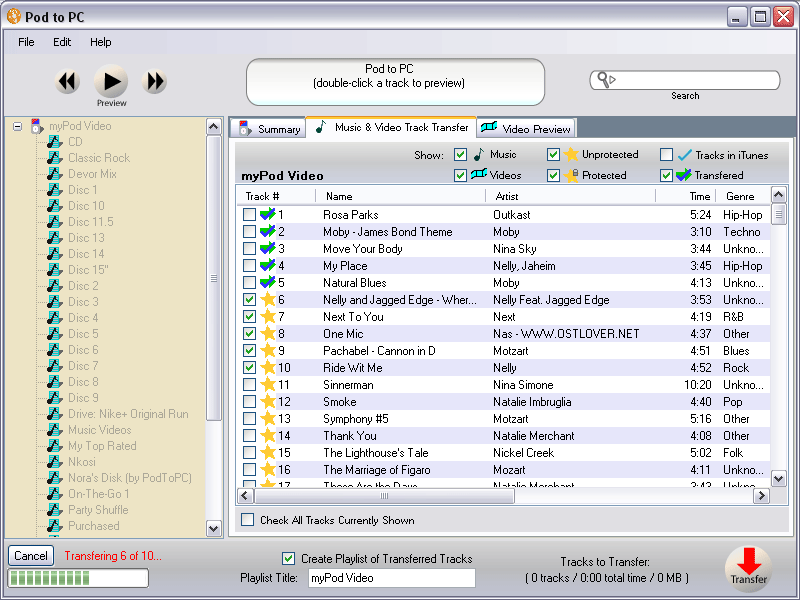
Pod To PC: copy media from iPod/iPhone to PC

is a free software program to transfer data from any kind of iPod or iPhone to a computer. It supports all generations of the iPhone, iPod Touch, iPod Video, iPod Nano, iPod and iPod Shuffle making it an universal tool to transfer data from those mobile devices to a PC.
The software will run on any PC with Windows 2000, Windows XP or Windows Vista installed. The only other requirement is an installation of Apple’s iTunes software. Pod To PC can copy music, videos and playlists from a supported device to the computer. Music and videos can be previewed and filtered on the iPod or iPhone prior to transferring them.
via ghacks
Leave a comment, read comments [3]
yellowsn0w updated to 0.98
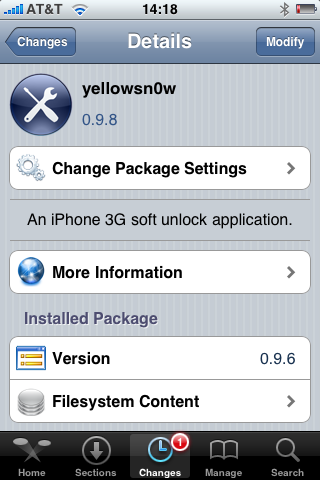
DevTeam updated to version 0.9.8. It will not work with regular 2.2.1 firmware. If you want 2.2.1, you need modified (!!!) firmware 2.2.1, in which old baseband from firmware 2.2 is preserved.
Version 0.9.8 adds strability and fixes some bugs. So If everything works fine, I reccomend just leave it like it is. For example, I use 0.9.6 and feel happy with 2.2 firmware.
Related posts:
Crackulous [Cydia]

Crackulous is an application that cracks AppStore apps. It is avaliable through Cydia for jailbreaked iPhones. Repository is http://irooter.ru
We have not tried it yet. So use it at your own risk.
via hackulo.us
Firmware 2.2.1 is officially hacked

Yes, DevTeam released new version of their software. First of all, please, do NOT use unofficial software from unknows sites (f.e. quickpwm.com). We recommend to download from torrent or official mirors.
We regulary publish latets and links. Use them or the same ones from DevTeam .
So:
- iPhone 2G and iPod Touch: update to 2.2.1 with iTunes and run to .
- iPod Touch 2G: sorry, you need to wait a bit more
- iPhone 3G + NO UNLOCK: If you do not need unlock, you are using your iPhone with one carrier or you hae factory unlcoked iPhone, just restore or upgrade to 2.2.1 using iTunes and use to and add Cydia and Installer.
- iPhone 3G + UNLOCK: you need to preserve current baseband software. Preserving the baseband will ensure that you can still use “” the iPhone 3G . To upgrade your phone to 2.2.1 and preserve the state of the baseband you need to create a custom .ipsw with . This custom .ipsw will not contain the baseband update but of course will still allow all the cool new stuff from 2.2.1. is only available for Mac OS X.
DevTeam updated to version 0.9.7 to work with modified (!!!) firmware 2.2.1, in which you preserve old baseband from firmware 2.2.
Bluetooth hack
There is a project () to unlock the iphone bluetooth. The developers got some interesting progress. They were able to search and find two other bluetooth devices (a sonyericsson phone and an hackintosh) from the iPhone, and transfer some data. Here are several interesting screenshots:
via ispazio
Cydia and Installer Sources (firmware 2.x)

Sources
app.ifonetec.com: http://app.ifonetec.com/cydia/
cake.mapleidea.com: http://cake.mapleidea.com/cydia/
BigBoss & Planet-iPhones: http://apt.bigboss.us.com/repofiles/cydia/
Hack&Dev.org: http://iphone.hackndev.org/apt/
Hackers.nl: http://apt.hackers.nl/
iClarified: http://cydia.iclarified.com/
iPhone-notes.de Repo: http://apt.iphone-storage.de/
ispaziorepo.com: http://ispaziorepo.com/cydia/apt/
ModMyiFone.com: http://apt.modmyifone.com/
Qik: Live Stream Video from iPhone [AppStore, Free]
The developer, Kevin Rose, says this application will be avaliable officially via AppStore. No and hacking. The only concern.. will Apple approve it? I hope so. Watch the video:
PS: It will be free 🙂
Related posts:
iPod Touch 2G hack soon?
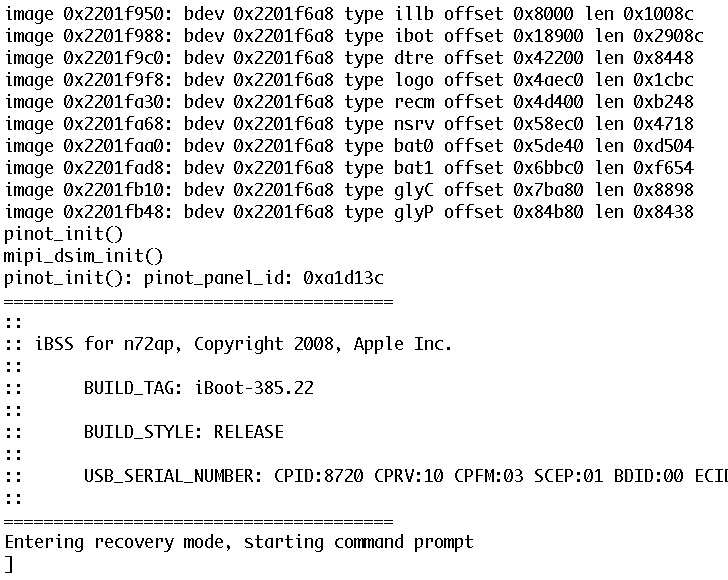
DevTeam published first screenshot about their procress of hacking (jailbreaking, pwning) new iPod Touch. New device has new hardware, that might be used in future iPhones. The DevTeam work just started, so the fun part is coming.
Block ads in Safari browser
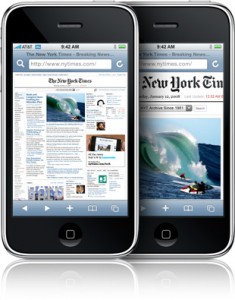
Jamesisbored published a guide, that shows how to block ads, that show up in Safari browser during web surfing.
MobileSafari has one major drawback. Up until now, there was no way to block ads. Ads increase the load time of a webpage, and especially on EDGE cause the internet to crawl. Blocking them will give you a lot of extra speed. This is one of the simplest hacks available for your iPhone. You will need to be Jailbroken and have the 2.0 Update, or later.
- Connect to your iPhone through SSH, iPhoneBrowser, or some other tool.
- Navigate to /etc/.
- Now download replacement hosts file. Replace iPhone's file with this one.
- Restart your iPhone!
This hack has been tested and confirmed to be working on the iPhone 2.1 Update.
iPhone's security issue
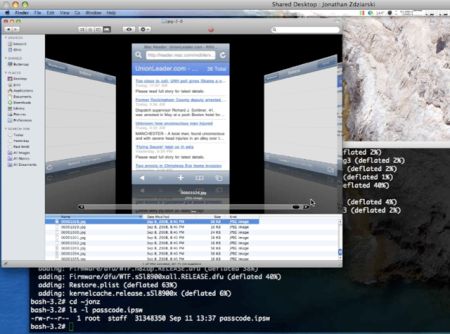
It's amazing, how curious some people are. iPhone hacker and data-forensics expert Jonathan Zdziarski explained that iPhone snaps a screenshot of your most recent action -- regardless of whether it's sending a text message, e-mailing or browsing a web page -- in order to cache it. This is purely for aesthetic purposes: When an iPhone user taps the Home button, the window of the application you have open shrinks and disappears. In order to create that shrinking effect, the iPhone snaps a screenshot, Zdziarski said.
The phone presumably deletes the image after you close the application. But anyone who understands data is aware that in most cases, deletion does not permanently remove files from a storage device. Zdziarski demonstrated that if you know what you're doing (and you've got over an hour), you can recover the file system and see many, many of these grabs.
"This flaw can only be exploited by somebody with physical access to a device, but your phone could get into the hands of someone with more malicious intent," he said. "Obviously, you don't want to trust any of your data to a passcode."
Gadget Lab is also reporting that Zdziarski said forensics experts have actually used this method to solve serious crimes.
via gizmodo and gadget lab