 iPhoneRoot.com

News tagged ‘iPhone 2G’
PwnageTool 3.01 - Update

PwnageTool, the program to unlock and jailbreak iPhone 2G and 3G and jailbreak for the iPod Touch developed by DevTeam, was recently updated to version 3.01. This is a technical update:
- resolves compatibility issues related to PPC (Mac OS X)
- adds Icy
You can download the new version of PwnageTool from here. This update is not for 3.1 firmware and is not for iPhone 3GS, it will not unlock your iPhone 3G - use redsn0w, purplera1n and other tools.
16 GB iPhone 3GS costs $178.96
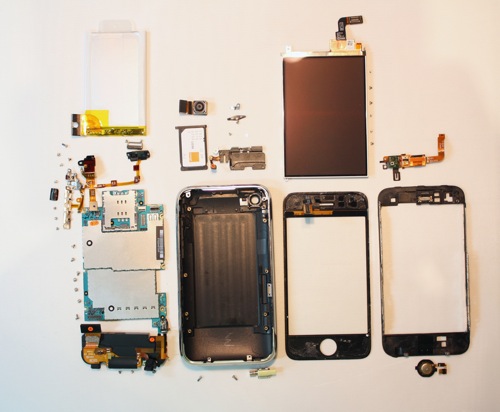
Research firm iSuppli today announced the results of its teardown of the new 16 GB iPhone 3GS, estimating the device's parts cost at $172.46, with an additional $6.50 in manufacturing costs bringing the total cost to $178.96. The data compares to a total cost of $174.33 for the 8 GB iPhone 3G at its launch in July 2008. iPhone 2G was about $226, Palm Pre costs $170.
Here is a complete list:
Firmware 3.0 jailbreak: RedSn0w for iPhone and iPod Touch
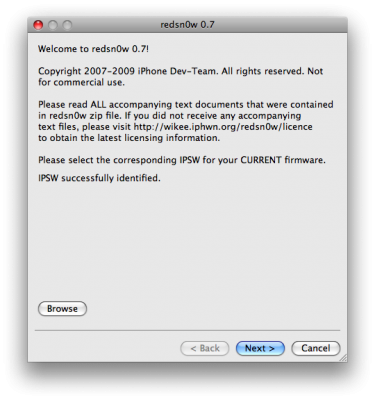
RedSn0w is an easy to use, multi-platform, multi-device jailbreaking and unlocking (iPhone 2G only) tool from DevTeam. It supports firmware 3.0 and iPhone 2G (original iPhone), the iPhone 3G (but not the 3GS) and also the iPod touch (first and second generation):
 Leave a comment, read comments [3]
PwnageTool 3.0 for Mac OSX
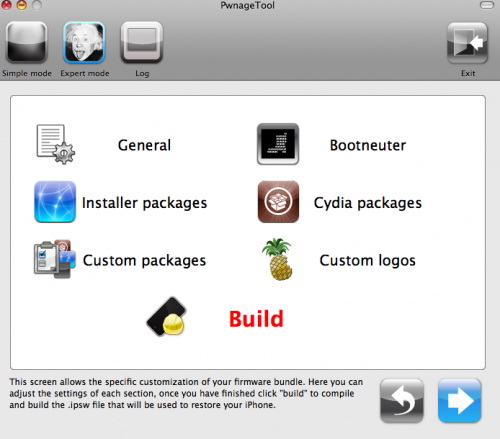
DevTeam released PwnageTool for firmware 3.0. Here is the list of supported deviced:
- iPhone 2G - jailbreak and unlock
- iPhone 3G - only jailbreak, use only with official unlocked iPhones
- iPod Touch - jailbreak
- iPod Touch 2G - not supported, use redsn0w
- iPod Touch 3GS - not supported
If you are using a 3G iPhone with yellowsn0w and rely on yellowsn0w to obtain cellular service, then you should NOT use PwnageTool right now. Ultrasn0w is not included with this release and therefore your baseband will be locked and unable to use an operator other than the official one it was bought for. Ultrasn0w will be release via APT (cydia and icy) soon (update: Ultrasn0w released). If you have an original iPhone (1st generation) then 3.0 unlock works with this PwnageTool release.
Yellowsn0w in its current form will NOT work with the baseband version that is present in the 3.0 update, you will need Ultrasn0w, which will be released sometime soon, Ultrasn0w will work with all iPhone 3G models (but not 3GS), even ones that were previously unlockable, Ultrasn0w will be released via APT (this means you can get it via Cydia or Icy).
PwnageTool will NOT work for the iPhone 3GS. PwnageTool WILL work for Original iPhone (1st Generation), Original iPod touch (1st Generation) and the iPhone 3G.
You can donwload PwnageTool 3.0 here.
Leave a comment, read comments [1]
ultrasn0w - software unlock for firmware 3.0
Here is a demonstration of ultrasn0w - software jailbreak and unlock for new firmware 3.0.
The iPhone2,1 will be identical to the iPhone 3G?
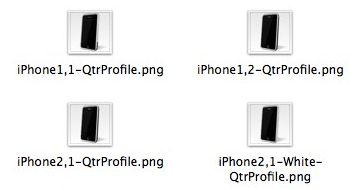
Some users of the forum MacTalk.com.au have examined the latest version of the iPhone SDK 3.0 and have found the icons of all iPhone models. Each of these can be easily recognized. There is "iPhone1, 1" (representing the model EDGE), "iPhone1, 2" (the current 3G) and "iPhone2, 1" which represents a future iPhone models.
As you can see, the icon of iPhone2, 1 is completely identical to that of the 3G model which differs from the EDGE. However these images cannot prove that the next model of iPhone will be completely identical (in appearance) to 3G.
iBluetooth released: file transfer via bluetooth for iPhone [Cydia]
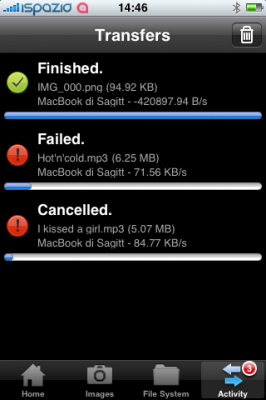
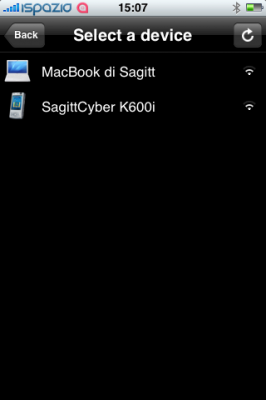
iBluetooth, the world first application that enables the file transfer via Bluetooth on your iPhone, is finally here! You can install it from Cydia (iSpazio Repository).
Firmware 2.2.1 is officially hacked

Yes, DevTeam released new version of their software. First of all, please, do NOT use unofficial software from unknows sites (f.e. quickpwm.com). We recommend to download from torrent or official mirors.
We regulary publish latets and links. Use them or the same ones from DevTeam .
So:
- iPhone 2G and iPod Touch: update to 2.2.1 with iTunes and run to .
- iPod Touch 2G: sorry, you need to wait a bit more
- iPhone 3G + NO UNLOCK: If you do not need unlock, you are using your iPhone with one carrier or you hae factory unlcoked iPhone, just restore or upgrade to 2.2.1 using iTunes and use to and add Cydia and Installer.
- iPhone 3G + UNLOCK: you need to preserve current baseband software. Preserving the baseband will ensure that you can still use “” the iPhone 3G . To upgrade your phone to 2.2.1 and preserve the state of the baseband you need to create a custom .ipsw with . This custom .ipsw will not contain the baseband update but of course will still allow all the cool new stuff from 2.2.1. is only available for Mac OS X.
DevTeam updated to version 0.9.7 to work with modified (!!!) firmware 2.2.1, in which you preserve old baseband from firmware 2.2.
DevTeam about firmware 2.2

DevTeam says that 2.2 update SHOULD NOT be applied using iTunes if you want the chance of a soft-unlock in the near future. Use new version of PwnageTool (not avaliable yet, but will be soon).
Some fact:
- The 2.2 firmware for 3G contains a baseband update for the 3G iPhone
- The 2.2 firmware for 2G (1st gen iPhones) doesn’t contain a baseband update and the baseband is still at 04.05.04
- Pwnage technique (and therefore the Jailbreak) isn’t affected, but and do not support this release as yet, so DO NOT install 2.2 using iTunes as you will lose your
Jailbreak for iPhone firmware 2.2 beta 2
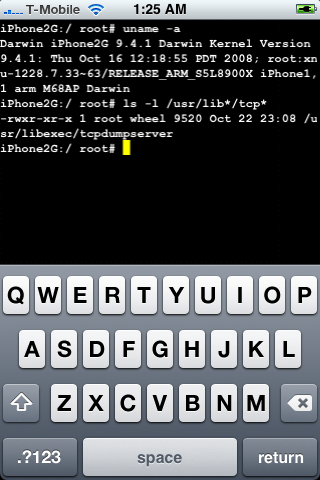
DevTeam posted a screenshot of jailbreaked and unlocked iPhone 2G with new firmware . This is cool that Apple still doesn't have anything to prevent this.
Related post:
Tutorial: How to perform Jailbreak, Activation and Unlock (Windows)
UPDATE: Please, consider reading our Jailbreak & Unlock FAQ, especially if you have questions or troubles.
This is a step-by-step tutorial. If you have iPhone 3G this guide will help you jailbreak and activate the device. For iPhone 2G it will also perform the unlock.
I recommend using 2.2 firmware, because iPhone 3G . But you can use it with old v2.1, v2.0.1 and v2.0.2.
Jailbreak on firmware 2.2 beta 1
appeared just a day ago. It seems that DevTeam never sleeps 🙂 They published a screenshot of jailbreaked iPhone 2G with this new firmware:
It runs Terminal.app (non-apple application) running on 2.2b1 firmware. Thay say that version 2.2 is still vulnerable to pwnage and quickpwn on everything but iPod Touch 2G.
No news about software unlock for iPhone 3G or jailbreak for iPod Touch 2G.
QuickPwn 2.1 for Windows is ready
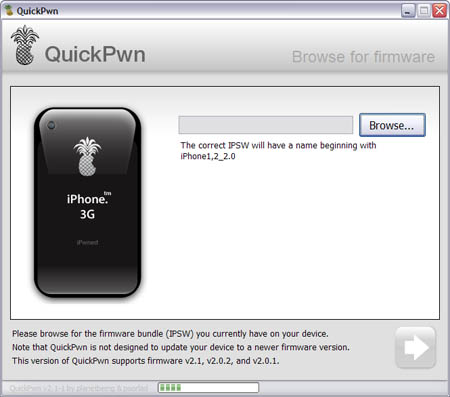
Congratulations, Windows users. The support for new firmware 2.1 is added. So here is what you can do:
- Support for FW v2.0.1, v2.0.2, v2.1.0
- Jailbreaking and Pwning iPhone 2G, iPhone 3G and iPod Touch
- Adding Cydia and Installer
- Replacing boot logos
- Unlocking iPhone 2G
Changes from QuickPwn RC3
- Support for firmware 2.1
- Auto-detection of firmware version, insistence on correct firmware bundle to prevent user epic fail.
- Use of iASign to activate to prevent bspatch epic fail.
- Removed buggy and never really tested 2.0 support
Sorry, no jailbreak for new iPod Touch and no unlock for iPhone 3G.
Here are download links:
Firmwares v2.1: ,
Related posts:
SwirlyMMS - MMS for iPhone with 2.x support
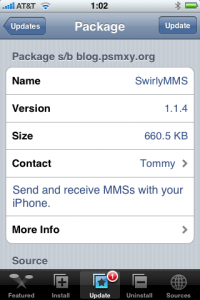
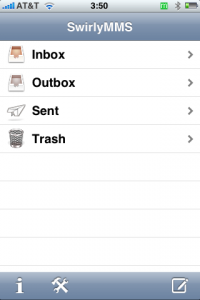
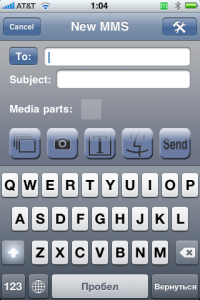
This applicatin allows to send MMS messages. SwirlyMMS is a for iPhone 2G users. Version for 1.x firmwares was in Cydia and Installer for a while. Recently the developers created version for 2.x firmwares. Avaliable through Cydia Installer.
xpwn 0.3 sources are now up
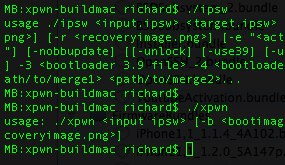
The for xpwn 0.3, the firmware 2.0 version of our cross-platform jailbreaking library/command-line utility have been pushed onto . DevTeam tested it on Linux, Windows XP, and Windows Vista for both the iPhone 2G and iPhone 3G thus far, but since it uses the same FirmwareBundles files as PwnageTool, and we know those work for the iPod touch, there ought not be any problems.
Being a suite of command-line utilities, this release is meant primarily for developers. While you can certainly jailbreak (both 3G and first-gen) and unlock (first-gen) with it, it's not really something you want to try without reading the lengthy, detailed README. If you don't have the patience to do that, this release is not for you.
For users this news mean that quite soon there will be a new version of winpwn, supporting 2.0.