 iPhoneRoot.com

Step-by-step Tutorial: How to Untether Jailbreak and Unlock iPhone 4 Using PwnageTool 5.0.1 (Mac OS) [iOS 5.0.1]
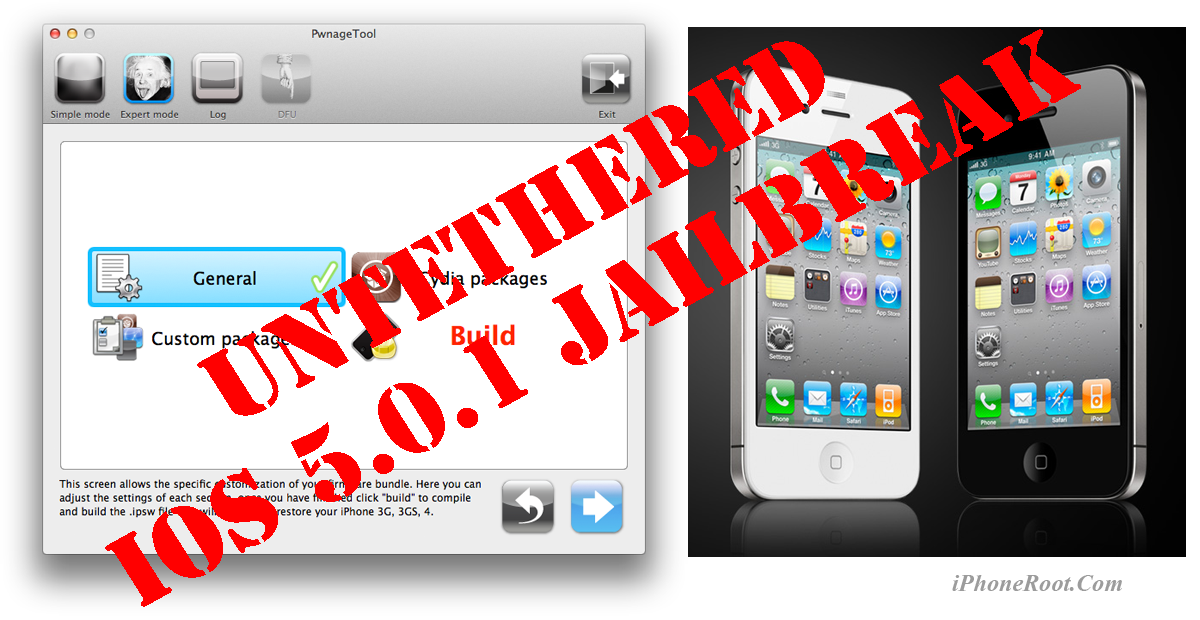
UPDATE: Apple released iOS 5.1 firmware. Apple has stopped signing iOS 5.0.1, so you can NOT restore to 5.0.1 any more. If you are on 5.0.1 you can jailbreak with RedSn0w.
Using this tutorial you will be able to untether jailbreak iOS 5.0.1 running on iPhone 4. Pwnagetool will also preserve baseband version if you need carrier unlock. This tutorial uses PwnageTool 5.0.1 for Mac OS X.
We are not developers of jailbreak utilities, so we cannot assure that everything will work just fine. However we tried this tutorial on several devices and succeeded.
UPDATE: Please, consider reading our Jailbreak & Unlock FAQ, especially if you have questions or troubles.
If you are on iOS 5.0.1 already - you can jailbreak with redsn0w.
Step One
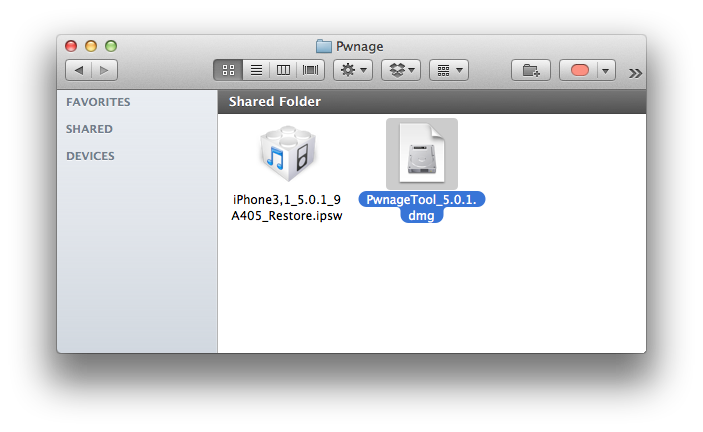
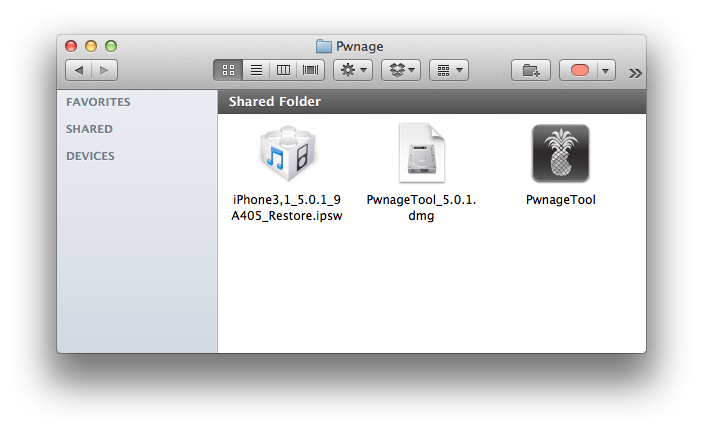
Make a folder called "Pwnage" on the desktop. Download a couple of things:
- PwnageTool 5.0.1 from here
You will also need the iOS 5.0.1 firmware.
- iPhone 4 GSM iOS 5.0.1:
For iPhone 4 CDMA everything is the same, but you should download iPhone 4 CDMA firmware.
When downloading the IPSW file, it is best to download it with Firefox since Safari often auto extracts it!
Step Two
Connect your iPhone 4 to the computer and launch iTunes.

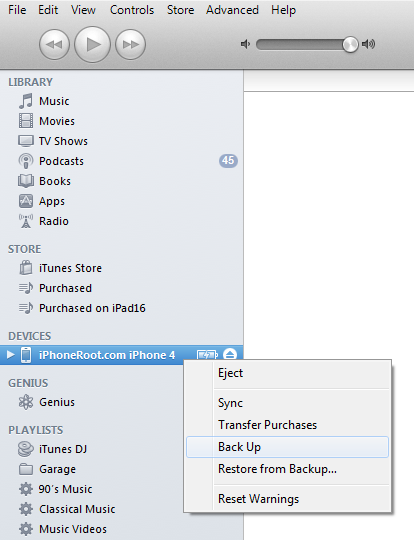
Select your iPhone from the list of devices on the left. Create a backup by right-clicking on iPhone name in Devices (iTunes left pane) and choosing Back Up.
Step Two
Double click to mount PwnageTool then drag the PwnageTool icon into the Pwnage folder.
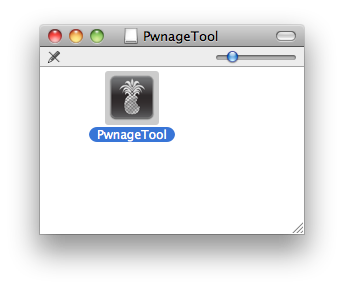
Then from the Pwnage folder double click to launch the PwnageTool application.
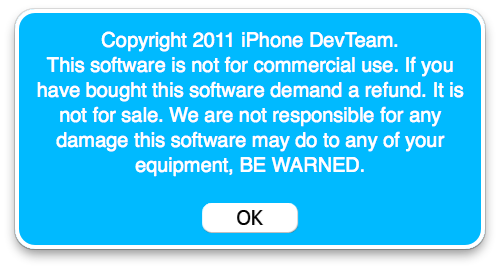
Click Ok if presented with a warning.
Step Three
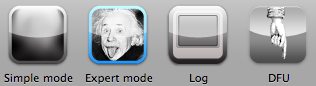
Click to select Expert Mode from the top menu bar
Step Four
Click to select your device. A check-mark will appear over the image of the device. Click the blue arrow button to continue.

Step Five
You will be brought to the "Browse for IPSW" page. Click the Browse for IPSW... button.
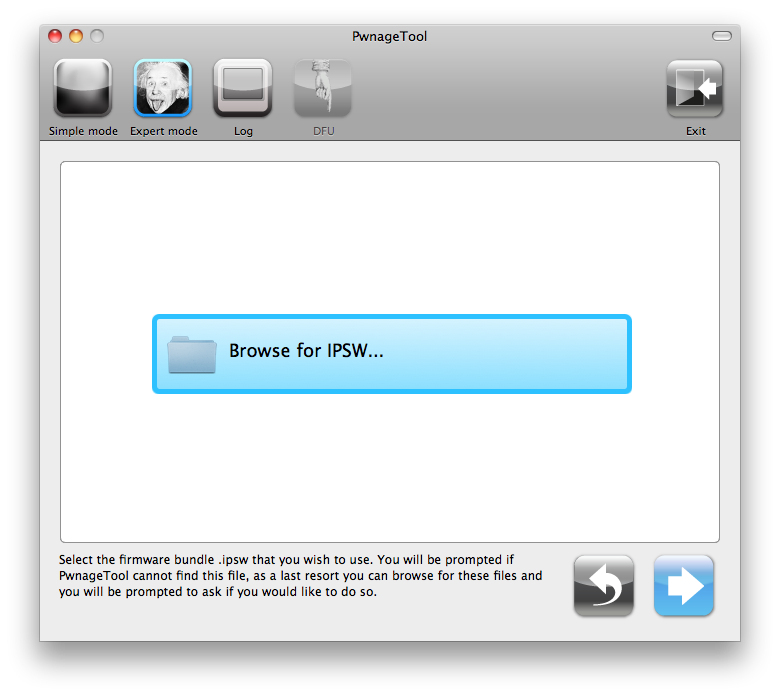
From the popup window select your iOS 5.0.1 firmware from the Pwnage folder then click the Open button.

Step Six
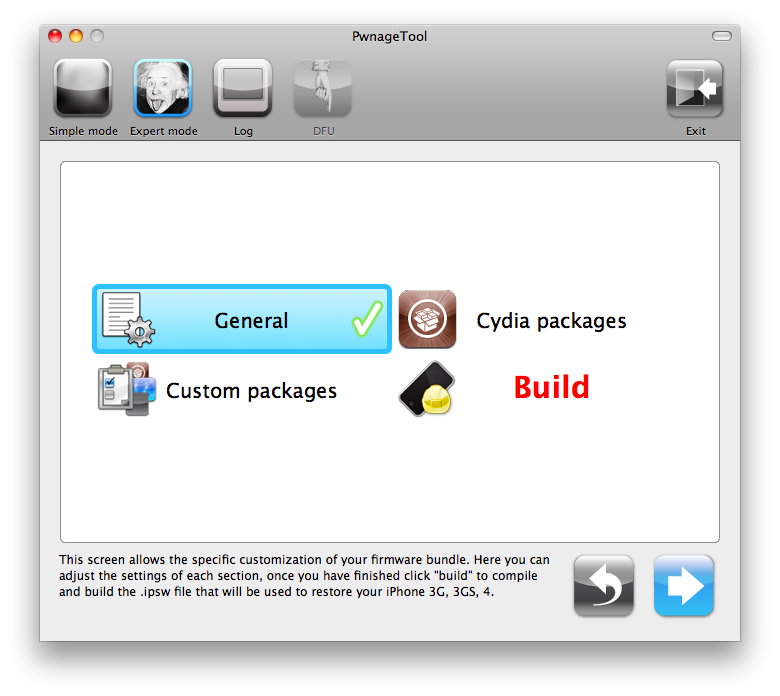
You will then be brought to a menu with several choices. Click to select General then click the blue arrow button.
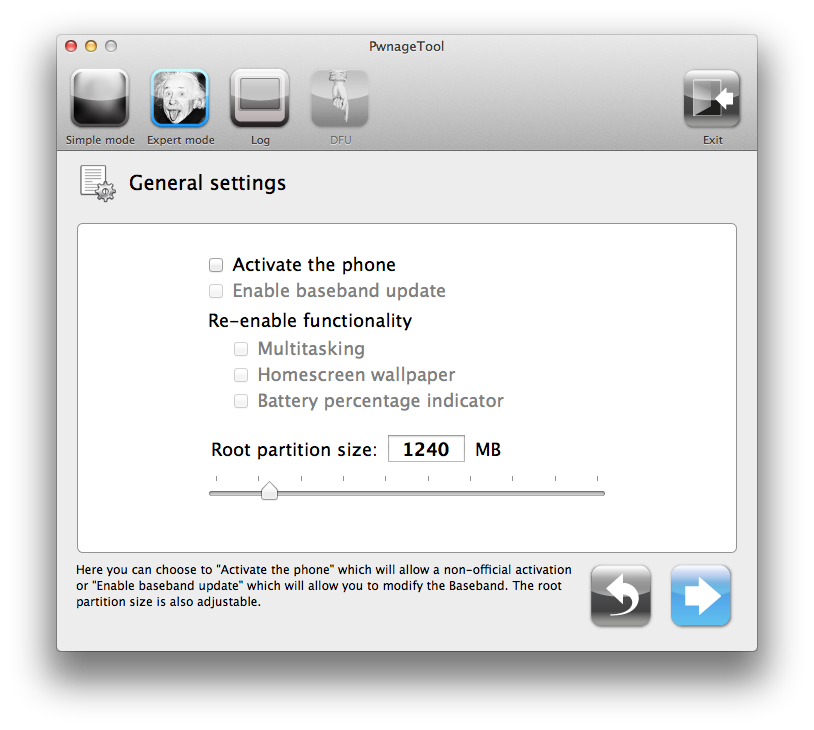
The General settings allows you to decide the partition size. Check Activate the phone if you are not with an official carrier then click the blue arrow button.
NOTE: Deselect Activate if you have an iPhone legitimately activated on an official carrier. If you have locked iPhone - select Activate the phone.
The Cydia settings menu allows you to create custom packages so you do not have to manually install the necessary them later. If you do not want to install anything here go to next step.
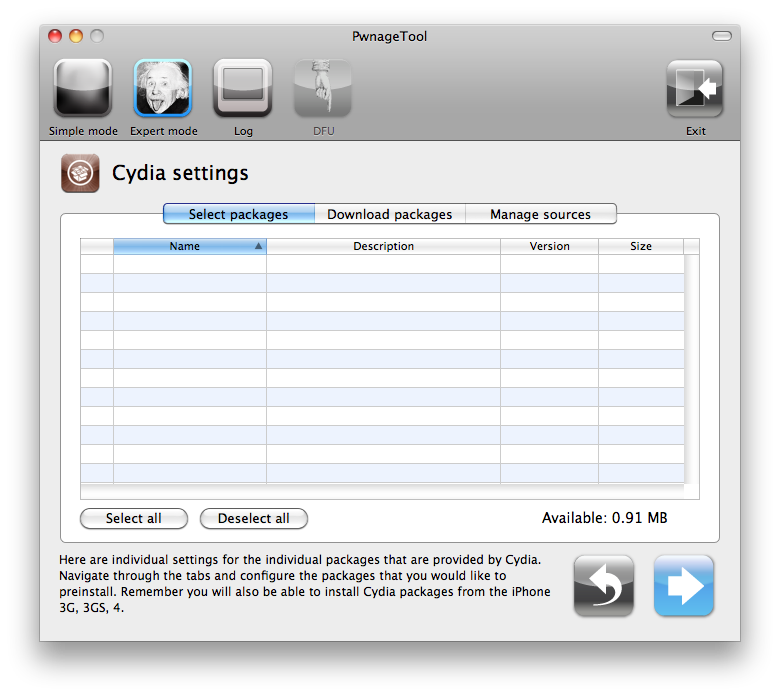
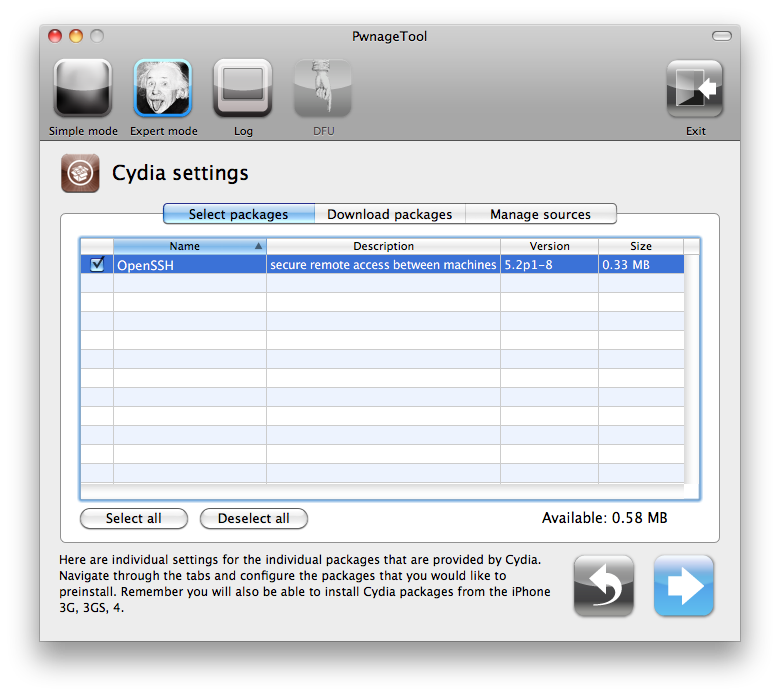
Click to select the Download packages tab. Then click the Refresh button to display all the available packages. Double clicking the package you want will download it and make it available in the Select Packages tab.

Checkmark the ones you want then click the blue arrow button.
The Custom Packages Settings menu displays listed package settings for your custom IPSW. Click the blue arrow button to continue.
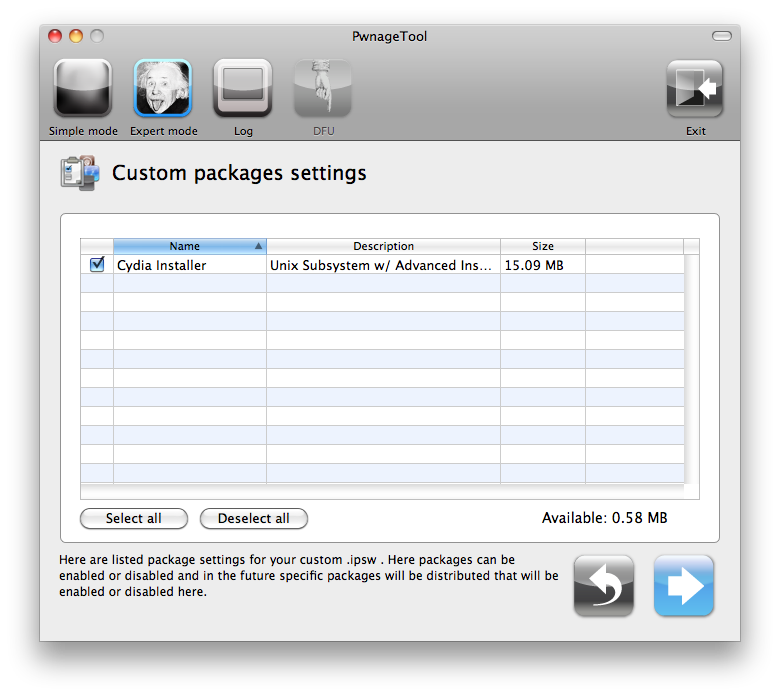
Click the blue arrow button to continue.
Step Seven
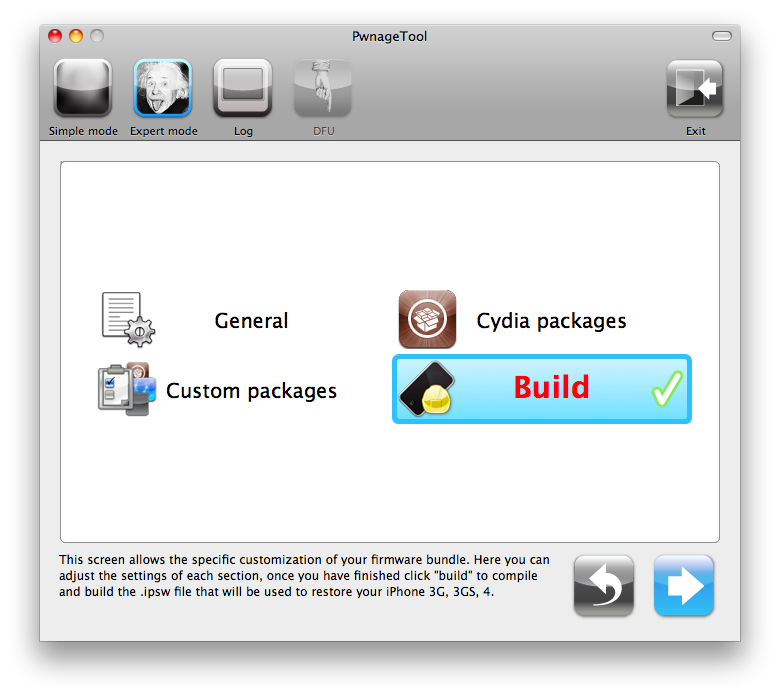
You are now ready to begin the pwnage process! Click the Build button to select it then click the Blue arrow button to begin.
Step Eight
You will be asked to save your custom .ipsw file. Save it to your Pwnage folder you created on your Desktop.

Your IPSW is now being built. Please allow up to 10 minutes.
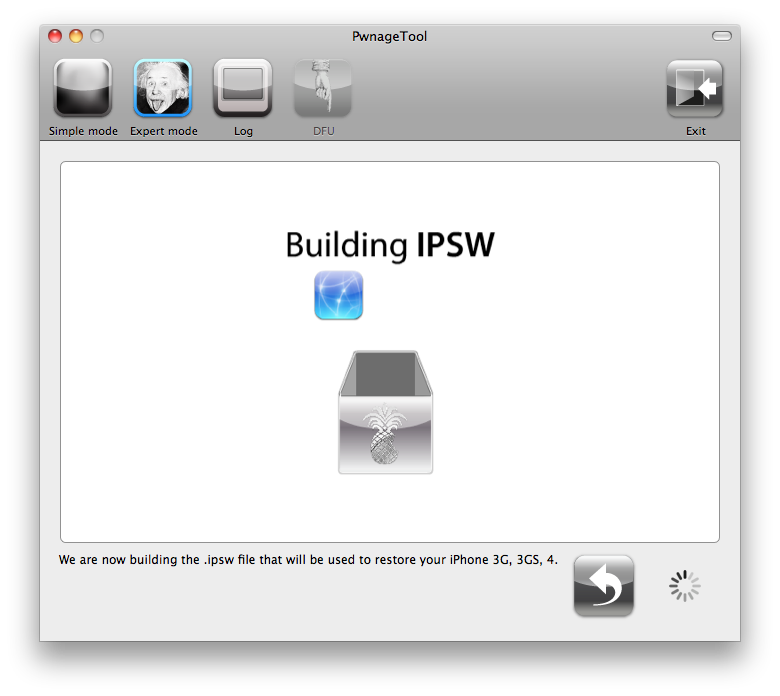
You will be asked to enter your administrator password. Do this then click the OK button.
Step Nine
Once your ipsw has been built you will be asked to connect your iPhone to the computer. Once it detects your device PwnageTool will guide your through the steps to putting your iPhone into DFU mode.

Press and hold the power and home buttons for 10 seconds.
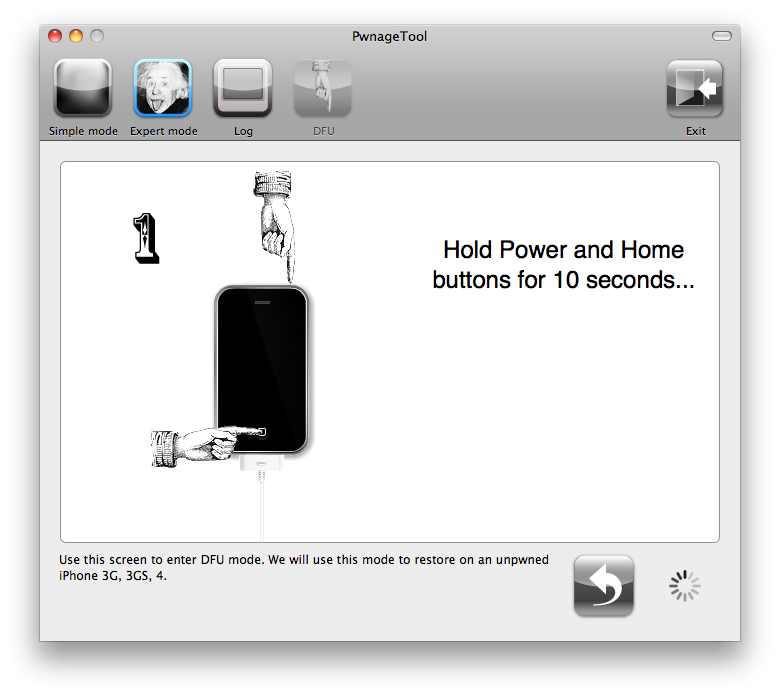
Then release the power button and continue holding the home button for 10 seconds.
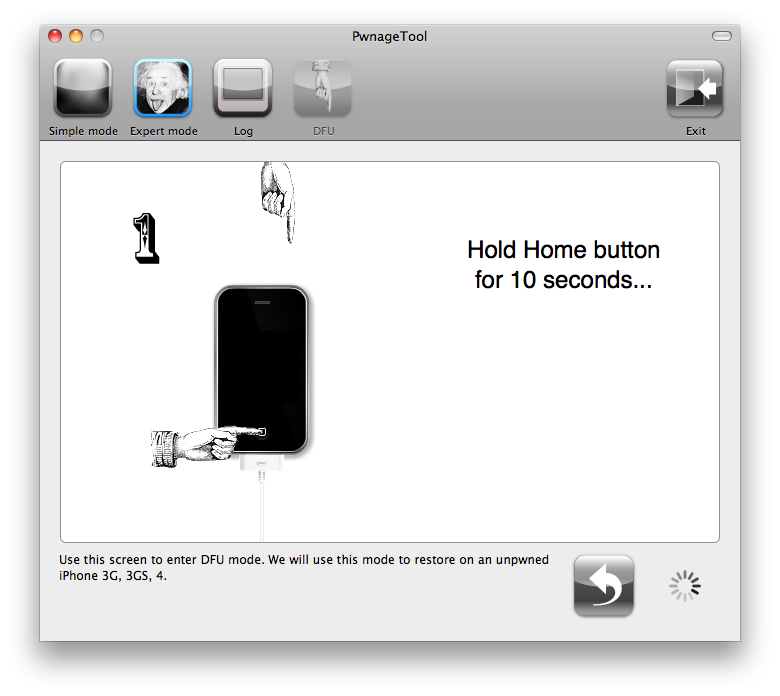
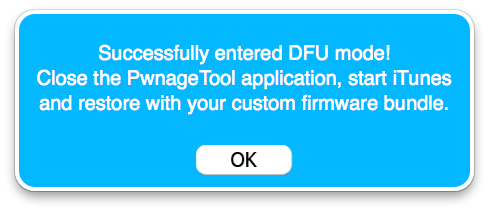
Once your iPhone is successfully in DFU mode, PwnageTool will prompt you to launch iTunes.
Step Ten
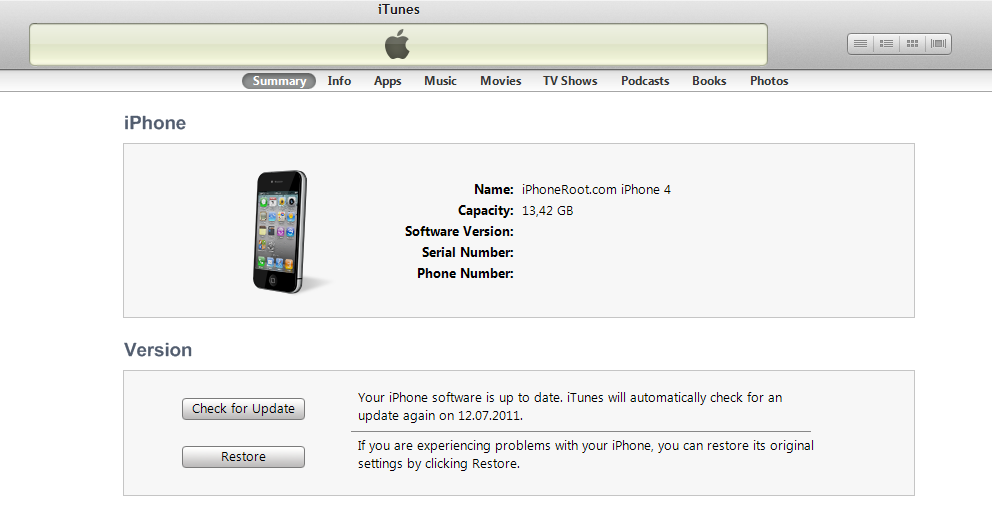
Once In iTunes, hold the Alt/Option key and click Restore.
Step Eleven
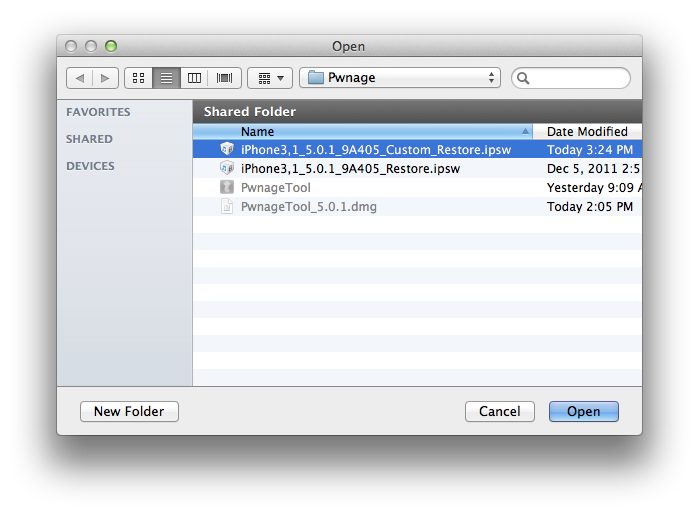
Navigate to the Pwnage folder on your desktop using the dialog window that appears. Select the custom IPSW that was created and click the Choose button.
Step Twelve
iTunes will now restore the firmware on your iPhone. This can also take up to 10 minutes. Once done you will be rebooted into jailbroken iOS 5.0.1!
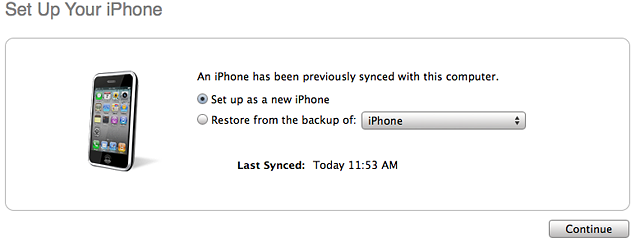
iTunes will ask if you want to setup your iPhone as a new device or restore from the backup. Choose Restore from Backup if you want to preserve your contacts and other information.
Step Thirteen
When your iPhone has restarted you can run Cydia. Let it do all the necessary updates.
Step Fourteen
To have access to the root file system of your iPhone (via file managers like iFunBox or iPhone Explorer) install application called afc2add in Cydia.
Step Fifteen
If you need carrier unlock – install ultrasn0w via Cydia (if you do not need carrier unlock skip this step). Ultrasn0w supports iPhone 4 baseband 01.59.00 and iPhone 3G/3GS basebands 04.26.08, 05.11.07, 05.12.01, 05.13.04, 06.15.00.
- Open Cydia.
- Go to Manage than click Sources.
- If you see repository http://repo666.ultrasn0w.com, go to step 8.
- Click Edit button in the top right corner.
- Then click Add button in the top left corner.
- Type http://repo666.ultrasn0w.com and click Add Source.
- Then click Done.
- Click on on newly created repository http://repo666.ultrasn0w.com.
- Click on ultrasn0w and hit Install button in the top right. (if you do not see ultrasn0w, go to Search and find it there).
- One installed, restart your iPhone.
- Disable 3G on T-Mobile USA.
- You're done! You should see the network.
Step Sixteen
Do not forget to change your default password if you've installed openssh.
[via iclarified]
Follow us on :
 Leave a comment, read comments [68]
во всех последних новостях в заголовках "анок" вместо "анлок"
[Reply]
admin Reply:
January 17th, 2012 at 9:23 am
спасибо. поправили.
[Reply]
мишаваржин
17 Jan 12 at 2:44 am
Всем здорова ребят!
подскажите пожалуйста,
Если аппарат iphone 4 MC318LL прошивка 5.0 модем 04.11.08
они идут с отвязанным джейлом или нет?
и нужно ли делать анлок для него и есть ли он сейчас?
[Reply]
admin Reply:
January 18th, 2012 at 1:18 pm
анлок нужно делать если тел залочен под оператора. для 04.11 анлока нет.
отвязанный доступен для 5.0.1, для 5.0 его пока нет.
[Reply]
Timur
18 Jan 12 at 11:25 am
то есть джейлбрэйк сделать для 5.0 не получится ? мм..
это же более старая версия вроде? на старую нет джейла а на новую 5.0.1 есть?
[Reply]
admin Reply:
January 19th, 2012 at 12:41 am
на 5.0 пока только привязанный джейлбрейк.
[Reply]
Timur
18 Jan 12 at 9:33 pm
Спасибо Админ.
а как скоро ожидается анлок на 5.0.1 ? модем 4.11.08
и еще вопрос стоит ли брать СДМА айфон ? для россии
[Reply]
admin Reply:
January 19th, 2012 at 11:33 am
очень не скоро
нет, не стоит, не заработает, скорее всего.
[Reply]
Timur Reply:
January 19th, 2012 at 12:47 pm
спасибо..
блин.. фиг знает что делать.
мне все знакомые говорят что скоро скоро типа январь и всё будет готово ((
[Reply]
admin Reply:
January 19th, 2012 at 1:28 pm
готов будет джейлбрейк ipad2 и iphone 4s плюс, возможно, еще будет анлок для 4s. для 4-ки нет никаких предпосылок для анлока в январе.
[Reply]
Timur
19 Jan 12 at 10:00 am
Добрый день, подскажите плиз, у меня американец 4й, джейлбрекнутый и разлоченный, прошивка 4.1. модем 02.10.04 могу ли я поставить следуя этому посту себе 5.01? и потом без проблемно разлочить его.???
спасибо
[Reply]
admin Reply:
January 19th, 2012 at 1:18 pm
да, можете. кастом прошивка сохранит baseband (шаг 6 убедитесь, что НЕ стоит галка enable baseband update). потом анлок через гевей сим только.
[Reply]
Doan
19 Jan 12 at 11:33 am
здравствуйте. у меня айфон 4, американец, прошивка ещё 4.0.1,
baseband 01.59.00. сделал всё по инструкции, но почему-то аппарат не активировался. в чём может быть дело? заранее благодарен.
[Reply]
admin Reply:
January 24th, 2012 at 12:38 am
можно активировать через redsn0w.
там галки все убрать только. остальное по руководству.
[Reply]
iCool Reply:
January 24th, 2012 at 1:33 pm
спасибо огромное! всё получилось...
[Reply]
iCool
23 Jan 12 at 10:20 pm
Помогите пожалуйста! iPhone 4, прошивка 5.0.1 версия модема 04.11.08. Залоченый. Чтоб я не делал по вашей инструкции, ничего не помогает. Все время пишет нет сети. Что можно предпринять?
[Reply]
admin Reply:
February 9th, 2012 at 1:28 am
ничего. анлока для 04.11 нету.
[Reply]
Igor
8 Feb 12 at 10:18 pm
А вообще он будет или так и использовать телефон только как iPod touch. Обидно... Хотелось бы чтоб он выполнял свои основные функции
[Reply]
admin Reply:
February 10th, 2012 at 12:38 am
уже больше года как нету анлока. появится ли? неизвестно. ы целом маловероятно.
[Reply]
Igor
9 Feb 12 at 12:40 pm
В предыдущем сообщении закралась описка. Имеется ввиду прошивка конечно-же. Так, что в место слова он, - ставим она
[Reply]
Igor
9 Feb 12 at 12:43 pm
Печально...
[Reply]
Igor
10 Feb 12 at 1:08 am
Добрый день! Iphone 4. Версия 4.3.3 хочу обновиться на 5.0.1. модем 04.10.01. Модель - 2 последние буквы FD. Если сделаю все как написано, сеть будет или нет?
[Reply]
admin Reply:
February 11th, 2012 at 2:44 am
аппарат залочен под оператора сотовой связи?
[Reply]
Андрей Reply:
February 11th, 2012 at 11:29 am
Нет, уже симки мегафона и биллайна там побывали. При этом все работало отлично, сеть в норме.
[Reply]
admin Reply:
February 11th, 2012 at 2:58 pm
да, можно по руководству.
но раз анлок не нужен, тогда можно обновляться на обычную прошивку. и делать джейлбрейк с помощью redns0w
[Reply]
Андрей Reply:
February 19th, 2012 at 7:20 pm
Еще раз приветствую! А через iTunes сделать ЗАГРУЗИТЬ И ОБНОВИТЬ ПО или через ВОССТАНОВЛЕНИЕ и выбрать уже скачанную с оф.сайта прошивку? Вопрос возник из-за того, что если ЗАГРУЗИТЬ И ОБНОВИТЬ- модем не повысится?
[Reply]
admin Reply:
February 20th, 2012 at 12:12 am
надо прошивать только кастом. если выбрать загрузить и обновить - он загрузит обычную прошивку и модем повысится - получите айпод.
действуйте только по инструкции, не надо придумывать себе проблем! восстановление тоже надо нажимать с нажатой на клавиатуре клавишей!
[Reply]
Андрей Reply:
January 20th, 2013 at 10:46 am
не 4.3.3, а 4.3.5 модем 04.10.01-так же на 5.0.1. хотелось бы обновиться, но выдает ошибку при шифт+восстановление 3195. Что можно сделать и получится ли прошить, когда уже и 5.1.1 вышла и 6.0. ? не хотелось бы модем повышать. Да и хотелось бы отвязанный джейлбрейк.
[Reply]
admin Reply:
January 21st, 2013 at 6:09 pm
чтобы модем не повышать - прошиваться необходимо только на самосозданную кастом прошивку.
прошить нечно отличное от 6.0.1 возможно, если имеются сохраненные ключи SHSH
[Reply]
Андрей Reply:
January 21st, 2013 at 8:30 pm
Да, на 6.0.1. пока не хочу, тем более как понял с непривязанным джейлом там проблеммы. а как можно сохранить ключи, через что? и после того, как сохраню ключи, как обновить до 5.0.1 подскажите поалуйста.5.0.1 меня пока устраивает.
[Reply]
admin Reply:
January 21st, 2013 at 8:34 pm
ключи можно сохранить тогда, когда можно прошиться на эту версию прошивки. сейчас можно сохранить ключи для 6.0.1 и только
[Reply]
admin Reply:
January 21st, 2013 at 9:00 pm
еще можно для некоторых устройств сохранить полуключи для текущей прошивки на устройстве, в вашем случае для 4.3.5.
[Reply]
Андрей Reply:
February 2nd, 2013 at 9:23 am
Порекомендуйте пожалуйста, на что можно прошиться посвежее, но при этом не испытывать проблем при прошивании и чтобы был непривязанный джейл.
[Reply]
admin Reply:
February 3rd, 2013 at 1:23 am
подождите пару дней и сможете на 6.1 прошиться (самую последнюю) и сделать отвязанный джейл.
[Reply]
Андрей Reply:
February 3rd, 2013 at 8:42 pm
Урааа! Я понимаю, что без повышения модема, так же как описано выше, только на 6.1? А не подскажете как я смогу об этом узнать? Если не трудно, сбросте ссылку, когда это случится, пожалуйста.
[Reply]
admin Reply:
February 3rd, 2013 at 9:15 pm
если нужен анлок, то придется подождать утилит, которые позволят сохранить можем.
[Reply]
Андрей Reply:
February 15th, 2013 at 12:53 pm
Телефон подарком пришел давно. Как вы считаете по данным ниже, можно определить нужен этому телефону анлок или нет??? (Iphone 4. Версия 4.3.5, модем 04.10.01. Модель - 2 последние буквы FD. мегафоновская симка и билайновская в нем работают без проблем и без гивейсим). За все время проблем со связью и вообще айфоном не было. Если я буду прошиваться на более новую прошивку 6.1 с отвязанным джейлом по вашей инструкции, у меня получится??? И вы мне писали еще про ключи, как их можно сохранить при прошивании???
[Reply]
admin Reply:
February 18th, 2013 at 4:27 pm
да, судя по параметрам у вас разлоченный аппарат. ключи SHSH автоматом сохраняет cydia, вручную можно сохранить через tinyumbrella (save shsh) или redsn0w (extras - shsh)
[Reply]
Андрей Reply:
February 22nd, 2013 at 8:27 pm
Не подскажете: я так понимаю, что обновлять нужно по этому руководству (ваше руководство)?
[Reply]
Андрей Reply:
February 23rd, 2013 at 7:57 pm
Пишет ошибку 3194. Itunes обновил.
[Reply]
admin Reply:
February 25th, 2013 at 12:06 am
прошивку 6.1.2 взяли?
[Reply]
admin Reply:
February 25th, 2013 at 12:04 am
если НЕ нужен анлок, если аппарат симфри, то да, только прошивку берите 6.1.2.
[Reply]
Андрей Reply:
March 2nd, 2013 at 1:46 pm
Урааааааа!!! все получилось с первого раза, без проглючивания, 6.1.2 встала как родная. Правда модем на 4.12 повысился, но проблем со связью не испытываю. СПАСИБО ВАМ ОГРОМНОЕ, ОГРОМЕННОЕ!!!!!!! А не подскажете еще, у дочери 4s 5.1.1 прошивка модем 2.0.12, увидела, что себе сделал, начала потихоньку капать на мозги)))) тоже хочет себе новую, получится если так же сделать? Куплен айфон в России.
[Reply]
admin Reply:
March 4th, 2013 at 2:00 pm
если айфон официально куплен в России, то да, проблем не должно возникнуть.
[Reply]
Андрей
10 Feb 12 at 4:26 pm
Какой размер root раздела нужно выбрать секции General?
[Reply]
admin Reply:
February 18th, 2012 at 12:29 am
поставьте 1024 Мбайт - вполне достаточно
[Reply]
Руслан
17 Feb 12 at 2:17 am
Была прошивка 4.1 бейсбенд 2.10.04 Iphone4 лоченный на AT&T. Сделал как написано. Но теперь не могу выйти из режима активации телефона - требует симку. Это уже не лечиться ?
[Reply]
admin Reply:
March 1st, 2012 at 2:28 pm
лечится. запустите redsn0w.
[Reply]
admin Reply:
March 1st, 2012 at 2:29 pm
главное, что у вас не обновился модем. активация не прошла почему то. но это не страшно. активацию можно через редсноу (есть для мака).
[Reply]
Dron
29 Feb 12 at 2:13 pm
Скажите пожалуйста я купила iphones 4 из usa версия модема 01.59.00
Модель mc318ll
Могу ли я воспользоваться этим постом и обновится?
[Reply]
admin Reply:
March 13th, 2012 at 1:19 am
к сожалению, уже нет. прошить 5.0.1 нельзя с выходом 5.1. я бы подождал отвязанного джейлбрейка 5.1. сейчас доступен только привязанный для 5.1
[Reply]
Bagiatti
12 Mar 12 at 3:06 pm
Помогите пожайлуста у меня 4 ка прошивка ещё 4.0.1,модем 01.59.00. галочку Activate не ставлю все остальное делаю по инструкции DFU режим перевожу но экран просто темный (раньше вроде там шнурок с лого айтунса появлялся )выбираю прошивку тунец предлагает ее восстановить телефон и проверить прошивку на сервере после чего выскакивает сообщение что невозможно восстановить с этой прошивкой. Откл. инет пишет что сервер не доступен попробуйте позже. Хотя кастом готов и лежит на рабочем столе. Что я делаю не так помогите понять !!!!
[Reply]
admin Reply:
March 27th, 2012 at 7:25 am
Apple выпустила прошивку iOS 5.1 и перкратила подписывать iOS 5.0.1, так что вам больше не удастся восстановиться на 5.0.1. Если у вас стоит прошивка iOS 5.0.1 - вы можете сделать джейлбрейк с помощью RedSn0w.
[Reply]
admin Reply:
March 27th, 2012 at 7:25 am
1 абзац руководства
[Reply]
Kos
27 Mar 12 at 1:14 am
Привет! У меня Iphone 4. MC318LL. Ios 5.1.1 (9B206) Модем 04.12.01.
Работает со всеми симками, правда незнаю Jevey это или нет. Как сделать Jailbreak, с анлоком или без?
[Reply]
admin Reply:
July 15th, 2012 at 11:50 pm
[Reply]
Андрей
13 Jul 12 at 5:17 pm
здравствуйте.
все сделала по инструкции.
в итоге при Восстановлении пишет, что this iPhone is eligabl (несовместим).
что это может быть? у меня ось 10.5.8 - это может быть причиной?
спасибо
[Reply]
admin Reply:
September 13th, 2012 at 12:24 pm
с выходом 5.1.1 стало проблематично прошивать 5.0.1.
я бы рекомендовал прошить iOS 5.1.1 с помощью PwnageTool 5.1.1 (если нужно сохранить модем для анлока), либо в iTunes и джейлбрейк с помощью absinthe (если анлок не нужен)
[Reply]
olga Reply:
September 13th, 2012 at 8:49 pm
я сначала и собиралась 5.1.1
даже все скачала
а в последний момент вычитала, что если я хочу сохранить модем (он у меня 01.59.00), то мне необходимо ставить 5.0
скажите, где правда? ))))
спасибо
[Reply]
admin Reply:
September 14th, 2012 at 2:23 pm
если хотите сохранить модем для анлока - необходимо прошиваться ТОЛЬКО на кастом прошивку, созданную pwnagetool, redsn0w или sn0wbreeze.
важно запомнить, что нельзя обновляться на обычную прошивку.
[Reply]
olga Reply:
September 14th, 2012 at 8:58 pm
окей.
все делать, как в этой инструкции (с заменой pwnagetool и прошивки на 5.1.1)?
[Reply]
admin Reply:
September 15th, 2012 at 2:44 pm
да. процесс аналогичен. если будут проблемы - пишите, поможем.
[Reply]
olga
13 Sep 12 at 1:36 am
Здравствуйте! У меня айфон4 из Америки, прошивка 4.0, модем 01.59.00, сейчас стоит анлок и джейлбрейк. Могу ли я воспользоваться данной инструкцией и обновить прошивку?
Заранее спасибо!
[Reply]
admin Reply:
February 18th, 2013 at 4:36 pm
нет, без ключей SHSH можно только 6.1 поставить.
[Reply]
admin Reply:
February 18th, 2013 at 4:36 pm
кастом 6.1 можно сделать с помощью sn0wbreeze 2.9.9 под windows
[Reply]
Helga1010
16 Feb 13 at 9:34 pm
Подскажите, а этот джейлбрейк 6.1 будет отвязанным?
Нет ли такой же подробной инструкции, как эта?)) я не очень разбираюсь сама..(
[Reply]
admin Reply:
February 20th, 2013 at 5:12 pm
6.1 уже потеряла кактуальность. Вчера вышла прошивка 6.1.2, так что 6.1 уже не прошить. Для 6.1.2 джейлбрейк отвязанный. Утилита для джейлбрейка уже есть.
Как только выйдет утилита для создания кастом прошивки для 6.1.2 мы сделаем пошаговое руководство.
[Reply]
Helga1010
20 Feb 13 at 2:51 pm
Спасибо за ответы!
[Reply]
Helga1010
20 Feb 13 at 6:02 pm