 iPhoneRoot.com

News from category ‘Firmware’
Future iPhone's were found in the AppleTV firmware
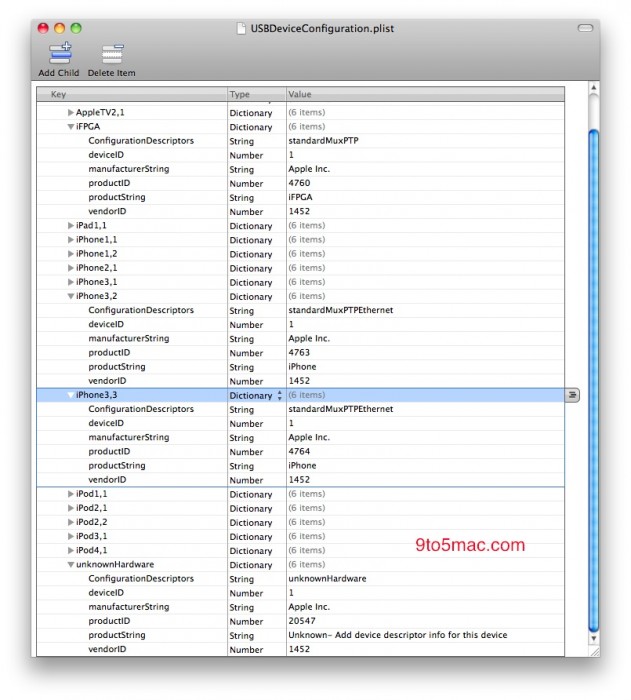
The Apple TV firmware has some new information about future Apple devices. 9to5Mac reports that this firmware has presented two new iPhones and an «unknown» device.
The iPhone 4 is referred to as «iPhone 3,1». The firmware has traces of two devices known as «iPhone 3,2» and «iPhone 3,3». Additionally an «unknownHardware» is also present within the Apple TV iOS. The iPad, several versions of iPod and older versions of iPhone are also there (see screenshot above).
So, what is it? Verizon iPhone? A new antenna design? And, what about the «unknown» device? Some future version of the iPad?
Apple TV iOS 4.1 firmware is available for download

iPhone developer, chpwn has just provided a very interesting link via Twitter, a download for the Apple TV iOS 4.1 firmware.
You can download . There is not much use of it currently, however it does give hackers a possibility to analyze it.
iPod Touch 4G with iOS 4.1 is jailbroken
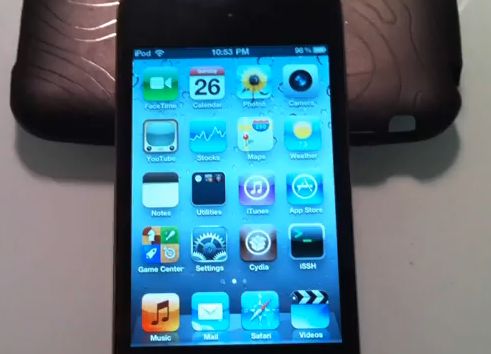
The new exploit is called SHAtter. It was developed by hacker pod2g a few months after hacker p0sixninja from the Chronic Dev Team discovered the crash. The same exploit can be used to jailbreak iPhone 4 and iPad with new firmwares. So iOS 4.1 and maybe even iOS 4.2 is not a problem any more. Soon we will see the utilities from DevTeam to perform the jailbreak.
The DevTeam published a video if a jailbroken iPod Touch 4G. Take a look:
Jailbreak iOS 4.1 with RedSn0w 0.9.6 b1
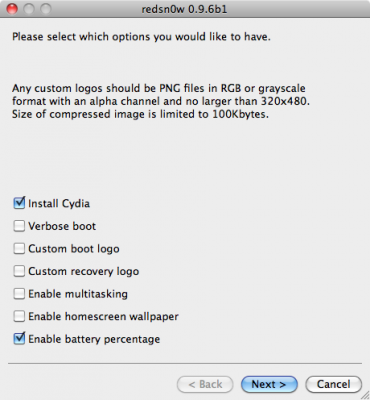
DevTeam recently released new version of redsn0w to jailbreak iOS 4.1. New RedSn0w 0.9.6 b1 supports iOS 4.0 and iOS 4.1 running on iPhone 3G or iPod touch 2G.
There is only Mac OS X x86 version, that you can download here.
Redsn0w is easy to use:
- Download firmware here.
- Launch redsn0w 0.9.6 b1
- Select your stock 4.1 or 4.0 ipsw (you’ve already used this to update your device to 4.1 or 4.0)
- Select “Install Cydia” and any of the other options shown above, then click “Next”. Use DFU mode to install the jailbreak.
As usual DevTeam reminds us:
IF YOU USE THE ULTRASN0W UNLOCK, PLEASE WAIT FOR PWNAGETOOL TO SUPPORT 4.1. DO NOT USE REDSN0W
That’s because to use redsn0w at 4.1, you need to already have updated to official 4.1 from Apple. If you do that, you lose the ultrasn0w unlock (possibly forever).
New iPhone iOS 4.2 features: contacts, messages, facetime, youtube, preferences and other enhancements
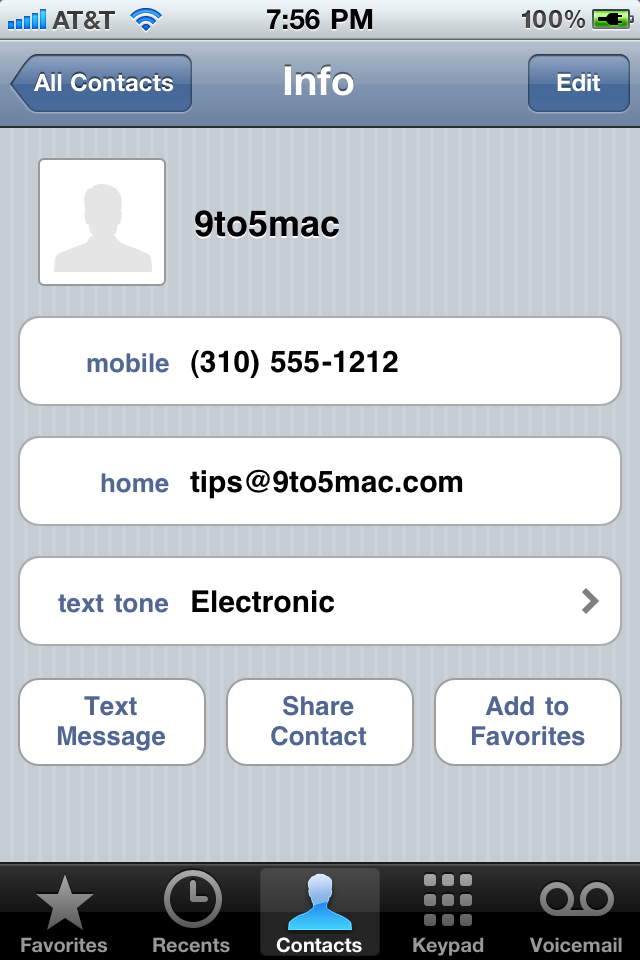
Site 9to5mac published several interesting photos of new features found in iOS 4.2 for iPhone. Let's take a look:
Assign text message tone to individual contacts:
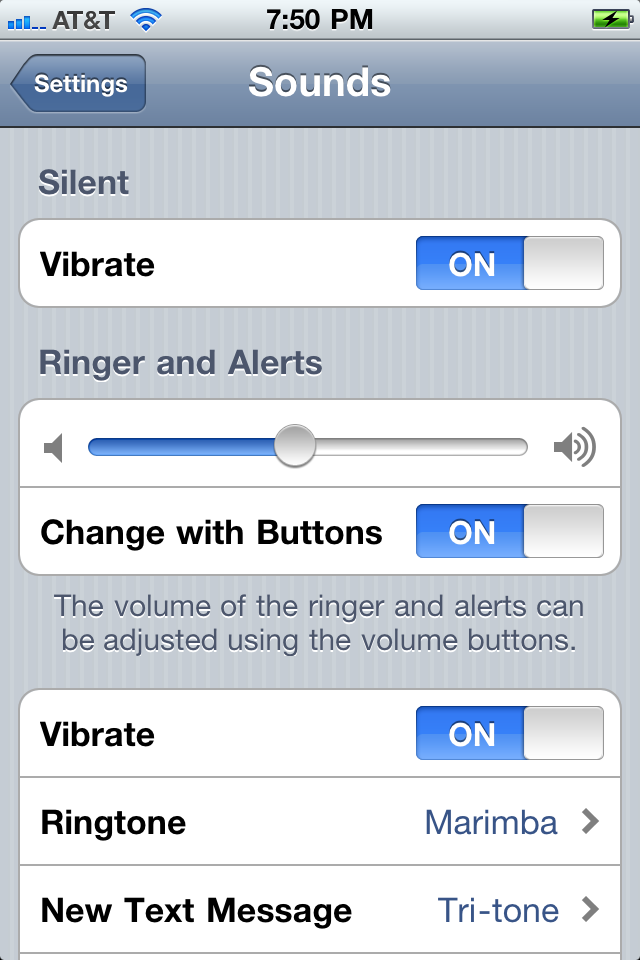
Enhanced sound preferences:
Found Footage: Windows 95, 3.1 running on jailbroken iPad
If you can get past the sight of Windows 3.11 (gack...) and Windows 95 (hurl!) running on an iPad, then hit the play button in the YouTube embed above and be prepared to be visually and audibly assaulted (by no less than Metallica).
How to Enable HDR Photography on Your iPhone 3GS
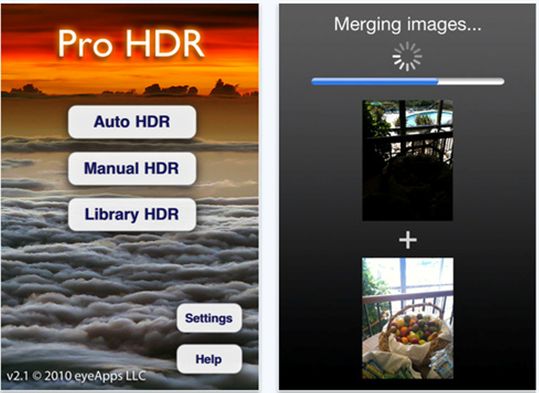
Apple's iOS 4.1 update brought HDR photography to the iPhone 4 but left out the iPhone 3GS. Here are two ways to add HDR photography to your unsupported device.
 Leave a comment, read comments [1]
iProd2,1 Confirmed to Be New Apple TV, Not Next-Generation iPad
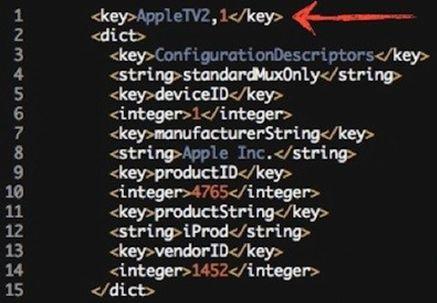
Configuration files within the new iOS 4.2 beta reveal that Apple's "iProd2,1" device that had been spotted in earlier iOS versions and presumed to be the next-generation iPad is actually the company's forthcoming Apple TV revision.
Apple's iOS 4.2 for iPad and iPhone: Summary
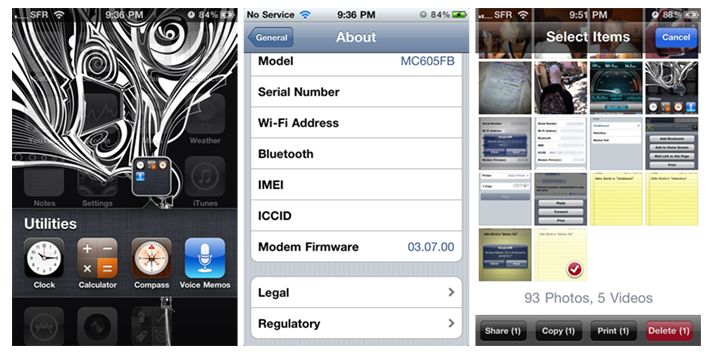
Apple on Wednesday dished out the first external betas of iOS 4.2, which will deliver multi-tasking, folders and threaded mail. However, AppleInsider has also discovered a handful of more subtle refinements:
Video: iOS 4.2 on the iPad from Engadget
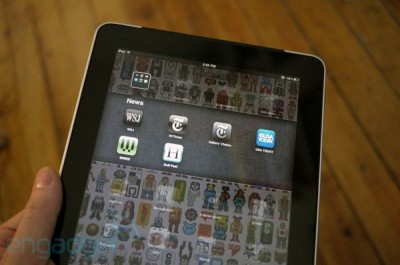
We've already showed you a video of iOS 4.2 on the iPad. Here is another one from Engadget:
The addition of multitasking, folders, and big improvements in mail (amongst other things) finally make the device feel more like a computer and less like a gigantic iPhone.
Watch the video:
Video: iOS 4.2 on the iPad
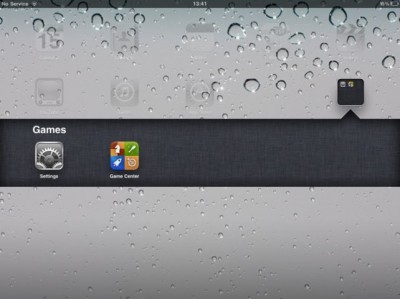
AppAdvice posted a quick video walk-through of the first beta of iOS 4.2 for iPad, which was released just a few hours ago. The primary feature shown off is multitasking. The iPad users will be able view 7 applications in the multitasking tray in landscape mode and 6 apps in portrait mode.
The other additions are:
- The external switch is acting as a mute switch again.
- Users can create folders (containing up to 20 apps).
- You can activate AirPlay from the photo app (to stream photos to the new Apple TV).
Watch the video:
Photos of iOS 4.2 on the iPad
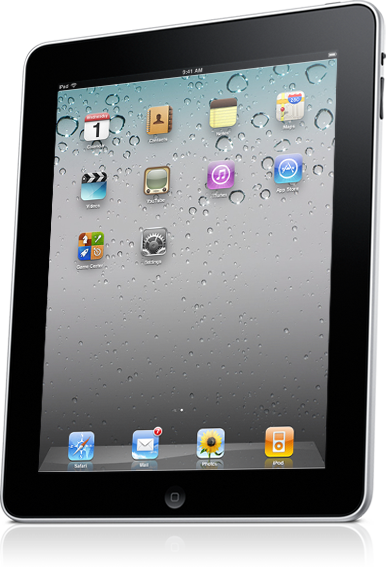
Below you will find the official pictures of iOS 4.2 on the iPad from Apple:
Apple released iOS 4.2 Beta 1 for iPad, iPhone and iPod Touch
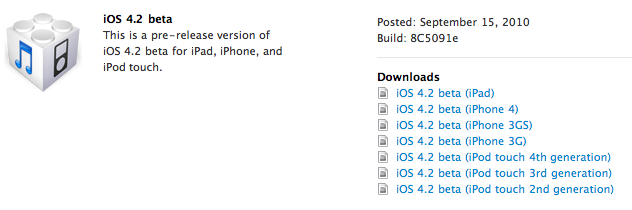
Apple has just released the official iOS 4.2 beta 1 builds for iPad, iPhone and iPod Touch. This is beta and is for developers only. The final version is planned for this November.
Here is a quick summary of some of the changes:
- Wireless printing, so we can print docs from our iOS device.
- AirPlay, which takes AirTunes to another level with streaming video and pictures, and should let us beam content from iPhone or iPod touch to the new Apple TV.
- Find text on web page, finally. In Safari, easily search for and highlight specific words and phrases.
- And finally iOS 4 features for the iPad (multitasking, folders, etc).
Here is a quick comment from Apple about iOS 4.2 for iPad:
iOS 4 is the world’s most advanced mobile operating system. And soon iPad owners will get to enjoy its 100+ new features and innovations — including multitasking, folders, printing, and more. Look for iOS 4.2 coming in November for iPad, iPhone, and iPod touch
How to jailbreak iOS 4.0.2 iPhone 3G
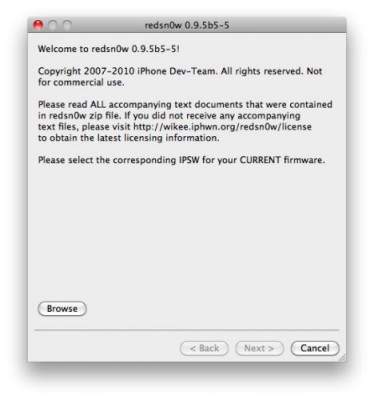
You cannot use JailBreakMe method to jailbreak and unlock iOS 4.0.2 on iPhone 3G. However you can still jailbreak and unlock iPhone 3G using redsn0w. Here are the instructions:
- Download the latest RedSn0w 0.9.5-b5 in our utilities page here.
- Download firmware images for iOS 4.0 here.
- Run RedSn0w and point it at the 4.0 IPSW. (Yes – point it at the 4.0 IPSW even though you're at 4.0.2). This will also hacktivate your iPhone3G at 4.0.1 if you haven't already been activated by iTunes.
- If you need a carrier unlock - install ultrasn0w in Cydia (add repository http://repo666.ultrasn0w.com). For T-Mobile in the USA remember to turn off 3G mode in Settings→General→Network.
Speed Performance Test Video: iPhone 4 Vs New iPod Touch
The only real performance related hardware difference between the iPhone 4 and the new iPod touch is that the iPhone 4 has 512MB of RAM while the iPod touch has only 256MB (like the iPad). You might be wondering what impact such a difference will have on your daily usage. Well, iSpazio came across an interesting video that pits the two devices against each other. As you’ll see, the iPod touch is actually just as fast as the iPhone 4, and even beats it sometimes.