 iPhoneRoot.com

News from category ‘Firmware’
PwnageTool with Limera1n exploit preview video
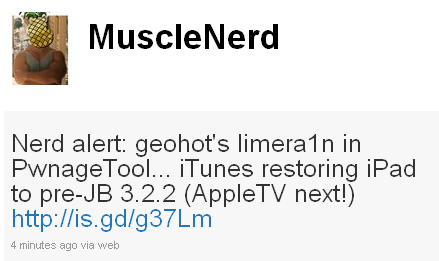
MuscleNerd from DevTeam has posted a video preview of the new PwnageTool upcoming release. The new PwnageTool will use Geohot's Limera1n exploit and will let users who need unlock to obtain it. Here's MuscleNerd message from twitter:
Nerd alert: geohot's limera1n in PwnageTool... iTunes restoring iPad to pre-JB 3.2.2 (AppleTV next!) http://is.gd/g37Lm
Let's watch the video:
Video: How to Jailbreak iPhone iOS 4.1 using limera1n on a Mac
In addition to our LimeRa1n jailbreak tutorials, here is a nice video showing all the process:
LimeRa1n supports iPhone 3GS, iPhone 4, iPod Touch 3G and iPod Touch 4G with iOS 4.0 - iOS 4.1, and iPad with iOS 3.2.2.
Here you can find our LimeRa1n tutorials:
Step-by-step Tutorial: how to jailbreak iOS 4.0-4.1 on iPhone or iPod using Limera1n (Mac)

These are instructions on how to jailbreak your iPhone 3GS (all bootroms) or iPhone 4 using Limera1n for Mac OS X. Limera1n supports iOS 4.0, iOS 4.0.1, iOS 4.0.2 and iOS 4.1. Use the same steps to jailbreak iPod Touch 4G and iPod Touch 3G and even iPad. You can find the Windows version of this tutorial here.
Remember: Do not update to iOS 4.1 if you need the unlock. Ultrasn0w does not support that baseband yet.
UPDATE: Please, consider reading our Jailbreak & Unlock FAQ, especially if you have questions or troubles.
Step 1
Open your browaer and navigate to and download LimeRa1n for Mac by clicking on the Mac logo.

Limera1n Jailbreak for iPhone/iPod/iPad is now available for Mac OS
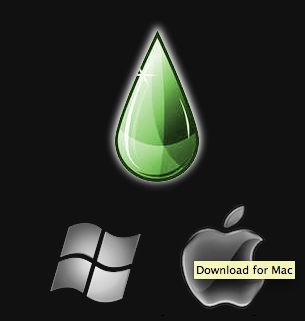
Geohot has just released his Limera1n jailbreak for Mac OS X. Limera1n supports the following Apple devices:
- iPhone 4
- iPhone 3GS
- iPod Touch 4G
- iPod Touch 3G
- iPad
- AppleTV (limited).
Limera1n was the first jailbreak utility to support iOS 4.1. It also works with iOS 4.0, iOS 4.0.1 and iOS 4.0.2.
Remember if you need an unlock do not upgrade to iOS 4.1, just wait for the next PwnageTool release.
You can find our LimeRa1n tutorials tutorials:
You can download Limera1n from
UPDATE: Please, consider reading our Jailbreak & Unlock FAQ, especially if you have questions or troubles.
Listen to the new iPhone SMS tones added to iOS 4.2 beta 3
We have already written about new sms tones appeared in iPhone's latest beta firmware iOS 4.2 beta 3. Now you can check them out on a video:
New iPad wallpapers where found in iOS 4.2
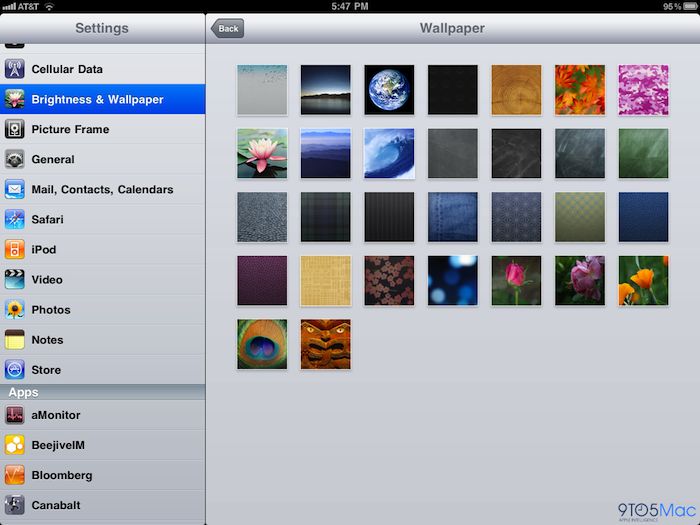
9to5mac found new iPad wallpapers in the latest iOS 4.2 beta 3. They look nice. Taka a look at the video:
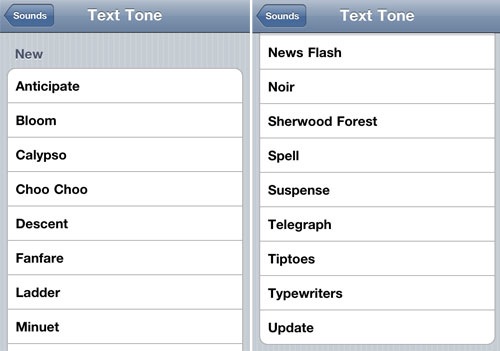
Apple added new SMS tones to iOS 4.2 beta 3
Apple has finally added new SMS ringtones to recently released iOS 4.2 beta 3. Here they are:
 Leave a comment, read comments [1]
Chronic Dev-Team Releases GreenPois0n Jailbreak for iOS 4.1
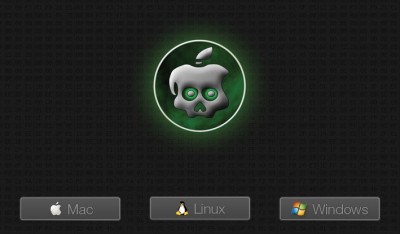
Today the Chronic Dev-Team released their jailbreak utility called Greenpois0n. There are currently two versions - for Windows and for Linux users. The team is working on a Mac version, so it will be released soon. Greenpois0n supports only firmware iOS 4.1, so use Limera1n if you want to jailbreak iOS 4.0, iOS 4.0.1 or iOS 4.0.2.
Remember: Do not update to iOS 4.1 if you need the unlock. Ultrasn0w does not support that baseband yet.
Hackers used the bootrom exploit found by Geohot and used in limera1n.
Pwnagetool for iPhone with iOS 4.1 will be released by Sunday

Hacker MuscleNerd has tweeted that the DevTeam plans to release PwnageTool for iOS 4.1 in several days.
For AppleTV 2G users, the goal is for PwnageTool to cover you by Funday/Sunday (but still very limited app capability)
This release should also bring jailbreak for iPod touch and iPad Mac users.
PwnageTool is a Mac OS X jailbreak tool. One of it's advantages is the ability to preserve old baseband, which means you can have firmware iOS 4.1 with baseband from iOS 4.0 (if you haven't updated to 4.1 already). And this brings unlcok, because iOS 4.0 is unlockable.
Leave a comment, read comments [2]
Apple releases iOS 4.2 Beta 3 and iTunes 10.1 Beta 2 for developers
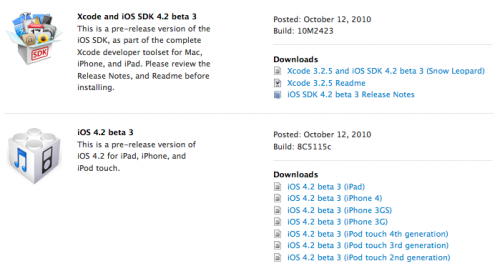
Apple has just released the firmware iOS 4.2 Beta 3, together with SDK and iTunes 10.1 Beta 2. The SDK is build 10M2423 and the firmware is build 8C5115c. iTunes 10.1 Beta 2 is a pre-release version to support testing of printing from iOS apps. Developers can download the firmware, SDK, and iTunes from the iPhone Developer Center.
Unlock for iOS 4.1 and 4.2 is possible
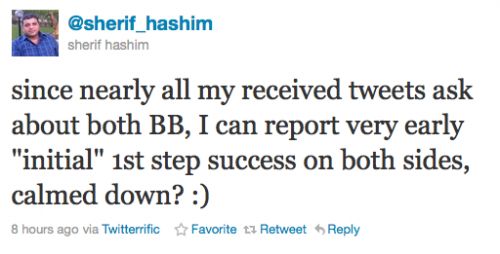
Hacker Sherif Hashim has discovered an exploit in iPhone's baseband which could bring an unlock for iOS 4.1 and iOS 4.2. Here are tweets from him:
@sherif_hashim: since nearly all my received tweets ask about both BB, I can report very early "initial" 1st step success on both sides, calmed down? 🙂
@sherif_hashim: @mrpauldurden a bit more sure than this, yeah
@mrpauldurden: @sherif_hashim very early first steps means.. you've found a crash that can potentially prove to be an expoitable vulnerability?
In the past Hashim found a baseband crash in iOS 4.0, his work brought us ultrasn0w 1.01, utility from DevTeam to unlock iPhone with iOS 4.0.
Another hacker Veeence tweets that the unlock won't be released till iOS 4.2. Apple plans to release 4.2 in November:
@veeence: A new exploitable baseband crash has been found. An unlock will very likely be released after iOS 4.2 and will unlock both BB's of 4.1 & 4.2
Step-by-step Tutorial: how to jailbreak iPad with iOS 3.2.2 using Limera1n (Windows)
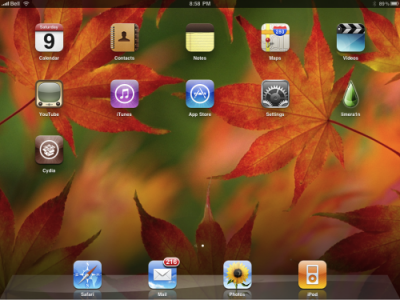
These are instructions on how to jailbreak your iPad with latest iOS 3.2.2 using Limera1n for Windows. You can find the Mac OS version of this tutorial here.
UPDATE: Please, consider reading our Jailbreak & Unlock FAQ, especially if you have questions or troubles.
Step 1
Open your browaer and navigate to and download LimeRa1n for Windows by clicking on the Windows.
When prompted save the download to your desktop
Leave a comment, read comments [1]
Prevent iTunes from Updating Jailbroken Devices

iTunes continues to serve iOS updates even if your Apple’s device was jailbroken. And if these updates are downloaded and installed occasionally, your device may be returned to a non-jailbroken state. Here the script, which prevents iTunes from automatically downloading updates:
Leave a comment, read comments [4]
iOS Could Cause Wakeup Headaches With Time Changes

Where daylight saving time just starts, the iPhone/iPod touch users may see that alarm clocks of their devices go off early or not at all. This is all thanks to a bug in the iOS. According to Gizmodo, 55% of 4,500 users experienced the bug. Most of the users have to return to standard time or this problem is only going to grow if it isn’t corrected soon. Fortunately, the problem only affects “recurring” alarms, not every clock function within iOS.
Step-by-step Tutorial: how to jailbreak iOS 4.0-4.1 on iPhone 3GS or iPhone 4 using Limera1n (Windows)
These are instructions on how to jailbreak your iPhone 3GS (all bootroms) and iPhone 4 using Limera1n for Windows. Limera1n supports iOS 4.0, iOS 4.0.1, iOS 4.0.2 and iOS 4.1. Use the same steps to jailbreak iPod Touch 4G and iPod Touch 3G and even iPad. You can find the Mac OS version of this tutorial here.
Remember: Do not update to iOS 4.1 if you need the unlock. Ultrasn0w does not support that baseband yet.
UPDATE: Please, consider reading our Jailbreak & Unlock FAQ, especially if you have questions or troubles.
Step 1
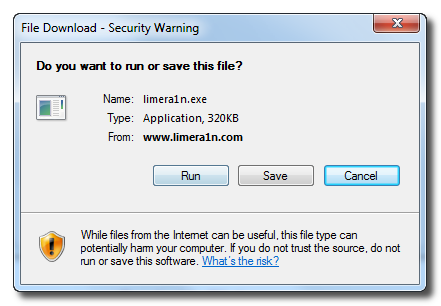
Open your browaer and navigate to and download LimeRa1n for Windows by clicking on the Windows.
When prompted save the download to your desktop
Leave a comment, read comments [141]