iPhoneRoot.com

News from category ‘Software’
Say Where! - speech recognition application [AppStore, Free]
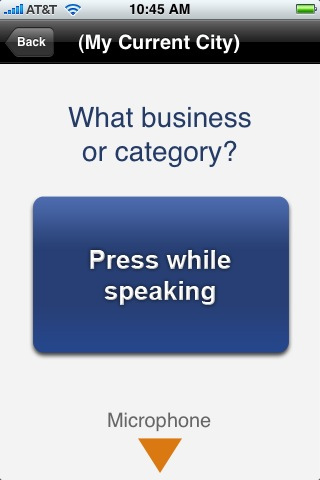
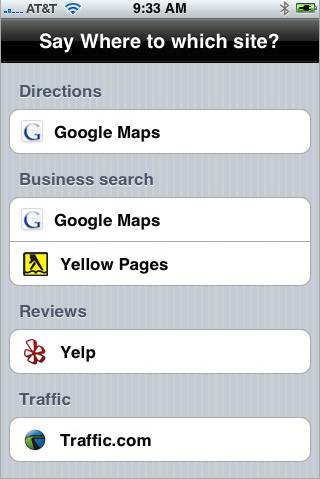
This application adds speach recognition to iPhone. The good part it works, it is avaliable right now in AppStore and it is free ().
Take a look at the video to see how it works:
Create ringtones using iTunes (video)
G-Map for iPhone
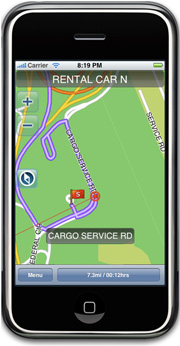
is announced recently. Hopefully it will show up in AppStore soon. Among the features are:
- Stand-alone electronic map that needs no internet connection
- Large-capacity map data enables easy search of desired location and route
- Real 3D View of intricate major intersections and highway junctions
- Smart location search powered by a search engine
- POI
- Detailed information on restaurants, hotels, and leisure destinations provided with Premium POI
- Search by phone number and latitude/longitude
For now developers say that the covered area is: Buffalo, NY/ Cincinnati, OH/ Cleveland, OH/ Columbus, OH/ Nashville, TN/ Pittsburgh, PA/ Rochester, NY/ Boston, MA/ Hartford, CT/ Middlesex, NJ/ Nassau-Suffolk, NY/ New York, NY/ Providence, RI/ Wilmington, DE.

 Leave a comment, read comments [1]
"Fieldrunners" Tower Defense iPhone Game
It is avaliable via AppStore (). The game costs $4.99.
Leave a comment, read comments [5]
Backgrounder
iPhone-Backgrounder (available for jailbroken iPhones via ) brings another much-desired functionality that Apple's not allowing for legit apps—the ability to run in the background.
This is very usefull for iPhone applications like (Fring), , , and many others.
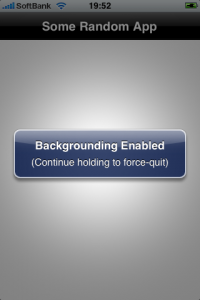
To enable backgrounding for the currently-running instance of an application, press and hold the menu/home button until a message pops-up stating "Backgrounding Enabled". Note that only the current instance will be affected; if the application is terminated and relaunched, the new instance will not have backgrounding enabled.
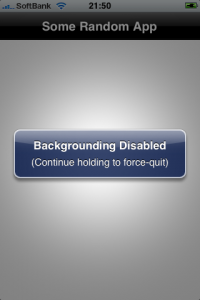
To properly terminate an application instance that has backgrounding enabled, press and hold the menu/home button until a message pops-up stating "Backgrounding Disabled".
Issues:
- Application immediately quits when holding menu/home button:
One possible cause is having the Intelliscreen application installed with the "App Launch Boost" option enabled. This option can be disabled in Intelliscreen settings on the "Performance" page.
- Application "XXX" runs fine in the background for a while, then suddenly quits:
This is most likely due to the device being low on available application memory (RAM, not disk space). This can be caused by either having too many applications running at the same time, or by using applications that require a lot of resources. Unfortunately there is no fix for this issue, other than to avoid having too many backgrounded applications.
Photoboard
This application is for manipulating different pictures (move, scale, rotate).
Costs $0.99.
iPhone 2.2: Google Street View, Emoji, Auto-Correction Off

Apple a bit more than a week ago. Couple more features were hiden there.
First of all Apple has addressed one common request within the iPhone's Keyboard settings, allowing users to disable the iPhone's auto-correction.
The other feature is for Japanese market - Japanese emoji icons. The lack of emoji support has been blamed as part of the reason for slow iPhone adoption in Japan.
The third new feature is Street View. It allows users to view panoramic street level photographs in select cities within the Google Maps application.

Hopefully we will see more new features in this and next beta's of 2.2 firmware.
via macrumors
Related articles:
Skype for iPhone - now avaliable and is FREE [AppStore, Free]
Fring allows you to chat and interact with others on a variety of networks including Skype, MSN, GoogleTalk, AIM, Yahoo, Twitter, ICQ.
In addition, Fring offers voice over ip (VoIP) using the iPhone's WiFi connection. Features listed include:
- VoIP Calls over WiFi
- Instant Messaging
- Integrated dynamic contact list with real-time contact availability
- SIP integration
- Multiple Connection types
Fring supports SkypeOut and SIP which allows you to make calls to landline and mobile phones. Available for free via App Store. ()
via macrumors
Leave a comment, read comments [1]
Stuntbike - Elastomania for iPhone
This nice game will appear very soon in AppStore. Price will around $1.
PS: Looks very similar to popular game Elastomania 🙂
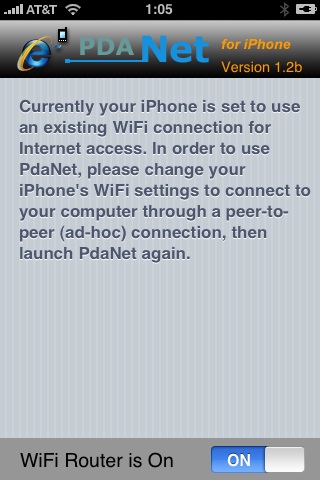
PdaNet updated to 1.31

updated to version 1.31.This tool allows you to . Here is a changelog:
This application is avaliable via .
an unknown error 13014

Several users have problems syncing their iPhones after updating to . The most common error message is “an unknown error 13014.”
As one reader writes:
“I just downloaded and installed iTunes 8.0.1 on my iMac running 10.5.5, and synced my non-3G iPhone. I immediately received an error message stating that “The phone ‘[my iPhone's name]‘ cannot be synced. An unknown error occurred (13014). Thinking I’d probably be able to fix it by resetting the phone, I did so.
Now, 15 minutes into the reset, the phone is syncing nicely with no major issues, except that I’m still getting prompted that it can’t be synced about every 15 seconds or so. It’s even kind enough to queue up the errors so that if I ignore them for a few minutes I can go back and just click ‘OK’ half a dozen times and then go back to whatever I was working on. No idea of the cause, outside of the iTunes upgrade.”
Users are reporting similar issues with the iPod touch.
In some cases, simply restarting the host computer and restarting the iPhone can resolve this issue. In other cases, this procedure is unsuccessful.
The other workaround is to reinstall iTunes. If this doesn't help, uninstall it and install iTunes version 8.0.
via iphoneatlas
iTunes 8.0.1 released
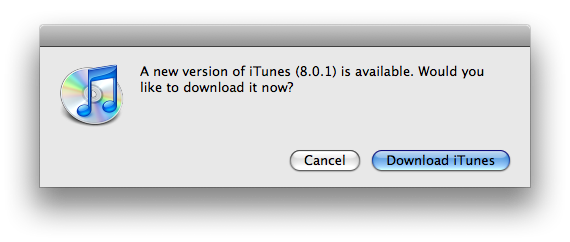
Among the enhancements in this release:
- Seamlessly plays the current song when creating a new Genius playlist.
- Improves syncing spoken menus to iPod nano.
- Addresses an issue of deleting HD TV episodes when downloading.
- Improves checking for updates from the App Store
- Improves accessibility with VoiceOver.
- Addresses problems syncing Genius results to iPod.
The new release is available through Software Update or .
The number of Cydia packages hits 400

Today the 400th package was added to Cydia 2.0 repository today. This number includes all kind of applications, modding themes, sound packages, themes, etc. Most of this stuff is free. All you need to use this is to jailbreak your iPhone.
Kroll game
Nice game. Avaliable for $7.99 via AppStore ().
Connect desktop or notebook to internet through iPhone 3G
Many iPhone 3G users would like to use internet on a desktop or notebook through their phone. There were several solutions: iPhoneModem, NetShare, 3Proxy.. they all used SSH and SOCKS proxy. One of the working ones was described here .
Couple days ago PdaNet (fullname is PdaNet WiFi Router) was ported to iPhone. Now our life is much much easier.