 iPhoneRoot.com

News from category ‘Tutorial’
VideoGuide: How to enable Emoji for free on your iPhone (without Jailbreak)
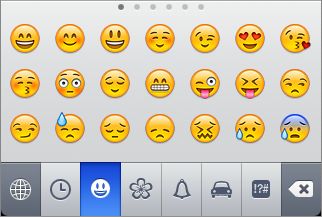
Here is a quick video tutorial, how to enable cool Emoji Icons for free and without the need to jailbreak the iPhone or iPod Touch.
How to enable internet tethering on firmware 3.1.2: step-by-step tutorial
Here's a little guide that allows you to enable tethering on the iPhone 3G and iPhone 3GS with firmware 3.1.2. A hack that changes the CommCenter is used. It eliminates the need for a digital signature.
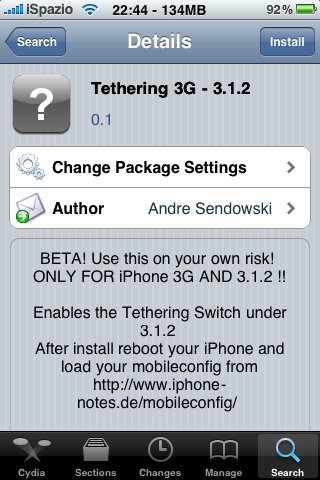
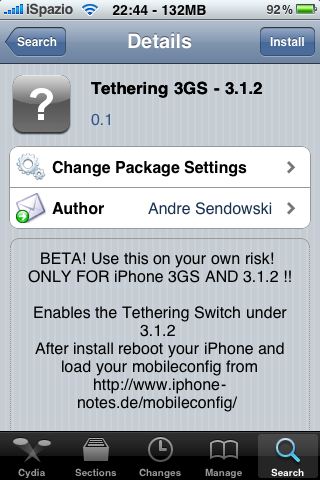

Here is a step-by-step tutorial:
1. First start Cydia and search for "iphone-notes". Install this repository and return to the tab "Search".
2. Now look for "tethering 3G - 3.1.2" or "tethering 3GS - 3.1.2" depending on the model of your device and install the package.
3. Restart the iPhone and then connect to the site www.unlockit.co.nz directly on the iPhone to create a custom APN. Create and install the profile.
After you restart you should see the field "Tethering" in the Settings.
via
Firmware 3.0.1 jailbreak
Good news is that you can still use redsn0w 0.8 to jailbreak firmware 3.0.1. Here's the step-by-step plan:
- Download both firmware 3.0 and firmware 3.0.1 (link).
- Download redsn0w 0.8 (link).
- Update or restore to official 3.0.1 in iTunes.
- Run redsn0w.
- When redsn0w asks you to identify the IPSW used, point it at the 3.0 IPSW instead of the 3.0.1 one.
- Follow the instructions.
- After the jailbreak, reinstall ultrasn0w 0.9 if you need the unlock.
Use iPhone to access the Verizon data network [CNet Video]
Access the Verizon data network on your iPhone using one handy device:
via
Make video playlists in iTunes [CNet Video]
Learn how to create video playlists in iTunes and use them in iPhone and iPod Touch:
via
HowTo share purchased iTunes music and apps with your friends [Video]
CNet published a video that shows how to share purchased iPhone applications and music on multiple devices. Here's a tutorial how to send your friend couple iPhone apps:
Cydia Store - how to purchase apps
The CydiaStore is open for business. Below you can find purchase process so you can see how it works.
Cydia store packages are going to be in blue writing. when you click on one, your install button says “purchase” instead of “install”.
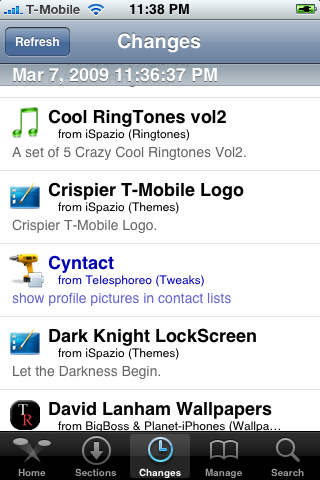
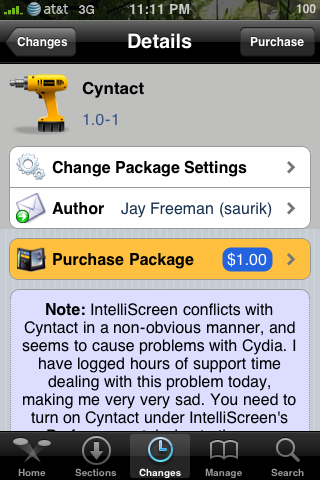
The Cydia store uses two layers of authentication: 1) Authentication 2) Payment. Currently, amazon is used for payments and you can use either facebook or google for authentication. If you have an existing amazon account, facebook account, or google account, this is easy.
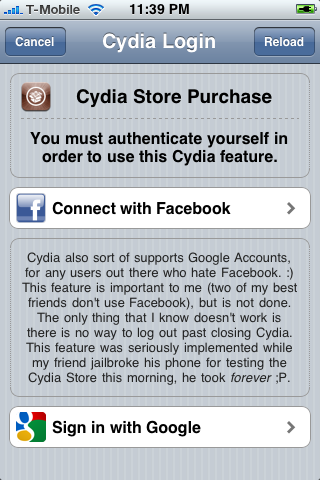
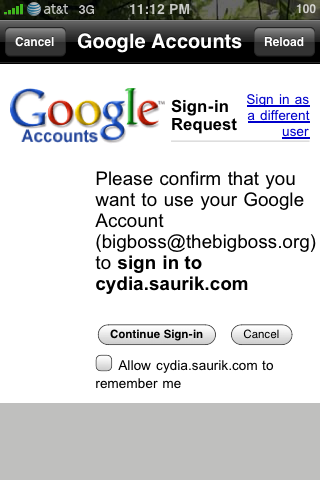
You can choose to have this automatically remembered so you don’t have to go through these steps again if you want. Also you now need to link the device you’re using to your account:
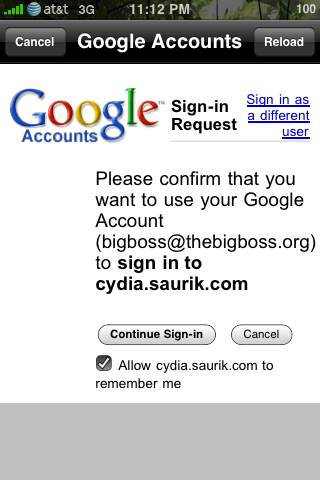
After this is done, you now need to setup payment. There are steps to take on teh very first time, but if you allow it to be kept, it will be remembered for the second purchase. Note you can also set pay limit for one-click installs without having to reenter a password in the future:
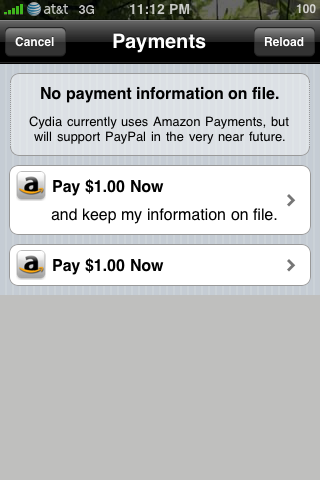
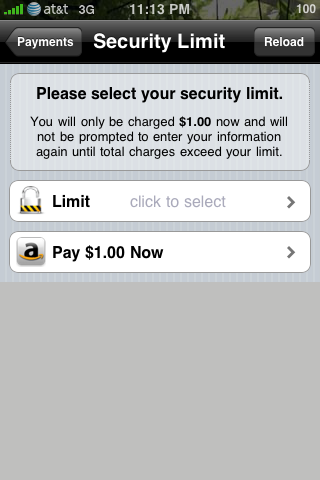
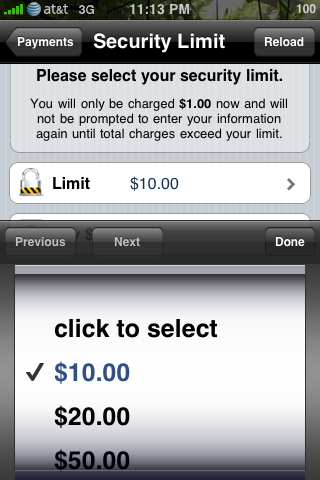
After, sign in with your Amazon password and finish checkout:
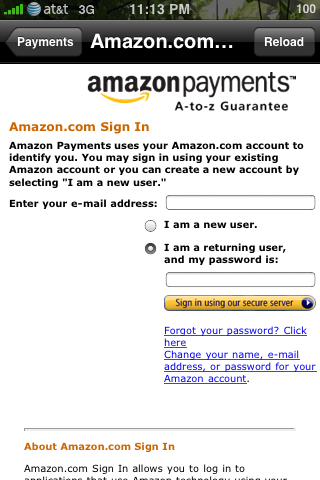
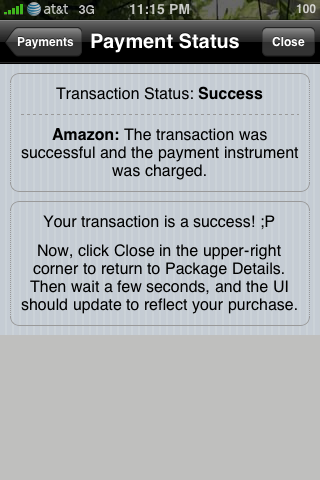
After this, you hit the “close” button and wait. It took about 20 seconds for me. Now the package shows that it’s purchased and ready for download:
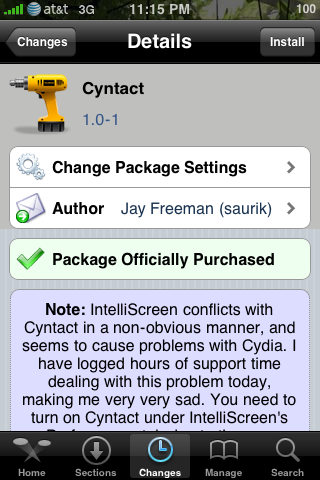
After this, updates and such are treated normally. If you selected the correct options, it will be very easy to purchase the next item.
UPDATE: you can use paypal now 🙂
via thebigboss
Howto create ringtones with Ringtone Expressions [Video]
is a free applications, that allows users to create ringtones for iPhone easy and fast. It supports creating ringtones using Drag and Drop from iTunes, from YouTube videos, from your computer’s mic. It also sllows users to share thier ringtones via Facebook and Twitter.
Along with iPhone there is support for BlackBerrys and Windows Mobile.
Here's a video:
iPhone 3GS Jailbreak Videoguide
RX-8 controlled from an iPod Touch [Video]
Quite impressive:
Read more info .
How To create an iTunes App Store account without a credit card
To create an iTunes App Store account without a credit card please follow the steps below.
Note: In order to create an account without a credit card, you must make sure you are in the App Store, not the iTunes Store.
- Pick your country from the pop-up menu at the bottom of the iTunes Store homepage.
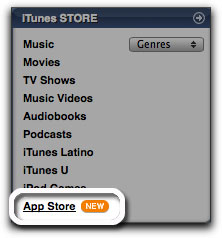
- If your country also has an iTunes Store, you'll need to navigate to the App Store by clicking on the "App Store" link from the menu on the left. If not, proceed to step 3.
Read the rest of this entry »
iPhone 3G unlock tutorial
Dev Team finally made it. They created software called yellowsn0w, that unlocked iPhone 3G. Now you can use any carrier you want. I successfully unlocked my US version.It works much more stable than sim proxy method.
Please, back up everything on your iPhone before you start, just in case. Everything you do is your responsibility. I had to go through all 4 steps to make my iPhone 3G work. I used only my new sim without sim proxy.
Here are the steps:
 Leave a comment, read comments [3]
Tutorial: How to perform Jailbreak, Activation and Unlock (Windows)
UPDATE: Please, consider reading our Jailbreak & Unlock FAQ, especially if you have questions or troubles.
This is a step-by-step tutorial. If you have iPhone 3G this guide will help you jailbreak and activate the device. For iPhone 2G it will also perform the unlock.
I recommend using 2.2 firmware, because iPhone 3G . But you can use it with old v2.1, v2.0.1 and v2.0.2.
Tutorial: compile and run Java application on the IPhone
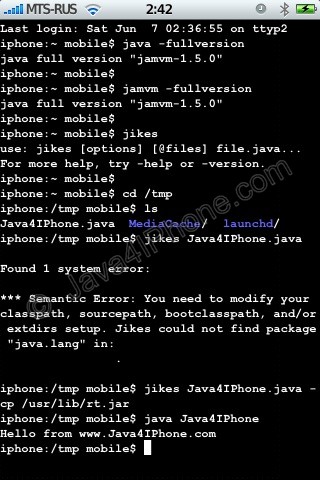
This is a tutorial, that shows step by step how to use installed Java on the IPhone. Just in case you do not have Java installed on your IPhone there is a how to do it.
What we need is a working IPhone with . I used latest firmware 1.1.4, unlocked, jailbreaked and customized by .
Step 1: Create simple Java application, compile and run.
Leave a comment, read comments [16]
Tutorial: install Java on the IPhone
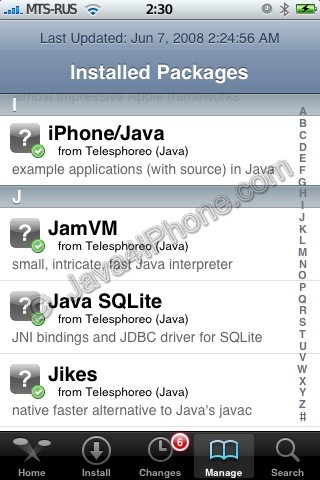
This is a tutorial, that shows step by step how to install Java on the IPhone.
What we need is a working IPhone with . I used latest firmware 1.1.4, unlocked, jailbreaked and customized by .
First of all I'd like to say we all want to use legal IPhones and operators. So everything written below is for testing purposes only :-). Hopefully this technology will be avaliable on all IPhones sold worldwide. You also might need to recover your IPhone, so make sure you backed up all your data. I personally did everything without any problems and needs to recover. Everything you do is your responsibility, etc...
So let's start, because it's worth it! It's just one evening and you will be able to create your personal Java application, compile and run it on the IPhone, and amaze all your friends :-).
There are two steps:
Leave a comment, read comments [25]