 iPhoneRoot.com

News from category ‘Tutorial’
Prevent iTunes from Updating Jailbroken Devices

iTunes continues to serve iOS updates even if your Apple’s device was jailbroken. And if these updates are downloaded and installed occasionally, your device may be returned to a non-jailbroken state. Here the script, which prevents iTunes from automatically downloading updates:
 Leave a comment, read comments [4]
Step-by-step Tutorial: how to jailbreak iOS 4.0-4.1 on iPhone 3GS or iPhone 4 using Limera1n (Windows)

These are instructions on how to jailbreak your iPhone 3GS (all bootroms) and iPhone 4 using Limera1n for Windows. Limera1n supports iOS 4.0, iOS 4.0.1, iOS 4.0.2 and iOS 4.1. Use the same steps to jailbreak iPod Touch 4G and iPod Touch 3G and even iPad. You can find the Mac OS version of this tutorial here.
Remember: Do not update to iOS 4.1 if you need the unlock. Ultrasn0w does not support that baseband yet.
UPDATE: Please, consider reading our Jailbreak & Unlock FAQ, especially if you have questions or troubles.
Step 1
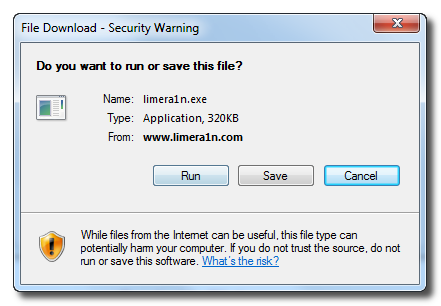
Open your browaer and navigate to and download LimeRa1n for Windows by clicking on the Windows.
When prompted save the download to your desktop
Leave a comment, read comments [141]
LimeRa1n iPhone iOS 4.1 jailbreak howto video
Engadget published a howto video of LimeRa1n - iOS 4.0-4.1 jailbreak utility for iPhone, iPod Touch and iPad:
iPhone iOS 4.1 Jailbreak Released from GeoHot, called LimeRa1n

Famous hacker Geohot is back and today he released the latest iOS 4.1 jailbreak. It is called LimeRa1n and supports iPhone 3GS, iPod Touch 3G, iPad, iPhone 4, iPod Touch 4G with iOS firmwares 4.0-4.1 and beyond. It can also hacktivate your device, so there is no need in phone SIM-cards and other tricks.
This software is still in beta and was updated 3 times in last several hours. So use with caution.
There is Windows version only for now. Geohot plans to release LimeRa1n for Mac and Linux soon. You can Download it here.
Some users report that they have jailbroken their iOS 3.2.2 iPads successfully with limera1n, while others report that they tried, but failed.
Do not forget to backup.
For many users of iPhone 3GS and iPhone 4 with iOS 4.0.2 now there is a hope to perform jailbreak using LimeRa1n and unlock using ultrasn0w. We recommend NOT to do it if you have not saved your SHSH keys. You can try, but if something goes wrong without SHSH keys you'll have to restore to iOS 4.1, and there is no unlock for iOS 4.1 (possibly forever). Just wait for PwnageTool utility.
DevTeam reported that Limera1n uses a different exploit than SHAtter, so they will not release SHAtter utility, they don't want let Apple fix both security holes. However they plan to release PwnageTool using the same exploit.
You can find our LimeRa1n tutorials tutorials:
HowTo: create iPhone ringtones in iTunes 10
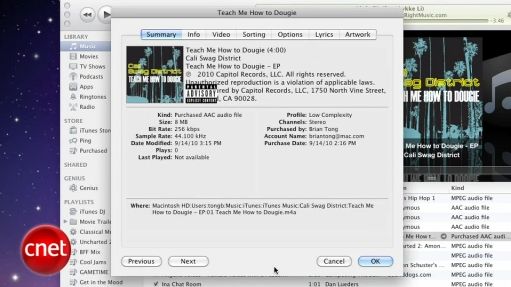
CNet specialists will show and explain us how to create custom ringtones in iTunes 10. Watch the video:
Change Your iPhone/iPod touch Icons Without Jailbreaking

If you’re interested in theming your iPhone/iPod touch, but don’t want to jailbreak your device, there is now a solution. Using iPhone Explorer, you can now change an app’s icon to something you like better. Best of all, the software is free!
How to jailbreak iOS 4.0.2 iPhone 3G
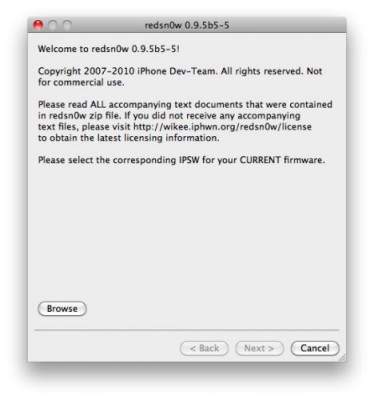
You cannot use JailBreakMe method to jailbreak and unlock iOS 4.0.2 on iPhone 3G. However you can still jailbreak and unlock iPhone 3G using redsn0w. Here are the instructions:
- Download the latest RedSn0w 0.9.5-b5 in our utilities page here.
- Download firmware images for iOS 4.0 here.
- Run RedSn0w and point it at the 4.0 IPSW. (Yes – point it at the 4.0 IPSW even though you're at 4.0.2). This will also hacktivate your iPhone3G at 4.0.1 if you haven't already been activated by iTunes.
- If you need a carrier unlock - install ultrasn0w in Cydia (add repository http://repo666.ultrasn0w.com). For T-Mobile in the USA remember to turn off 3G mode in Settings→General→Network.
Check out HDR photos on iPhone 3G or 3GS!
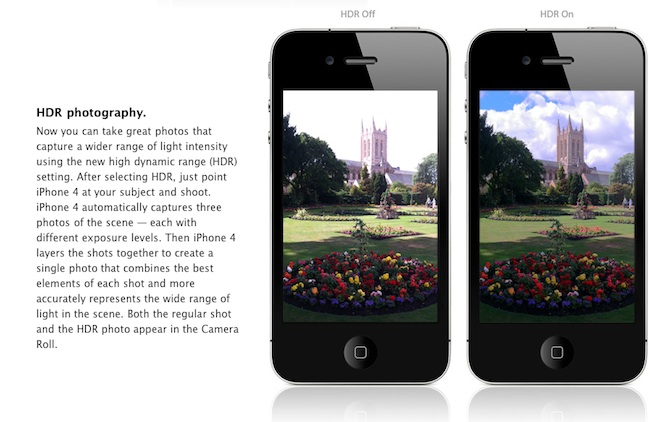
Are you looking forward to add a very popular HDR feature to your old iPhone? Do not worry! If you have a jailbroken (or ready to jailbreak) iPhone 3GS or 3G that runs on iOS 4.1, you can enable HDR photos. Here is a quick tutorial:
Leave a comment, read comments [7]
HowTo display iPad on an external monitor
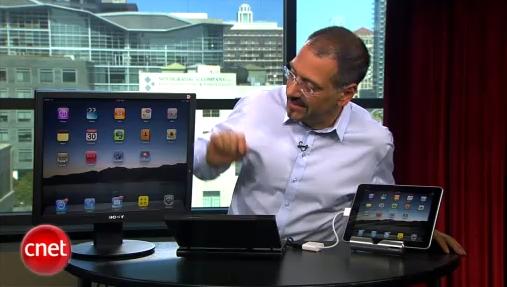
Have you ever wanted to display something on your iPad to external big screen? Here's a quick video tutorial how to do that:
Try JailbreakMe.com!
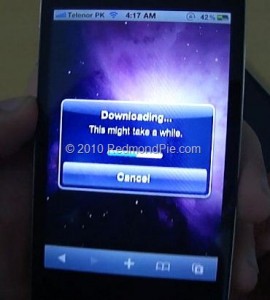
Some users say that they have problems, while trying to use the JailbreakMe.com service. They simply can not browse the site! We decided to solve this issue, so you can unlock iPod touches, iPads and iPhones. Follow these instructions to achieve a positive result!
Step 1: Instead of typing http://www.jailbreakme.com, enter http://jailbreakme.com/index.html, it will take you directly to the site that really works.
Step 2: If the above does not work, use the Canadian extension as follows http://www.jailbreakme.ca. App Advice claims that it is a mirror redirecting you to the current website version.
In addition, remember that JailbreakMe will work only on your Apple devices, running on iOS 3.2.1/iOS 4.0.1 or below.
Activate FaceTime on Unlocked iPhone 4 with MiTime
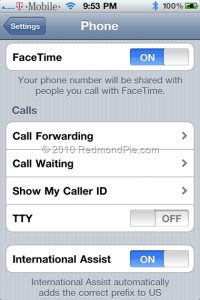
The recently released application MiTime for the iPhone 4 fixes and activates FaceTime on unlocked iPhone 4s that run on T-Mobile USA or other unofficial unsupported carriers. According to the MiTime’s description, it should work with almost any carrier in the world. You should be able to receive international SMS messages to activate FaceTime via MiTime.
The application MiTime sends two international SMS messages for activation, so it can not be free. Thus, until there is no other way to activate FaceTime on unlocked iPhone 4s, this is the only way with an affordable price.
More information and tutorial is .
Jailbreak an iOS 4.0.2 iPhone 3GS with PwnageTool
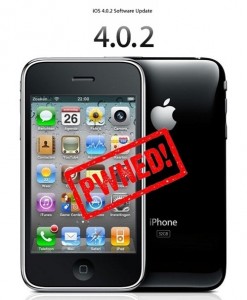
Have you already updated your device to the version iOS4 and want to unlock your 3GS? Firstly there was Redsn0w, now PwnageTool is available, which can easily help you. Here is for jailbreaking iPhone 3GS (old bootrom). Warning: this is not an official release and therefore may be some bugs that can destroy your device or delete some important information. So be careful while using it!
Play Xvid AVI Videos on iPhone and iPod Touch Right Now!
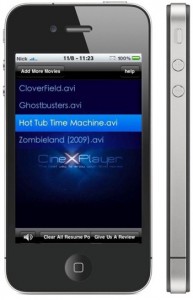 Can not wait for the official release? Do you want to get CineXPlayer for iPad on your iPhone and iPod touch right now? For those of you who do not know, CineXPlayer is an iPad application that allows you to download Xvid AVI files using iTunes, so you can easily reproduce the format that Apple won’t. Because the developer has not invented version of the application for the iPhone, the hacker decided to do everything by himself.
It is a complete step by step tutorial on how to install it on your iPhone or iPod touch available . You just need to jailbreak these devices, because the process involves SSH (SSH program for secure file sharing on the network) to access the iPhone, but it's worth it if you want to get it right now!
Leave a comment, read comments [2]
Installing Flash on iPhone or iPad is now easy
Now adding Flash to your iPhone and iPad is very easy. Apple didn't want Flash to be on their devices. Several hackers created a project Frash - a Flash port for iPhone and iPad. Today it is available as a package in Cydia. To install follow these steps:
Leave a comment, read comments [6]
HowTo activate iPhone without original SIM card
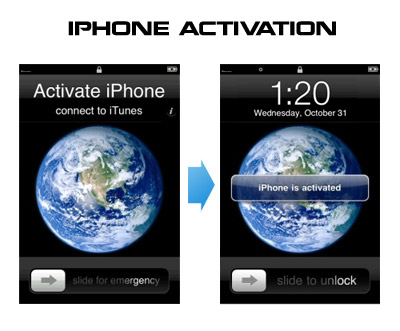
UPDATE: Now you should use RedSn0w, PwnageTool or Sn0wBreeze to activate.
Having problems activating your iPhone? Don't have original SIM-card? Cannot get passed emergency unlock screen? We have a solution:
If you have iPhone 3G, just use redsn0w to jailbreak and hactivate. If you have iPhone 3GS or iPhone 4 follow these instructions:
If you are already Jailbroken:
So you have an iPhone with iOS 4.0, but don't have the original SIM and stuck on the Emergency Call Screen:
- Download ifunbox software ()
- Run ifunbox software and sync with phone
- Go to /private/var/root/Library/, delete original lockdown folder and put this folder after you extract it from the zip file
- Restart phone
If you are not jailbroken:
Leave a comment, read comments [12]