 iPhoneRoot.com

News from category ‘Software’
RedSn0w 0.9.9b6 released: iOS 5 jailbreak for Windows and fixed location services for 3GS
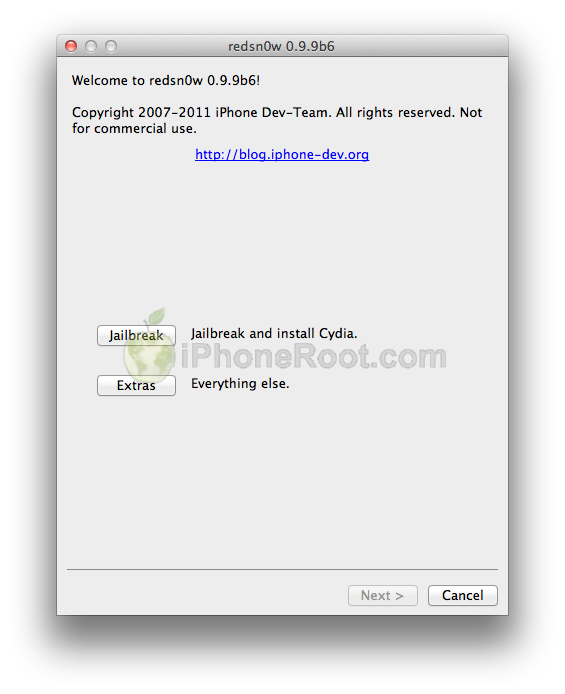
The iPhone Dev-Team released jailbreak utility RedSn0w 0.9.9b6 for both Windows and Mac users. The new version offers full iOS 5 jailbreak support for Windows and fixes Location Services issue for iPhone 3GS devices running the 06.15 baseband. This is still a tethered jailbreak for iPhone 4, iPhone 3GS, iPad 1, iPod Touch 3G and iPod Touch 4G:
We've released version 0.9.9b6 of redsn0w, with both a functional fix and cosmetic fix for iOS5 jailbreakers. For iPhone3GS owners with the 06.15 baseband, this redsn0w eliminates the network crash you saw when using Location Services in iOS5 (in fact, you don't even need to disable Location Services anymore during the initial setup). The cosmetic fix is to the visual countdown you see when going into DFU mode.
It's okay to re-run this redsn0w over an existing device jailbroken at iOS5. Just choose "Jailbreak" again and de-select Cydia (in other words, all the checkboxes will be unchecked). If you are lucky enough to have an old-bootrom iPhone3GS, please pre-select the IPSW first (redsn0w can't yet auto-detect the FW version of your old-bootrom 3GS if it's already been jailbroken).
Just as redsnow 0.9.9b5 the new version supports creating custom firmwares with preserving baseband (modem) version for unlock. Unfortunately right now custom firmware functionality works only with Mac version.
You can download the latest RedSn0w version here.
UPDATE: RedSn0w 0.9.9b7 released. Minor change, it has an option for a faster jailbreak. Get it here.
UPDATE:
Here are links to our RedSn0w 0.9.9 iOS 5 jailbreak tutorials:
- Windows: iPhone 4, iPhone 3GS, iPad 1, iPod Touch 3G, iPod Touch 4G
- Mac OS: iPhone 4, iPhone 3GS, iPad 1, iPod Touch 3G, iPod Touch 4G
 Leave a comment, read comments [10]
iOS 5: Cydia Tweaks Compatibillity List

iOS 5 is currently jailbreakable using redsn0w 0.9.9b5 or sn0wbreeze 2.8b8. So developers are working hard to update their apps and tweaks to work with iOS 5. Here is a useful spreadsheet, where you can find information, whether or not your favorite Cydia tweak or app is compatible with iOS 5:
Siri voice command system was ported from iPhone 4S to iPhone 4 (video)
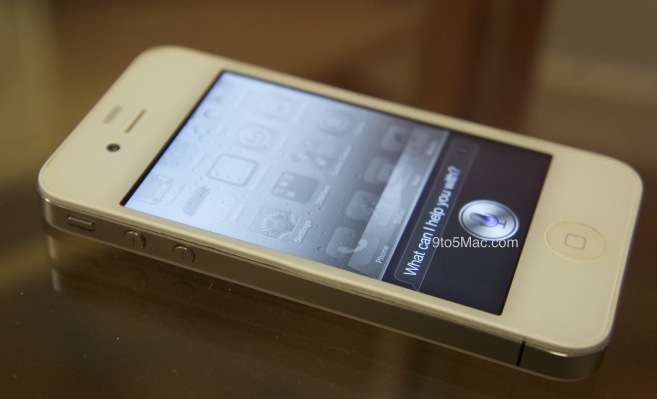
Developer Steven Troughton-Smith has successfully ported the iPhone 4S Siri voice command system to the iPhone 4. Troughton-Smith was able to get the beginning steps of a full port. Take a look at the video:
Sn0wBreeze 2.8b8 can help jailbreak and unlock iOS 5
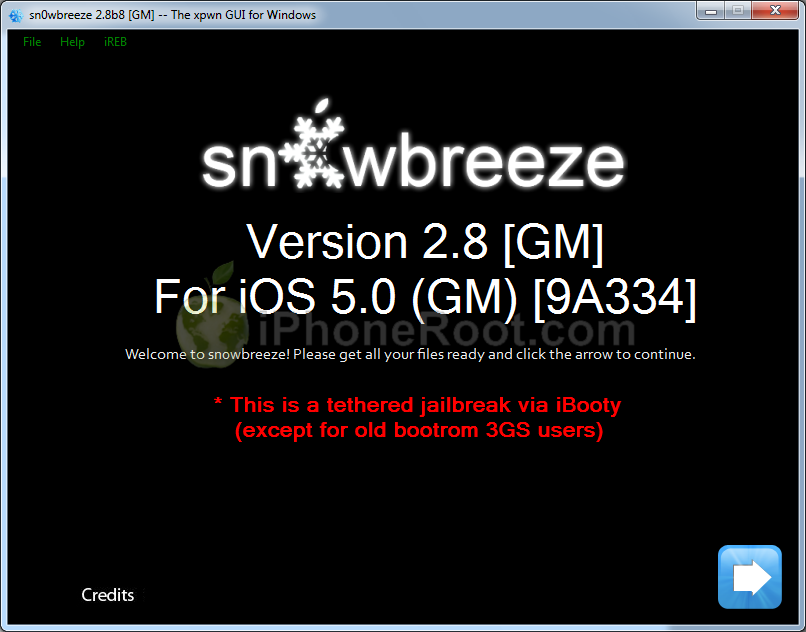

If for some reason you don't want to use redsn0w 0.9.9 to jailbreak your iOS 5, here is a good alternative utility - Sn0wBreeze 2.8b8. It can perform a tethered jailbreak for iPhone 3GS, iPhone 4, iPad 1, iPod Touch 3G and iPod Touch 4G.
As usual it will preserve your baseband (modem) version for unlock with ultrasn0w 1.2.4 or Gevey Sim.
You can download Sn0wBreeze 2.8b8 here.
UPDATE: Sn0wBreeze 2.8b8 step-by-step jailbreak and unlock tutorials:
Leave a comment, read comments [2]
Benchmarking iOS 5
Gigaom several tests of iOS 5 comparing it to different iOS 4 versions. The tests were run in iPad 1 Wi-Fi, iPhone 4 (GSM), iPod touch 4G and the iPad 2 Wi-Fi+3G (GSM).
As indicated by the charts below the iOS 5 is showing many speed improvements over iOS 4. iOS 5 was faster in almost every category, except for the first generation iPad.
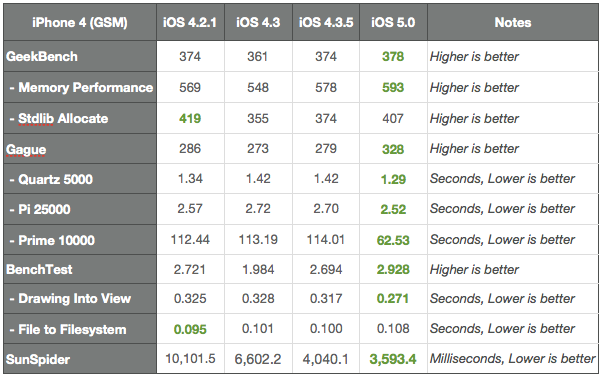
The following apps were used to test the performance: ($0.99), (free), ($0.99), (free) and (free).
More results:
Apple released Cards app for iOS
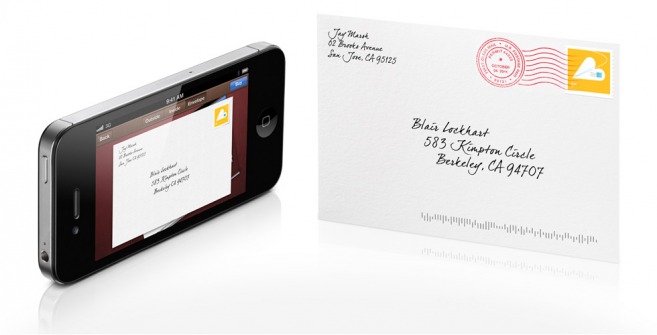
Apple has released new iOS app for mailing post cards right from your iPhone. The Cards app, according to Apple:
The new Cards app from Apple lets you create and mail beautifully crafted cards personalized with your own text and photos — right from your iPhone or iPod touch. Take a quick snapshot and with a few taps and swipes, an elegant letterpress card is on its way to any address in the world. Each card is just $2.99 when sent within the U.S. and $4.99 when sent to or from anywhere else. And that includes postage.
The Cards app is available free of charge from the App Store .
iPhone 4S vs iPhone 4 speed comparison [Video]
Check out this iPhone 4S vs. iPhone 4 comparison video that shows the speed difference between the two devices when launching various applications.
Here is a quick speedtest on AT&T 3G network:
DevTeam releases ultrasn0w unlock for iOS 5
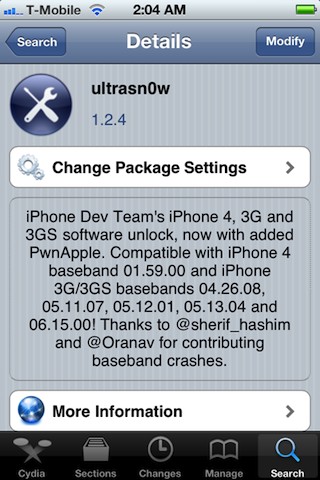
The iPhone Dev-Team has released an update to their UltraSn0w unlock bringing support for iOS 5. Remember that NO new basebands are supported in this release. It only adds support for iOS 5 with old basebands.
Here is the list of supported basebands:
- iPhone 4: 01.59.00
- iPhone 3G/3GS: 04.26.08, 05.11.07, 05.12.01, 05.13.04, 06.15.00.
If have one of the above baseband version and need unlock you can upgrade to iOS 5 without updating your baseband using RedSn0w 0.9.9b5 or Sn0wBreeze 2.8b8.
Ultrasn0w 1.2.4 is available in Cydia.
Leave a comment, read comments [9]
iOS 5 jailbreak is ready (RedSn0w 0.9.9b5)
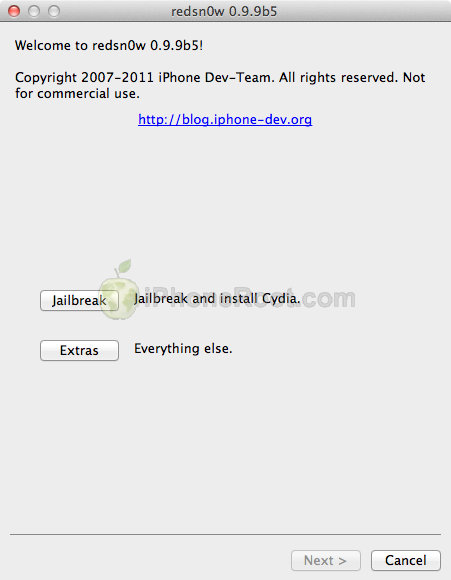
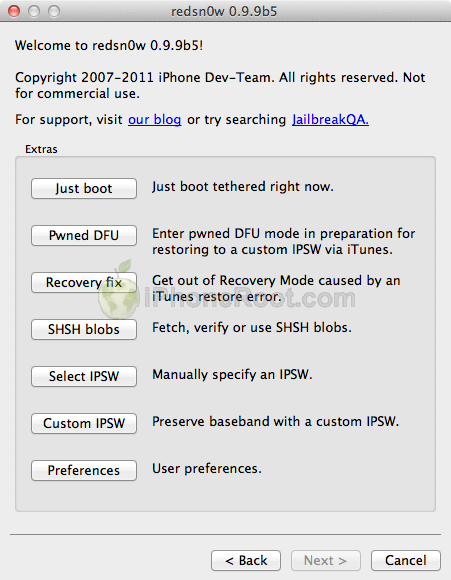
The iPhone Dev-Team has released RedSn0w 0.9.9b5 - an official tethered jailbreak for iOS 5. Users don't have to point to downloaded iOS 5 ipws any more. Just run and jailbreak.
Currently only the Mac version has been made available. Windows version is coming soon. However Windows users can still jailbreak iOS 5 with Redsn0w 0.9.9.b4, - just go to "Extras" -> "Select IPWS" and select your iOS 5 ipsw file (can download here).
Good news for users who need carrier unlock (ultrasn0w or Gevey Sim). With RedSn0w 0.9.9b5 you can update to iOS 5 and preserve the baseband (modem) version for unlock:
The new "Custom IPSW" button on the Extras screen will create a custom IPSW without the baseband update for 4.3.3 or 5.0gm (iPhone3GS and iPhone4 only, for now). Remember not to accidentally restore to the stock IPSW after you create the custom one! The custom one begins with NO_BB_ (for "no baseband").
You must enter "Pwned DFU" mode before trying to use the NO_BB_ IPSW with iTunes (and your hosts file cannot be pointing to Cydia's servers due to the new blob nonce mechanism they're using in iOS5).
We will update our step-by-step tutorials soon.
You can download RedSn0w 0.9.9b5 (Mac) and RedSn0w 0.9.9b4 (Windows) here.
PS: RedSn0w 0.9.9 is a bit different from 0.9.8 version. You can learn more about other new redsn0w 0.9.9 features here.
UPDATE: Windwos users can use sn0wbreeze 2.8b8 to preserve baseband.
UPDATE: redsn0w 0.9.9b6 released, download here
UPDATE:
Here are links to our RedSn0w 0.9.9 iOS 5 jailbreak tutorials:
- Windows: iPhone 4, iPhone 3GS, iPad 1, iPod Touch 3G, iPod Touch 4G
- Mac OS: iPhone 4, iPhone 3GS, iPad 1, iPod Touch 3G, iPod Touch 4G
Apple releases iOS 5 for iPhone, iPad, iPod touch & Apple TV

Yesterday Apple released the long-awaited iOS 5 for the iPhone 4, iPhone 3GS, iPad 2, first-generation iPad, fourth-generation iPod touch, and third-generation iPod touch. An update is also available for the Apple TV, bringing wireless mirroring functionality over AirPlay. To update to the iOS 5 users should install iTunes 10.5 released on Tuesday. Noteworthy it is the last time when Apple provides their users with update with USB. All next updates will be available wirelessly, without the need to use a cable.
The iOS 5 pack includes more that 200 new features. The most noteworthy among them are the following:
Leave a comment, read comments [3]
Apple Released AirPort Utility for iOS 5
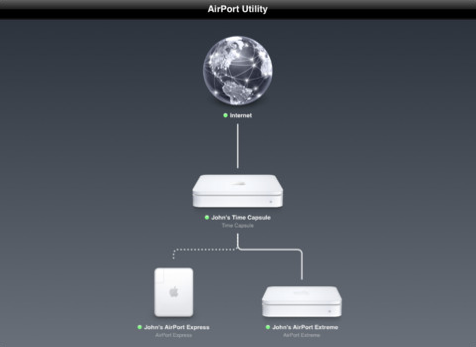
Ahead of today’s iOS 5 launch, Apple released the rumored AirPort Utility app that allows you to manage your AirPort Express, AirPort Extreme and Time Capsule base station and Wi-Fi network right from your iOS device. The app also includes some advanced capabilities that let you effectively manage your base station and networks.
Instant Messaging App Verbs Is Now Available For iPad

When choosing the perfect instant messaging it is worth considering Verbs app. It is an instant messaging client that is now for both iPad and iPhone. This app includes support for MobileMe, Facebook, AIM, and Google Talk. Instant messaging with Verbs is really sleek and direct. Also the app has WebOS card-like capability that allows easy switching across chats.
Let's compare iPhone 4S with Samsung Galaxy S II, Motorola Droid Bionic and HTC Titan

We know that iPhone 4S is better than the iPhone 4, let's take a look at how Apple's latest smartphone compares to Android and Windows phones. Engadget compared iPhone 4S with Samsung Galaxy S II, Motorola Droid Bionic and HTC Titan. The first two are Android based, while the last one is Windows one.
Take a look at the results:
Download links for iOS 5 GM

Since iOS 5 GM has been released, it's time to try it. While the firmware is available for developers, everybody can install it without Apple Developer account and UUID registration. You can download new iOS 5 GM firmware and iTunes 10.5 beta 7 using the links below:
UPDATE: Final iOS 5 version is released. You can download it here.
Leave a comment, read comments [8]
Apple Released iOS 5 GM Seed for Developers
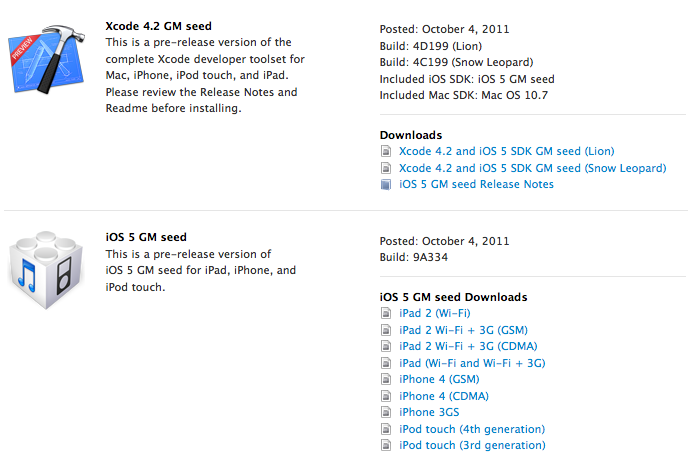
Apple has finally released iOS 5 GM seed to the iOS developers. GM version is usually the same as the release version, unless some critical error are found.
Yesterday Apple announced that iOS 5 software will be available on October 12 as a free software update for all iPhone, iPad and iPod touch customers.
There is no need to register UUID at Apple to install GM version, so anybody can install and try iOS 5 right now.
Developers can download iOS 5 GM .