iPhoneRoot.com

News from category ‘Cydia’
The future of BossPrefs
Many users of iPhones use application called . The developer of this app is creating a new one. The new application will be called SBSettings.
The toggles drop down when you swipe along the status bar. It is very fast and can be used while in any app without exiting the app. Suppose you are in Safari but realize your 3g is not yet enabled. Just swipe the statusbar and toggle 3g, than resume in Safari where you left off. The advantage is there is no need to exit Safari and load settings or bossprefs.
The look and feel of this new app will be something like this:
via thebigboss
 Leave a comment
SwirlyMMS updated to 1.2.8

is updated to v1.2.8. Many bugs are fixed.
Avaliable in for iPhones.
Tutorial: How to perform Jailbreak, Activation and Unlock (Windows)
UPDATE: Please, consider reading our Jailbreak & Unlock FAQ, especially if you have questions or troubles.
This is a step-by-step tutorial. If you have iPhone 3G this guide will help you jailbreak and activate the device. For iPhone 2G it will also perform the unlock.
I recommend using 2.2 firmware, because iPhone 3G . But you can use it with old v2.1, v2.0.1 and v2.0.2.
PdaNet updated to 1.33

updated to version 1.33. This tool allows you to . Here is a changelog:
This application is avaliable via for iPhones.
Categories updated to 2.21 [Cydia]

updated to 2.21. The only change is that the app is now optional so that those of you that didn’t like having this app could uninstall it without uninstalling categories as well. Of course, if you uninstall it, the backgrounding option inside categories will be ignored.
Related:
SwirlyMMS updated to 1.2.6
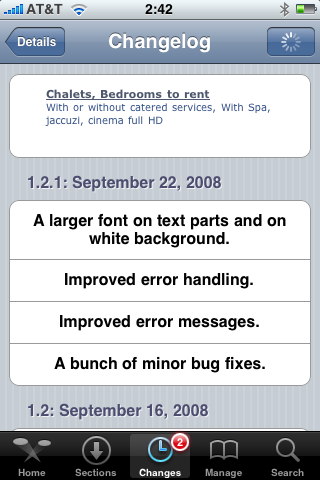
allows users to send MMS messages. It is updated to 1.2.6. In several days it jumped from v1.2.3 to v1.2.6. Here is a changelog:
This application is avaliable via Cydia Installer.
Categories 2.20 - rapid folder opening
updated to 2.20. Here is a changelog:
Launcher: Folders instant loading! Integrated with backgrounder for folders. There is now an option in the settings to "keep resident". When set, the folder only loads once per respring. After that, it stays running in the background (uses no CPU but uses some RAM) to provide instant loading (no load times). Note that this does use more memory so use it sparingly. I suggest that it is ok for 1 - 4 folders but I would not background 20 folders. If you do and have problems, just go back to settings and disable this option on some of the folders you don't use as often.
Sounds like we should use + . In this case folders will open very very quickly.
Avaliable in .
Backgrounder
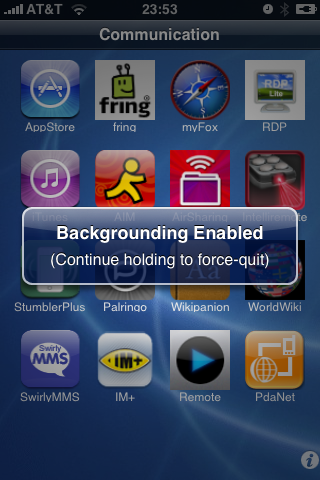
iPhone-Backgrounder (available for jailbroken iPhones via ) brings another much-desired functionality that Apple's not allowing for legit apps—the ability to run in the background.
This is very usefull for iPhone applications like (Fring), , , and many others.
To enable backgrounding for the currently-running instance of an application, press and hold the menu/home button until a message pops-up stating "Backgrounding Enabled". Note that only the current instance will be affected; if the application is terminated and relaunched, the new instance will not have backgrounding enabled.
To properly terminate an application instance that has backgrounding enabled, press and hold the menu/home button until a message pops-up stating "Backgrounding Disabled".
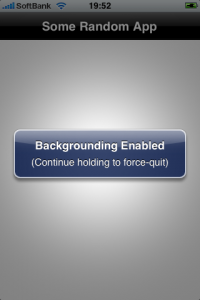
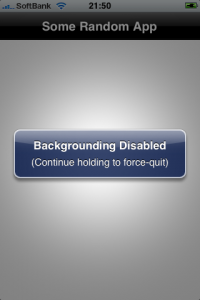
Issues:
- Application immediately quits when holding menu/home button:
One possible cause is having the Intelliscreen application installed with the "App Launch Boost" option enabled. This option can be disabled in Intelliscreen settings on the "Performance" page.
- Application "XXX" runs fine in the background for a while, then suddenly quits:
This is most likely due to the device being low on available application memory (RAM, not disk space). This can be caused by either having too many applications running at the same time, or by using applications that require a lot of resources. Unfortunately there is no fix for this issue, other than to avoid having too many backgrounded applications.
PdaNet updated to 1.31
updated to version 1.31.This tool allows you to . Here is a changelog:
This application is avaliable via .
The number of Cydia packages hits 400

Today the 400th package was added to Cydia 2.0 repository today. This number includes all kind of applications, modding themes, sound packages, themes, etc. Most of this stuff is free. All you need to use this is to jailbreak your iPhone.
Connect desktop or notebook to internet through iPhone 3G
Many iPhone 3G users would like to use internet on a desktop or notebook through their phone. There were several solutions: iPhoneModem, NetShare, 3Proxy.. they all used SSH and SOCKS proxy. One of the working ones was described here .
Couple days ago PdaNet (fullname is PdaNet WiFi Router) was ported to iPhone. Now our life is much much easier.
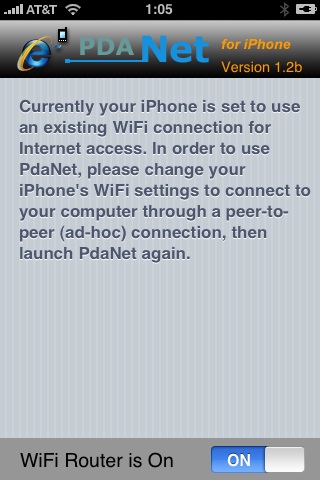
Cydia updated to 1.0.2595-36
The popular application Cydia Installer is updated. Minor bugs fixed. Cydia is now a bit more stable (especially on 2.1 firmware) and users will get lewss "Bad URL" errors.
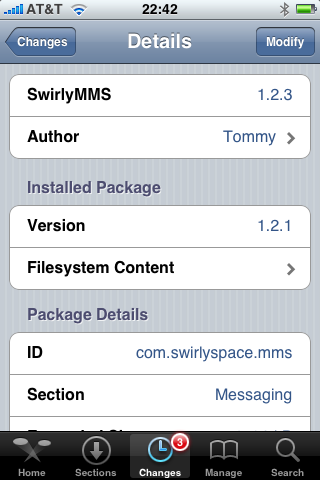
SwirlyMMS updated to 1.2.3
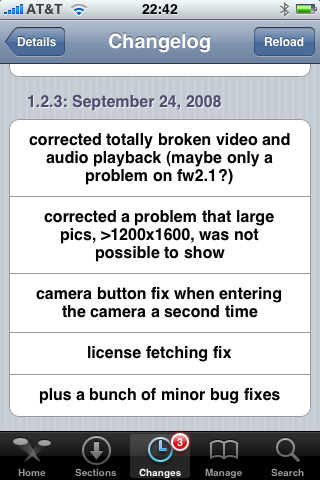
is updated to v1.2.3. Many bugs are fixed.
Avaliable in Cydia.
CopierciN updated to 0.2.1b

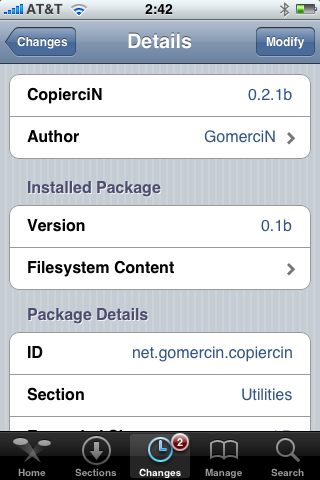
, copy/paste utility for iPhone, is updated. This application is avaliable in Cydia.
Minor changes:
Fixed:
- com.apple.MobileSMS.plist file is not overwritten now, it is modified instead.
Added:
- BiteSMS support
- Very basic “import from contacts” interface
Compatibility:
- Works with 2.1 firmware
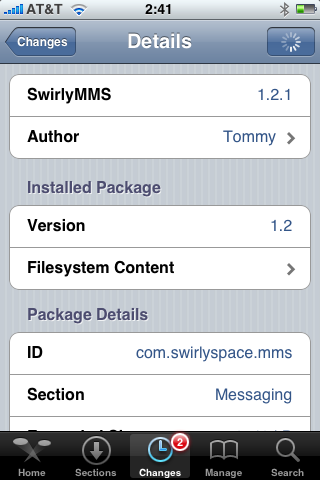
SwirlyMMS 1.2.1
is updated to v1.2.1. Minor bugfixes. Avaliable in Cydia.