 iPhoneRoot.com

News from category ‘Cydia’
Step-by-step Tutorial: How to Untether Jailbreak iPod Touch 4G Using RedSn0w 0.9.6rc9 (Windows) [iOS 4.3.1]
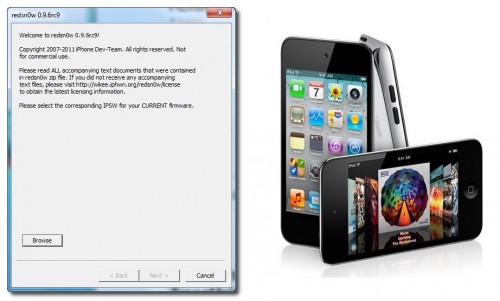
This is step-by-step instructions on how to perform untethered jailbreak of your iPod Touch 4G on iOS 4.3.1 firmware using RedSn0w 0.9.6rc9 for Windows.
 Leave a comment, read comments [22]
Sn0wBreeze 2.5.1 released: supports Apple TV 2G and 06.15 baseband
iH8sn0w updated their iOS 4.3.1 untethered jailbreak utility - released Sn0wBreeze 2.5.1.
They have added
- Apple TV 2G support,
- Cydia 1.1.1,
- ability to use 06.15 baseband for iPhone 3GS,
- afc2 (to use ifunbox and iphone explorer)
- fixed some bugs
Sn0wBreeze is used to create custom firmwares with jailbreak and preserve iPhone baseband. It is available for Windows only.
You can download Sn0wBreeze 2.5.1 here.
Here' official changelog.
Leave a comment, read comments [2]
Apple Asks Toyota to Pull Jailbreak Ad Campaign

Apple reportedly asked Toyota to remove from Cydia its exclusive theme created by Toyota's advertising company Velti for promotion of its new vehicle and available for jailbroken iPhones.
Scion, a brand of vehicles manufactured by Toyota, recently developed a custom iPhone theme specifically for jailbroken devices, submitting it to us for hosting in Cydia.
As far as we know, Apple is strongly against jailbroken devices but this advertising campaign may somehow help to legitimize the jailbreak community and also place it in direct competition with Apple's own iAds network. Apple apparently heard about the campaign and has asked Toyota to pull it.
Step-by-step Tutorial: How to Untether Jailbreak iPad Using RedSn0w 0.9.6rc9 (Windows) [iOS 4.3.1]
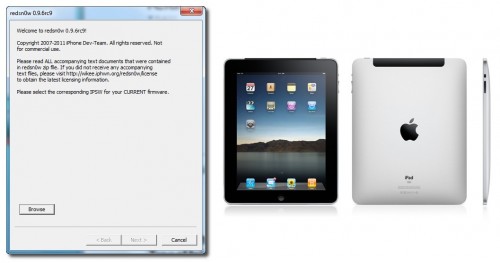
This is step-by-step instructions on how to perform untethered jailbreak of your iPad on iOS 4.3.1 firmware using RedSn0w 0.9.6rc9 for Windows.
Leave a comment, read comments [12]
Step-by-step Tutorial: How to Untether Jailbreak iPhone 4 Using RedSn0w 0.9.6rc9 (Windows) [iOS 4.3.1]
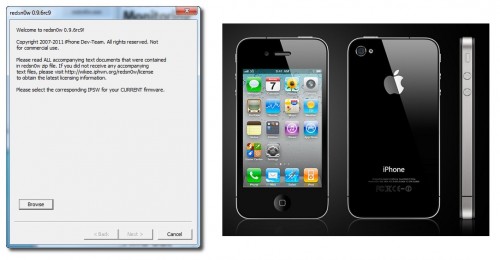
This is step-by-step instructions on how to perform untethered jailbreak of your iPhone 4 on iOS 4.3.1 firmware using RedSn0w 0.9.6rc9 for Windows.
Leave a comment, read comments [25]
Step-by-step Tutorial: How to Untether Jailbreak and Unlock Your iPhone 3GS Using RedSn0w 0.9.6rc9 (Windows) [iOS 4.3.1]
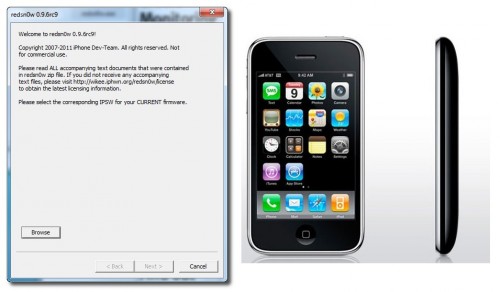
This is step-by-step instructions on how to perform untethered jailbreak and unlock for your iPhone 3GS on iOS 4.3.1 firmware using RedSn0w 0.9.6rc9 for Windows.
If you need unlock Redsn0w will provide you with choice of updating your baseband to 06.15.
Read the rest of this entry »
Leave a comment, read comments [44]
Sn0wBreeze 2.5 released: untethered jailbreak for iOS 4.3.1
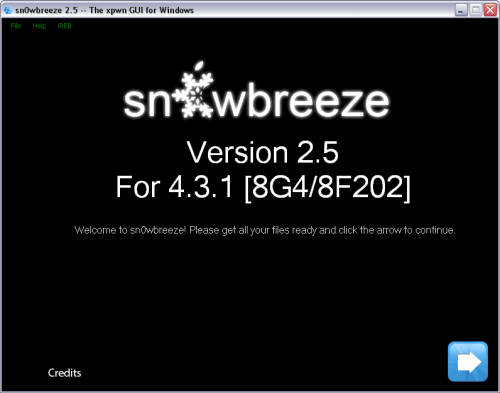
ih8sn0w released Sn0wBreeze 2.5 - utility to untether jailbreak iOS 4.3 for Windows. It uses the same method as Redsn0w 0.9.6 rc9 and Pwnagetool 4.3.
Sn0wbreeze also preserves your baseband, which is very useful for unlockers. That is why it is so-called Pwnagetool for Windows. With Sn0wbreeze you can update to firmware iOS 4.3.1, while preserve old unlockable baseband. It also works with iPhone 3GS with 06.15 baseband.
Sn0wBreeze 2.5 does not support iPhone 4 Verizon and iPad 2.
You can download Sn0wBreeze 2.5 for Windows here.
Companies Considering Cydia As Advertising Platform

Cydia is the well-known alternative App Store for jailbroken devices, now installed on 10-15 million iOS devices accounting for roughly 9% of the total iOS userbase worldwide, according to the latest numbers shared by Cydia’s creator and main developer, Jay Freeman aka Saurik. 1.5 million users log in Cydia on a daily basis. So it’s not surprise that such large companies like Toyota have seen the potentialities of the Cydia and now wish to promote their brand and products via Cydia or invest into an advertising campaign. They’re simply looking for new ways of promoting their products, for example, Scion, Toyota affiliate, already created the theme for jailbroken devices in order to advertise their new 2011 tC vehicle.
Untethered jailbreak for iOS 4.3.1 released: RedSn0w 0.9.6rc9 and PwngeTool 4.3

DevTeam released much anticipated untethered jailbreak for the latest iOS 4.3.1 - RedSn0w 0.9.6 rc9 and PwngeTool 4.3.
The 4.3.1 untether works on all Apple devices that support 4.3.1 except for the iPad2:
- iPhone 3GS
- iPhone 4 (GSM)
- iPod Touch 3G
- iPod Touch 4G
- iPad 1
- AppleTV 2G (PwnageTool only for now)
Redsnow is easy to use, it is available for Windows and Mac OS. Pwnagetool can be used to create custom ipsw and preserve baseband, it supports Mac OS only.
You can download RedSn0w 0.9.6 rc9 here and PwnageTool 4.3 here.
Here are our tutorials:
- Jailbreak iPhone 3GS with RedSn0w (Windows)
- Jailbreak iPhone 4 with RedSn0w (Windows)
- Jailbreak iPad with RedSn0w (Windows)
- Jailbreak iPod Touch 4G with RedSn0w (Windows)
- Jailbreak iPod Touch 3G with RedSn0w (Windows)
Ultrasn0w doesn't work on iOS 4.3.1 yet (even with iOS 4.3.1 + old baseband). The fix will be available soon. Here's a warning from DevTeam for unlockers:
Leave a comment, read comments [16]
Cydia 1.1.1 released
Cydia lead developer Jay Freeman released Cydia 1.1.1. You can update it in Cydia. It became much faster and more stable.
Features of new Cydia will include:
- the ability to run and operate Activator, libstatusbar, and SimulatedKeyEvents while Cydia is running
- an overall speed improvement, including the “Loading Changes” dialog
- “much less” memory usage
- a more advanced search mechanism with a new relevancy algorithm
- better management of broken repositories
Here is a full changelog discussion from Saurik:
Apple Blocks Access to Cydia in its Stores
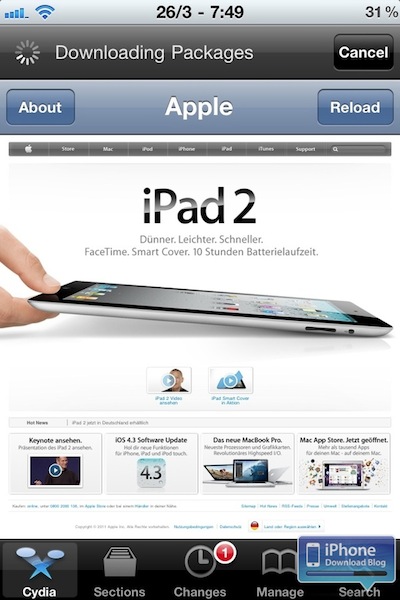
Apple seems really dislike everything that helps users to jailbreak their devices. This time Apple blocked access to the Cydia website via Wi-Fi network in Apple retail stores. If you try accessing Cydia on a device connected to one of Apple’s Wi-Fi hotspots, you’ll be surprised to see Apple’s website load instead. As far as we remember, last year federal regulators said that it was no longer illegal to hack or jailbreak an iPhone. However, Apple doesn’t care about that and continues its “war” with jailbroken devices.
Leave a comment, read comments [1]
iOS 4.3.1 is still vulnerable to jailbreak

We still have not seen good untethered jailbreak for iOS 4.3. However hackers already confirm, that future iOS 4.3.1 is still vulnerable to jailbreak. Good news, but where is our jailbreak? 🙂
Untethered jailbreak discovered for iPad and iPhone with iOS 4.3 (video)
Hacker with nickname I0n1c has demonstrated an untethered jailbreak for iOS 4.3 using his iPad.
I0n1c posted the video below on YouTube. Current untethered jailbreak is alpha, it is not finished. So no due dates yet. We do not know when untether will be available for public. We'll keep you updated.
Jailbreakers and Unlockers - save your iOS 4.2.1 SHSH blobs now!

Apple will soon disable restoring to iOS 4.2.1 for iPad and iPhone. In order to preserve jailbreak and unlock save your SHSH keys now! 4.3b keys might also help you in future untethered jailbreak.
You can do that using TinyUmbrella utility. Download it for Mac or Windows . Just run it and push "Save ALL SHSHs" button.
The other way is to save SHSHs via Cydia. Run Cydia and make sure the keys are saved (green line on the top).
Leave a comment, read comments [29]
Step-by-step Tutorial: jailbreak iOS 4.2.1 on iPhone/iPod/iPad using PwnageTool 4.2 (Mac OS)
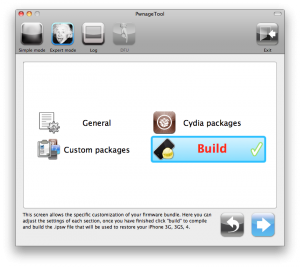
UPDate: Attention! We've received info, that Apple stopped signing iOS 4.2 for devices for which iOS 4.3 is available. This means you will not be able to restore to 4.2.1 without saved SHSH keys.
UPDATE: Please, consider reading our Jailbreak & Unlock FAQ, especially if you have questions or troubles.
Using this tutorial you will be able to jailbreak iOS 4.2.1 running on iPhone 3G, iPhone 3GS, iPhone 4, iPod Touch 3G, iPod Touch 4G and iPad. Pwnagetool will also preserve baseband version if you need carrier unlock. If you have updated the baseband to version 06.15, you can use this tutorial. This tutorial uses PwnageTool 4.2 for Mac OS X.
We are not developers of jailbreak utilities, so we cannot assure that everything will work just fine. However we tried this tutorial on several devices and succeeded.
We will use iPhone 4 in our jailbreak tutorial. The process is the same for all devices.
Step One
Make a folder called "Pwnage" on the desktop. Download a couple of things:
Leave a comment, read comments [33]