 iPhoneRoot.com

News tagged ‘iTunes’
iPhone firmware 2.1 this Friday
Apple announced that v2.1 firmware will be delivered this Friday. Change log is:
- lots of bugs fixed
- fewer dropped call
- big battery life improvements
- no crashes with Apps - hopefully the whole app install process is better.
- backing up to iTunes is faster
- great new performance enhancements
There is nothing said about push notification service, cut/copy/paste or turn-by-turn GPS.
As always, I strongly recommend no one update until the Dev Team releases an upated pwnage.
 Leave a comment
iTunes 8

iTunes 8 includes Genius, which makes playlists from songs in your library that go great together. Genius also includes Genius sidebar, which recommends music from the iTunes Store that you don’t already have.
With iTunes 8, browse your artists and albums visually with the new Grid view; download your favorite TV shows in HD quality from the iTunes Store; sync your media with iPod nano (4th generation), iPod classic (120GB), and iPod touch (2nd generation); and enjoy a stunning new music visualizer.
iTunes 8 and are now accessible with VoiceOver on your Mac.
It is available via Software Update, or download it from

Asphalt 4: Elite Racing

This game avaliable in AppStore () for $9.99.
- there is multiplayer through Wi-Fi.
- iPhone's accelerometer support
- several lux cars avaliable
- differend modes and cities to drive
WinPwn 2.5.0.2
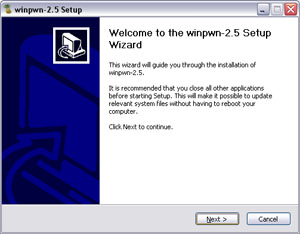
This is the most famous Windows-based utility to jailbreak and unlock Apple's iPhone and iTouch.
Release notes:
- The new nice interface
- Very very very easy to use
- Support for firmwares 2.0/2.0.1/2.0.2
- Root partition resize support
- Installer support
- Basic / Expert modes
- Wizard style interface
- Automatic updater
- Support for WinXP and Vista 32/64bit.
Notes:
- Why is it beta? It's just the saying.. Use at your own risk
- You MUST do a full uninstall of winpwn before installing the new version
- Make sure you have the latest version of iTunes (7.7 and above)
Bug fixes
- Crash when building ipsw
- Quickpwn crash bug fix
Download WinPwn 2.5.0.2:
QuickPwn updated to 1.2.0
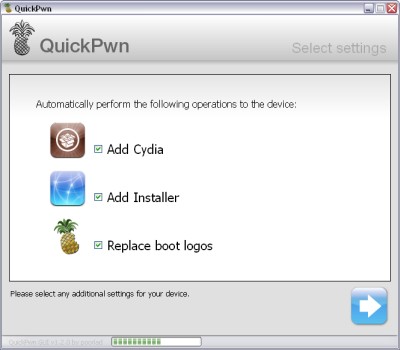
QuickPwn for Windows is updated. Support for all 2.x firmwares is added. So now you can QuickPwn and jailbreak the device if it is running 2.0, 2.0.1 or 2.0.2.
DevTeam reminds that it is still beta software, so usual rules apply, no complaints if anything goes wrong and use the tool at at your own risk!
Using QuickPwn does not update the firmware itself, this tool is designed to ‘Pwn’ (the ability to install future custom non-Apple firmwares) , ‘Jailbreak’ and install Installer and/or Cydia on a given device. If your device is running 2.0.1 and you QuickPwn it, it’ll still be running 2.0.1, although it will now be Pwned and Jailbroken. It will also activate (not unlock) devices that are being used outside of their intended territories and cannot be activated using iTunes.
If you want to update to 2.0.2 then use the normal iTunes update to get to 2.0.2 and then use QuickPwn to Pwn, Jailbreak and Activate, remember that the 2.0.2 update includes a baseband update for the 3G iPhone, so depending what your long term intentions are for the phone, update wisely, of course in the upcoming PwnageTool application you’ll be able to create a custom ipsw without the baseband update enabled.
PS: Mac OS version is on it's way.
Simplify Media for iPhone
With Simplify Media installed on your computer you can stream your home iTunes library to your mobile device wherever you may be. It will supposedly work over EDGE, 3G, or WiFi
Simplify Media for Mac/PC is a . Only the first 100,000 copies of the are free to download, after that it will be $3.99.
MobileChat now available in the App Store
Today released a new instant messaging client for the iPhone/iPod touch. MobileChat () allows you to connect to multiple IM services, including:
- AIM/ICQ/.Mac/MobileMe
- Windows Live/MSN
- Yahoo
- GTalk
- Jabber
This application is well known to many iPhone users. This application is feature rich, allowing you to take and send images or IM a phone number from any of your 10 supported IM accounts. Application cost is $2.99.
Walkthrough video from developers:
PS: I personaly like much better.
WinPwn 2.0.0.4 with support of 2.0.1 firmware
released just a day ago. And now WinPwn - iPhone jailbreaker and unlocker for windows is avaliable. The main new feature - it supports firmware 2.0.1.
Download 2.0.0.4: [] []
Download firmwares: iPhone , , , iPhone 3G ,
2.0.0.4 features:
- Support for both 1.1.4, 2.0, 2.0.1
- Root partition resize support
- Installer support
- Support for WinXP and Vista 32/64bit.
Notes are as usual:
- You MUST do a full uninstall of winpwn before installing the new version
- Make sure you have the latest version of iTunes (from 7.7)
- WinPwn uses 300MB of ram at peak due to the ipsw being extracted in memory
- You must first click browse and load an IPSW to use WinPwn (i thought this was clear)
- For 2.0 only the *5A347_Restore.ipsw files are valid. The 345 image will not work
- If you see Failed to load image catalog/payload catalog, this is fine and won’t cause problems
- If you already have service with AT&T do not activate or install Youtube Fix
- As usual jailbreak for iPhone and iPhone 3G, unlock only for iPhone.
- It is recommended to use at least 550mb partition size to accommodate a space issue that causes some folks errors such as “the ipsw failed to create”.
How to:
Apple patent: access iTunes library from anywhere

This patent is for accessing your entire iTunes library from anywhere—streamed to your iPhone or touch either via Wi-Fi or EDGE/3G. Basically, this future iTunes will sync the metadata for your whole library, and all the music and videos stored back on your computer ("virtual media items") will be totally integrated with the content actually on your device, so it'd be just like having your entire library on your phone.
via gizmodo
Negative feedback on 2.0.1. Update bricking some iPhones.
Here is some negative feedback on 2.0.1.
- A small number of blog readers and have reported the update bricked their handsets or . Didn't show up during testing by many labs.
- There are several reports that updating to 2.0.1 on an iPhone in Airplane mode may result in bricked phones.
- Users who paid Vodaphone to unlock their phones for international roaming have the update breaks connections with their carriers.
- A few users occasional lag in the Contacts, SMS and e-mail apps. From our testing, typing in the Contacts app is still laggy, but SMS and e-mail is faster.
- No surprise whatsoever: Updating results in losing access to your jailbroken (i.e. hacked) apps. 2.0.1 updates iPhone 3G's baseband, you may never be able to unlock the handset again if you run this update.
- Many users are reporting 2.0.1 is slow with backup. This more likely has to do with the version of iTunes they're running; many have said iTunes 7.7.1 sped up backup and syncing.
Related posts:
iTunes Store is №1

NPD Group released the top leading music retailers for the first half of 2008. The list was based on purchases of CDs or digital music downloads.
- iTunes
- Wal-Mart (Walmart, Walmart.com, Walmart Music Downloads)
- Best Buy (Best Buy, Bestbuy.com, Best Buy Digital Music Store)
- Amazon (Amazon.com, AmazonMP3.com)
- Target (Target and Target.com)
Apple's iTunes remains number one among all retailers. Apple took the number one spot in April, overtaking Wal-Mart.
Here is a quick list of history events for iTunes:
- 28 April 2003 : start in the US.
- 5 May 2003 : one million is sold.
- 23 June 2003 : 5 million.
- 8 September 2003 : 10 million.
- 15 December 2003 : 25 million.
- 15 March 2004 : 50 million.
- 15 June 2004 : iTunes in France, UK, Germany.
- 12 July 2004 : 100 million!
- 26 October : in all European Union.
- 2 December : iTunes in Canada.
- 10 May 2005 : 400 million, open in Denmark, Norway, Sweden, Switzerland.
- 17 July 2005 : 500 million!
- 4 August 2005 : Japan.
- 25 October 2005 : Australia.
- 23 February 2006 : first billion!
- 19 June 2008 : 5 billion!
via deepapple
Installing 2.0.1. Solving problems. Avoid bricked phone.
Here is an . If you want to install please read this first:
Disable airplane mode before installing Prior to installing the iPhone OS 2.0.1 update, make sure that Airplane mode is not enabled on your iPhone. Having Airplane mode turned on can result in a non-functional phone when the update is applied. You may receive the error message:
“Information for activation cannot be obtained from the iPhone”
Fortunately, you can disable Airplane mode from the emergency screen if your iPhone is put into an inactivated state by a problematic update.
“iTunes could not update the carrier settings on your iPhone” Several users are receiving the error message “iTunes could not update the carrier settings on your iPhone. An unknown error occurred (OxE80000001).”
If this error occurs, try clicking the “Restore” button in iTunes rather than “Update.”
Problems installing:
Free VoiceNotes Recorder in AppStore [AppStore, Free]
It is called EccoNote. iTunes link is . It is simple. The main purpose is to recoed something and be able to playback. In the future developers promise to add additional functionality: f.e. sending recorded tracks via email. And it is free 🙂
IPhone Backup Disabler v1.1

TwelvePin has released the Backup Disabler, a new iTunes utility for Mac OS X. Backup Disabler allows users to turn off iTunes 7.7’s backup feature for the iPhone and iPod touch. The application also allows this functionality to be restored, both with a single click.
The balance between backing up that your latest saved game or text messages and waiting an hour for your phone to sync is a delicate one. Now, you can easily sync without waiting for the backups, and just as easily re-enable them whenever you like. Backup Disabler works by setting a hidden iTunes preference to turn off syncing, as shown .
NetShare - share iPhone's network connection
There was a method to use IPhone's internet connection on a desktop (), now there is an officail one:

NetShare is one app we never thought would make it onto the official iPhone App Store. The $9.99 application promises to allow you to share your iPhone's network connection with your computer. All it does is set up a SOCKS5 proxy for you to get your laptop/computer online through use of the 3G/EDGE connection. Does it work? Yes. Yes it does, much to our surprise. EDGE works just fine, although Mahoney says it's slow as balls. 3G impressions in a sec. Be careful of how much bandwidth you're using, since your provider probably makes a frowny face at you using their network to power your laptop, however "unlimited" your plan may be. How this got passed Apple and AT&T who knows.
Link to AppStore: . Tutorial is here: .
Update 1: There are some bugs with iPhone 3G.
Update 2: The application is gone. Now we're getting the message that it's not available in the US store
Update 3: Just an official reply from Nullriver:
"We're not quite sure why Apple took down the application yet, we've received no communication from Apple thus far. NetShare did not violate any of the Developer or AppStore agreements. We're hoping we'll get some feedback from Apple tomorrow. Sorry to all the folks that couldn't get it in time. We'll do our best to try to get the application back onto the AppStore if at all possible. At the very least, I would hope Apple will allow it in countries where the provider does permit tethering."
Update 4: The application re-appeared in iTunes. It is avaliable through direct link: .
Update 5: It's gone.. again.