iPhoneRoot.com

News tagged ‘3GS’
Top 10 Stories of the Week
It is Sunday today, so let’s take a look at the posts worth your attention.
Most of the articles this week deal with the iPhone 8, its alleged specs, and release date. There are also some posts that are connected with the upcoming WWDC conference that is set for June 5. At the conference, Apple is expected to unveil new iOS 11, macOS 10.13, watchOS 4, and tvOS 11. What’s even more interesting, we can see a new 10.5-inch iPad Pro, new MacBooks, and something called the Siri Speaker.

Apple to Make Several MacBook Models, iPhone 3GS, and First-Generation AirPort Express Obsolete Soon
Apple will soon add several products to the list of obsolete. This means that the owners will not be able to get support and repair service from Apple Retail Stores and Authorized Service Providers.

iPhone 8 to Be Similar to iPhone 2G – Report
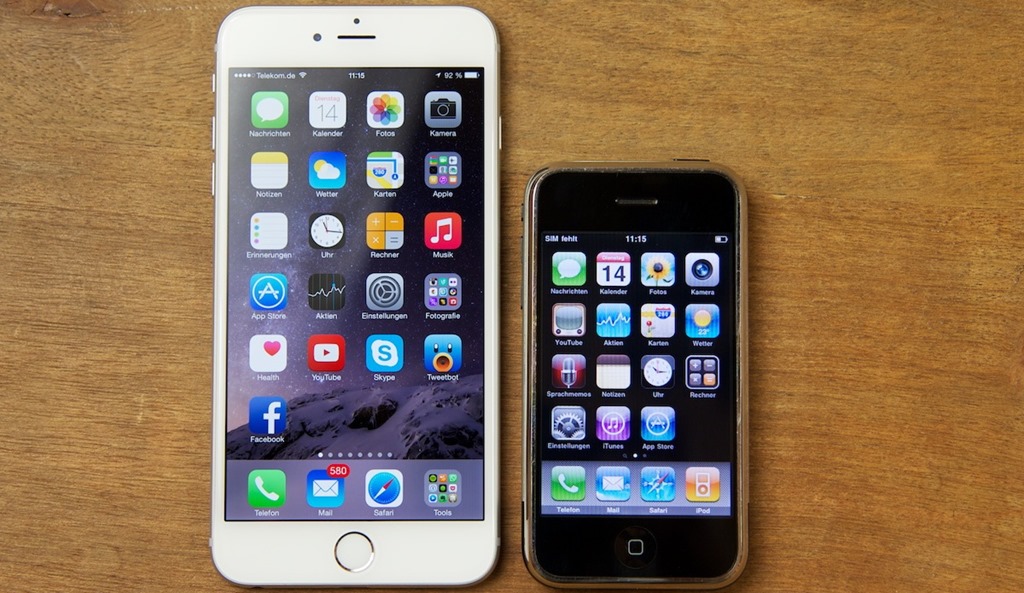
According to the latest report from the Korean news website ETNews, the iPhone 8 will get a design reminiscent of the first-generation iPhone. The back panel will be rounded and made of glass, industry sources claim.
Here’s How You Can Cut Your Old iPhone in Half [Video]
It’s been a long time since I shared ridiculous or funny videos somehow connected with Apple or its products with you, so I decided to fix this tiny problem. Below you can find a short clip showing a third generation iPhone cut in two pieces.
The video of the process is available on a YouTube channel called “Cut in Half”, so I guess the iPhone 3GS is not the first thing these experts, so to say, have ruined. If you’re interested in details, to kill the iPhone people behind this clip have used an OMAX waterjet, which is a powerful tool capable of cutting all kinds of materials.
What do you think about the video? Leave your comments below this short post.
iPhone Boot Test Reveals Surprising Results [Video]
We all know that the latest iPhone 6 and iPhone 6 Plus are incredibly fast and efficient. But how much time does it actually take for the new handsets to boot and how this boot time is different from the time iPhone 5s and earlier models of the smartphone demonstrate? Let’s find out.
On the video below, you may take a look at the full line-up of iPhones taking part in the ultimate boot time test. The rules of this test are incredibly simple: all the handsets should be running the latest firmware version they support and be freshly updated.
Download All 18 New iOS 8 and iPhone 6 Wallpapers Now



Фpple has created 18 new wallpapers for iOS 8 and the new iPhone 6 and iPhone 6 Plus. You can download all of them right now. There are five versions of each wallpaper:
- iPhone 5s,5c,5 - 640x1136
- iPhone 5s,5c,5 - 744x1392 (Parallax)
- iPhone 4, 4S - 640x960
- iPhone 4, 4S - 640x1192 (Parallax)
- iPhone 2G, 3G, 3GS - 320x480
iPhone 6 Will Be Equipped With Atmospheric Pressure Sensor?
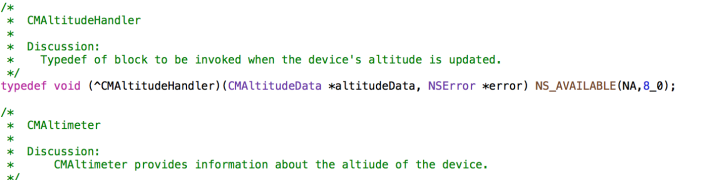
Apple’s iPhone 6 may be equipped with an atmospheric pressure sensor. Such a sensor can be used not only to measure the atmospheric pressure, but also to forecast weather changes and provide the user with altitude data.
P0sixspwn Jailbreak Tool Updated to Support iOS 6.1.6
Good news for all iPhone 3G and iPod touch 4G owners - a jailbreak tool called p0sixspwn has been updated to support the recently released iOS 6.1.6. Using this small utility, you can perform an untethered jailbreak effortless.

Apple Officially Releases iOS 7.0.6 and iOS 6.1.6
Apple has recently released iOS 7.0.6 to public. At the same time, the company from Cupertino seeded iOS 6.1.6 to users. Both updates contain a fix for SSL connection verification, so you should update your device. Be sure.

 Leave a comment, read comments [2]
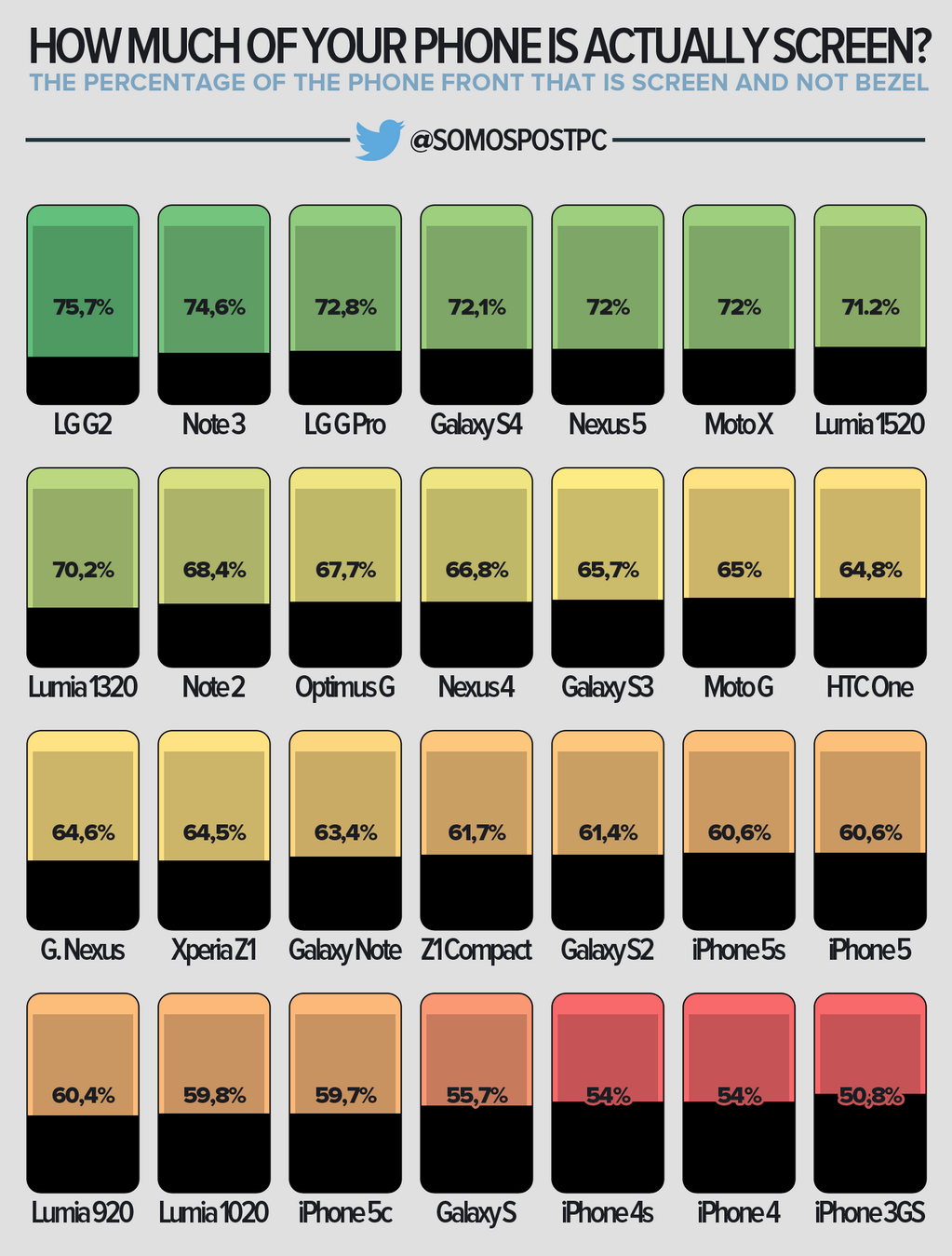
Screen versus bezel comparison for smartphones
@somospostpc has published an interesting comparison list of the percentage of screen versus bezel for smartphones.
Untethered jailbreak for iPhone 4, iPhone 3GS, and iPod Touch 4G with iOS 6.1.3 - 6.1.5
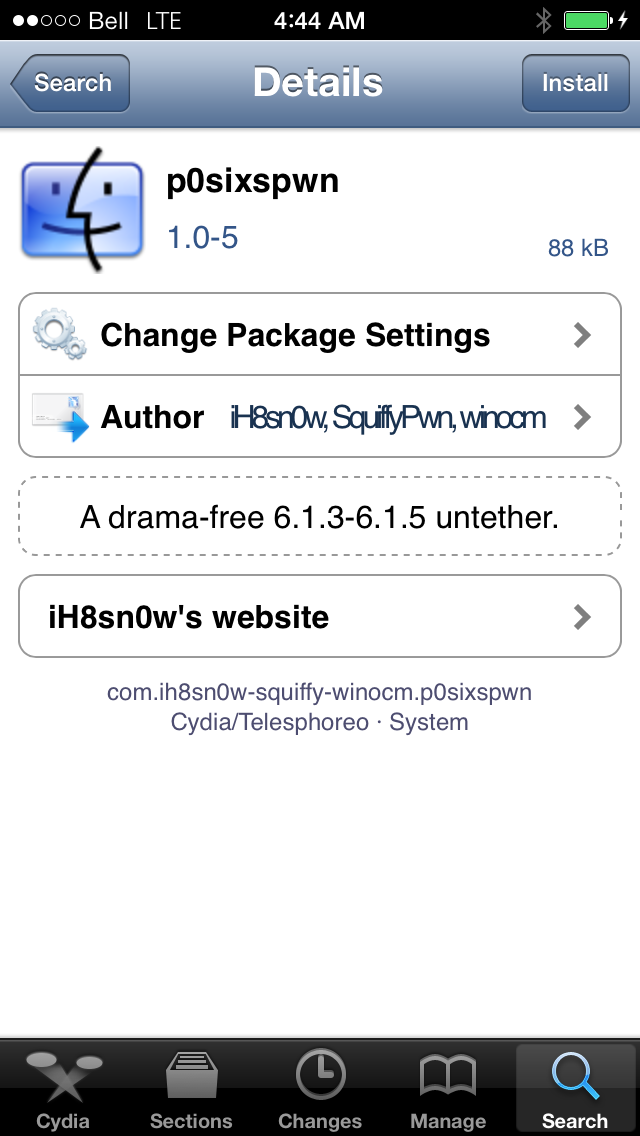
H8sn0w has announced the release of an untether package for the old devices running iOS 6.1.3 - 6.1.5. This includes iPhone 4, iPhone 3GS, and iPod Touch 4G.
With the unexpected release of the evasi0n7 jailbreak, we are finally able to release the 3GS/A4 6.1.3 + 6.1.5 untether Cydia package.
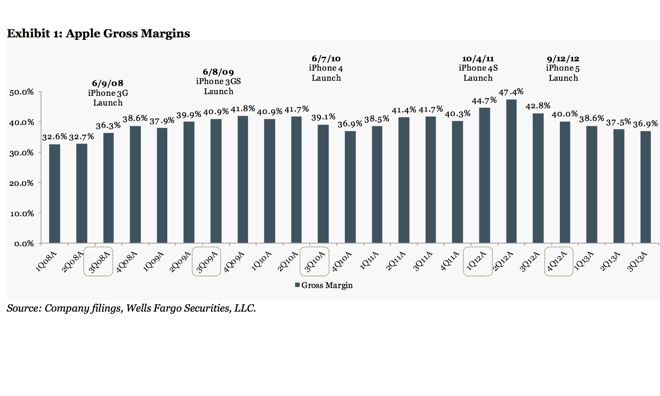
iPhone 5s May Increase Apple's Gross Margins up to 40% in the Coming Quarters
iPhone 5s is a very successful device in both U.S. and international markets. In fact, it is so much popular among the customers that can possibly help the company from Cupertino boost the gross margins to incredible 40%. Well, this is at least what Maynard Um of Wells Fargo Securities predicts (via ).
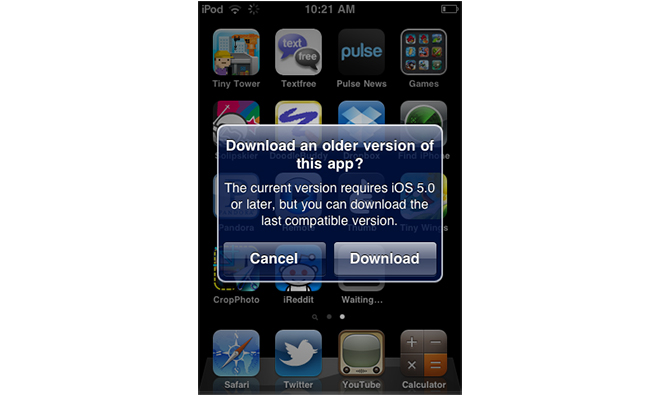
'Last Compatible' Versions of Apps Available for Older Devices on the App Store
Those who use older Apple’s devices - like the iPhone 3G or iPhone 3GS - have finally got the opportunity to download last compatible versions of apps supported by their firmware directly from the App Store. This is all due to the latest iOS App Store change.
Leave a comment, read comments [2]
Untethered Jailbreak for iOS 6.1.3 Found
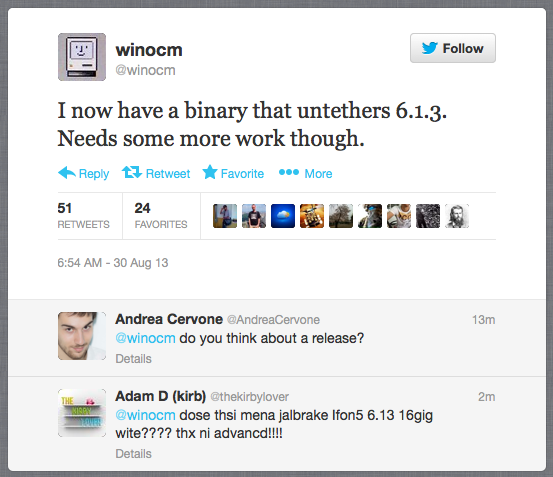
A hacker named winocm claims he has a binary that can perform an untethered jailbreak of the iOS 6.1.3. This announcement has been spotted on Twitter today.
Google Maps Updated with the Ability to Share Your Favorite Places via Google+
Google Maps app for iOS got the update on August 28th to give all the users the ability to share their favourite places trough Google+. Apart from that, there’re some stability improvements and bug fixes.