iPhoneRoot.com

News tagged ‘update’
Apple Seeds First Betas iOS 9.3.2, OS X 10.11.5 El Capitan, tvOS 9.2.1 and watchOS 2.2.1 to Developers
Apple has released first betas of iOS 9.3.2, OS X 10.11.5 El Capitan, tvOS 9.2.1 and watchOS 2.2.1 to developers for testing. It is not entirely clear what improvements each version contains, but most likely these are minor bug fixes and security enhancements.

Apple Stops Signing iOS 9.2.1, Downgrades Are No Longer Possible
Apple has just stopped signing iOS 9.2.1, which means it is no longer possible to update or restore your compatible iPhone, iPad or iPod touch to this version of the operating system. Currently, the company is signing only iOS 9.3 and iOS 9.3.1.
In case you don’t know, iOS 9.3 was released to users worldwide on March 21st. Because of a number of bugs affecting users from different countries, a couple of days after the initial release, Apple had to seed a new build of iOS 9.3 and then iOS 9.3.1 with major fixes and enhancements.
If you haven’t yet updated from an earlier version of iOS, you can do this right now using either the Software Update section on your phone or tablet, or your Mac or PC with iTunes 12.3 or higher on board.

New Security Vulnerability Found in iOS 9.3.1 [Video]
A man named Jose Rodriguez has recently discovered a new iOS 9.3.1 vulnerability that allows to bypass the passcode and get access to contacts and photos stored on the device. Take a look at the video to see how one can get access to someone else’s phone.
iFixit Posts Complete iPhone SE Teardown [Images]
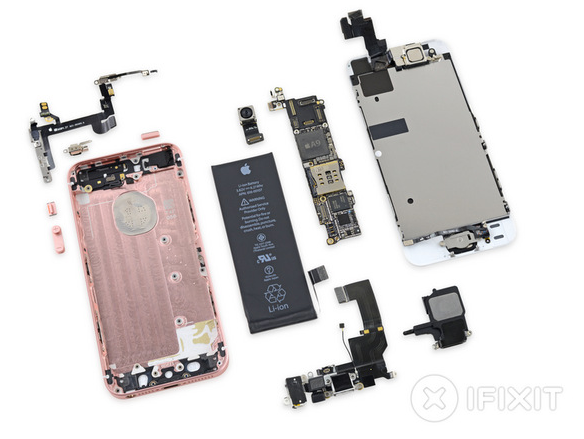
The iFixit team has posted its iPhone SE teardown, which confirmed most of the details about the device that surfaced yesterday after the Chipworks teardown of the same 4-inch handset. Apple’s updated 4-inch device is stuffed with iPhone 5s internals mixed up with some unique components developed specifically for this model.
Apple Releases iOS 9.3.1, Fixes Web Links Issue
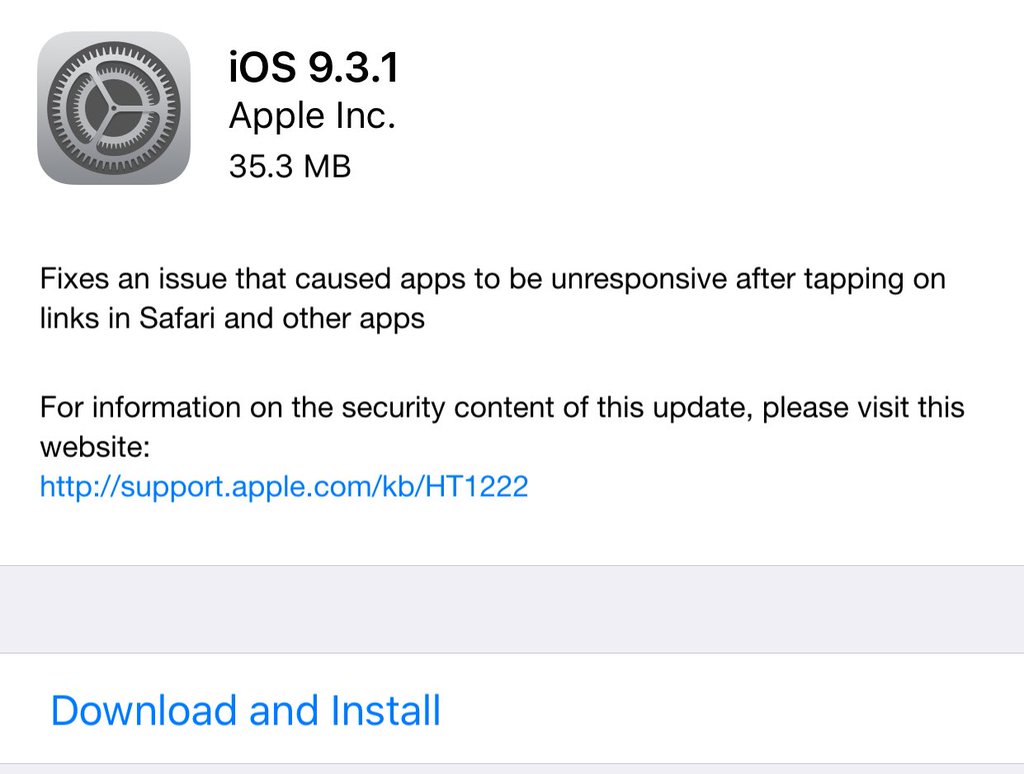
Apple has released a new build of iOS 9.3.1 with fixes for the recent web links bug affecting Safari, Mail, Chrome and a number of other applications. Over the past couple of days, iOS 9.2.1 and iOS 9.3 users have been reporting about app freezes and crashes after tapping on links inside of these apps. Hopefully, the update resolves the problem.
Here’s what Apple writes about the latest iOS build:
Fixes an issue that caused apps to be unresponsive after tapping on links in Safari and other apps.
If you have a compatible iPhone or iPad and face the aforementioned problem, it is recommended that you update as soon as possible. If your phone or tablet works fine, you can either skip this iOS version or install it, it is all up to you.
The update is available via Software Update section on your device or through iTunes. The size of the new build is 35.3MB.
Analysts Call iOS 9.3 Most Stable Version in Years
According to the latest report from a research firm Apteligent, Apple’s iOS 9.3, which was released on March 21st and contained three major bugs affecting thousands of users all over the world, is the most stable version of the mobile operating system over the last couple of years. The experts claim that iOS 9.3 has the lowest crash rate in comparison with iOS 8, iOS 9 and iOS 9.2. In case you don’t know, a crash rate reflects the possibility of a software glitch or any other problem with the operating system.

iPhone SE Internals Revealed by Chipworks [Images]
Chipworks has recently posted the first teardown of the newly released 4-inch iPhone SE. As can be seen on the images below, the updated smartphone is a some kind of mixture of components and design peculiarities of the iPhone 5s, iPhone 6 and iPhone 6s. If you want to get more details about the internals of the iPhone SE, keep reading this post.

Apple to Release Fix for iOS 9.3 Web Links Bug Soon
Apple is aware of the recent problem with opening links in Safari, Mail and a number of other applications on iOS 9.3 and iOS 9.2.1. Moreover, according to the latest report from TechCrunch, the company is already working on a fix for the bug that will be included in the next minor update for the mobile operating system. We need to be patient and wait for the newer build of IOS.
Apple Releases New iOS 9.3 Build with Fixes for Recent Bugs
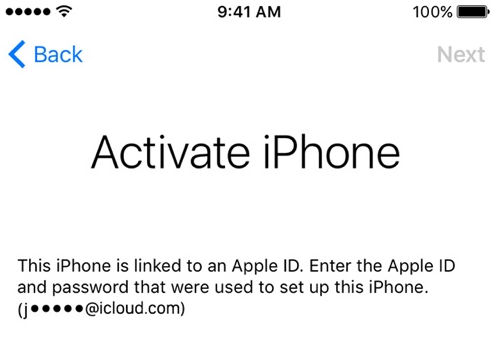
Apple has released an updated iOS 9.3 version for the owners of older devices that contains a fix for the activation issue. Now, after the update users need to enter the Apple ID and password they use at the moment, not the one that was used for setting up the device for the first time.
 Leave a comment, read comments [2]
Opening Web Links Can Crash or Freeze Apps on Devices with iOS 9.3
In addition to the recently discovered iOS 9.3 bug bricking older iPhones and iPads immediately after the update, a new flaw in the operating system was reported by a number of users on Saturday. As can be seen on the Apple Support Communities forum, many people talk about app crashes and freezes after clicking on Web links. The bug affects Apple’s native applications, namely, Mail, Messages and Safari, as well as third-party software like Google Chrome.
Top 10 Stories of the Week
It is Sunday today, which means it’s high time I told you about the most interesting articles of the past seven days.
No doubt, the posts about the newly-released 4-inch iPhone SE, 9.7-inch iPad Pro, the updated Apple Watch with redesigned bands and new builds of iOS 9.3, OS X 10.11.4 El Capitan, watchOS 2.2 and tvOS 9.2 are of the greatest popularity this week. Make sure you read each and every post to get all the information about new devices and software.

Apple Releases New iOS 9.3 Build to Fix Newly-Discovered Bug Affecting Older Devices
Apple has released a new version of iOS 9.3 for the users of older devices, namely, the iPhone 5s and iPad Air or older. In case you don’t know, a number of users have begun complaining about various issues with the latest update that resulted in troubles with the activation of their smartphones and tablets.

Apple’s March 2016 Media Event Now Available on YouTube
Just as it was expected, Apple has posted the video of the March 21st event to YouTube. If you missed the live broadcast or want to take a look at new devices one more time, you can do this either below, or after navigating to Apple’s official YouTube channel.
The media event that took place last Monday was devoted to the release of the widely-rumored 4-inch iPhone SE, 9.7-inch iPad Pro and new bands for the Apple Watch released in 2015.
Images showing new devices, Apple Watch bands as well as the details of the iOS 9.3, OS X 10.11.4 El Capitan, watchOS 2.2 and tvOS 9.2 updates released after the event are available on our website, so make sure you check them out.
Apple to Unveil Updated 12-inch MacBook Soon?
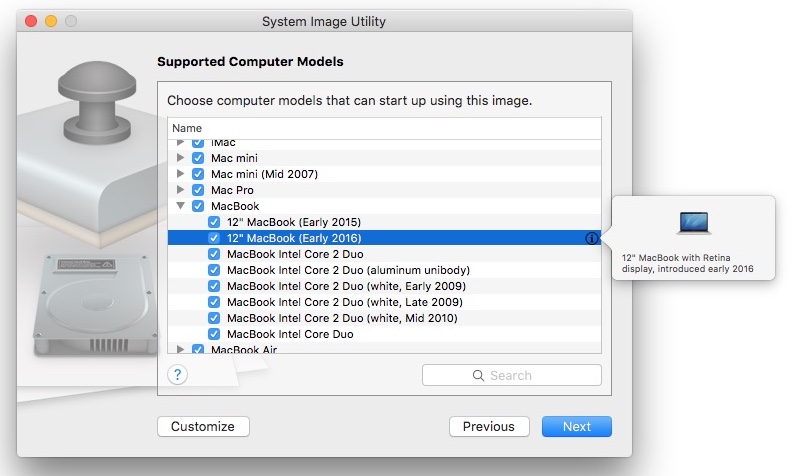
References to the unannounced early 2016 12-inch MacBook model have been recently found in the System Image Utility and the OS X Server application. Moreover, Pike’s Universum has recently determined what processors these new devices will have. According to the latest findings, the CPUs will include Intel® Core™ m3-6Y30 Processor (up to 2.20 GHz), Intel® Core™ m5-6Y54 Processor (up to 2.70 GHz) and Intel® Core™ m7-6Y75 Processor (up to 3.10 GHz).
Watch Apple’s March 21st Media Event Here - Video
Apple has released a video of yesterday’s media event dedicated to the 4-inch iPhone SE, 9.7-inch iPad Pro as well as to the updated Apple Watch, iOS 9.3, watchOS 2.2 and tvOS 9.2. Right now, the keynote is available on Apple’s official website, but pretty soon the company will share the video on its official YouTube channel, so stay tuned.
If you missed the media event or want to watch it once again, use this to visit Apple’s website.
To download updates on your iPhone, iPad, iPod touch or Mac, use the software update mechanism built-in these devices.
What do you think about the products and software Apple released yesterday? Leave your comments below.