 iPhoneRoot.com

News from category ‘Firmware’
iPhone 2.2: Google Street View, Emoji, Auto-Correction Off
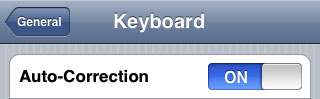
Apple a bit more than a week ago. Couple more features were hiden there.
First of all Apple has addressed one common request within the iPhone's Keyboard settings, allowing users to disable the iPhone's auto-correction.
The other feature is for Japanese market - Japanese emoji icons. The lack of emoji support has been blamed as part of the reason for slow iPhone adoption in Japan.
The third new feature is Street View. It allows users to view panoramic street level photographs in select cities within the Google Maps application.
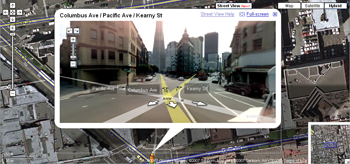
Hopefully we will see more new features in this and next beta's of 2.2 firmware.
via macrumors
Related articles:
Jailbreak on firmware 2.2 beta 1
appeared just a day ago. It seems that DevTeam never sleeps 🙂 They published a screenshot of jailbreaked iPhone 2G with this new firmware:
It runs Terminal.app (non-apple application) running on 2.2b1 firmware. Thay say that version 2.2 is still vulnerable to pwnage and quickpwn on everything but iPod Touch 2G.
No news about software unlock for iPhone 3G or jailbreak for iPod Touch 2G.
Firmware 2.2 - new Safari interface
Apple just published firmware 2.2 beta 1 for developers. It is accompanied by a new beta of the iPhone SDK (build 9M2611). There are not much news about new features and improvements... but iphoneatlas already published a screenshot of new Safari interface, that is in firmware 2.2:
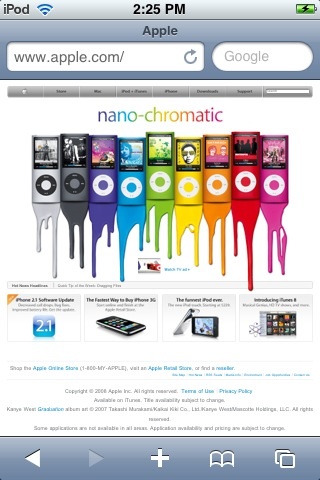
The new MobileSafari doesn't have the magnifying glass and refresh buttons at the top of the screen. There are the URL bar and search fields side-by-side instead. It looks much like the desktop version. Page refreshes are now accomplished via a tiny icon located inside the URL bar.
via iphoneatlas
QuickPwn 2.1 for Windows is ready
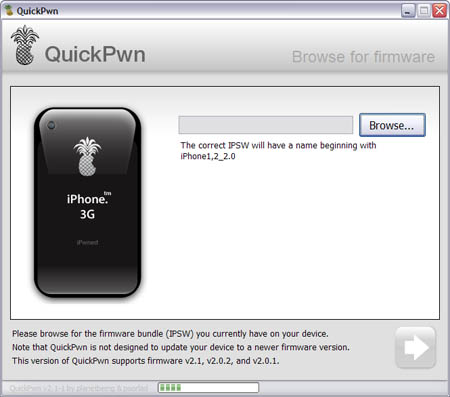
Congratulations, Windows users. The support for new firmware 2.1 is added. So here is what you can do:
- Support for FW v2.0.1, v2.0.2, v2.1.0
- Jailbreaking and Pwning iPhone 2G, iPhone 3G and iPod Touch
- Adding Cydia and Installer
- Replacing boot logos
- Unlocking iPhone 2G
Changes from QuickPwn RC3
- Support for firmware 2.1
- Auto-detection of firmware version, insistence on correct firmware bundle to prevent user epic fail.
- Use of iASign to activate to prevent bspatch epic fail.
- Removed buggy and never really tested 2.0 support
Sorry, no jailbreak for new iPod Touch and no unlock for iPhone 3G.
Here are download links:
Firmwares v2.1: ,
Related posts:
GPS not working in 2.1 firmware?
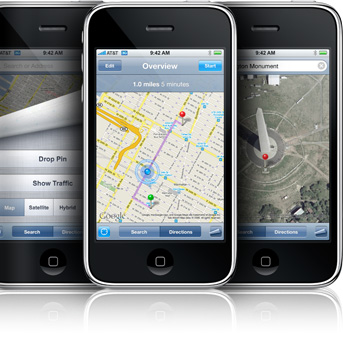
Several users have reported an issue in which GPS functionality and location services in general do not work properly after the update to iPhone OS 2.1. In most cases of the problem, location service crosshairs appear, but the tracking blue dot (indicative of GPS) never appears.
As described by Apple Discussions poster :
“Both my brother and I have iphones and we both updated to 2.1 and the GPS on both our phones were working fine prior to 2.1 Now all we get are the crosshairs- the blue dot is nowhere to be seen. I have tried all the recommendations sitting outside for 20min, 3G off, airplane mode on/off, soft reset, location services on….wi-fi on, bluetooth off…. but nothing seems to make it work again….what is really bugging me is that it was working fine before the update.”
The fix for this issue, for many users, is to navigate to Settings > General > Reset and choose Reset All Settings.
via iphoneatlas
What apps do not work with OS 2.1 yet?
According to reports in the toucharcade.com and macrumors.com comments
List of Apps affected by the 2.1 software update beside number of forum reports: (in order of reports)
> 20 reports
Last.fm: (no audio) Developer aware, v2.0 update in transit
Zen Pinball: (no graphics white screen) Developer aware, v2.1 update in transit with improved frame rate, responsiveness, and graphics
Toybot Diaries: (corrupted sound effects) Developer aware, v1.2 update in transit
10 or more reports
Alli's Jigsaw:(cannot select new image) Developer aware, update in transit
QuickPwn and PwnageTool for 2.1 firmware

Dev Team released QuickPwn and PwnageTool for firmware 2.1 (, ). It doesn't work with new iPod yet. Mac OS versions only for now.
Direct Downloads - QuickPwn
Direct Downloads - PwnageTool
 Leave a comment, read comments [2]
Firmware 2.1 screenshots
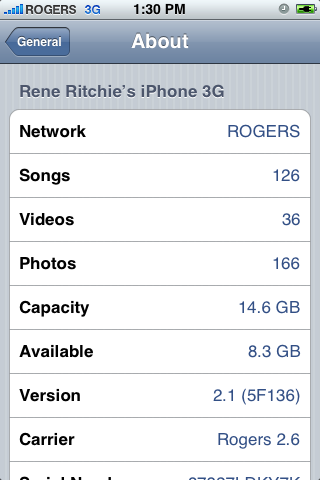
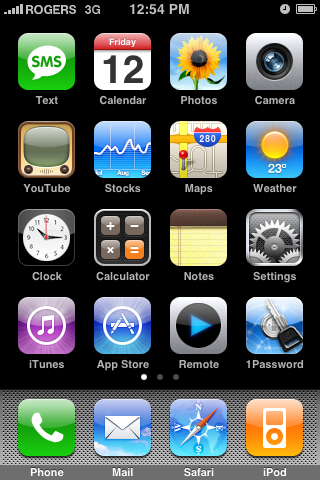
Theiphoneblog just published first screenshots of the new iPhones firmware 2.1.
Running 2.1 (5F136) now, and here’s what we’re noticing: WiFi works fine (tried on Apple and Linksys routers). New icons for connection type (3G/Edge) in the top bar. New blue filled and half-filled dots to describe state of video and podcasts (watched/listened to). Genius Playlists don’t seem to work as well as iTunes 8, at least for me, with lots of songs coming back as “not related”.
iPhone 2.1 firmware is out

The iPhone 2.1 is out. It contains the following updates as listed by Apple:
- decrease in call set-up failures andcall drops
- significantly improve battery life for most users
- dramatically reduced time to backup to iTunes
- improve email reliability, notable fetching email from POP and Exchange accounts
- faster installation of 3rd party applications
- fixed bugs causing hangs and crashes if you have lots of 3rd party applications
- improved performance of text messaging
- faster loading and searching of contacts
- improved accuracy of the 3G signal strength display
- repeat alert up to two additional times for incoming text messages
- option to wipe data after ten failed passcode attempts
- Genius playlist creation
The 2.1 firmware is build 5F136 (weighing in at 237.8MB) and can be directly downloaded through iTunes. The new firmware also contains a number of security fixes including the well publicized passcode flaw.
Jailbreak for 2.1 is not avaliable yet.
iPhone firmware 2.1 this Friday
Apple announced that v2.1 firmware will be delivered this Friday. Change log is:
- lots of bugs fixed
- fewer dropped call
- big battery life improvements
- no crashes with Apps - hopefully the whole app install process is better.
- backing up to iTunes is faster
- great new performance enhancements
There is nothing said about push notification service, cut/copy/paste or turn-by-turn GPS.
As always, I strongly recommend no one update until the Dev Team releases an upated pwnage.
QuickPwn, PwnageTool and WinPwn

There are so many tools, some for Mac OS, others for Windows, different versions... Complicated. So let's summerize a little bit.
If you have iPhone 3G, you'll be able to install 3-rd party non AppStore applications (through separate applications called Cydia and Installer) and run these applications. If you have old iPhone, in addition to that you'll be able to unlock the device (use with any carrier).
There are two methods: quickpwn and custom firmware method. First one is for quikly pwning and jailbreaking the device without restore. You should use it if you have unlocked device or an AT&T contract.
If you are Windows user:
- Go for . The current version is 2.5.0.2 (also called 2.5 beta-2). Download . It supports both iPhone and iPhone 3G, firmwares 2.0, 2.0.1, 2.0.2. You can use either quickpwn or custom firmware method.
- There is a separate tool for Windows. The current version is RC3. Download . Do you need it? Yes, if you want to quick pwn and you do not like WinPwn (or you had problems with it).
If you're using Mac OS:
- Go for PwnageTool. The current version is 2.0.3.1. Download . Works with 2.0, 2.0.1, 2.0.2 firmwares using custom-firmware method.
- There is a version of QuickPwn tool for MAC OS. The current version is 1.0.0. Download . It works only with firmware 2.0.2. Do you need it? Yes, if you want to quick pwn.
QuickPwn is not a replacement for PwnageTool, they are different tools and provide different features, QuickPwn is for quickly pwning a device, whereas PwnageTool is designed to custom build and tailor the ipsw production process, both tools will be actively developed in the future.
XiPhone
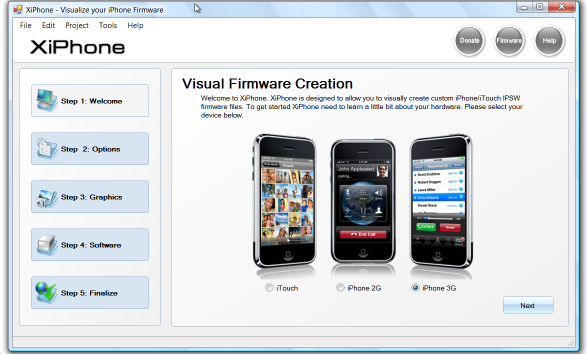
Recently a new project has been started, called XiPhone. It will be based on XPWN. So functionality similar to WinPwn and Pwnage will be present (jailbreak, unlock, etc). In addition to that developers plan to include:
- Auto downloading of stock firmware files from apple’s site (no need to hunt for it then select it)
- Wizard based modern GUI (created with .net 2.0), and Vista Style UI.
- Export of firmware settings so users can pass around an XML file which contains a configuration that works for them.
- Auto updates to the XiPhone software.
- Community based wallpapers used for Bootscreen, Restore screen and others
- Enabling / Disabling of options available based on the device you select.
Unfortunately, only Windows platform users will be able to use XiPhone.
WinPwn 2.5.0.2
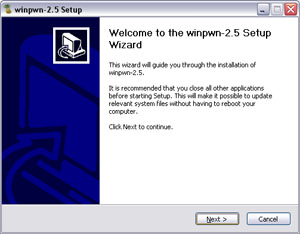
This is the most famous Windows-based utility to jailbreak and unlock Apple's iPhone and iTouch.
Release notes:
- The new nice interface
- Very very very easy to use
- Support for firmwares 2.0/2.0.1/2.0.2
- Root partition resize support
- Installer support
- Basic / Expert modes
- Wizard style interface
- Automatic updater
- Support for WinXP and Vista 32/64bit.
Notes:
- Why is it beta? It's just the saying.. Use at your own risk
- You MUST do a full uninstall of winpwn before installing the new version
- Make sure you have the latest version of iTunes (7.7 and above)
Bug fixes
- Crash when building ipsw
- Quickpwn crash bug fix
Download WinPwn 2.5.0.2:
QuickPwn updated to 1.2.0
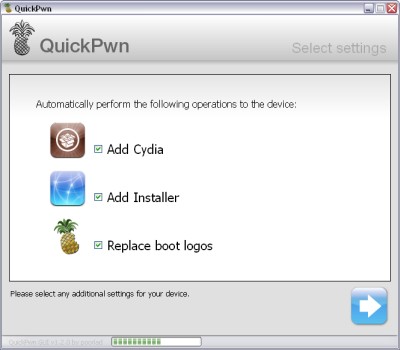
QuickPwn for Windows is updated. Support for all 2.x firmwares is added. So now you can QuickPwn and jailbreak the device if it is running 2.0, 2.0.1 or 2.0.2.
DevTeam reminds that it is still beta software, so usual rules apply, no complaints if anything goes wrong and use the tool at at your own risk!
Using QuickPwn does not update the firmware itself, this tool is designed to ‘Pwn’ (the ability to install future custom non-Apple firmwares) , ‘Jailbreak’ and install Installer and/or Cydia on a given device. If your device is running 2.0.1 and you QuickPwn it, it’ll still be running 2.0.1, although it will now be Pwned and Jailbroken. It will also activate (not unlock) devices that are being used outside of their intended territories and cannot be activated using iTunes.
If you want to update to 2.0.2 then use the normal iTunes update to get to 2.0.2 and then use QuickPwn to Pwn, Jailbreak and Activate, remember that the 2.0.2 update includes a baseband update for the 3G iPhone, so depending what your long term intentions are for the phone, update wisely, of course in the upcoming PwnageTool application you’ll be able to create a custom ipsw without the baseband update enabled.
PS: Mac OS version is on it's way.
iPhone's firmware 2.0.2 is out
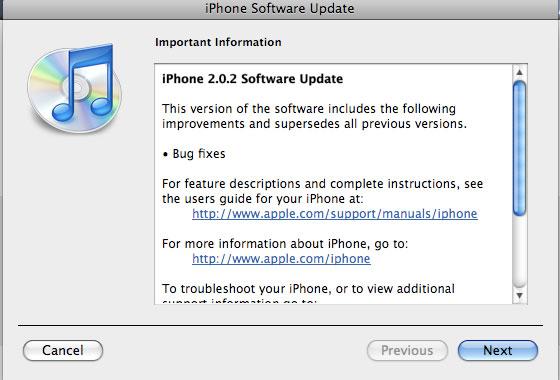
Apple just released new firmware for iPhone - version 2.0.2. As usual, all the company mentioned was that the update includes "Bug fixes."
Notes on the release follow:
- No new settings appear to have been included.
- Some users report faster browsing, though this may be due to cleared cache.
- Typing lag may be reduced.
- No consensus on improved 3G connectivity.
- iPod Touch firmware 2.0.2 also released.
But as always, do not update until we get word on a jailbreak.
Links for firmware downloads: , .