 iPhoneRoot.com

News tagged ‘Unlock & Jailbreak’
BlackSn0w: Unlock for iPhone With Firmware 3.1 Is Coming Soon
The famous iPhone hacker GeoHot started working on unlock of the new baseband 05.11.07 several days ago. Today he published the first results that can be defined as very positive.
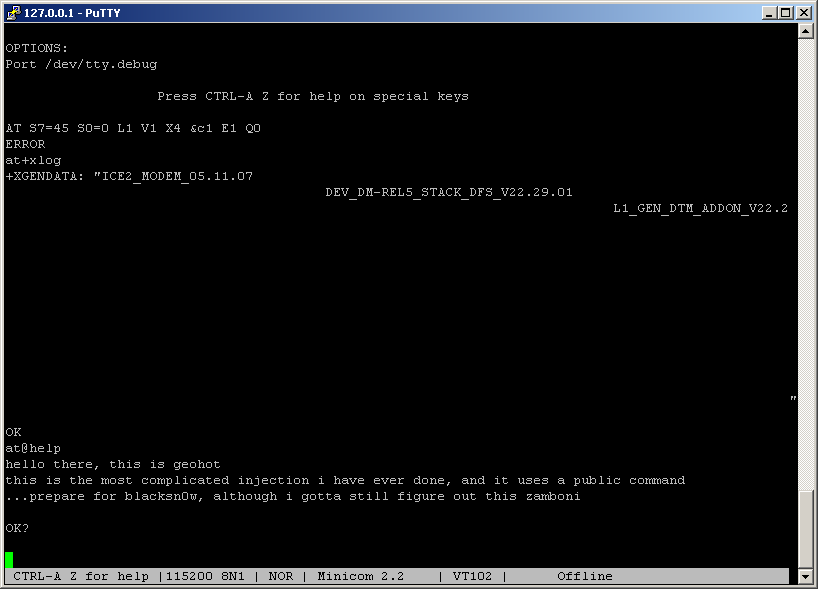
So he managed to take control of the baseband, running the code written directly by himself. This measns that soon all users of locked OTB iPhones with firmware 3.1 and 3.1.2 will be able to unlock ther devices.
The new project is called blacksn0w.
PwnageTool 3.1.4 released: utility to jailbreak firmware 3.1.2
DevTeam just released PwnageTool 3.1.4. It allows users to jailbreak firmware 3.1.2 on iPhone 2G/3G/3GS and iPod Touch 1G/2G. It also supports OTB iPhone 3GS with firmware 3.1.x. We remind you that if you need unlock, do not update on regular 3.1.x firmware, use Pwnagetool to create custom firmware to preserve old baseband.
Here is a quick howto:
- Factory Unlocked iPhone 3G and iPhone 3GS: You do not need unlock, just use PwnageTool to create an ipsw and then use this to update and jailbreak your phone.
- iPhone 3G and iPhone 3GS: if you need unlock, use PwnageTool to create a custom firmware with an old baseband. Then update using created custom firmware and install ultrasw0w via Cydia to unlock.
- iPhone 2G: Use PwnageTool to do the magic and then restore with iTunes using your newly created .ipsw.The baseband will be unlocked, the phone jailbroken.
- iPod Touch 1G: Use PwnageTool to create a firmware image and restore with that .ipsw using iTunes.
- iPod Touch 2G: You must already be jailbroken in order to use PwnageTool. If so, create a firmware image and restore with that .ipsw using iTunes.
- iPod Touch 3G: No support yet.
You can download PwnageTool 3.1.4 here.
There is only a MAC version of PwnageTool. DevTeam doesn't plan to create Windows version.
Geohot is very close to iPod Touch 3G and iPhone 3GS jailbreak
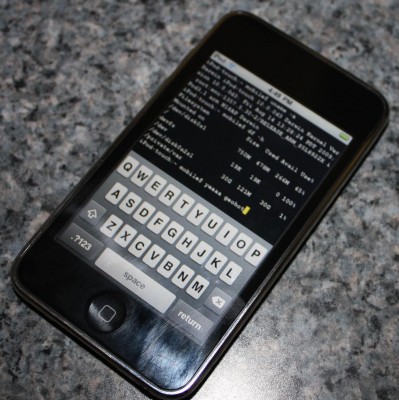
Geohot published new photo, where we can see the file called "ipt3_jailbroken". This means that he was able to unlock the iPod Touch 3G and run the Jailbreak. He said that this the same exploit works with in iPhone 3GS firmware 3.0 and 3.1 native.
It looks like we will see his new tool with classic buttons to run the Jailbreak in 10 seconds quite soon.
iPhone 3GS jailbreak and unlock soon
And after the various Key and provocations made by GeoHotz, the DevTeam has decided to write a new article on the official blog with good news for all owners of an iPhone 3GS! The DevTeam has verified that the exploit called 24Kpwn (used for the first time to unlock the iPod Touch 2G) is still valid and it works wonderfully for iPhone 3GS.
It seems the new version of bootrom used by Apple in 3GS dates back in August, a few months before the release of 24Kpwn, so there was no time to solve the problem.
In addition, the new daemon released by the team under the name of ultrasn0w (unlock for iPhone 3G) will work with iPhone 3GS.
New versions of redsn0w (jailbreak) and ultrasn0w (unlock) with iPhone 3GS support will be released soon.
Firmware 3.0 jailbreak: RedSn0w for iPhone and iPod Touch
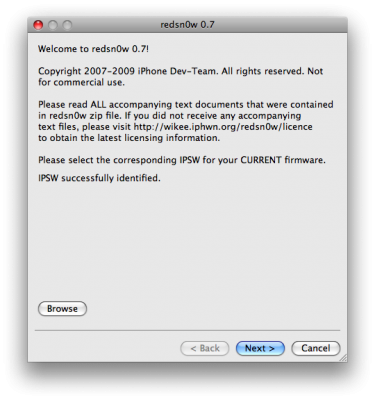
RedSn0w is an easy to use, multi-platform, multi-device jailbreaking and unlocking (iPhone 2G only) tool from DevTeam. It supports firmware 3.0 and iPhone 2G (original iPhone), the iPhone 3G (but not the 3GS) and also the iPod touch (first and second generation):
 Leave a comment, read comments [3]
ultrasn0w - software unlock for firmware 3.0
Here is a demonstration of ultrasn0w - software jailbreak and unlock for new firmware 3.0.
Need For Speed Undercover cheats [Cydia]
Need For Speed Undercover was released recently. Today we can download cheats via Cydia. They will allow you to unlock cars or to have lots of money.
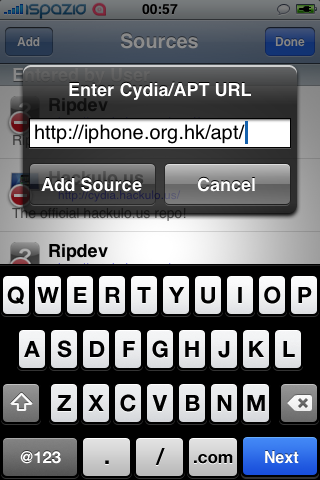


The first will add $999.99 to our account. The second one will add $5M and release the two most powerful cars: the Porsche Carrera GT and Pagani Zonda F. To download this package (we recommend to put one and not both), you must add the following repository in Cydia (Manage > Sources > Edit > Add): iphone.org.hk/apt/
You can sale and rent some good real estate in spain on en.atlanta-rea.com.
Apple patents a biometric recognition system for iPhone and MacBook
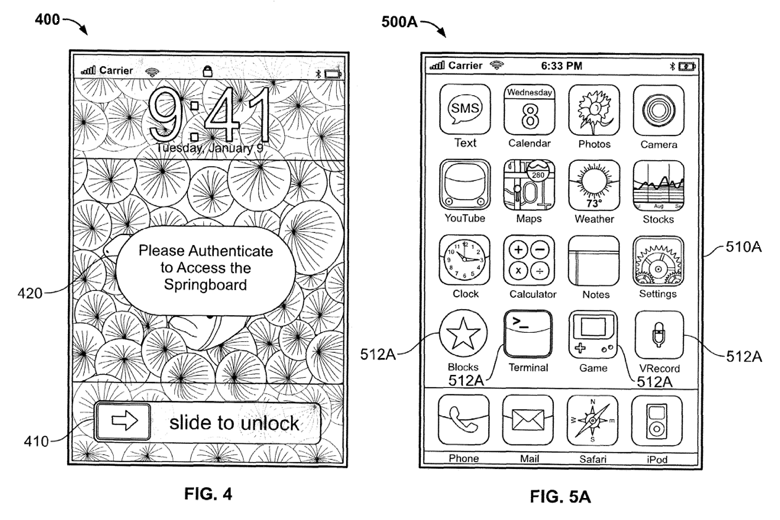
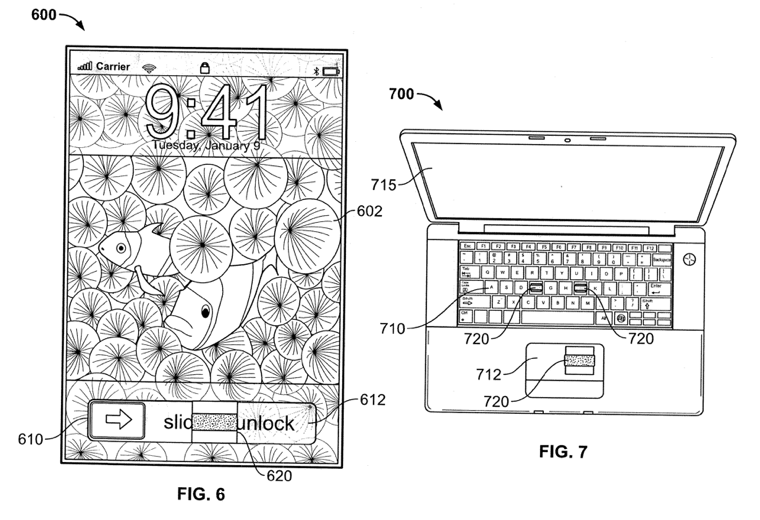
Apple filed a new patent that shows a new system of biometric recognition for the safety of iPhone and MacBook. Currently the only way to protect our devices is to use a security code, which is not safe enough. In the future Apple plans to integrate a sensor below the screen to scan our fingerprints when we execute the "slide to unlock" .
Other security methods may be that the voice recognition or facial recognition. This might include the future implementation of a front camera. Apple goes so far as to suggest the possibility of recognizing the user's distinctive voice or even collecting DNA samples to recognize a user's genetic sequence. Biometrics could also be context-sensitive and detect the shape of a user's ear before allowing a call to go through, for example.
Overall it still seems somewhat science fiction, but could be implemented in the next model of the iPhone this summer.
QlikView helps to improve supply, production and distribution. You can learn about QlikView solution manufacturing companies at 1bit.com.
DevTeam says do not update to 2.2.1
Here is an anouncement from DevTeam. They suggest to not update to the new yet. You can loose the ability to jailbreak and unlock. Just wait for them to check everything and release new .
Veency: remote control your iPhone [Cydia]
This application is developed by Jay Freeman, the creator of the Cydia. Veency is a free app that allows iPhone owners to remotely control their iPhone from PC or Mac desktop via a VNC client.
Here are some of the features:
- Launch applications on your iPhone
- Reply to emails, text messages, and more
- Rearrange icons
- Lock/Unlock your iPhone
- Browse through Photos and Contacts
Of course you cannot do two finger gestures with this app. All other actions can be done with the click of your mouse. The only area in which Veency fails tragically at is when opening any video recording application on the iPhone.
This application is avaliable for jailbreaked iPhones via Cydia installer.
Be sure to restart your iPhone after installing Veency and connect to the server using a Wi-Fi connection. We recommend using UltraVNC or TightVNC to connect your Windows desktop. If you're using a Mac, we recommend Chicken VNC.
Here is a video demonstration:
Remote access software or remote desktop software is software that allows you to access a remote computer.
via readwriteweb
Tutorial: How to perform Jailbreak, Activation and Unlock (Windows)
UPDATE: Please, consider reading our Jailbreak & Unlock FAQ, especially if you have questions or troubles.
This is a step-by-step tutorial. If you have iPhone 3G this guide will help you jailbreak and activate the device. For iPhone 2G it will also perform the unlock.
I recommend using 2.2 firmware, because iPhone 3G . But you can use it with old v2.1, v2.0.1 and v2.0.2.
PwnageTool 2.0 preview video
DevTeam recently published a video of working PwnageTool 2.0 - for unlocking, activating and jailbreaking IPhne fimware, that will work with the new firmware 2.0.
"Many many hours have gone into this and now it should be as easy enough for your grandmother to use. We’ve added lots of new features, including 2.0 support, spotlight file indexing of .ipsws, canned websearches, installer custom configuration, custom root partitions and various other things that you’ll see on the release. Release date is soon although not this weekend. So check out the video, hopefully it will hold you off until we release."
PwnageTool works with 2.0 upgraded 1st gen (!) iPhones if they are activated or not.
Leave a comment, read comments [1]
New version of JocStrap and UICaboodle is avaliable

These two libraries that are needed for Java on IPhone were updated recently. Downloads are avaliable through Cydia Installer.
Jocstrap is a bridge between Java and Objective-C. UICaboodle is a JocStrap extenstion for the IPhone. Both are needed to write Java applications for IPhone.
Tutorial: compile and run Java application on the IPhone
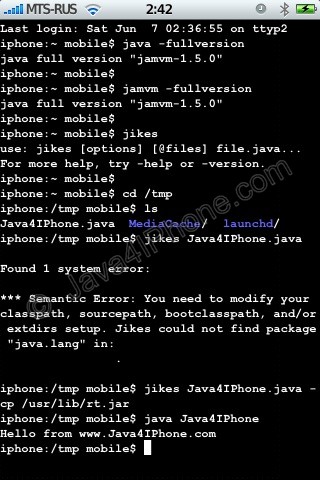
This is a tutorial, that shows step by step how to use installed Java on the IPhone. Just in case you do not have Java installed on your IPhone there is a how to do it.
What we need is a working IPhone with . I used latest firmware 1.1.4, unlocked, jailbreaked and customized by .
Step 1: Create simple Java application, compile and run.
Leave a comment, read comments [16]
Tutorial: install Java on the IPhone
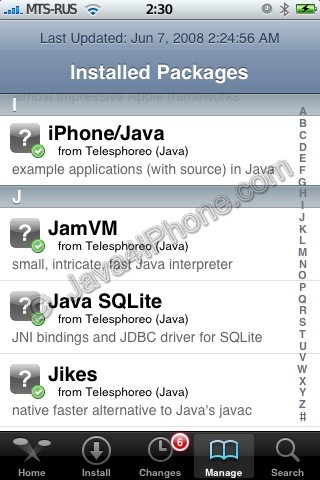
This is a tutorial, that shows step by step how to install Java on the IPhone.
What we need is a working IPhone with . I used latest firmware 1.1.4, unlocked, jailbreaked and customized by .
First of all I'd like to say we all want to use legal IPhones and operators. So everything written below is for testing purposes only :-). Hopefully this technology will be avaliable on all IPhones sold worldwide. You also might need to recover your IPhone, so make sure you backed up all your data. I personally did everything without any problems and needs to recover. Everything you do is your responsibility, etc...
So let's start, because it's worth it! It's just one evening and you will be able to create your personal Java application, compile and run it on the IPhone, and amaze all your friends :-).
There are two steps:
Leave a comment, read comments [25]