 iPhoneRoot.com

News from category ‘Software’
Secure your jailbroken iPhone against worm and hacker attacks

This is quite simple. If you did a jailbreak on your iPhone you need to change the default password. Why? Because hackers can access your phone, read your mail, sms, download other data. The second reason is because there are already several viruses (worms) that use these default passwords.
Here's a quick step-by-step tutorial.
- If you don't have MobileTerminal application installed: for 4.х and 5.x firmwares we have a good step-by-step tutorial, for 3.x just run Cydia, search for MobileTerminal and install.
- Run MobileTerminal.
- Type passwd and press return.
- Enter the default user password alpine and press return.
- Enter a new password and press return.
- Enter a new password again and press return.
- Congratulations, you changed it for default mobile user. Let's do the same for root user.
- Login as root user: type su root and press return.
- Type alpine for password
- Type passwd and press return.
- Enter a new password and press return.
- Enter a new password again and press return.
- That's it!
The passwords are now changed, and your jailbroken iPhone or iPod Touch is now a bit more secure than it was before and less vulnerable to the worm detected recently.
Update: Step-By-Step Tutorial: How to install MobileTerminal on iPhone with iOS 4.x and 5.x
 Leave a comment, read comments [38]
iPhone running Google Android OS [Video]
Have you ever tried to imagine the iPhone with an operating system other than Apple's one? Here is an iPhone clone running Google Android OS (v.1.5).
This device is made in China. It has a 3.5" capacitive touchscreen screen, 130MB of RAM and 256MB of internal memory expandable with a memory card. There is also a 2 MP camera, Bluetooth and Wi-Fi.
Unlock utility Ultrasn0w updated to version 0.92
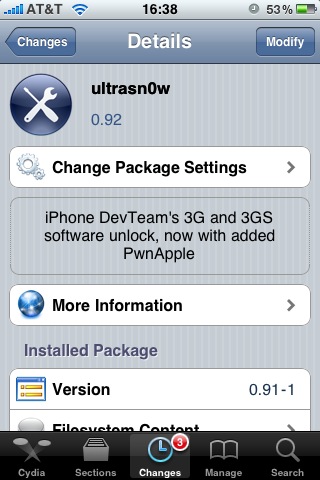
Today DevTeam released an ultrasn0w update that fixes a bug for those who run it on firmware 3.1 and 3.1.2 with the 04.26 baseband. This bug was about a missing carrier name in the upper left-hand corner of your home screen. The update is avaliable in Cydia (repository http://repo666.ultrasn0w.com).
We remind you, that ultrasn0w 0.92 doesn't work with baseband 05.11.07!
[Update]: if your 3G or EDGE connection isn't working try manually clearing and re-entering your APN.
[Update 2]: Carrier logo fix confirmed (by order of tweet):
USA, Thailand, Austria, Trinidad, Germany, China, Kuwait, Serbia, Poland, France, Nigeria, Egypt, Pakistan, Ireland, UK, Turkey, Sweden, Switzerland, Malaysia, Hungary,The Netherlands, Bahamas, Jamaica, India,
Israel, Belgium, Canada, Portugal, Denmark, Costa Rica, Italy, Chile, Argentina, Brazil, Japan, Mexico, Venezuela, UAE.
Leave a comment, read comments [1]
VideoGuide: How to enable Emoji for free on your iPhone (without Jailbreak)
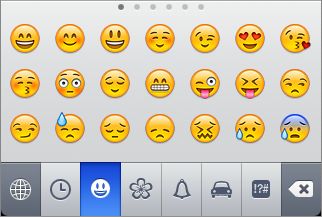
Here is a quick video tutorial, how to enable cool Emoji Icons for free and without the need to jailbreak the iPhone or iPod Touch.
Tuning iPhone's Autocorrect Feature [CNet Video]
Here is a quick video that shows how to deal with iPhone's autocorrect feature:
Sn0wbreeze: new video
Here's a new video preview of Sn0wbreeze, the iH8sn0w's Windows tool that will be able to create a custom firmware, just as PwnageTool Mac.
In the video we see a preview of the graphic interface and the first functions. At startup we choose the expert or the simple mode and the rest should be exactly as we know it already.
Gigabyte fixes iPhone Syncing Issues
Many users are unable to sync their iPhones on PCs equipped with Windows 7 and Intel P55 Express chipset. Gigabyte is the first company who fixed this issue. They've released a beta BIOS that addresses the problem. Asus and MSI, which also use the P55 express on their motherboards, haven’t issued any updates yet, but hopefully will soon.
BlackSn0w Unlock For 05.11.07 Is Now Available

Geohot has released his BlackSn0w utility. BlackSn0w is an unlock for the iPhone 3G and iPhone 3GS. It supports the latest firmware 3.1 and 3.1.2 with baseband 05.11.07 and enables official tethering. Available for both Windows and Mac.
Here is a quick tutorial:
If you havn't done the jailbreak: go to , download blackra1n, run it, follow the instructions (it is really simple) to perform the jailbreak. Run balckra1n app on iPhone and install BlackSnow.
If your device is already jailbroken - run Cydia, add repository blackra1n.com and install blacksn0w. That's it!
The latest version of blackra1n is RC3. It now has hacktivation support, 15 second speed improvement, Tiger+PPC support.
PS: If you just bought a new iPhone 3GS or have one that was made recently (approximately after 40th week after iPhone 3GS release): your device has a new BootROM. Unfortunately it is impossible to run regular jailbreak with this new BootROM. There is a sloution - tethered jailbreak. Everything including unlock will work fine. However every time you restart your iPhone, you need to plug it to a computer with blackra1n installed.
First Screenshot of BlackSn0w Unlock
Geohot has posted the first screenshot of his blacksn0w baseband 05.11.07 unlock for the iPhone 3G and 3GS. The unlock which will be run after completing a jailbreak with the blackra1n jailbreak is expected to be released on November 4th.

Robot plays Rock Band!
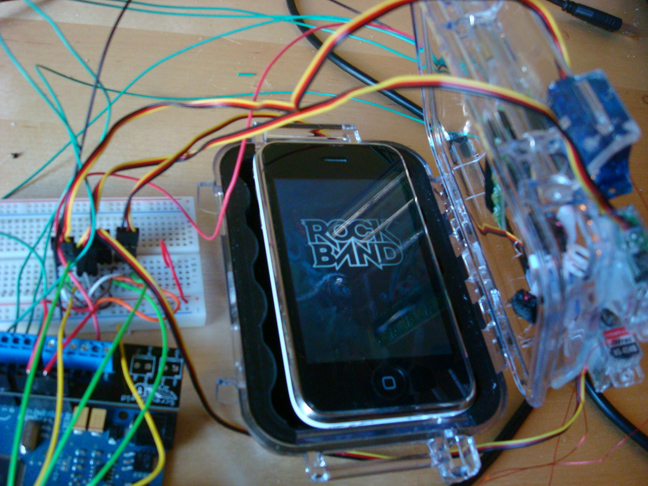
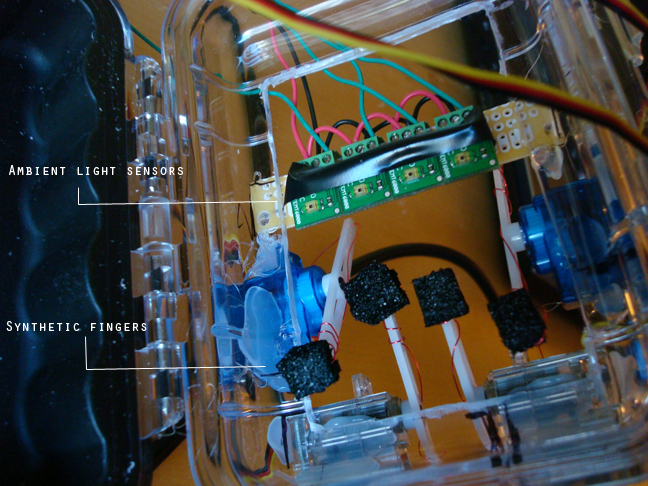
This is a robot capable of playing Rock Band iPhone application. The setup is pretty much the same as the other robots that play these kinds of games.
More video and pictures:
Windows 7 Has Problems with iPhone (0xE8000065)
Microsoft Windows 7 will probably be a very popular OS. iPhone is already one of the most popular phones. So compatibility between the two is expected, right? Well, many users report in that they get "error 0xE8000065" message whenever they attempts to sync. The problems might be in Intel P55 Express chipset's USB controller. We hope that either Intel or Microsoft will find a solution.
Leave a comment, read comments [1]
Unlock for iPhone 3GS with formware 3.1 and 3.1.2 is ready!
GeoHot has just released a new video which shows his new hack in action. It's called Blacksn0w and is able to unlock the new baseband 05.11.07 of the iPhone 3G and iPhone 3GS.
This new baseband appeared in firmware 3.1. So all users who own locked iPhone can unlock it and use with any cellular provider. Users who have upgraded to firmware 3.1 or 3.1.2 by mistake can also use blacksn0w.
BlackSn0w will be released November 4.
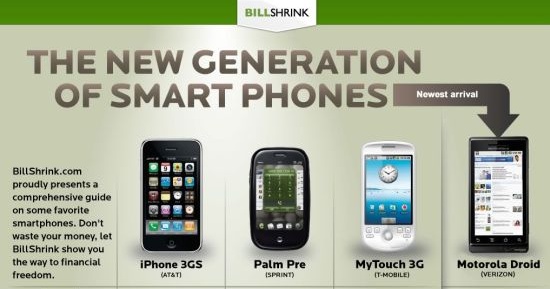
Comparison Table: iPhone 3GS, Palm Pre, MyTouch 3G and Motorola Droid
Here's a one big table comparison between the most discussed phones. We're talking about the iPhone 3GS, Palm Pre, MyTouch 3G and the new Motorola Droid that will be available from November 9.
BlackSn0w: Unlock for iPhone With Firmware 3.1 Is Coming Soon
The famous iPhone hacker GeoHot started working on unlock of the new baseband 05.11.07 several days ago. Today he published the first results that can be defined as very positive.
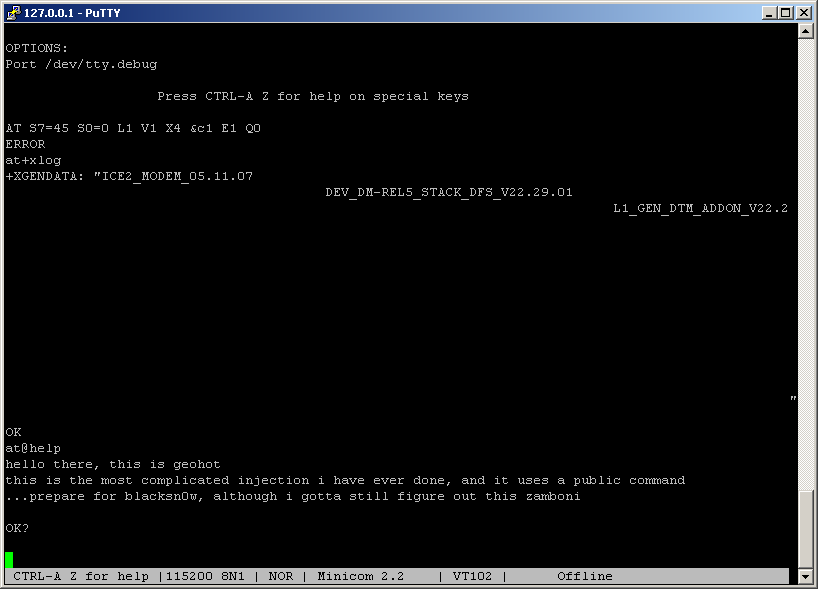
So he managed to take control of the baseband, running the code written directly by himself. This measns that soon all users of locked OTB iPhones with firmware 3.1 and 3.1.2 will be able to unlock ther devices.
The new project is called blacksn0w.
Apple patents an iPod Touch expansion to connect SIM Card
U.S. Patent & Trademark Office has published a new Apple patent on a removable module designed specifically to add new features to the iPod Touch.
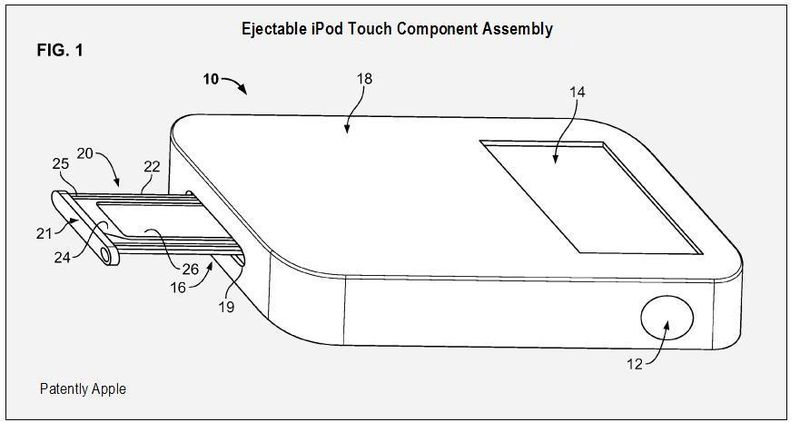
The Apple device can read the circuit cards (ICCs), the chip cards, memory cards, and even the SIM card. The operation is not simple and is not quite clear. Maybe some day we will ba able to use SIM cards in iPod and SD in iPhone?
via ispazio