 iPhoneRoot.com

News from category ‘Firmware’
Apple Seeds iOS 7.1 Beta to Developers
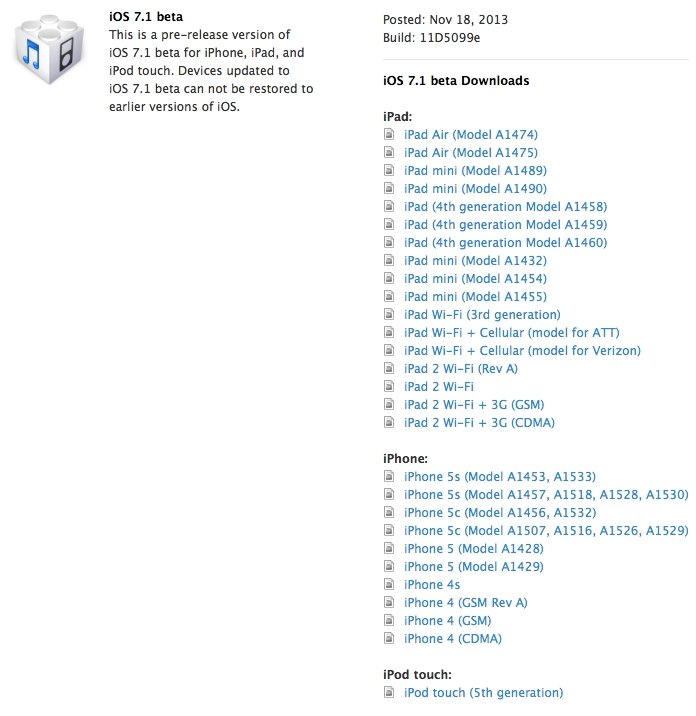
Apple has released the very first iOS 7.1 beta to registered developers. The build number of this firmware version is 11D5099e, it is available for testing purposes only. Apart from the new iOS 7.1, the company from Cupertino seeded a new Apple TV beta.
 Leave a comment, read comments [10]
iOS 7.0.4 is Safe for 7.x Users Waiting for a Jailbreak
Famous hacker MuscleNerd has confirmed that iOS 7.0.4 is safe to update to for users who wait iOS 7 jailbreak and are already on iOS 7.
Those at 7.x waiting for JB, maybe treat 7.0.4 as exercise in restraint. Won’t affect JB if you slip up, but test your ability to avoid it!
…but for those enjoying the 6.x JB, avoid 7.0.4 . There’s no going back (always worth saying that for sake of JB newbies)
The last update we received about the possibility of iOS 7 jailbreak was in early October when Planetbeing tweeted, "We're still working hard on the jailbreak. May have all the pieces at this point (but not certain yet)."

Apple releases iOS 7.0.4 & iOS 6.1.5 with FaceTime bug fix
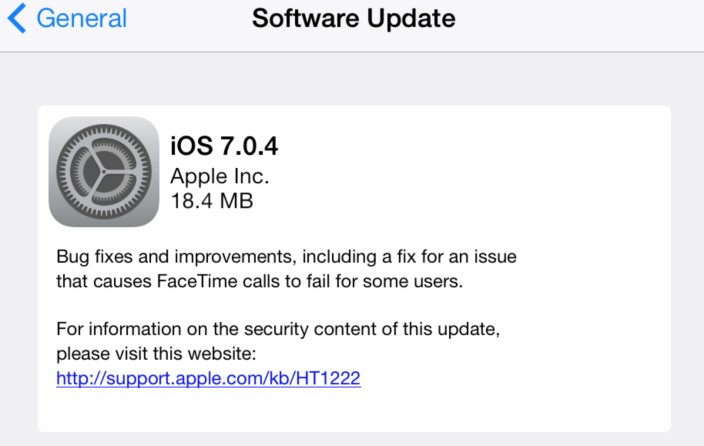
Apple has released iOS 7.0.4 for iPhone, iPad, and iPod touch. The update is a bug fix release with improvements. Apple that the update includes a fix for FaceTime calls that could fail for some users. The update is available over-the-air via the Software Update section in the iOS Settings app.
Apple has also iOS 6.1.5 for fourth-generation iPod touch users. That iOS 6 update is designed to fix the FaceTime bug on the non-iOS 7 capable iPod touch.
Direct download links below:
Apple Releases iOS 7.0.3 with Numerous Improvenemts
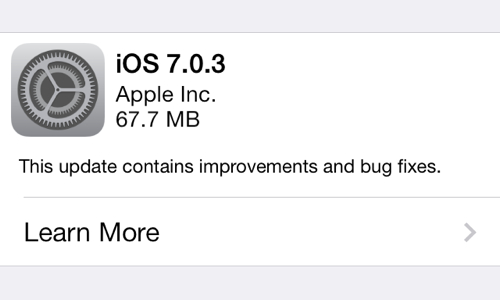
After announcing the new iPad Air, iPad mini with Retina display, updated MacBooks, Mac Pros and the free OS X Mavericks yesterday, Apple decided to release iOS 7.0.3 that same evening. This minor update contains numerous bug fixes, safety improvements as well as a bunch of new features aimed to make the integration between Apple’s mobile and desktop operating systems even deeper. Moreover, there’re some enhancements that deal with iPhone 5s’ Touch ID sensor.
Demand for iPhone 5c Finally Growing, iPad 2 Remains Apple's Most Popular Tablet - Research Results
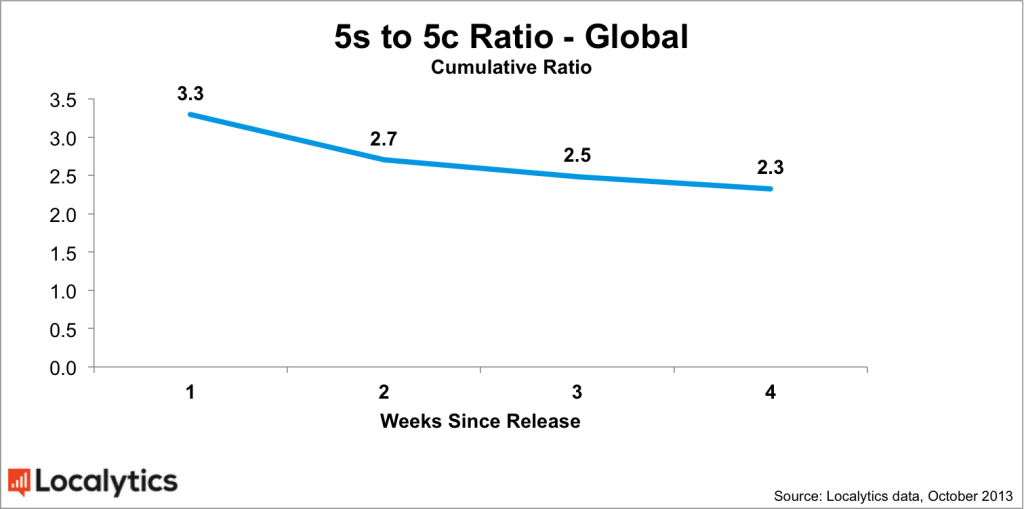
According to the latest report, Apple’s iPhone 5c is slowly, but steadily gaining popularity. One week after the iPhone 5s and 5c release, however, the new flagship has been far ahead of its plastic counterpart.
Now some figures - 7 days after the initial launch, there has been 3.3 active iPhone 5s’ for each iPhone 5c in the world. Things have changed since that time and what we have today is 2.3 iPhone 5s units for each 5c sold. Looks like people have finally understood that the plastic iPhone is a pretty functional device for its price.
A Guy from California Sues Tim Cook over iOS 7 Automatic Update Mechanism
A guy from California has decided to sue Apple CEO Tim Cook. The user is for some reason dissatisfied with over-the-air update mechanism that makes it easier to get and install the latest version of the firmware.

Leave a comment, read comments [3]
Apple Will Fix the iMessage Bug in the Next iOS 7 Update
There’s a new bug found in iOS 7 and this time it deals with iMessage. Users claim that there’re some issues with sending messages.
Apple assures the bug will be fixed as soon as possible:
We are aware of an issue that affects a fraction of a percent of our iMessage users, and we will have a fix available in an upcoming software update. In the meantime, we encourage any users having problems to reference our troubleshooting documents or contact AppleCare to help resolve their issue. We apologize for any inconvenience this causes impacted users.
Looks like all those who have problems with iMessage have to wait for another iOS update. iOS 7.0.3, by the way, is expected to be released next week.

Leave a comment, read comments [1]
Download All the iOS 7 iPad Wallpaper Backgrounds
Apple has added new iPad wallpapers in iOS 7 firmware. You can check them out in the gallery below.
A zip file of the wallpapers can be downloaded here.
Leave a comment, read comments [1]
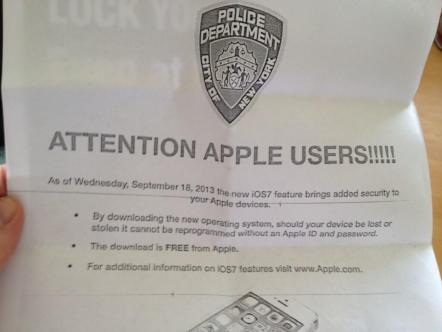
New York Police Department Encourages People to Update to iOS 7
The New York City Police Department is asking people to upgrade to iOS 7. This is all due to its improved security and, among the rest - due to the ‘Activation Lock’ feature.
According to some police officials, the seventh version of the Apple’s mobile operating system is probably the most protected.
After months of pressure from a global coalition of elected officials and law enforcement agencies, we are pleased that Apple is set to release a new mobile operating system that includes a theft deterrent feature called Activation Lock. This is an important first step towards ending the global epidemic of smartphone theft.
Looks like the new iPhones are really worth purchasing devices.
Leave a comment, read comments [4]
iOS 6 vs iOS 7: side by side comparison [86 photos]
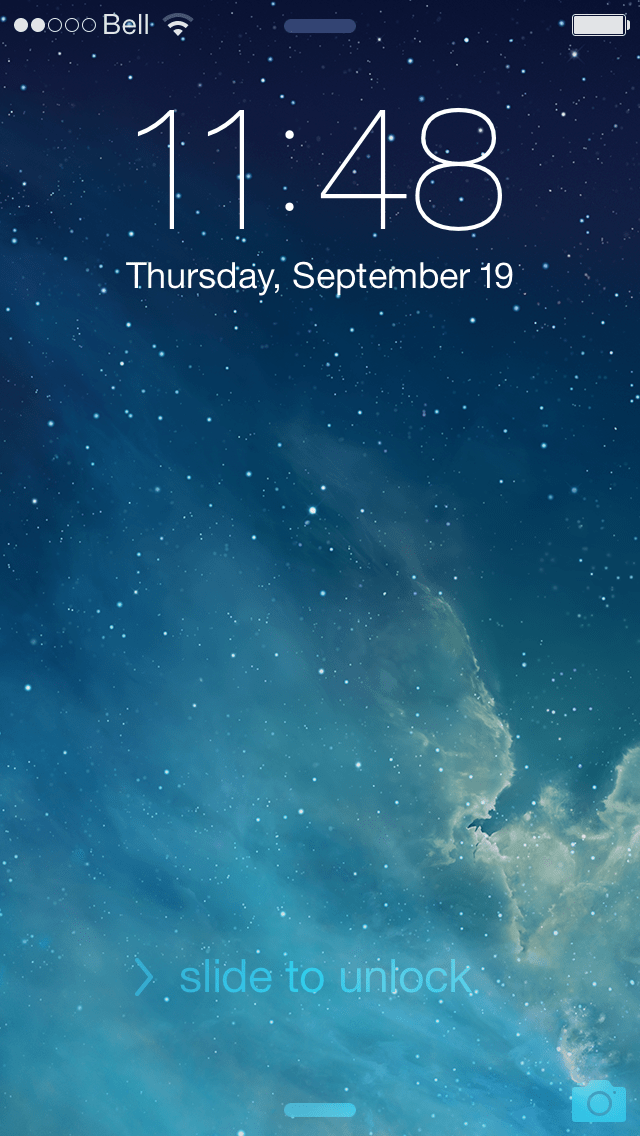
Here is a huge gallery of screenshots from both iOS 6 and iOS 7. Let's compare these mobile operating systems:
Lock Screen:

Leave a comment, read comments [2]
Learning iOS 7: Notification Center [Video]

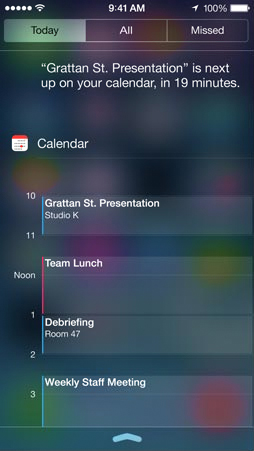
Here's a look at the new Notification Center that comes with iOS 7.
Notification Center lets you know about new mail, missed calls, to-dos that need doing, and more. And a new feature called Today gives you a convenient summary of, well, today. One glance at your iPhone and you’ll know if it’s a certain someone’s birthday, if you’ll need an umbrella, or if traffic will slow down your commute.1 You’ll even get a heads-up on tomorrow. You can access Notification Center from any screen, including the Lock screen. Just swipe down. And get up to speed.
Today view gives you a summary of what you need to know about for the day. And a peek at tomorrow.
The new All and Missed views let you see all your alerts or just those you haven’t addressed in the last 24 hours.


Let's watch Notification Center demo video:
Learning iOS 7: Control Center [Video]

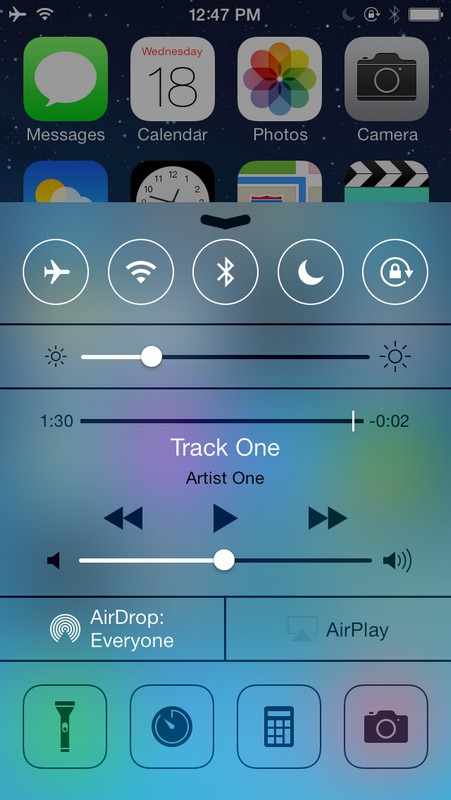
Here's a look at the new Control Center.
Control Center gives you quick access to the controls and apps you always seem to need right this second. Just swipe up from any screen — including the Lock screen — to do things like switch to Airplane mode, turn Wi-Fi on or off, or adjust the brightness of your display. You can even shine a light on things with a new flashlight. Never has one swipe given you so much control.
Do what you need to do. Quick.
Turn on or off Airplane mode, Wi-Fi, Bluetooth, and Do Not Disturb. Lock your screen’s orientation or adjust its brightness. Play, pause, or skip a song. Connect to AirPlay-enabled devices. And quickly access your flashlight, timer, calculator, and camera.
Let's watch the video demo:
Learning iOS 7: Multitasking [Video]

Apple has greatly improved the multitasking switcher in iOS 7.
Multitasking has always been a smart way to switch between apps. Now it’s even smarter. Because iOS 7 learns when you like to use your apps and can update your content before you launch them. So if you tend to check your favorite social app at 9:00 a.m. every day, your feed will be ready and waiting for you. That’s multitasking in iOS 7. It knows what you want to do before you do.
A smarter way to multitask.
Press the Home button twice to see preview screens of the apps you have open. To quit an app, just swipe it up and out of preview.Intelligently scheduled updates.
iOS schedules updates during power-efficient times. Like when your device is on and connected to Wi-Fi. So your battery isn’t drained unnecessarily.
Let's see how it works:
Learning iOS 7: AirDrop [Video]

Apple brings AirDrop to iOS 7, a new way to transfer files between iPhone, iPad, and iPod touch users.
Sending a photo or a document to someone via text or email is fine. But if that someone is right next to you, a text or an email suddenly feels like too many steps. Enter AirDrop for iOS. It lets you quickly and easily share photos, videos, contacts — and anything else from any app with a Share button. Just tap Share, then select the person you want to share with. AirDrop does the rest using Wi-Fi and Bluetooth. No setup required. And transfers are encrypted, so what you share is highly secure.
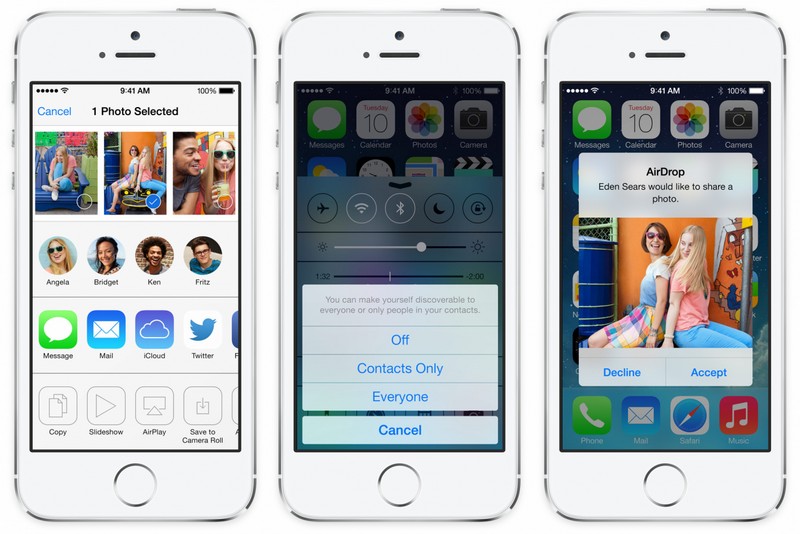
Here's a video showing how it works.
iOS 7 released: What's New?
Apple has officially released its iOS 7 to public - one can download it via the iTunes right now.
If to speak about the improvements and new features, well, there’re lots of them. But let me tell you what I like most.
