 iPhoneRoot.com

News from category ‘Software’
New FaceTime Bug and How to Get Rid of It
A new bug has been recently discovered that makes FaceTime unusable. The bug affects devices running iOS 6.
According to a new support document released by Apple, those iOS 6 users who encountered problems with FaceTime should upgrade to iOS 7.0.4 or later if their devices support such upgrade. In case you have a gadget, which doesn't support iOS 7, you need to update it to iOS 6.1.6.

iOS 7.1.1 Brings Battery Life Improvements?
A couple of days ago, Apple has released a new iOS version, which contained a number of Touch ID tweaks as well as other improvements and bug fixes. Since that time, some users have begun to report that the battery life of their devices running iOS 7.1.1 has become longer. Good news for iPhone and iPad users.

Creative Hitz WP-380 review
Many users think of buying new modern wireless headphones to replace original old-type ones that came with a player or a smartphone. Today we will show you Hitz WP-380 headphones from Creative.
First impression always starts from the process of unpackaging the box. Hitz WP-380 looks great, at first sight one can tell that these headphones are very well made. The design is modern. These on ear type headphones have professionally-tuned 34mm neodymium drivers that must deliver excellent sound. There is also a microphone, so Hitz WP-380 can be used to make calls as well. Official web page positions Hitz WP-380 as a Lightweight On-ear Bluetooth Headset with NFC.
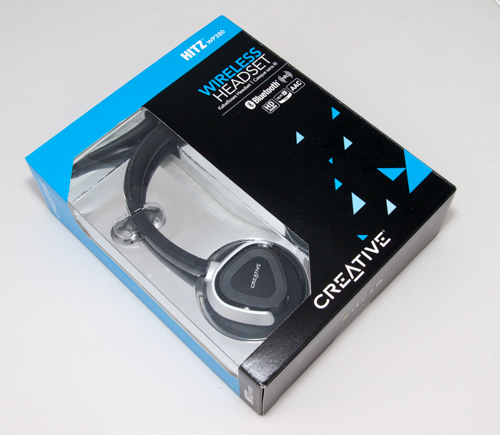
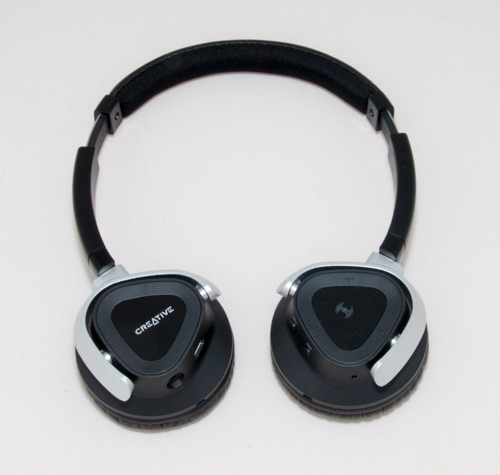
The box has the headset, small travel pouch, mini-USB cable for charging, standart 3.5mm audio cable and user manual.


The design is simple and modern. The quality is very good, just as you'd expect from device made by Creative. The headset sits comfortable and can be adjusted in several ways. The cups do fold, which is good. We find these headphones fairly comfortable and experienced no problems wearing them for a long time. WP-380 weights just 5.3 oz (150 g).
The microphone is hidden in the earcup, it's a little far from the mouth, it is it is hard to use the WP-380 headset in a noisy place.
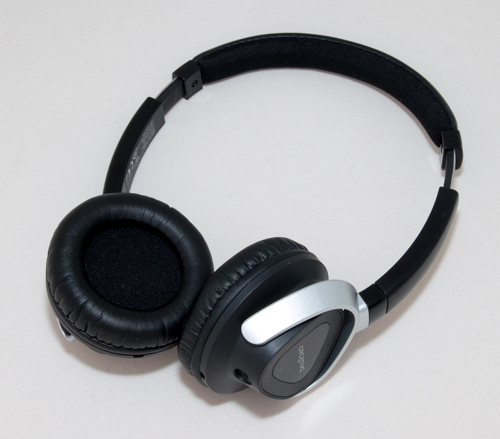
It is very easy to start listen to the music: you need is to turn on WP-380 and keep holding on/off button. The light goes blinking blue, which means it is ready to connect to some gadget. On the iPhone just navigate to Settings - Bluetooth, then find and select Creative WP-380 in the list of found devices. That's it. Easy! The working distance is approximately 33 ft (10 meters), which is enough to walk around the house with no need to carry your player or smartphone with you.


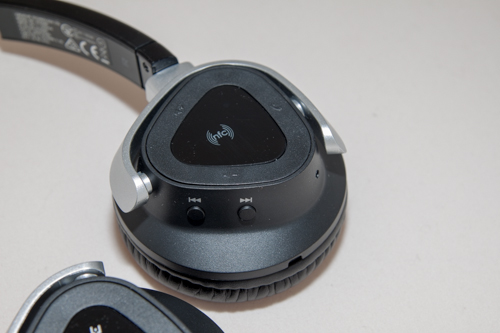
WP-380 can also connect to devices with NFC technology (Near Field Communication). Unfortunately Apple smartphones do not support NFC, while Android users will be happy to try NFC.
Another interesting fact about WP-380 is Creative ShareMe and Creative Multipoint. Creative ShareMe (one source, two headsets) allows you to share your music wirelessly with your buddy or loved one using another Creative ShareMe-enabled wireless headset. Creative Multipoint (two sources, one headset) allows you to pair two separate devices to the headset at the same time. This means that you can easily switch your music source between these two Bluetooth stereo devices.


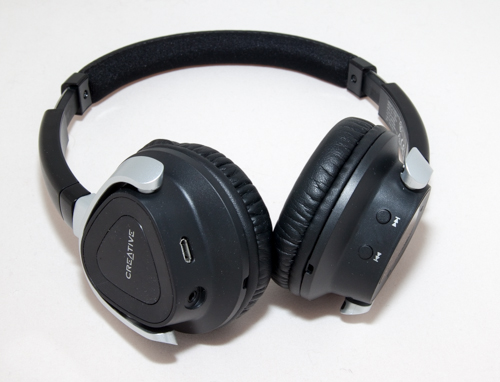
There are several buttons to control the headset. The on/off button is used to turn headset on and off, to set up BlueTooth connection, and to answer the incoming call. Using next, previous, play/pause (combined with on/off button) is is possible to control the music, stop/play, skip to the next track or play the previous one. Volume buttons are used to control the volume. Unfortunately it is not possible to use Siri voice assistant on the iPhone, there is just no button for that.
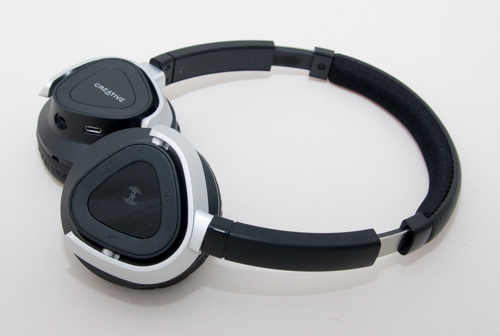
The quality of the sound is very good. This is not a surprise, since Creative uses different software and hardware trick s to improve sound playback and recording quality. Middle and high frequencies are well done, bass is good as well. The built-in speech microphone with ClearSpeech Engine actively suppresses external noises and digitally enhances speech clarity so that your conversations are loud and clear.
By the way, users of iPad tablet and iPod Touch player can use this headset to talk via Skype and similar voip apps.
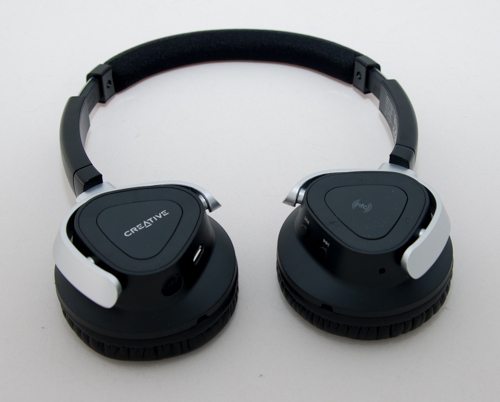
The compatible list of devices is quite high. Hitz WP-380 works with Bluetooth enabled devices as well as with with every phone and player that has a standart 3.5mm jack.

Creative WP-380 charges in about an hour. Internal battery gives us approximately 12 hours of playback time.

Technical Specifcations:
- General
- Wearing Style: On-ear
- Weight: 150g (5.3oz)
- Adjustable Headband: Yes
- Color: Black
- Included Accessories: 1 detachable flat audio cable, 2.5mm-to-3.5mm gold-plated stereo plug (1.2m)
1 travel pouch
1 USB charging cable (1m / 3.3ft)
- Specifications
- Product Type: Wireless Headset
- Volume Control: Yes
- aptX: Yes
- Drivers: 34mm (1.33 inches) Neodymium magnet
- Frequency Response: 18Hz ~ 22kHz
- Impedance: 32ohms
- Connector Type: Bluetooth 3.0
2.5mm-to-3.5mm gold-plated stereo plug - Cable Length: 1.2m / 3.9ft
- Cable Style: Detachable flat audio cable
- Near Field Communication (NFC): Yes
- Bluetooth Profiles: A2DP
AVRCP
HSP
HFP (HD Voice ready*)
*HD Voice requires supported smartphones and mobile networks. - Audio Codec: aptX
AAC
mSBC
SBC
FastStream*
*FastStream allows low latency wireless bi-directional audio streaming and voice communication with Creative BT-W1 Bluetooth USB transceiver. - Content Protection: SCMS-T
- Operating Range: Up to 10m / 33ft
- Battery Specifications
- Type of Battery: Rechargeable Lithium Ion battery, 3.7V, 430mAh
- Battery Life: Play time: 12 hours
Talk time: 14 hours
- Recommended Usage
- Wireless Streaming: Yes
- Music/Movies: Yes
- Chats: Yes
iPhoneRoot thanks Creative and Powersales International for providing Creative WP-380 review sample.
Apple Releases iOS 7.1.1 With Several Improvements
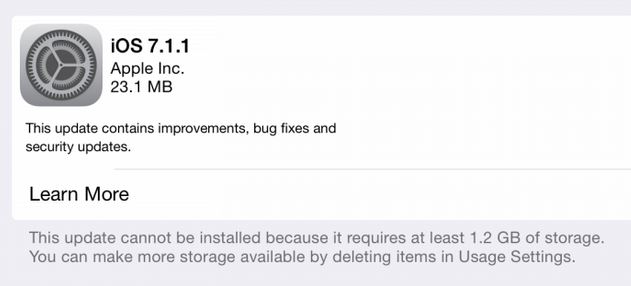
Apple on Tuesday released iOS 7.1.1 for users worldwide. The update contains no new features; only a bunch of stability improvements and bug fixes.
Apple Releases Eighth OS X Mavericks 10.9.3 Beta
Apple on Monday released a new OS X Mavericks 10.9.3 beta to developers for testing. As to the previous beta, it was released on Wednesday and contained minor improvements and bug fixes.
Monday's beta-version has a build number 13D45a. There're no noticeable new features. Apple has again asked its registered developers to focus on Graphics Drivers, Audio, Mail, Safari browser, Contacts and Calendar sync over USB in iTunes.

First Generation Apple TV Owners Experience Difficulties Connecting to iTunes
According to numerous complaints found on Apple Support Communities, first generation Apple TV owners have some difficulties connecting to iTunes from their set-top boxes. And the number of users, who encounter suchlike issues is growing.

Apple and Google Fight for Exclusive Games for Their Platforms
Apple wants major game developers to release their new games exclusively for iOS. This will allow to lure many customers from the competitive platform - Android. The problem is that Google also plans to get the so-called first rights for many games.
Both tech giants promise to promote new games and their developers placing them to all kinds of ratings and lists. Now it’s up to developers to decide what company - Apple or Google - to choose.

Apple Exaggerated Worth of Its Patents - Samsung
Samsung experts claim that Apple has exaggerated the worth of the patents allegedly infringed by the South Korean manufacturer. The company has even accused Apple expert John Hauser of miscalculation of the sum Apple is seeking in damages.
Newly Discovered Malware Steals Apple IDs and Passwords
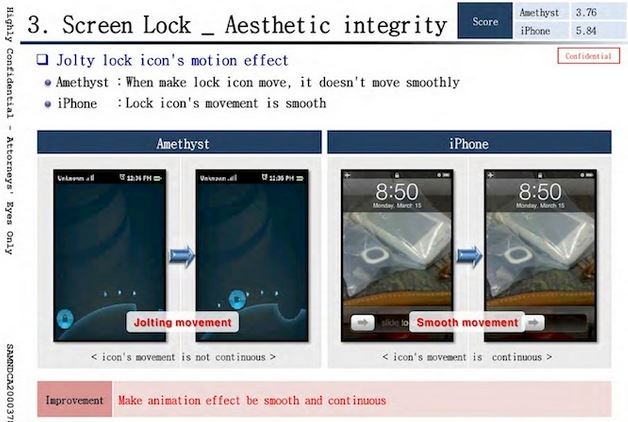
A tiny malicious utility capable of stealing Apple IDs and user passwords has been recently discovered. It is called 'Unflod Baby Panda' and it infects jailbroken iPhones and iPads, so if you use one, you'd better read this post till the end.

Apple to Start Working on New Device-Unlocking System?
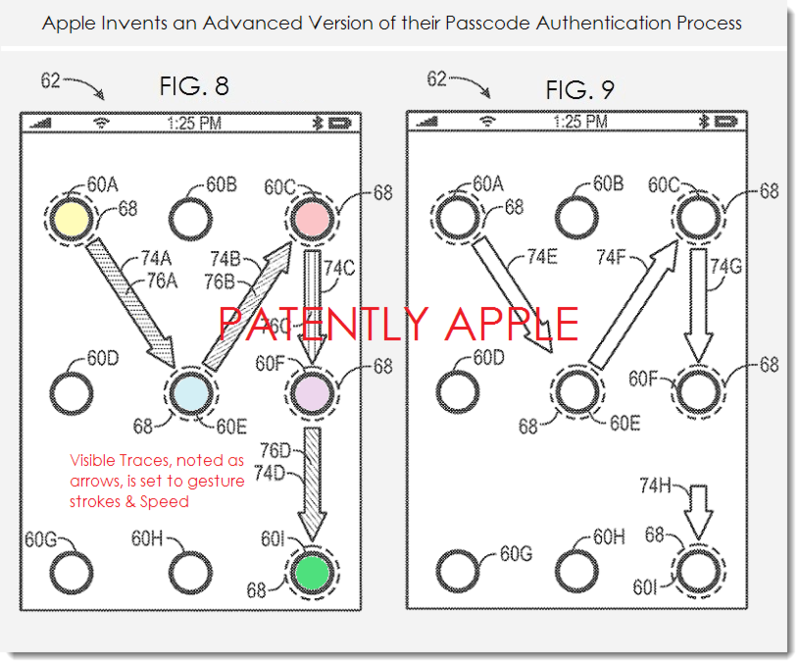
According to the latest patent filings published on Thursday by the US Patent and Trademark Office, Apple is planning to develop a new device-unlocking system. This system will allow users to unlock their iOS devices by connecting a set of illuminated dots, so that drawing a custom pattern on the screen of the device. The patent applications are entitled 'Gesture entry techniques'. There're two filings that deal with the new technology, not one, which a bit strange, I guess.
Apple and Shazam are Working on Song Identification System for iOS 8
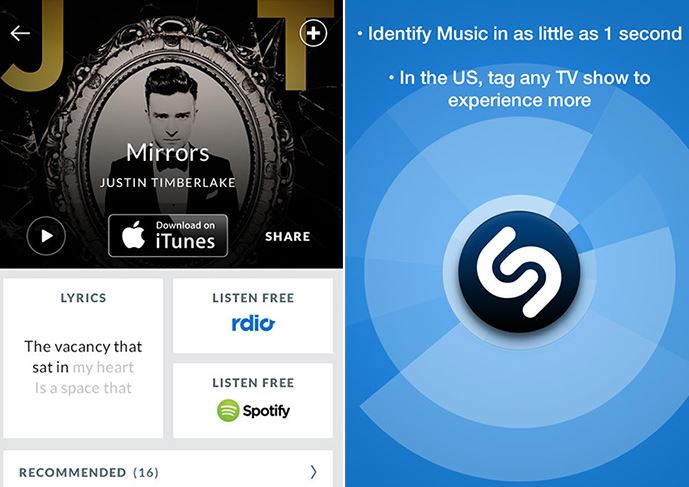
Apple is reportedly working on a new song identification system for iOS 8. The company plans to cooperate with Shazam in order to add a new feature to its native music player, Bloomberg reports. Why do we need such a feature in iOS? To be honest, I don't know.
 Leave a comment, read comments [4]
Yahoo to Become Apple's Default Search Engine?
According to the latest rumors, Yahoo is planning to become Apple's default search engine. The company is already working on two internal projects aimed at improving the search and monetization capabilities. Moreover, Yahoo CEO Marissa Mayer is now preparing a presentation about the new product capabilities. This presentation should convince Apple executives that Yahoo services are what they actually need.

New 'Office 365 Personal' Subscription for Mac and iPad Users
A couple of weeks after the official release of Office for iPad, Microsoft has decided to start offering a cheaper Office 365 subscription for those people who use Office apps only only on two devices. For instance, on a Mac or PC or on a tablet. In our particular case, on an iPad.

Apple Releases Seventh OS X Mavericks 10.9.3 Beta to Developers
Apple has released a new OS X Mavericks 10.9.3 beta to developers for testing. This is the seventh beta and it can boast of a number of stability improvements and bug fixes. Just like the previous beta.

Auki: Tweak that Lets You Reply to Messages Quickly
A new tweak for those who like texting friends has recently appeared on Cydia. It is called Auki. The tweak allows to compose new and reply to messages you get within few taps on the screen.
To create a new message, all you need is to swipe down the screen. To answer a message, you need to tap on the newly added "Reply" button. Nothing more. That's all thanks to the Quick Compose and Quick Reply modes. Take a look at the video showing how Auki works.