 iPhoneRoot.com

News from category ‘Firmware’
Seas0nPass updated for Apple TV 2G iOS 4.3 build 8F455 jailbreak

Apple TV 2G jailbreak utility Seas0nPass has been updated to support an un-tethered jailbreak of the latest firmware 4.3 build 8F455. Seas0nPass is one of the simplest jailbreaking tools available for the AppleTV, and is the first to support the new 4.3 build 8F455 software version.
You can download Seas0nPass here: [10.6 or later] | [XP or later].
You can read our step-by-step tutorial for Apple TV 2G jailbreak using Seas0nPass here.
DevTeam Releases Tethered Jailbreak for iOS 5 Beta 6
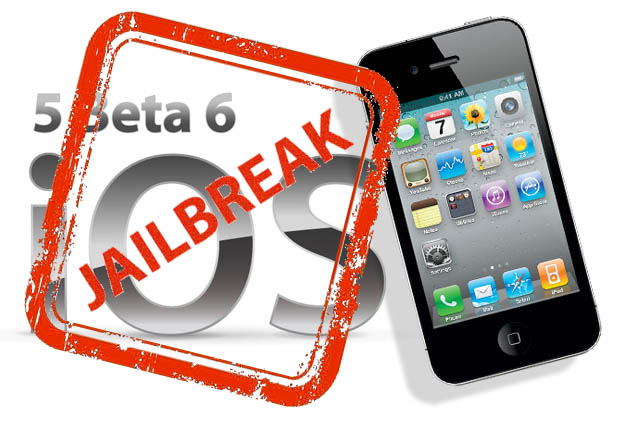
The iPhone Dev-Team released RedSn0w 0.9.8b6 that supports tethered jailbreak for the most recent iOS 5 beta 6:
We've released redsn0w 0.9.8b6 to jailbreak iOS5 beta6 (point it directly at the beta6 IPSW).
Two important notes about this version:
(1) Please let your device boot normally to IOS5b6 and do a clean shutdown (slide to power off) before jailbreaking.(2) Boot logos have intentionally been disabled for now, so you'll see a black screen on tethered boots (you can re-enable logos or verbose boot with command-line options if you really want them back).
Due increased sensitivity to abrupt filesystem shutdowns in IOS5b6, it's very important that you do a clean shutdown before running redsn0w.
RedSn0w 0.9.8b6 supports tethered jailbreak for iPhone 4, iPhone 3GS, iPod Touch 3G, iPod Touch 4G and iPad 1.
You can download RedSn0w 0.9.8b6 for Windows and Mac OS here.
Download links for iOS 5 beta 6
iOS 5 beta 6 has been released recently. It is available only for Apple registered developers. But you can try it too. Remember that you do it at your own risk. Remember your UDID must be registered at Apple in order to activate your device after install.
You can download new iOS 5 beta 6 firmware and iTunes 10.5 beta 6 using the links below:
Early Earthquake Warning System in iOS 5 for Japanese Users
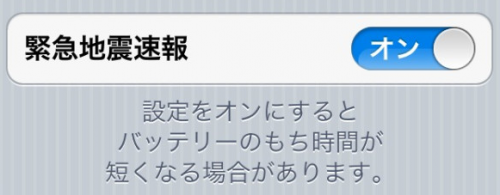
References to a "Quake Alert" notification was found in iOS 5 for Japanese users. It seems that Apple has added a new early earthquake warning notification option to iOS 5, following the devastating earthquake in Japan earlier this year. So, Japanese users will be able to turn on early earthquake notifications at the very bottom of the iOS 5 Notification Center settings pane. The system gives warnings from seconds to one or two minutes before the earthquake hits.
Japan has the most advanced earthquake early-warning system in the world. A nationwide online system launched in 2007, it detects tremors, calculates an earthquake’s epicenter and sends out brief warnings from its 1,000-plus seismographs scattered throughout the country, one of the most earthquake-prone nations on the planet.
DevTeam released tethered jailbreak for iOS 5 Beta 5

The iPhone Dev-Team released RedSn0w 0.9.8b5 that supports tethered jailbreak for the most recent iOS 5 beta 5:
redsn0w has been updated to 0.9.8b5, adding support for Apple's new iOS5 beta5 (point it directly at the beta5 IPSW). Please use this only if you're a jailbreak app developer with a legit Apple dev account, and remember it's a tethered jailbreak for now!
You can download RedSn0w 0.9.8b5 for Windows and Mac OS here.
 Leave a comment, read comments [2]
Download links for iOS 5 beta 5

iOS 5 beta 5 has been released recently. It is available only for Apple registered developers. But you can try it too. Remember that you do it at your own risk. Remember your UDID must be registered at Apple in order to activate your device after install.
You can download new iOS 5 beta 5 firmware and iTunes 10.5 beta 5 using the links below:
Apple Releases iOS 5 Beta 5 to Developers
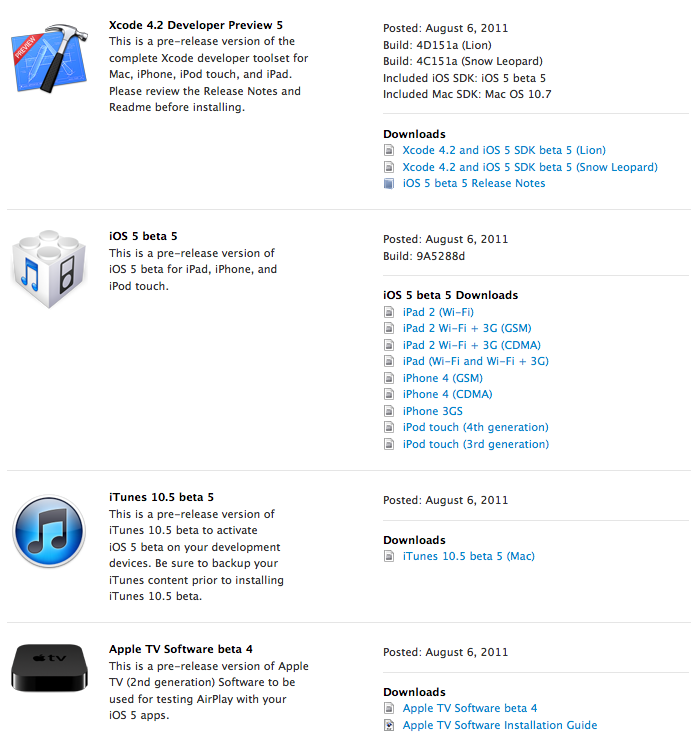
Apple has just released iOS 5 Beta 5 to developers. Alongside the new firmware comes Xcode 4.2 Developer Preview 5 and iTunes 10.5 beta 5.
Developers can download it or update via OTA (over the air). Prior OTA all content and settings on the device must be erased (Settings > General > Reset > Erase All Content and Settings). The delta update is just 128MB.
RedSn0w can jailbreak iOS 4.3.5
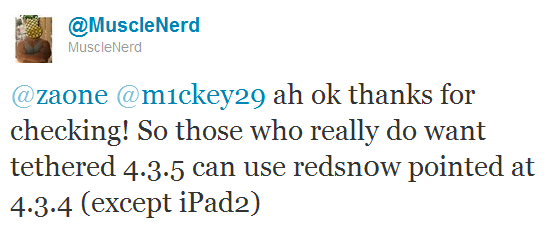
RedSn0w can perform a tethered jailbreak on iOS 4.3.5 for all devices except the iPad 2, according to MuscleNerd's tweet:
So those who really do want tethered 4.3.5 can use redsn0w pointed at 4.3.4 (except iPad2)
We strongly recommend NOT to update to iOS 4.3.4 or iOS 4.3.5 to preserve untethered jailbreak. We will soon post step-by-step tutorials on how to perform iOS 4.3.5 tethered jailbreak.
You can download the latest redsn0w here.
UPDATE: Here are latest step-by-step tutorials to jailbreak iOS 4.3.5:
 iPhone 3GS
Tethered jailbreak iOS 4.3.5:
 iPhone 4
Tethered jailbreak iOS 4.3.5:
Apple Released iOS 4.3.5 for iPhone, iPad, iPod Touch
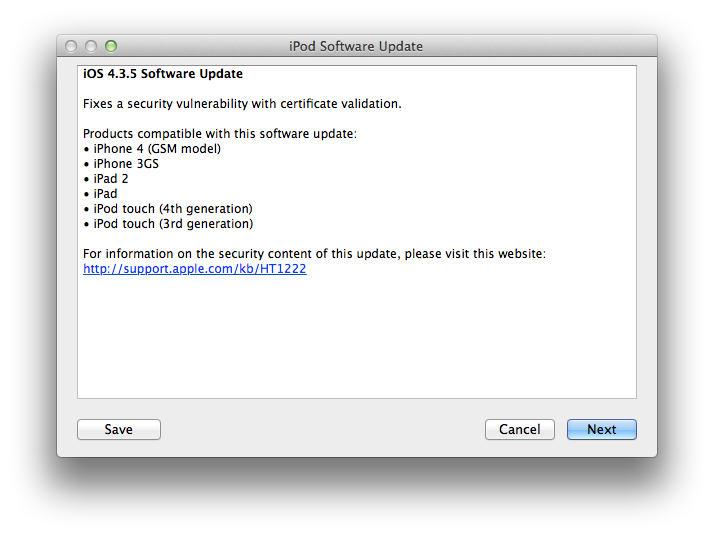
Apple released iOS 4.3.5 for the iPhone, iPad, and iPod touch. The new firmware fixes a security update with certificate validation. For Verizon iPhone owners Apple released iOS 4.2.10.
Products compatible with this software update:
- iPhone 4
- iPhone 3GS
- iPad 2
- iPad
- iPod touch 3G
- iPod touch 3G
You can update via iTunes or download using direct links here.
Apple testing Mac OS X 10.7.2 alongside iCloud for Lion beta 5

Apple is requiring developers to start testing iCloud beta 5 and install Mac OS X 10.7.2 build 11C26 for that purpose, but the company has not provided its developers with any information on test builds of Mac OS X 10.7.1 yet.
"You must install OS X Lion 10.7.2 in order to use iCloud for OS X Lion beta 5," Apple reportedly told developers. "This pre-release version of OS X Lion is being provided solely for testing iCloud."
People familiar with the Apple’s plans believe that Apple will initiate a separate beta test for Mac OS X 10.7.1 in the coming days or weeks. Moreover, developers, who have installed Mac OS X 10.7.2 and iCloud beta 5 note changes in Lion's "Mail, Contacts & Calendars" control panel and iCloud management interface that provides tools for managing storage, backups, and purchasing additional storage and lets users choose which forms of data they'd like synced to the cloud.
DevTeam released tethered jailbreak for iOS 4.3.4
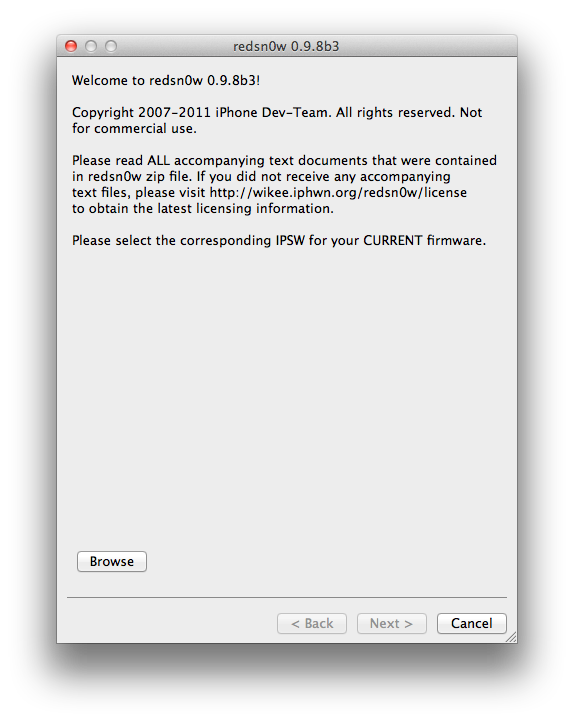
The iPhone Dev-Team has released RedSn0w 0.9.8b3 which can perform a tethered jailbreak on iOS 4.3.4. This means that you will have to connect your device to a computer and run redsn0w each time you restart.
For the convenience of kernel hackers like @comex and @i0n1c, we have a new redsn0w 0.9.8b3 that supports a TETHERED jailbreak for iOS 4.3.4 on all devices that have 4.3.4 except the iPad2. The vast majority of people will want to stay back at 4.3.3 because that's where the untethered jailbreak is! There are no new features in 4.3.4 - only fixes for jailbreak exploits.
Also, this is a good time to remind everyone (since we're still seeing confusion about this): iPad2 owners with a baseband (3G or CDMA) cannot currently use saved blobs to go back to 4.3.3 once the signing window is closed. This is unlike every other device, so don't be confused! iPad2 owners with basebands should stay away from all updates to maintain your jailbreak!
This jailbreak works with iPhone 3GS, iPhone 4, iPad 1, iPod Touch 3G and iPod Touch 4G. It does not work with iPad 2.
You can download RedSn0w 0.9.8b3 from here: (Mac, Windows)
Leave a comment, read comments [2]
There will be no untethered jailbreak for iOS 4.3.4

Famous iPhone hacker Stefan Esser, also known as i0n1c, recently wrote on twitter that we should not expect untether jailbreak for iOS 4.3.4 anytime soon. i0n1c was the one who created untether for iOS 4.3.3 firmware.
Our advice is simple - save your 4.3.3 SHSH keys asap. With these SHSH keys you will be able to restore to iOS 4.3.3 anytime, without - only iOS 4.3.4. Here are tutorials for you.
Jailbreakers: Don't Update to iOS 4.3.4, Save Your SHSH Blobs
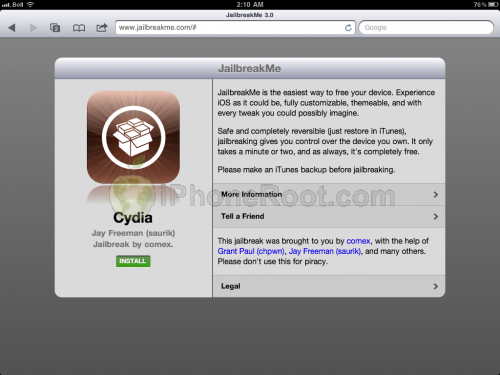
Apple today released iOS 4.3.4 to block the recent jailbreak released by comex. Do not update if you want to remain jailbroken.
Apple will soon stop signing iOS 4.3.3 so please save your SHSH blobs as soon as possible. We have step-by-step tutorials for you:
If you want to jailbreak but haven't yet, you can find our instructions on how to jailbreak here.
Apple released iOS 4.3.4 that blocks JailbreakMe exploit
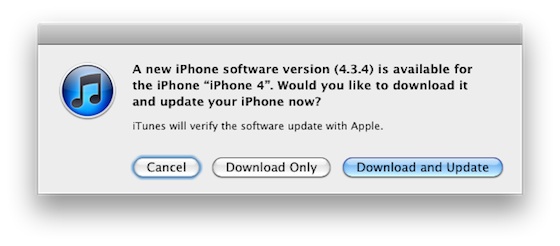
Apple has released iOS 4.3.4 to block the PDF exploit used by comex in JailbreakMe utility. JailbreakMe can wireless jailbreak all devices on iOS 4.3.3.
iOS 4.3.4 Software Update
Fixes security vulnerability associated with viewing malicious PDF files.Products compatible with this software update:
• iPhone 4 (GSM model)
• iPhone 3GS
• iPad 2
• iPad
• iPod touch (4th generation)
• iPod touch (3rd generation)
For iPhone 4 Verizon Apple released iOS 4.2.9.
The official information is available here:
Download links for iOS 5 beta 3
iOS 5 beta 3 has been released recently. It is available only for Apple registered developers. But you can try it too. Remember that you do it at your own risk. Remember your UDID must be registered at Apple in order to activate your device after install.
You can download new iOS 5 beta 3 firmware and iTunes 10.5 beta 3 using the links below: