iPhoneRoot.com

News tagged ‘activation’
Buying A Second Hand iPhone: Tips and Tricks
A lot of people prefer buying pre-owned iPhones. On the one hand, such devices are much cheaper than new, although offer the exact same functionality. On the other hand, however, a previously used iPhone may be physically damaged as well as locked by carrier and/or iCloud, so it is always good to know what to check before purchasing a second hand iPhone. Below you will find some useful tips.
Apple Releases iOS 9.0.2 with Bug Fixes and Security Improvements
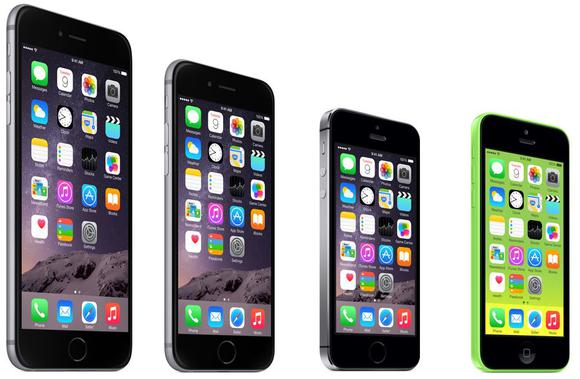
Apple has released iOS 9.0.2 to users worldwide. The update comes one week after the release iOS 9.0.1 and contains a number of minor enhancements and bug fixes aimed at making the operating system more stable, efficient and secure.
Siri Saves Life of Teen Trapped Under His Truck
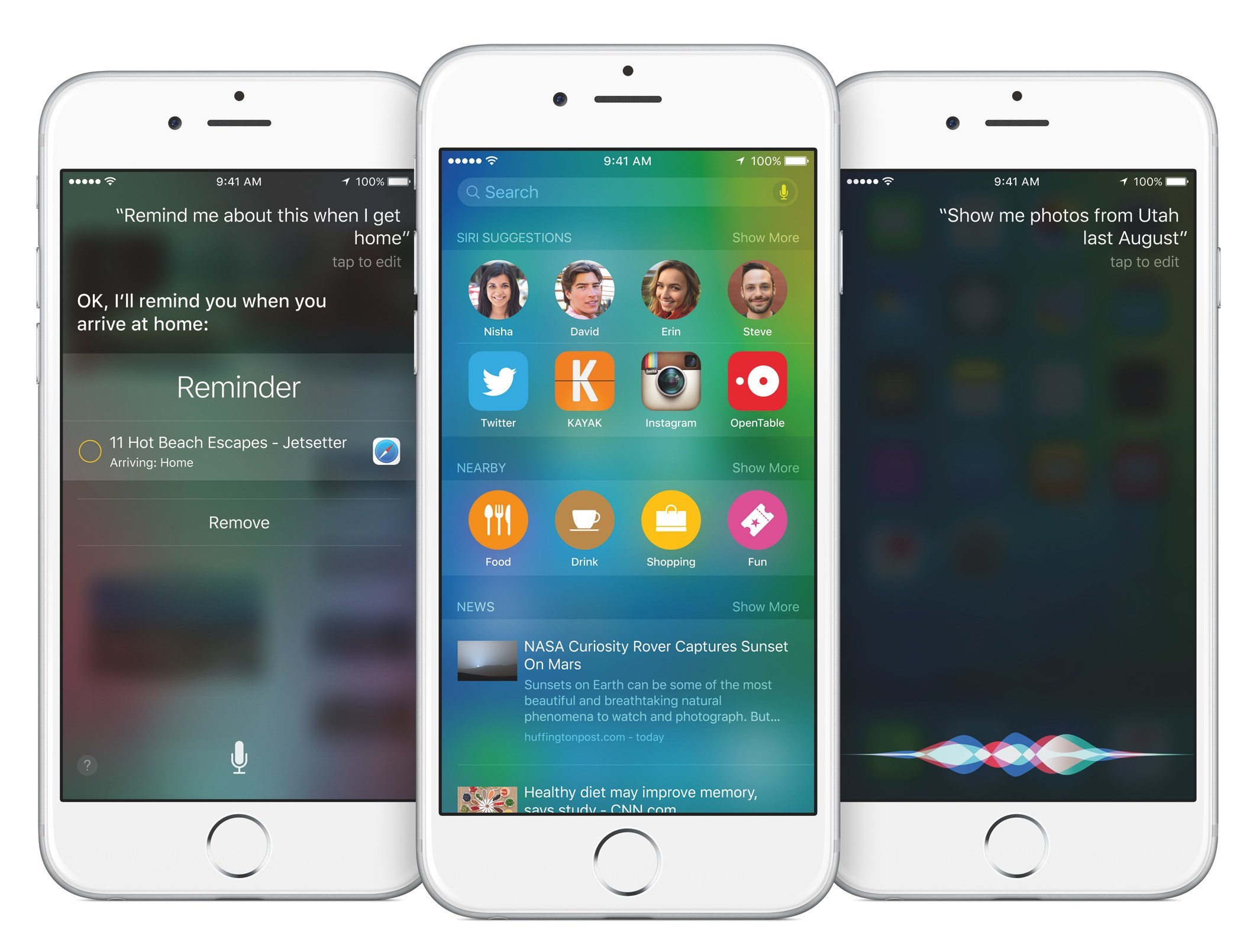
How often do you use Siri? If to speak about me, I use Apple’s virtual assistant quite rarely, in most cases just for fun. Well, as it turns out, Siri can not only look for something on the Internet or recognize the song playing at the cafe, but also save someone’s life. Literally.

Apple Working on 'Find My Watch' Feature, Watch OS Update
Last week, I told you that the Apple Watch is a potential target for thieves as it has no Activation Lock or Find My iPhone feature. According to the latest report from 9to5Mac reporters, who cite reliable sources, the guys from Cupertino are currently working on an update for Watch OS that will include a feature called Find My Watch. This update will also make the operating system more stable and improve its connectivity and health-tracking capabilities as well as the compatibility with third-party apps. Moreover, this update can possibly make the smartwatch a primary input device for the upcoming Apple TV.
Apple Watch Can't Be Locked After Being Lost or Stolen
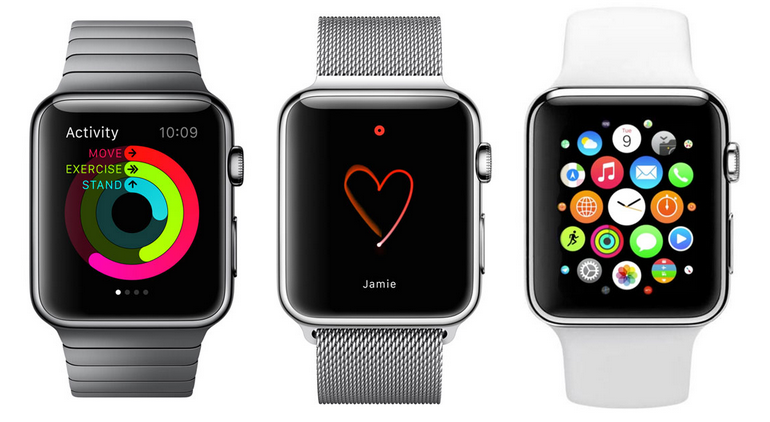
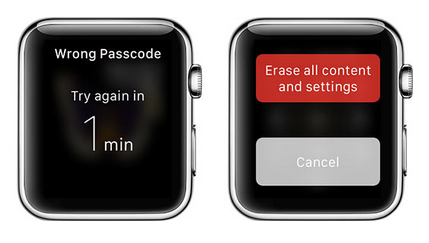
According to the latest report from people familiar with the matter, the Apple Watch can soon become a potential target for thieves. You see, there’s no such feature as Activation Lock embedded to the wearable device. In case you don’t know, this security feature makes it impossible for thieves to use the iPhone, iPad or iPod touch with a new account.
Half of Devices Activated During Christmas Week Were Apple Devices
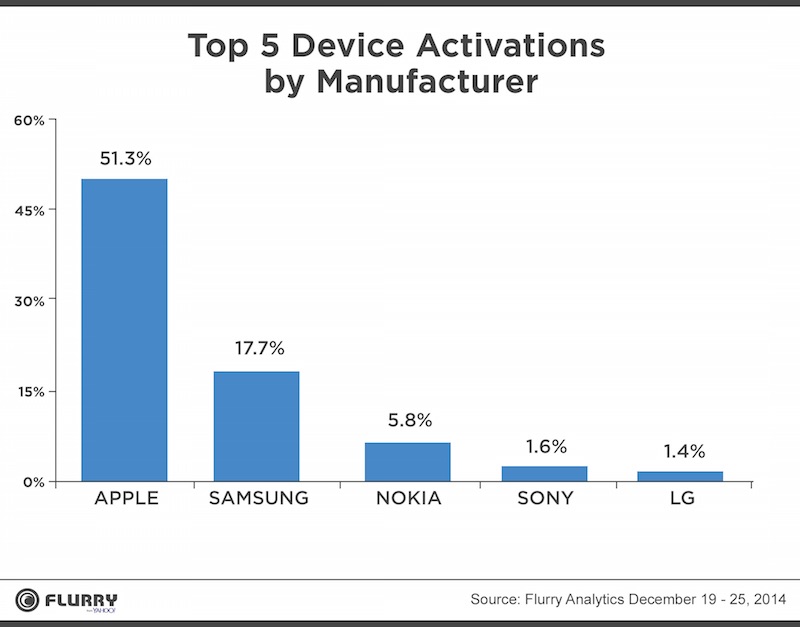
According to the latest report from a research firm Flurry, more than a half of new mobile devices activated during the Christmas week were Apple’s iPhones. This means that the sales results of the holiday quarter will surely please the guys from Cupertino.
To be precise, I should say that Apple accounted for 51.3% of new smartphone activations in the period of time between December 19th and December 25th. As to the closest rivals, they include Samsung with 17.7%, Nokia with 5.8%, Sony with 1.6% and LG with 1.4% of activated devices. As you may see in the chart below, the gap between Apple and its rival from South Korea is massive.
iOS Adoption Rate Continues to Grow Steadily - Apple
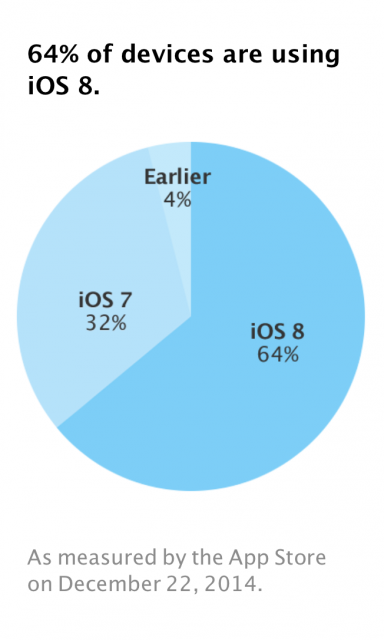
According to the official figures on the App Store usage published by the guys from Cupertino earlier this week, iOS 8 adoption rate has risen 1% over the period of time between December 8th and December 22nd and now is equal to 64%. Although the adoption rate rises not as fast as the adoption rate of iOS 7 last year, it grows steadily and that is the point.
iOS Improves Its Position in Enterprise Market, Android Falls Behind
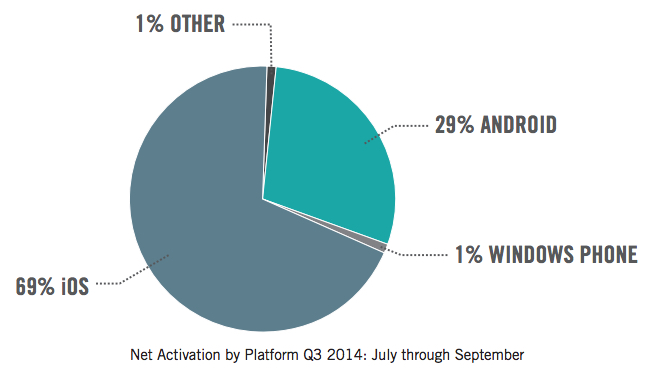
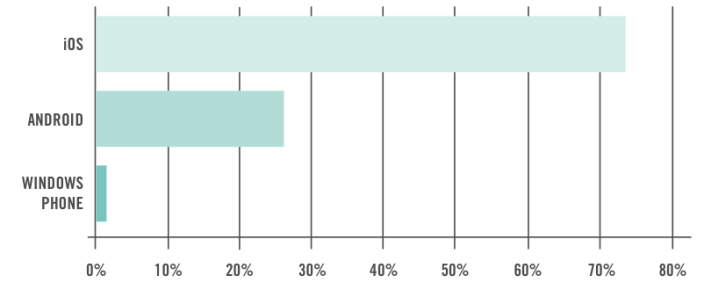
According to the latest Mobility Index Report published by a research firm called Good Technology, iOS market share in the enterprise market remains high and even goes up. The rival mobile operating system, Android, sees a decrease in market share in corporate sector and Windows Phone platform demonstrates stable results and remains the third most-popular OS.
Apple Pay Now Boasts of More Than 1 Million Users in the USA
According to what Tim Cook said during the WSJ.D conference in Laguna Beach, California, more than one million users activated their credit or debit cards in the first 72 hours of Apple Pay availability in the USA. Cook also said that he used the recently-launched mobile payments system himself and that he was surprised to find out how easy it was to set everything up and to utilize the service in the store. Apple CEO claimed that the new system is "easy, secure, and private". And looks like he is right.

Pangu released Untethered Jailbreak for iOS 8 - iOS 8.1
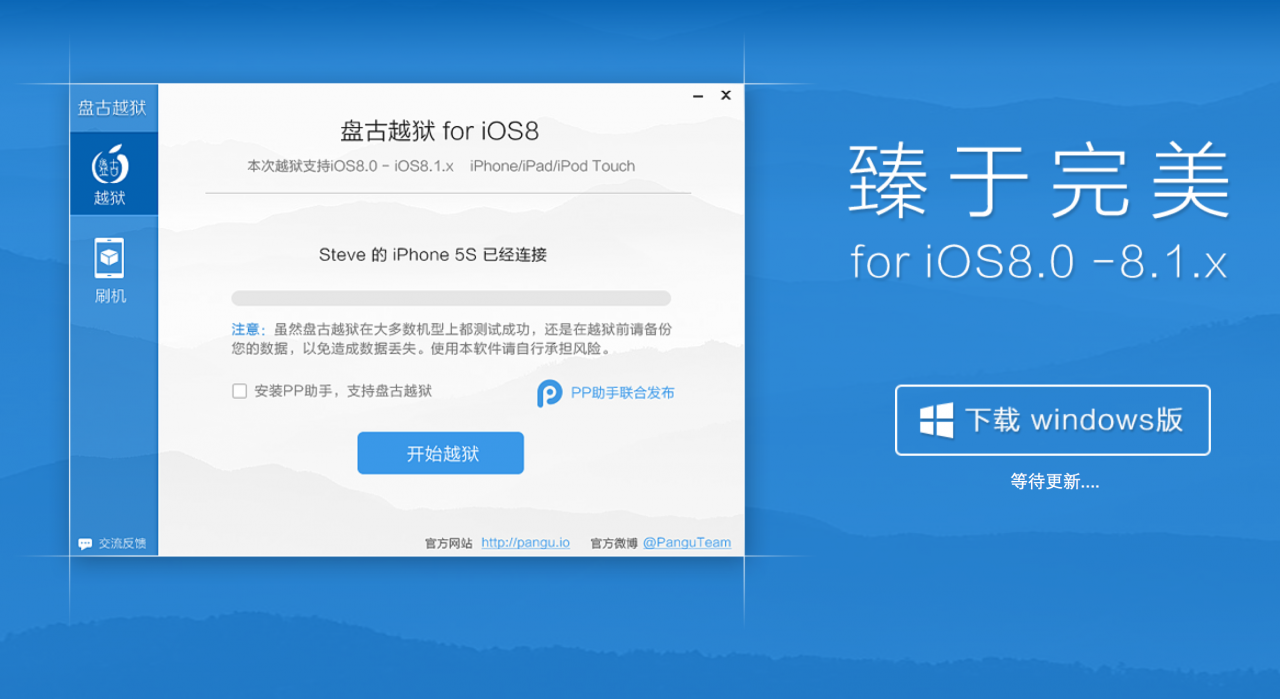
The team behind the Pangu untethered jailbreak of iOS 7.1-7.1.2 has released a Pangu8 untethered jailbreak for iOS 8 - 8.1.
Currently a jailbreak utility is only available for Windows and at this time Cydia and Mobile Substrate are not working.
Here's the translated details via reddit user zsm1703:
 Leave a comment, read comments [1]
Apple Now Lets You Easily Check If an iOS Device is Activation Locked
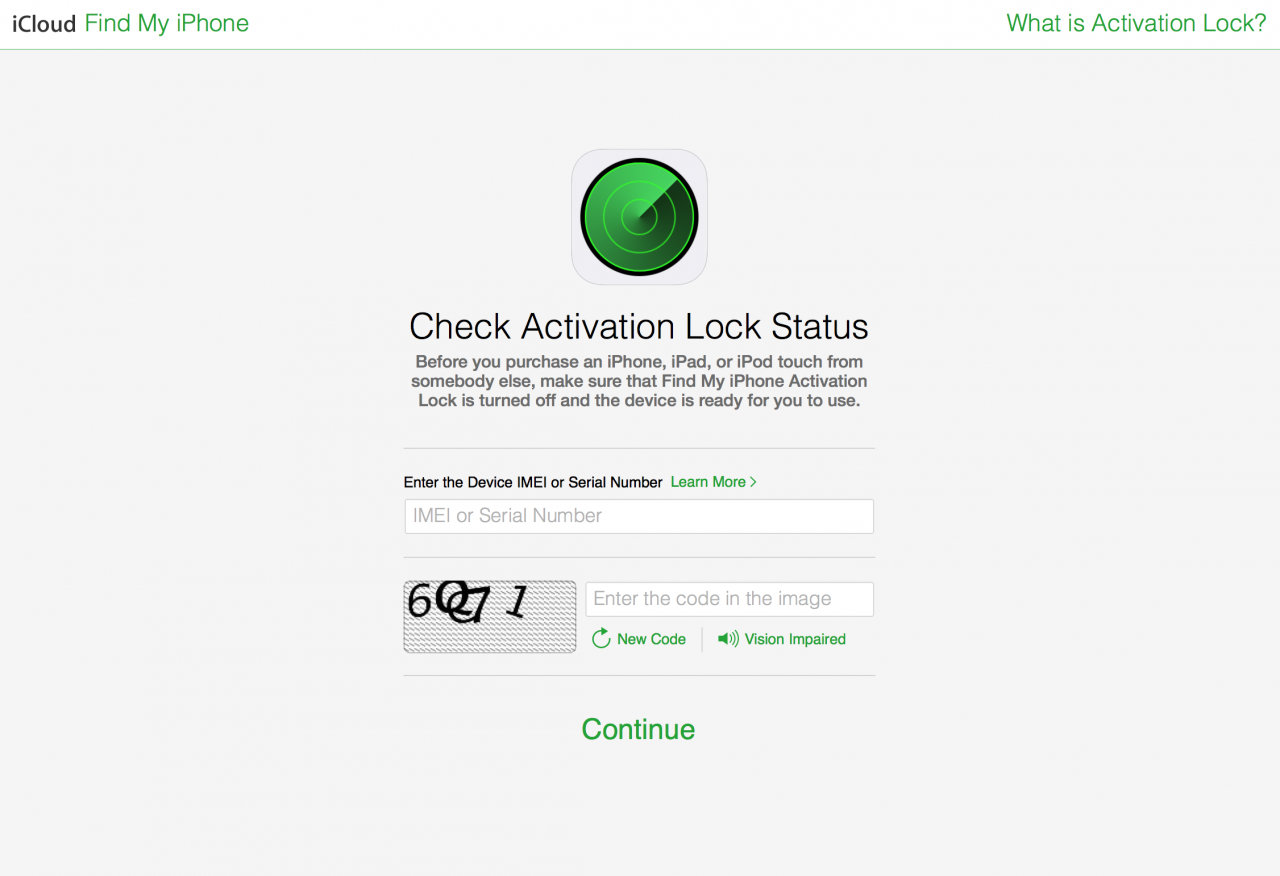
Apple has posted a new 'Check Activation Lock Status' page that lets you enter the serial number or IMEI of an iPhone, iPad, or iPod touch to check if activation lock is enabled or disabled. This is useful if you want to confirm that the device you are about to purchase is ready for you to use. ie. not stolen.
iOS Devices Dominate in Enterprise Market - Analysts
According to the latest Good Technology report, Apple’s iOS devices dominate in the enterprise market. And this is not strange, I believe, since Google’s Android is rumored to be less secure and reliable.
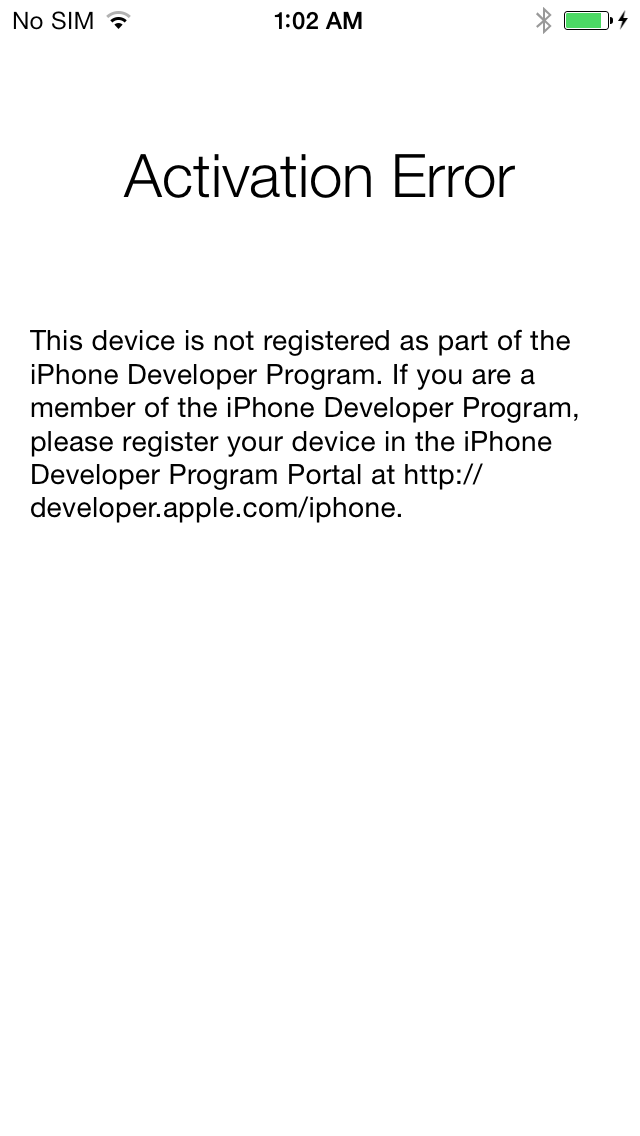
Apple Blocked Ability to Install iOS Beta Firmware for Non-Developers?
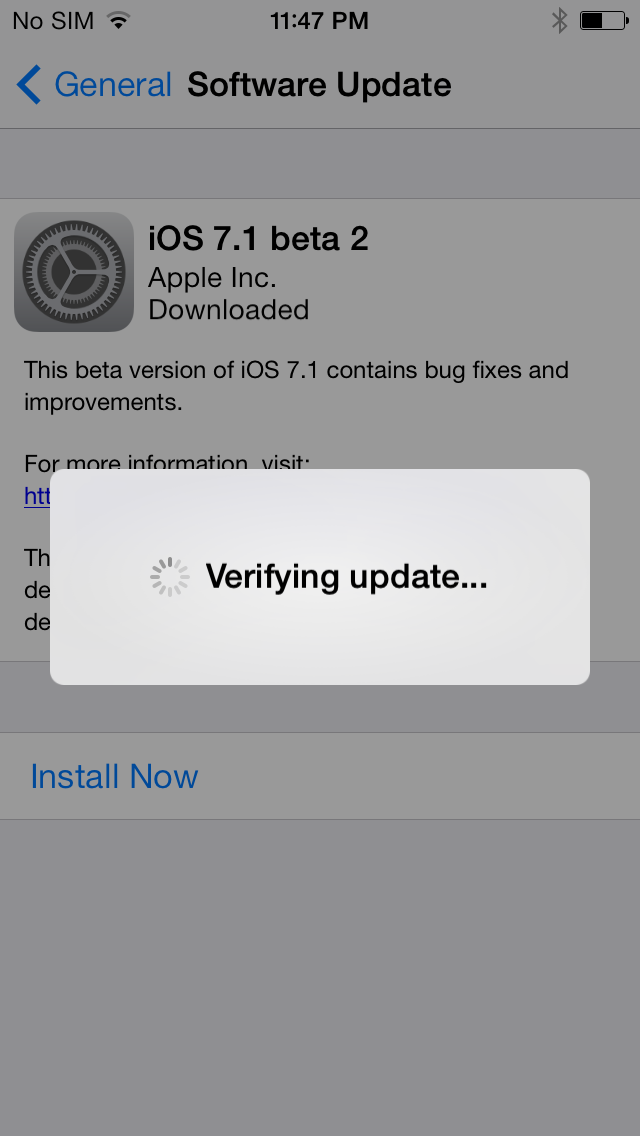
According to numerous user reports, Apple has blocked the ability to install iOS beta firmware for all the non-authorised devices. Now if you want to update to the latest beta your iPhone or iPad should be registered on an Apple Developer account.
iPad Activations on AT&T Increased More than 200% Compared with Last Year’s iPad Launch
AT&T has released an official statement, which shows that during the opening weekend the number of iPad Air activations increased more than 200% compared with 2012 iPad launch.
iPhone 5c sales are reaching those of iPhone 5s
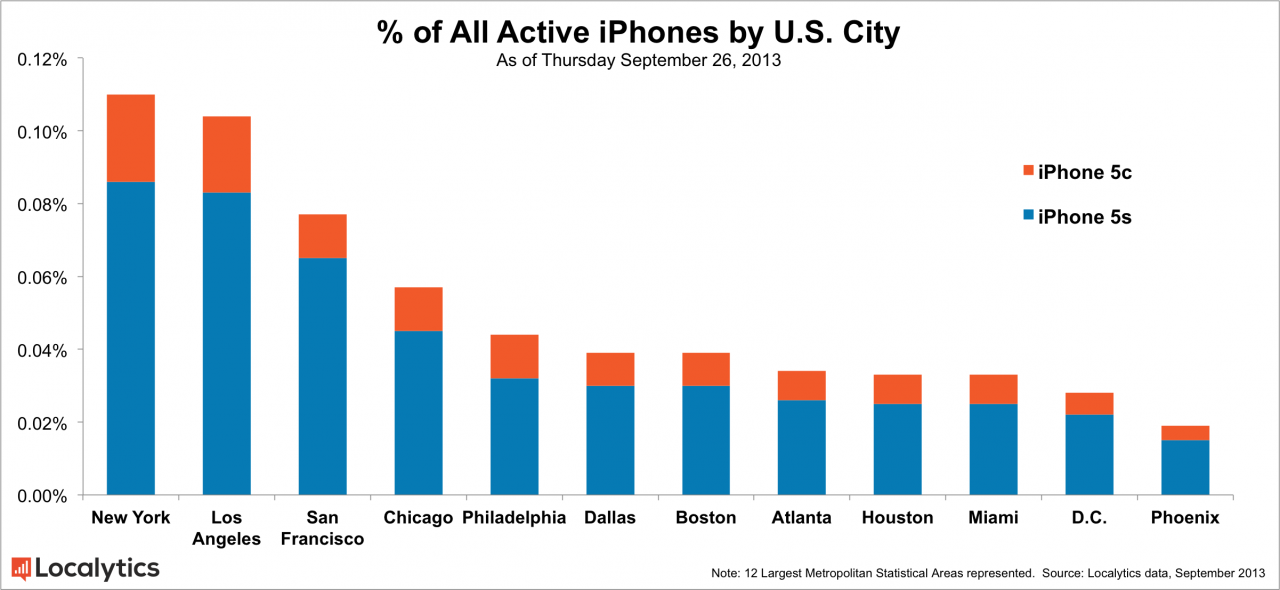
Localytics has published a new report that claims San Francisco to be the best selling location for the iPhone 5s while in general the gap between iPhone 5s and iPhone 5c sales is dwindling.
After close to one week of sales, we found that, overall, New York, Los Angeles and San Francisco held the largest market share in the U.S. for iPhone 5s and 5c activations. This is to be expected given the size of their populations. However the real surprise was that San Francisco came in third. Considering San Francisco is actually the 11th largest market in the U.S., its status as a technology haven also, clearly, translates to a culture of early adoption.
We then looked at the distribution of the iPhone 5s and 5c for each of the cities. Again, San Francisco stood out, showing the strongest preference for the 5s over the 5c (85% vs. 15%) among the top 12 major U.S. cities. Philadelphia showed the lowest preference with 72%.