iPhoneRoot.com

News tagged ‘iMac’
Apple To Release iMac Pro on December 14
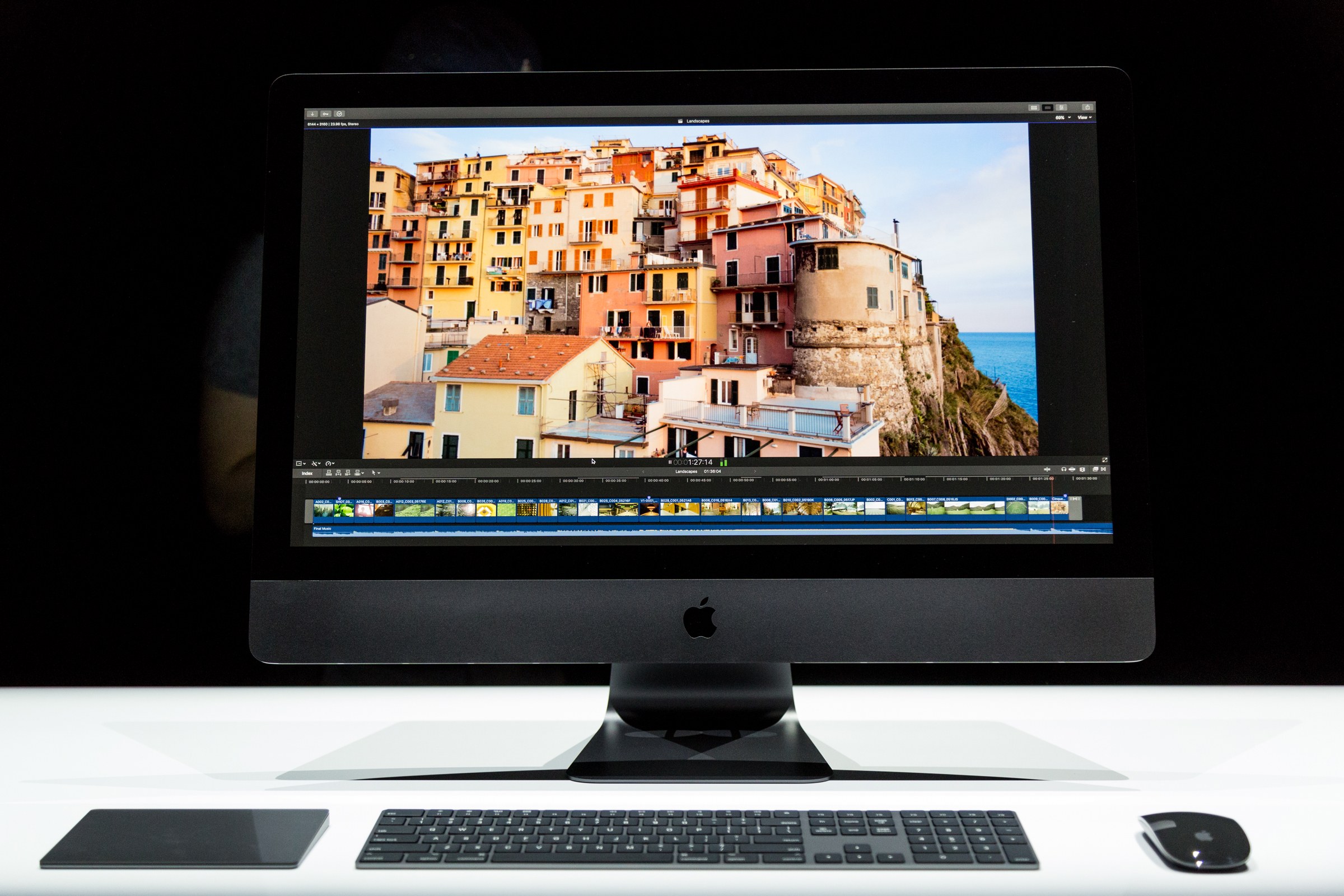
Apple is ready to release the all-in-one pro-oriented iMac after it has been announced in summer. The shipments will start on December 14.
 Leave a comment
What to Expect from Apple’s September Presentation and What not to Expect
The September 12th event is going to reveal a lot of Apple’s new products.

How Will Apple Name Its New iPhone?
CNET has shared some speculations about how Apple could call its new smartphone.
Mac Sales Remain Stagnant as Global PC Market Declines
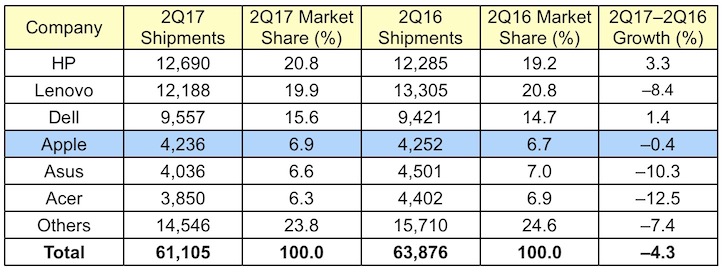
According to the new figures shared by Gartner earlier this week, Apple’s Mac sales are still stagnant. As for the global market of personal computers, it also continues to decline.
iCloud Trademark will Cover Smart Glasses and Handset Peripherals
Since April, Apple has been adding specific types of products like smart glasses, virtual and augmented reality displays etc. to the list of updated trademarks that cover Mac Pro and iMac Pro computers as well as the ARKit framework for developing augmented reality apps.

Check Out Videos About Apple’s New Products
During the yesterday’s WWDC keynote, Apple has posted a number of commercials and funny videos about its products. Below you can take a look at all of these short clips.
The first one tells us about a new Apple data center employee who accidentally turned off all Apple devices and turned the world into a chaotic place.
Apple Announces New MacBook, MacBook Pro, MacBook Air, and iMacs
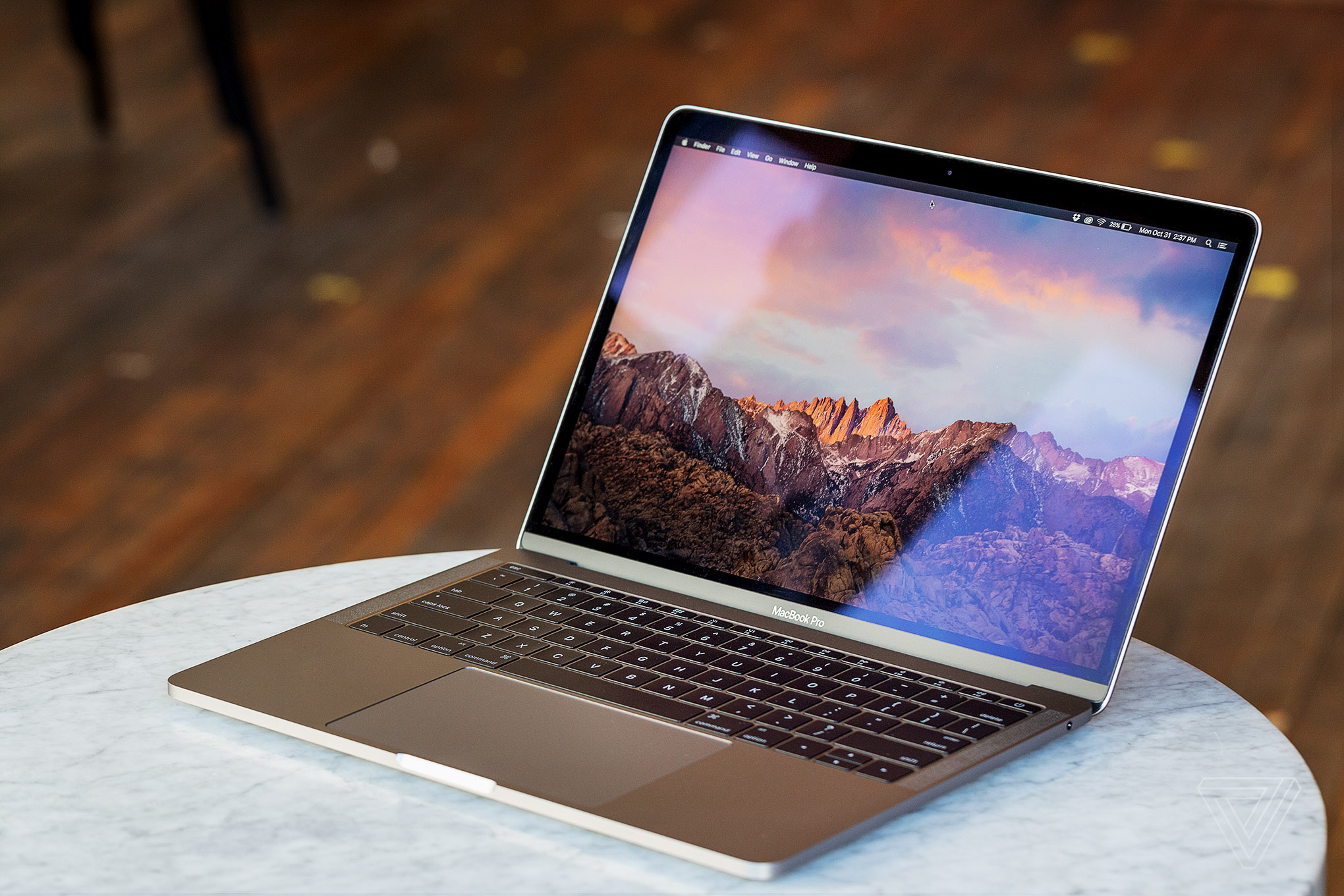
Just a couple of moments ago at the WWDC keynote, Apple has announced new MacBook models. The company has refreshed the entire lineup of its laptops, including the 12-inch MacBook, both 13-inch and 15-inch MacBook Pro, and even the 13-inch MacBook Air that was last updated in 2015.
Apple Starts Decorating McEnery Convention Center Ahead of WWDC [Images]
Apple has started decorating the McEnery Convention Center in San Jose for the WWDC conference. The event kicks off Monday, June 5.
During the WWDC keynote, Apple is expected to unveil iOS 11, macOS 10.13, watchOS 4, and tvOS 11. Moreover, rumors suggest that the company will announce new 13-inch and 15-inch MacBook Pro units, the 12-inch MacBook, and possibly the 13-inch MacBook Air. Also, we expect to see the 10.5-inch iPad Pro with thinner display bezels and the Siri Speaker. Chances are, the company will also tease the upcoming Mac Pro and iMac.
You can check out the images showing the decoration process below.

Check Out New iPhone 8 Mockup [Images]
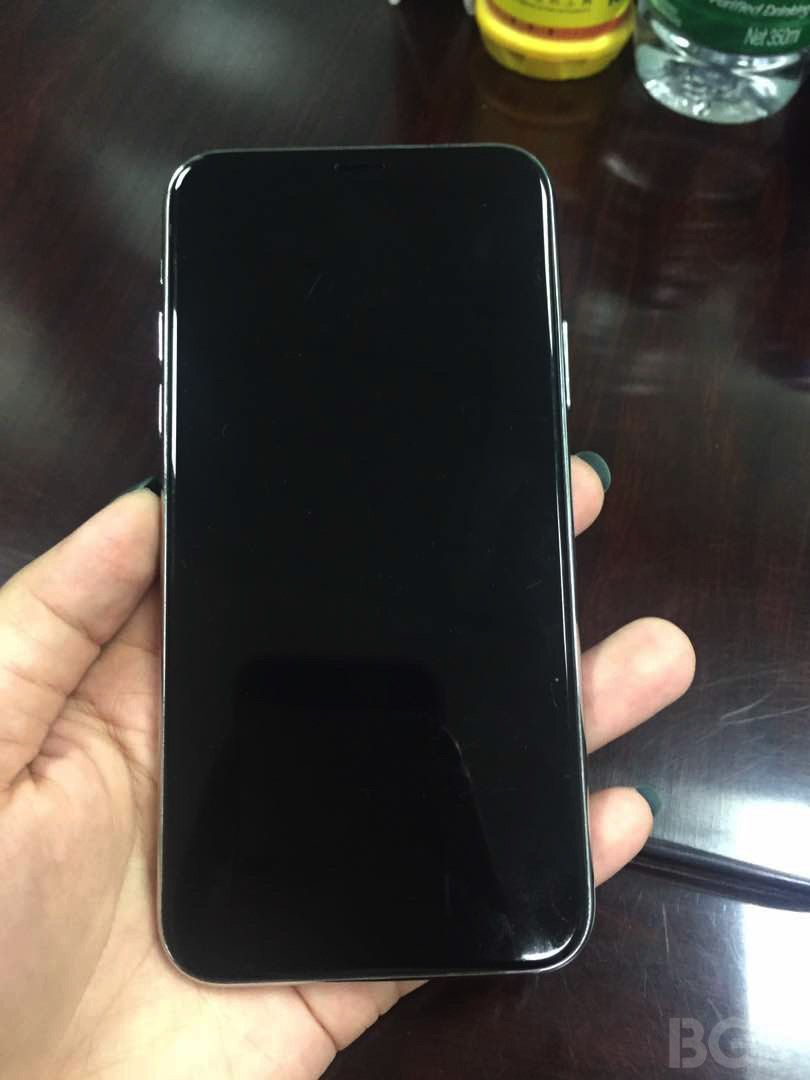
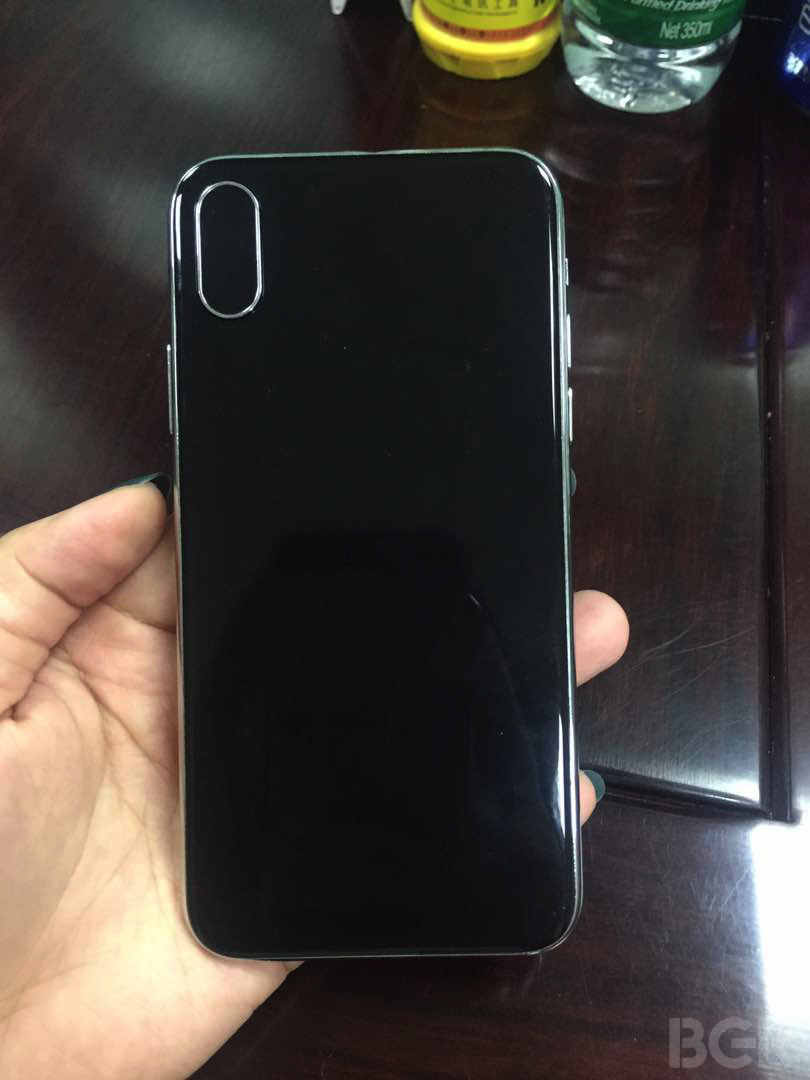
BRG reporters have recently shared several images of what appears to be an iPhone 8 mockup based on the information from “independent reports”. Below you can take a look at several images showing the mockup.
Check Out New Glossy Black iPhone 8 Render [Video]
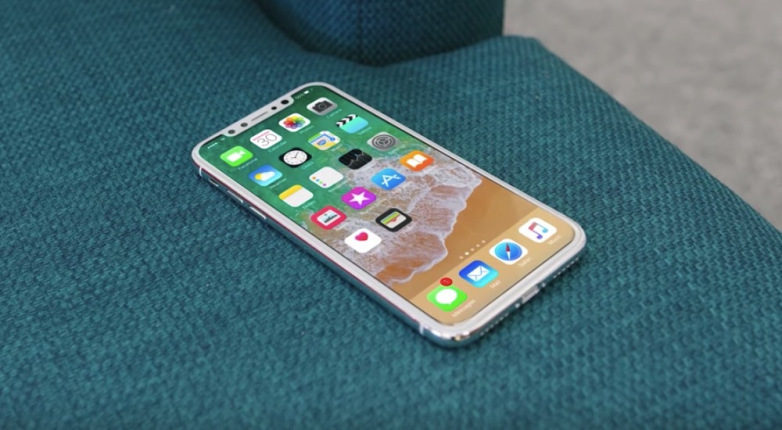
New video showing the alleged OLED iPhone 8 design has recently appeared on the Internet. The short clip was shared by OnLeaks, so we can’t be totally sure about the legitimacy of the design we see.
2016 MacBook Pro Helped Apple Set New Mac Sales Record
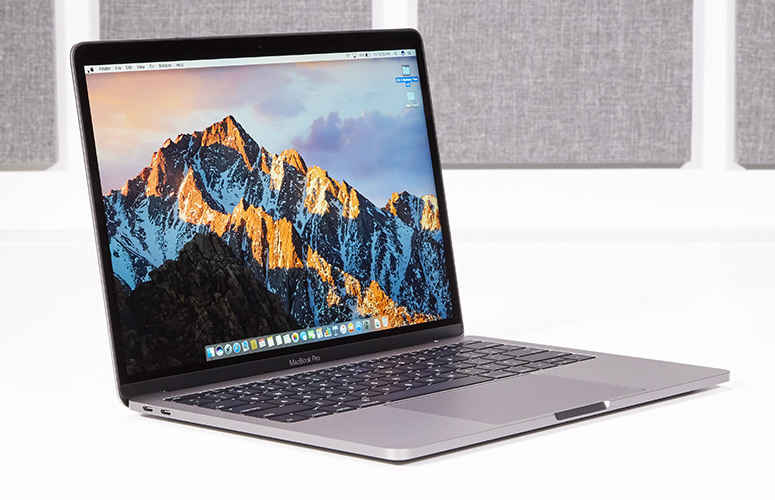
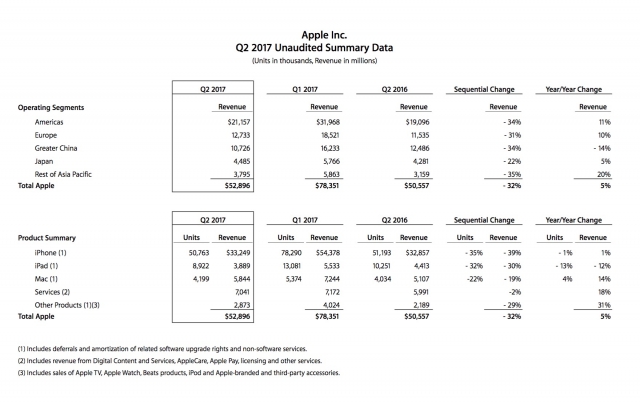
Apple CEO Tim Cook has revealed that strong demand for the 2016 MacBook Pro units has helped the company to set a new Mac sales record. During the last fiscal quarter, Apple sold 4.2 million Mac units, which is 4% more than in the year-ago quarter. The revenue generated by Mac sales accounted for $5.8 billion. That’s 14% more than in the second fiscal quarter of 2016.
Apple Announced Financial Results in Q2 2017
Apple has announced the financial results in the second fiscal quarter of 2017. The quarterly revenue is equal to $52.9 billion, which is less than $50.6 billion in the year-ago quarter. International sales made up 65% of revenue.
Top 10 Stories of the Week
It is Sunday today, which means it’s high time I told you about the most interesting posts of the last couple of days. Let’s take a look at the stories worth your attention right now.

Several New iMacs Are Coming This Year – DigiTimes
According to the latest report from DigiTimes, Apple will release two new iMac models in the third quarter of 2017. The production is set to start in May and the supplier is Quanta Computer. Moreover, the company is working on a completely revamped model that will hit the store shelves at the end of 2017.

PC Market Grows and Mac Shipments Go Up 4.1% in Q1 2017
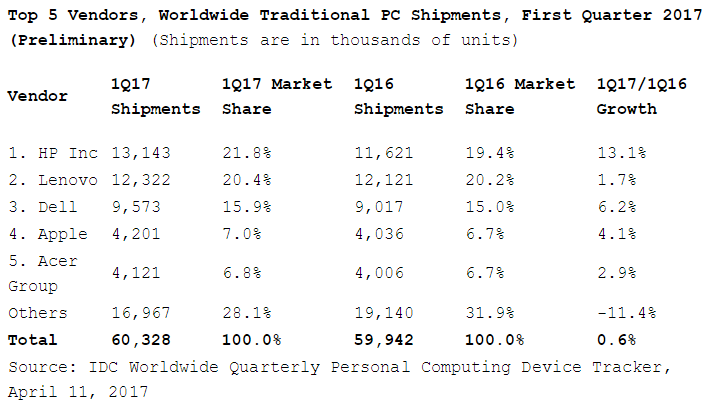
According to the latest report from a research firm IDC, global PC shipments grew in the first quarter of 2017 for the first time in 5 years. The 0.6% growth is an indication that people still use computers and that computer manufacturers still have something to offer. Apple’s Mac shipments grew 4.1% to 4.2 million units compared to the first quarter of 2016 and allowed the Cupertino company to get the fourth spot in the top computer vendors ranking.