 iPhoneRoot.com

News from category ‘Firmware’
Benchmarking iOS 5
Gigaom several tests of iOS 5 comparing it to different iOS 4 versions. The tests were run in iPad 1 Wi-Fi, iPhone 4 (GSM), iPod touch 4G and the iPad 2 Wi-Fi+3G (GSM).
As indicated by the charts below the iOS 5 is showing many speed improvements over iOS 4. iOS 5 was faster in almost every category, except for the first generation iPad.
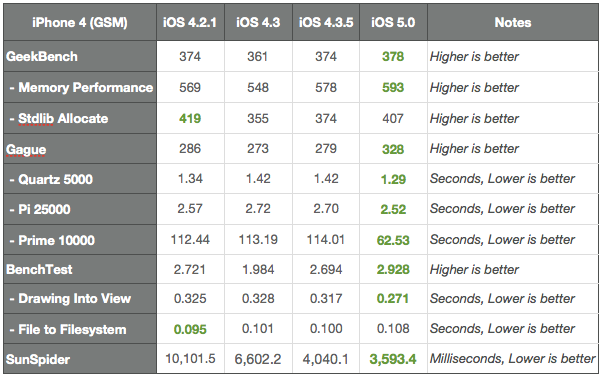
The following apps were used to test the performance: ($0.99), (free), ($0.99), (free) and (free).
More results:
iOS 5 jailbreak is ready (RedSn0w 0.9.9b5)
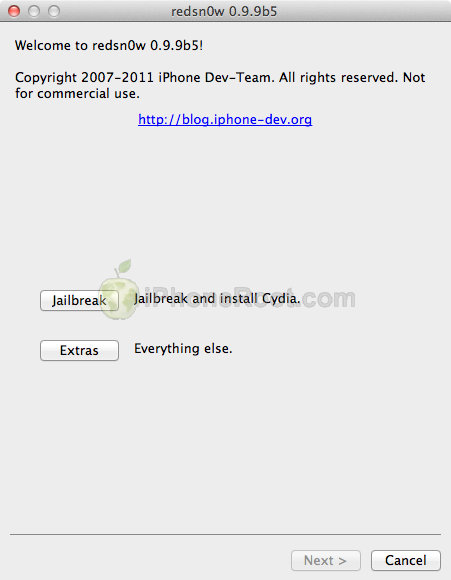
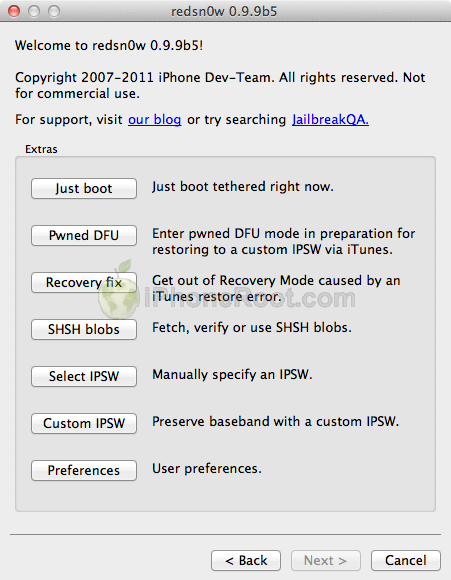
The iPhone Dev-Team has released RedSn0w 0.9.9b5 - an official tethered jailbreak for iOS 5. Users don't have to point to downloaded iOS 5 ipws any more. Just run and jailbreak.
Currently only the Mac version has been made available. Windows version is coming soon. However Windows users can still jailbreak iOS 5 with Redsn0w 0.9.9.b4, - just go to "Extras" -> "Select IPWS" and select your iOS 5 ipsw file (can download here).
Good news for users who need carrier unlock (ultrasn0w or Gevey Sim). With RedSn0w 0.9.9b5 you can update to iOS 5 and preserve the baseband (modem) version for unlock:
The new "Custom IPSW" button on the Extras screen will create a custom IPSW without the baseband update for 4.3.3 or 5.0gm (iPhone3GS and iPhone4 only, for now). Remember not to accidentally restore to the stock IPSW after you create the custom one! The custom one begins with NO_BB_ (for "no baseband").
You must enter "Pwned DFU" mode before trying to use the NO_BB_ IPSW with iTunes (and your hosts file cannot be pointing to Cydia's servers due to the new blob nonce mechanism they're using in iOS5).
We will update our step-by-step tutorials soon.
You can download RedSn0w 0.9.9b5 (Mac) and RedSn0w 0.9.9b4 (Windows) here.
PS: RedSn0w 0.9.9 is a bit different from 0.9.8 version. You can learn more about other new redsn0w 0.9.9 features here.
UPDATE: Windwos users can use sn0wbreeze 2.8b8 to preserve baseband.
UPDATE: redsn0w 0.9.9b6 released, download here
UPDATE:
Here are links to our RedSn0w 0.9.9 iOS 5 jailbreak tutorials:
- Windows: iPhone 4, iPhone 3GS, iPad 1, iPod Touch 3G, iPod Touch 4G
- Mac OS: iPhone 4, iPhone 3GS, iPad 1, iPod Touch 3G, iPod Touch 4G
Apple releases iOS 5 for iPhone, iPad, iPod touch & Apple TV

Yesterday Apple released the long-awaited iOS 5 for the iPhone 4, iPhone 3GS, iPad 2, first-generation iPad, fourth-generation iPod touch, and third-generation iPod touch. An update is also available for the Apple TV, bringing wireless mirroring functionality over AirPlay. To update to the iOS 5 users should install iTunes 10.5 released on Tuesday. Noteworthy it is the last time when Apple provides their users with update with USB. All next updates will be available wirelessly, without the need to use a cable.
The iOS 5 pack includes more that 200 new features. The most noteworthy among them are the following:
 Leave a comment, read comments [3]
Download links for iOS 5 GM

Since iOS 5 GM has been released, it's time to try it. While the firmware is available for developers, everybody can install it without Apple Developer account and UUID registration. You can download new iOS 5 GM firmware and iTunes 10.5 beta 7 using the links below:
UPDATE: Final iOS 5 version is released. You can download it here.
Leave a comment, read comments [8]
Apple Released iOS 5 GM Seed for Developers
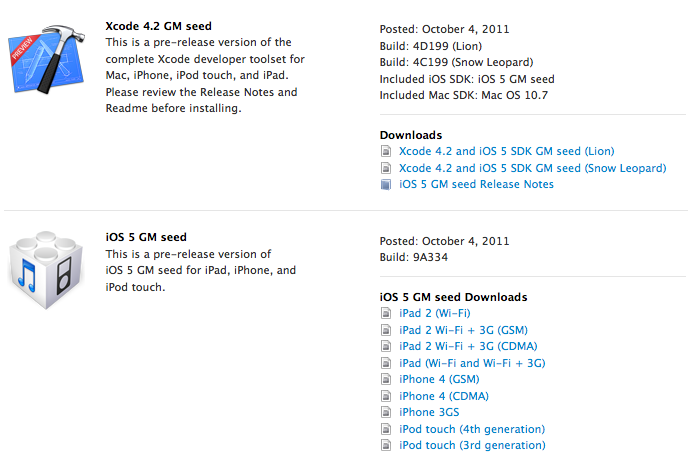
Apple has finally released iOS 5 GM seed to the iOS developers. GM version is usually the same as the release version, unless some critical error are found.
Yesterday Apple announced that iOS 5 software will be available on October 12 as a free software update for all iPhone, iPad and iPod touch customers.
There is no need to register UUID at Apple to install GM version, so anybody can install and try iOS 5 right now.
Developers can download iOS 5 GM .
Apple released a software update for iPod Nano 6G
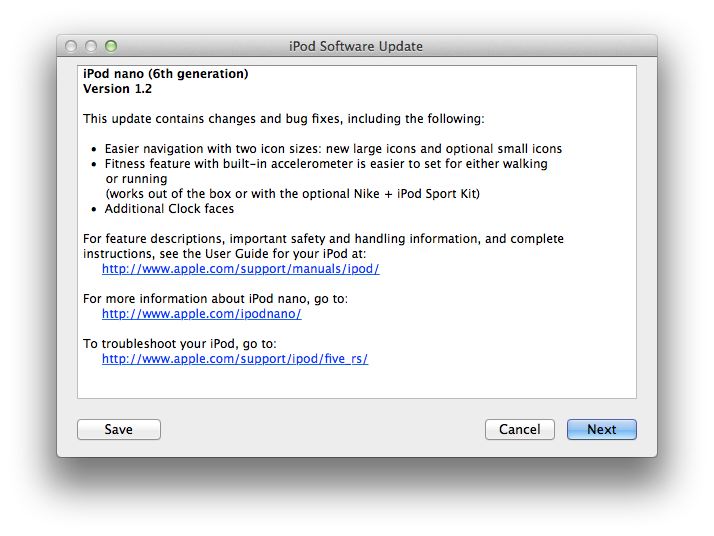
Apple has released a software update for the existing iPod Nano 6G. New software brings new icon size, fitness features, and additional clock faces.
You can install the update by connecting your iPod nano to iTunes and clicking the update button.
What firmwares are supported by JailbreakMe utility?
We are receiving more and more questions about JailbreakMe supporting particular iOS version and device. Here is a useful table that shows which firmwares can be jailbroken by JailbreakMe and which are not supported. Take a look:
| Device | JailbreakMe firmware support. | |||||||||
|---|---|---|---|---|---|---|---|---|---|---|
| 4.2.6 | 4.2.7 | 4.2.8 | 4.3 | 4.3.1 | 4.3.2 | 4.3.3 | 4.3.4 | 4.3.5 | ||
| iPad | N/A | Yes | No | No | ||||||
| iPad 2 | N/A | No | Yes | No | No | |||||
| iPhone 3GS | N/A | Yes | No | No | ||||||
| iPhone 4 (GSM) | N/A | Yes | No | No | ||||||
| iPhone 4 (CDMA) | Yes | N/A | ||||||||
| iPod touch 3G | N/A | Yes | No | Yes | No | No | ||||
| iPod touch 4G | N/A | Yes | No | No | ||||||
Here our step by step JailbreakMe tutorials:
Other jailbreak tutorials including iOS 4.3.5 jailbreak can be found here.
RedSn0w 0.9.9b1: Major Update to Jailbreak Utility
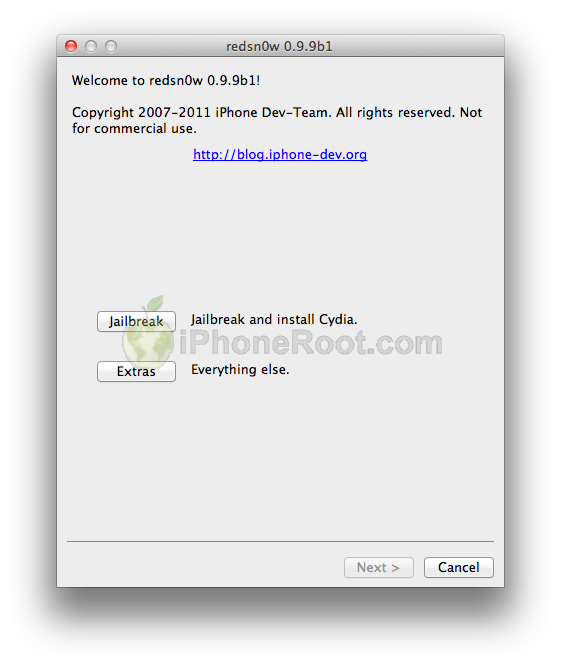

MuscleNerd has announced via Twitter that jailbreak utility RedSn0w 0.9.9b1 is released with major update and numerous new features:
Major improvements and features added to redsn0w 0.9.9b1! See update #9 at http://is.gd/6eek4Y Feedback: @redsn0w_testers
Indeed the list of new features is quite high. There are two main ones:
- There is no need to download firmware any more. There is no need to push Browse IPWS button any more (but you still can).
- Developers added lots of functionality to work with SHSH keys (extract, submit, download, verify, stitch etc)
However this new version does not bring features like untethered jailbreak for iOS 4.3.5 or iOS 5.
Due to some possible bugs we still recommend to use the old RedSn0w 0.9.8b7b, but the new 0.9.9b1 is worth seeing and playing with.
Here are links to our RedSn0w 0.9.8b7b iOS 4.3.5 jailbreak tutorials:
- Mac OS: iPhone 4, iPhone 3GS, iPad 1, iPod Touch 3G, iPod Touch 4G
- Windows: iPhone 4, iPhone 3GS, iPad 1, iPod Touch 3G, iPod Touch 4G
You can download RedSn0w 0.9.9b1 here:
Here is the full list of features from DevTeam:
Leave a comment, read comments [2]
There will be an untethered iOS 5 jailbreak

Hackers from the Chronic Dev Team recently announced that they have found 5 userland exploits in iOS 5. To us this means that it is very likely that an untethered jailbreak will be available for the upcoming firmware release.
P0sixninja made the announcement at MyGreatFest jailbreak conference held in London, England.
While this is a "record breaking number of exploits found", userland exploits can be easily fixed via a minor software update. The exploits are kept in secret, so hopefully Apple won't fix them before the expected iOS 5 launch next month.
The jailbreak is expected for all devices, including iPhone 3GS, iPhone 4, iPad, iPad 2, iPod Touch and even future iPhone 4S and iPhone 5.
RedSn0w jailbreak utility will have a major update soon
MuscleNerd, hacker from DevTeam, has announced via Twitter that a major update to RedSn0w is coming soon.
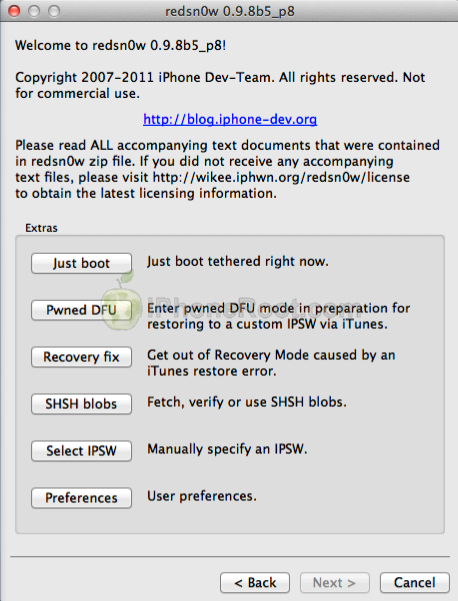
There will be no need to select an IPSW. Rather than requiring ipsw selection, RedSn0w will now automatically fetch the important pieces directly from Apple (and caches them so that it never needs to re-fetch them again). New version also brings the ability to save and submit SHSH Blobs to Cydia.
Will be pushing out a major redsn0w feature upgrade before my trip to Korea: http://is.gd/PMAdT1 (and look, no IPSW selection button!)
The new version of RedSn0w is expected to be released on Monday.
Check out the screenshots below:

AppleCare Prepping for October 10th Launch of iOS 5

Apple's customer service call centers - AppleCare has reported AppleInsider that the company expects that a large influx of iOS-related support calls beginning Monday, October 10th, suggesting that Apple may release the iOS 5 on this date.
For instance, one person familiar with the matter said his local AppleCare call center has been told to expect an eightfold increase in customer calls on that day, and that staff are being advised ahead of time for the increased traffic.
The person could not say with any certainty what will be released on that Monday, but noted that the increase in call volume is related to iOS. This led them to speculate that Apple could release iOS 5 and iCloud on Oct. 10.
Apple always releases its major iOS updates a couple of days ahead of the new hardware release. For example, the iPhone OS 3.0 was released on June 17th, 2009 while the iPhone 3GS was released on June 19th, 2009; last year iOS 4.0 was released on June 21st following the iPhone 4 release on June 24th. So, we may expect release of new iPhone 5 after October 10th. Moreover, there are lots of rumors suggesting that Apple is planning to announce its next-gen iPhone in mid-October.
Leave a comment, read comments [2]
Step-by-step Tutorial: How to Tether Jailbreak iPod 4G Using RedSn0w 0.9.8b7b (Mac OS) [iOS 4.3.5]
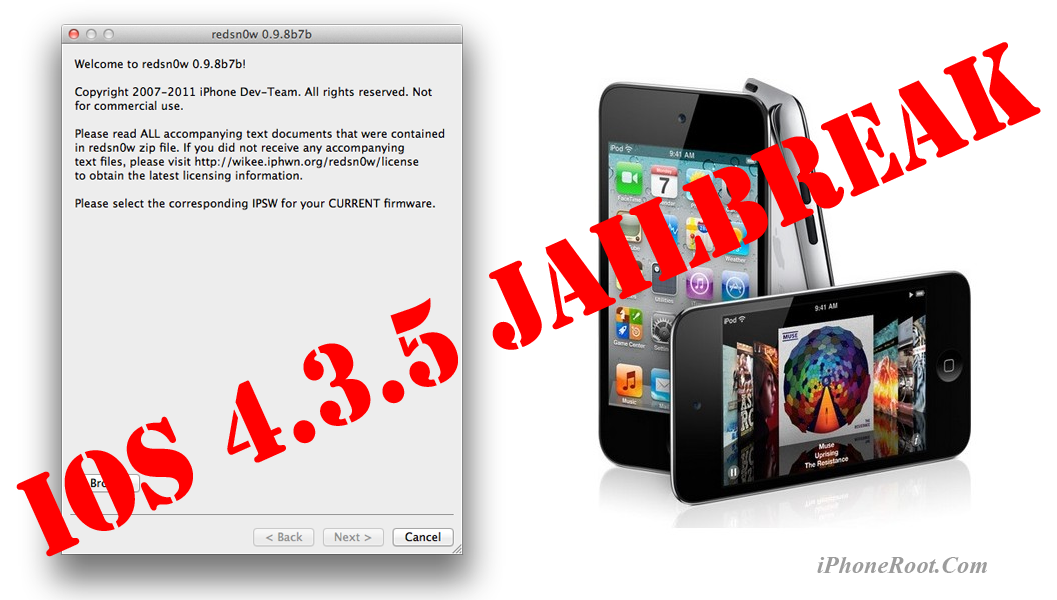
This is step-by-step instructions on how to perform tethered jailbreak of your iPod 4G on iOS 4.3.5 firmware using RedSn0w 0.9.8b7b for Mac OS.
Tethered jailbreak means that each time you restart your device you will need to connect it to a computer and run redsn0w.
If you have other device, here are links to our RedSn0w 0.9.8b7b iOS 4.3.5 jailbreak tutorials:
- Mac OS: iPhone 4, iPhone 3GS, iPad 1, iPod Touch 3G, iPod Touch 4G
- Windows: iPhone 4, iPhone 3GS, iPad 1, iPod Touch 3G, iPod Touch 4G
Leave a comment, read comments [7]
Step-by-step Tutorial: How to Tether Jailbreak iPod 4G Using RedSn0w 0.9.8b7b (Windows) [iOS 4.3.5]
UPDATE: Apple released iOS 5.1 that is only tethered jailbreakable with redsn0w. Apple has stopped signing older, so you can NOT restore to anything other than 5.1 any more (both original and custom), unless you have saved your SHSH keys for that. If you are on older iOS you can jailbreak with redsn0w.
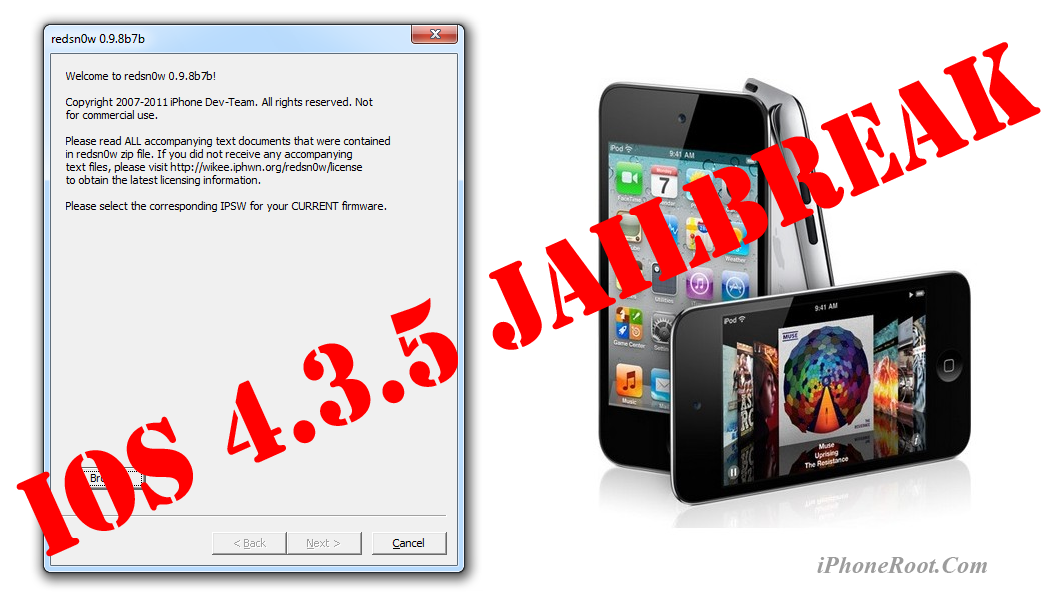
This is step-by-step instructions on how to perform tethered jailbreak of your iPod 4G on iOS 4.3.5 firmware using RedSn0w 0.9.8b7b for Windows.
Tethered jailbreak means that each time you restart your device you will need to connect it to a computer and run redsn0w.
If you have other device, here are links to our RedSn0w 0.9.8b7b iOS 4.3.5 jailbreak tutorials:
- Mac OS: iPhone 4, iPhone 3GS, iPad 1, iPod Touch 3G, iPod Touch 4G
- Windows: iPhone 4, iPhone 3GS, iPad 1, iPod Touch 3G, iPod Touch 4G
Leave a comment, read comments [121]
Step-by-step Tutorial: How to Tether Jailbreak iPod 3G Using RedSn0w 0.9.8b7b (Mac OS) [iOS 4.3.5]
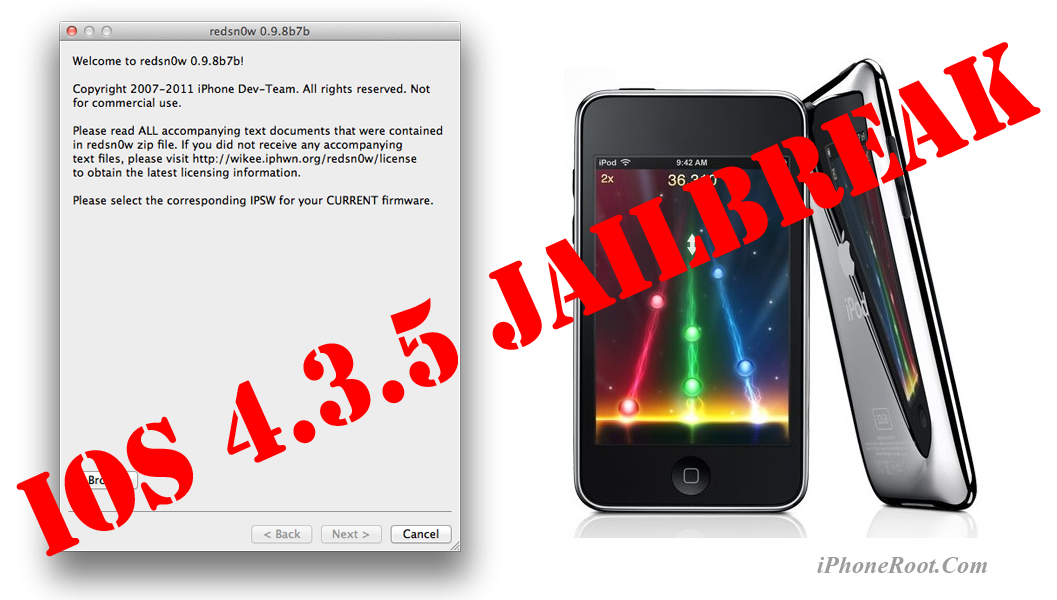
This is step-by-step instructions on how to perform tethered jailbreak of your iPod 3G on iOS 4.3.5 firmware using RedSn0w 0.9.8b7b for Mac OS.
Tethered jailbreak means that each time you restart your device you will need to connect it to a computer and run redsn0w.
If you have other device, here are links to our RedSn0w 0.9.8b7b iOS 4.3.5 jailbreak tutorials:
- Mac OS: iPhone 4, iPhone 3GS, iPad 1, iPod Touch 3G, iPod Touch 4G
- Windows: iPhone 4, iPhone 3GS, iPad 1, iPod Touch 3G, iPod Touch 4G
Leave a comment, read comments [2]
Step-by-step Tutorial: How to Tether Jailbreak iPod 3G Using RedSn0w 0.9.8b7b (Windows) [iOS 4.3.5]
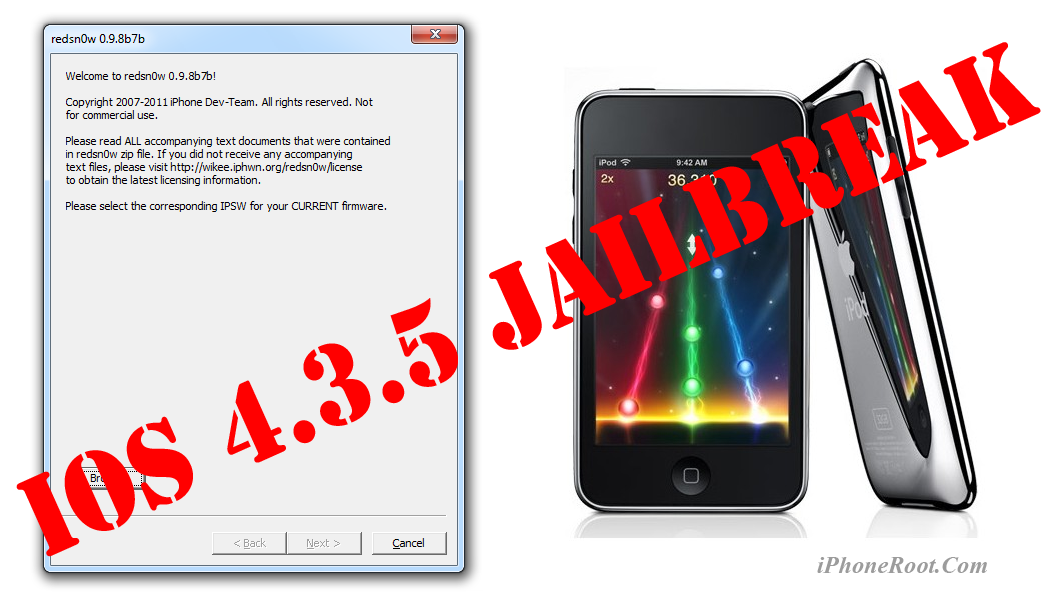
This is step-by-step instructions on how to perform tethered jailbreak of your iPod 3G on iOS 4.3.5 firmware using RedSn0w 0.9.8b7b for Windows.
Tethered jailbreak means that each time you restart your device you will need to connect it to a computer and run redsn0w.
If you have other device, here are links to our RedSn0w 0.9.8b7b iOS 4.3.5 jailbreak tutorials:
- Mac OS: iPhone 4, iPhone 3GS, iPad 1, iPod Touch 3G, iPod Touch 4G
- Windows: iPhone 4, iPhone 3GS, iPad 1, iPod Touch 3G, iPod Touch 4G
Leave a comment, read comments [23]