 iPhoneRoot.com

News tagged ‘mobile’
Step-by-step Tutorial: How to Tether Jailbreak and Unlock iPhone 4 Using Sn0wBreeze 2.9.3 (Windows) [iOS 5.1]
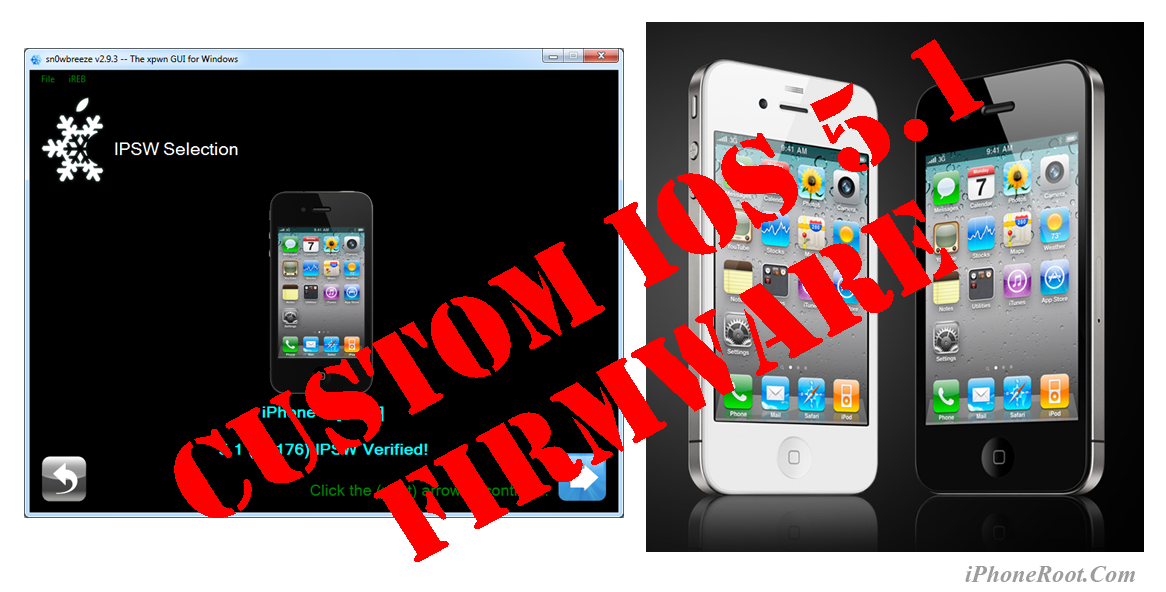
UPDATE: Apple released iOS 5.1.1 and has stopped signing iOS 5.1, so you can NOT restore to 5.1 any more (both original and custom), unless you have saved your SHSH keys for 5.0.1. If you are on 5.1 you can jailbreak with redsn0w. iOS is also tethered jailbreakable with redsn0w.
Using this tutorial you will be able to create a custom firmware, tether jailbreak and unlock iOS 5.1 running on iPhone 4. This tutorial uses Sn0wBreeze 2.9.3 for Windows.
Tethered jailbreak means that each time you restart your device you will need to connect it to a computer and run iBooty.
Sn0wBreeze will also preserve baseband version if you need carrier unlock.
 Leave a comment, read comments [29]
Infinity Blade is now on sale for $0.99
Chair Entertainment has announced that their popular Infinity Blade game for iOS is now on sale for $0.99.
You can purchase Infinity Blade from the App Store for $0.99 ().

Apple working on physical game controller for iPads and other iOS devices
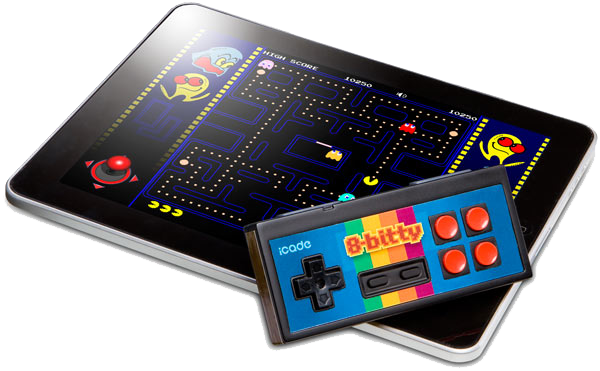
AnandTech's Anand Lal Shimpi reports Apple is working on its own physical controller to similarly enhance gameplay on its iPad and other mobile devices. He has been made aware of "an internal Apple project to bring a physical controller to market."
Regardless, Lal Shimpi believes such devices may soon be a necessary accompaniment for hardcore mobile gamers, especially as smartphones and tablets come close to equaling the performance of existing game consoles.
iPhone And Android Own Over 90% Of U.S. Smartphone Market
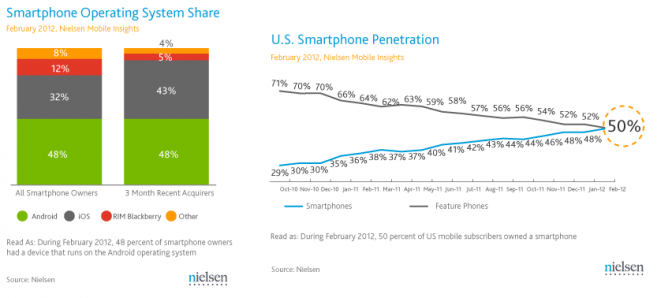
According to the from research company Nielsen, Apple’s iOS and Android have both accounted for over 90 percent of U.S. smartphone purchases in last three months. During the same period the closest competitor RIM’s Blackberry was bought only by 5 percent of respondents. Other operating systems such as WebOS, Symbian, Windows Phone get only 4 percent share combined.
Apple Facing Lawsuit In Australia Over ‘Misleading’ Advertising of iPad 3
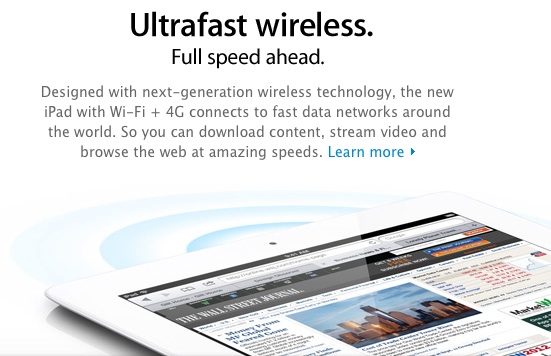
The Sydney Morning Herald, Australian regulators are taking legal actions to address Apple’s “misleading” advertisements regarding the iPad 3. Australian Competition and Consumer Commission (ACCC) announced that in this case it will pursue fines, injunctions and compensation to users who were misled. The issue was caused by Apple’s use of "4G" in its advertising campaign for the cellular-capable models of the iPad 3, while compatibility with 4G LTE is only offered in Canada and U.S. due to different frequency bands used for LTE networks in different countries.
Leave a comment, read comments [1]
Step-by-step Tutorial: How to (Un)Tether Jailbreak and Unlock iPhone 3GS Using RedSn0w 0.9.10 (Windows) [iOS 5.1]
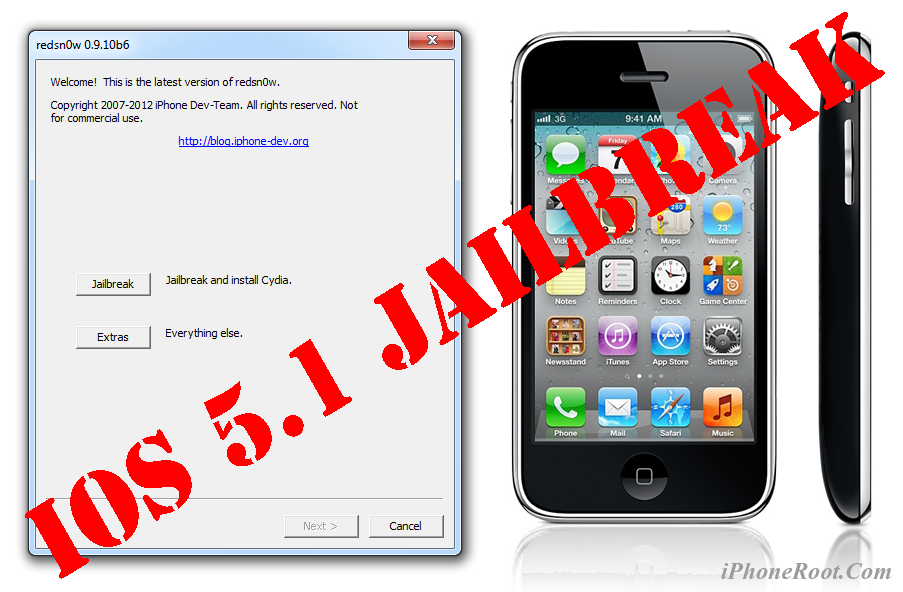
UPDATE: Apple released iOS 5.1.1 and has stopped signing iOS 5.1, so you can NOT restore to 5.1 any more (both original and custom), unless you have saved your SHSH keys for 5.0.1. If you are on 5.1 you can jailbreak with redsn0w. iOS is also tethered jailbreakable with redsn0w.
This is step-by-step instructions on how to perform jailbreak and unlock of your iPhone 3GS on iOS 5.1 firmware using RedSn0w 0.9.10 for Windows.
If you have iPhone 3GS with an old bootrom version 359.3, the jailbreak is untethered. If your device has bootrom version 359.3.2 and higher, jailbreak will be tethered. You can detect your bootrom version using this tutorial.
Tethered jailbreak means that each time you restart your device you will need to connect it to a computer and run redsn0w.
Leave a comment, read comments [152]
Apple reportedly rejecting apps that access UDIDs
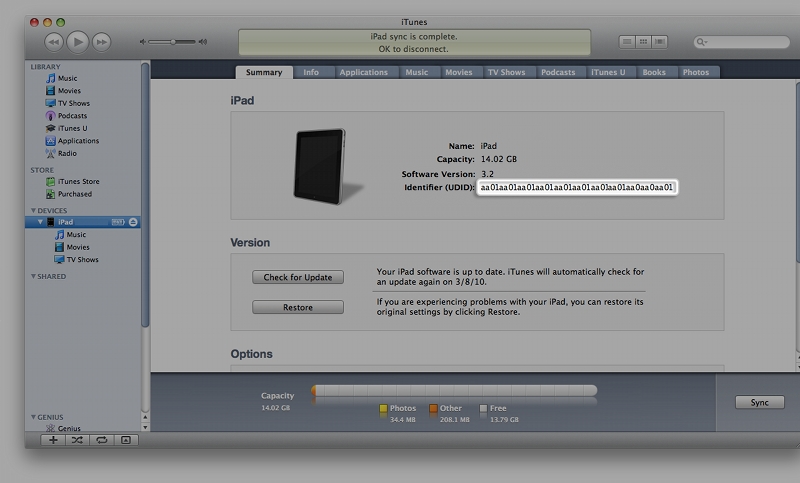
TechCrunch on Saturday reported that Apple has reportedly started rejecting apps which access UDIDs (A unique device identifier, is basically a serial number that a mobile network uses to identify mobile devices like the iPhone and iPad.)
In August 2011, Apple warned software makers that the company would be killing off UDID access with iOS 5, suggesting that developers begin work on app-specific tracking mechanisms. Removing the feature effectively ends OS-wide user tracking and forces developers to create their own proprietary opt-in identification systems.
New iPad’s battery continue charging after it reaches 100%
Since the release of iPad 3, President of DisplayMate Raymond Soneira has been testing all aspects of its Retina display. He a lengthy report providing comparison of the new iPad’s Retina display with iPhone 4 and iPad 2’s displays.
RIM hiring iOS developers
Research in Motion has recently posted a job listing on its website that reveals that the BlackBerry maker is looking to hire developers for an undisclosed iOS enterprise app to be distributed through Apple's App Store. A RIM spokesperson confirmed the rumours. As he said, “the company is indeed developing an iPhone app as part of its BlackBerry Mobile Fusion project.”
Along with the usual coding and communication skills, requirements called for a candidate well-versed in creating apps for both the iPhone and the iPad.
Angry Birds Space released
Rovio has released its new game, Angry Birds Space, on the App Store. It has very good reviews already and determinately worth taking look at.
Official Info and photos:
Concept Photos of the 'New iPhone'
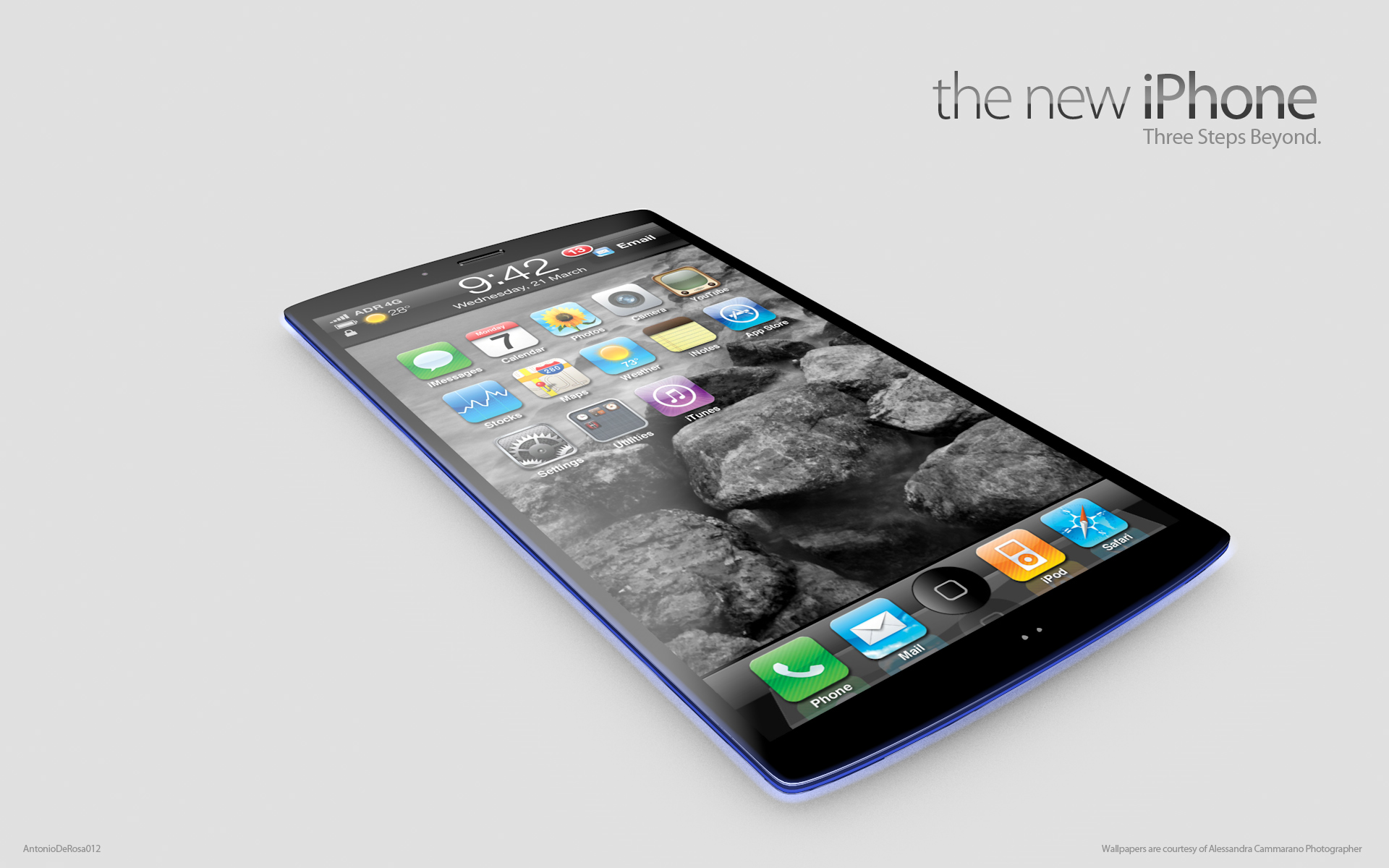
ADR Studios has published concept photos of the 'new iPhone' featuring three Retina Displays, an LED powered edge, and 4G LTE.
First of all it's sim-less: it doesn't use a simcard by our phone mobile operator. It can grab your data directly by the mobile network, also in 4G LTE. It uses a new audio section, with two panel speakers, on the rear of it aluminum forged unibody. All the controls are now on the top and the edge is so thin!
The great news is the new iPhone haven't just one retina display. It has three ones! One strip screen is on the top, to show you all the network infos, clocks, notifications and so on. The bottom one is for App dock, multitasking panel and so on. The central one is only for the desktop: more space, more freedom.
The home button is integrated into bottom strip display and it can be activate thanks to the closer motion sensor. In addition you've a "led powered edge". You can use it to show the strength of battery life or to show you a preferred caller: you can choose the color thanks to the led edge dedicated app.
Here are some beautiful photos. Take a look:
Leave a comment, read comments [1]
Next-gen iPhone to feature 4.6-inch Retina Display
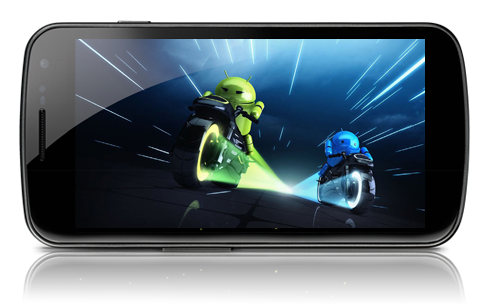
4.65-inch screen of Samsung's Galaxy Nexus
Citing South Korea's Maeil Business Newspaper, Reuters issued yesterday the unverified report claiming that Apple has begun placing orders for a 4.6-inch Retina Display chosen for the next-generation iPhone. The anonymous source also claims that the new iPhone is likely to be revealed in the second quarter of this year.
The rumor suggested that domestic Korean suppliers have received the orders, making Samsung and LG likely candidates as suppliers. Both companies have supplied displays for Apple's mobile products in the past.
China Surpasses U.S. In Terms Of Android And iOS Activations For The First Time
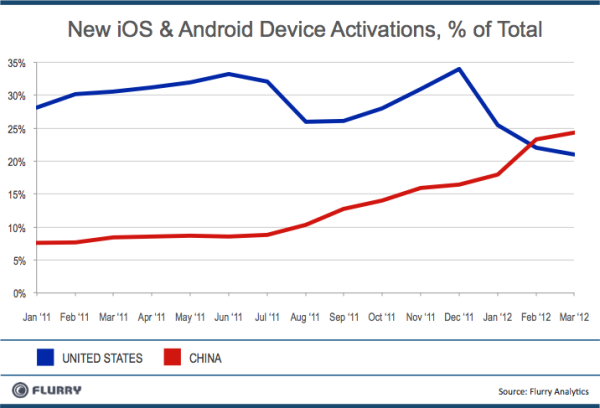
Mobile analytics company Flurry that China has surpassed U.S. for the first time in activations of new Android and iOS devices.
“February, Flurry calculated that China surpassed the United States in monthly new iOS and Android device activations for the first time in history. China is now the world’s fastest growing smart device market”.
iPad 3 Utilizing Same Camera Sensor Found In Older Apple’s Devices
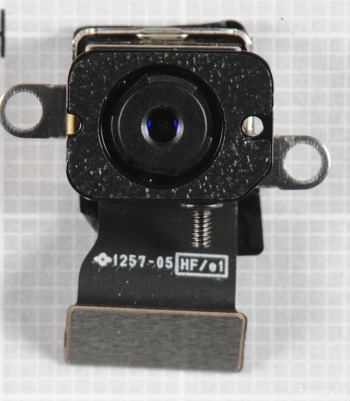
Following the iFixit’s dismantiling of an iPad 3, Chipworks has the results of its own new iPad teardown. The most interesting discovery is that Apple has seemingly reused cameras from its prior devices for both the rear and front cameras of the iPad 3. The rear camera that is shown above seems to be the 5 MP CMOS Image Sensor the company used in the iPhone 4.
Antitrust Investigators Subpoenaed Apple For Information On Search Deal With Google
Bloomberg, Federal Trade Commission’s antitrust investigators subpoenaed Apple requesting details on the company’s agreement with Google, according to which Google has become the default search engines on iOS devices. Reportedly, last year Google Apple $1 billion in the iOS search agreement, and the subpoena is part of an antitrust investigation that is currently conducted over Google’s business practices.